X × PostFast Integration
Connect your X (formerly Twitter) account to PostFast and unlock powerful automation tools to schedule posts, amplify your reach, and engage your audience. X is the platform for real-time conversations, breaking news, and direct audience engagement - perfect for building your brand voice and growing your influence.
PostFast gives you complete control over your X strategy with advanced features like carousel posts and auto-retweets. Schedule your content perfectly, amplify your best posts strategically, and stay consistent with your audience - all from one powerful dashboard.
- Carousel Posts: Share up to 4 images in a single tweet to tell richer stories, showcase products, or create engaging step-by-step tutorials that drive higher engagement.
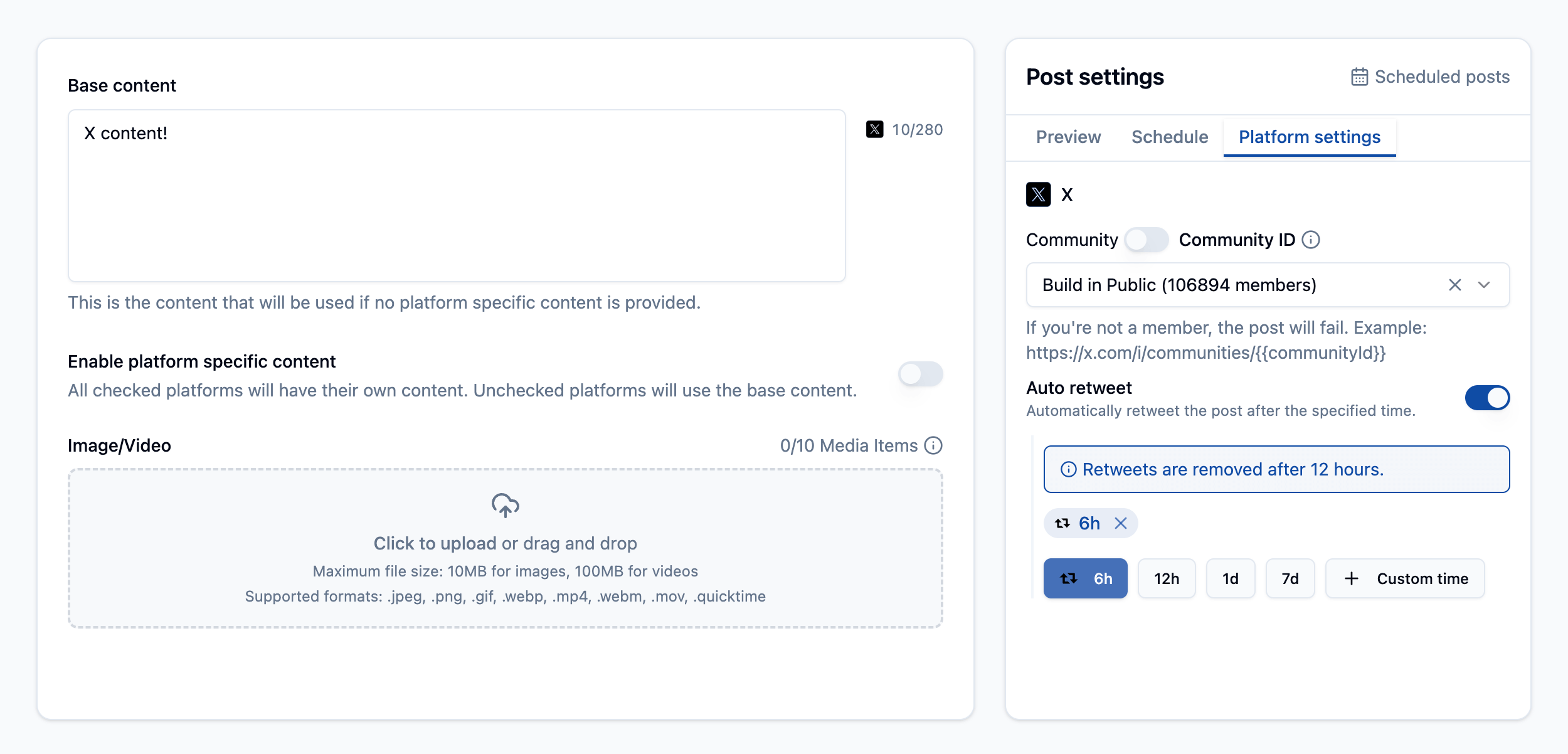
- Auto-Retweet: Automatically retweet your own posts to reach different time zones and new followers. Maximize visibility for your best content without manual effort.
- Retweet by URL: Retweet any post by simply pasting its URL. Perfect for engaging with your audience, sharing valuable content, or amplifying trending conversations.
- Media Support: Schedule tweets with images, videos, or carousels. All media is automatically optimized for X's requirements and best practices.
- Cross-Platform Posting: Publish the same content to X, Instagram, Facebook, TikTok, LinkedIn, and more simultaneously. Save time while maintaining consistent messaging across all platforms.

How to connect with X?
Ready to boost your X presence? Sign up for PostFast today and connect your X profile in minutes. You'll get a 7-day free trial to explore all our features and see the benefits firsthand.
Plus, with PostFast, you can cross-post your content to all your other social media platforms simultaneously. Save time and keep your audience engaged everywhere!
X (Twitter) Scheduling FAQs
Can I schedule retweets automatically?
Yes! PostFast offers powerful retweet features: auto-retweet your own posts to maximize visibility across time zones, or retweet any post by URL. Perfect for amplifying content strategically.
What types of X content can I schedule?
PostFast supports all X post types: single images, videos, carousel posts with up to 4 images, retweets, and text-only tweets. You can also add hashtags.
How do carousel posts work on X?
X carousel posts let you share up to 4 images in a single tweet. With PostFast, upload your images, arrange them in order, write your caption, and schedule. Great for tutorials, product showcases, or telling visual stories.
Can I cross-post to X and other platforms simultaneously?
Absolutely! PostFast's cross-posting feature lets you publish the same content to X, Instagram, Facebook, TikTok, LinkedIn, and other platforms simultaneously. You can also customize each post for platform-specific requirements and character limits.