What Is an Auto Demo Group and How Does It Work?
Discover what an auto demo group is and how to use one for your content. Learn how to automate demo posts to save time and increase brand consistency.
On this page (5)
The term auto demo group can be a bit confusing, mainly because it doesn't mean just one thing. Ask people in three different industries, and you might get three different answers. At its core, though, it’s always about a collection of items used to showcase something great.
The trick is knowing which context you’re in. Is it a fleet of cars? A set of fake user accounts? An automated content machine? Let’s clear up the confusion.
Decoding the Auto Demo Group
So, what exactly is an auto demo group? Forget a dry, dictionary definition. Think of it as a concept that changes its outfit depending on the occasion. It’s always about organizing resources to show off a product, but how it does that is where things get interesting.
We're going to break down the three common meanings you’ll run into. Each one solves a very different problem, but they all share the same goal: making product demos slick, efficient, and effective.
The Three Meanings of Auto Demo Group at a Glance
Before we dive deep, this quick table should help you keep the three main uses straight. It’s a simple way to see how the same term applies to vastly different goals.
| Context | Primary Meaning | Key Goal |
|---|---|---|
| Automotive Industry | A physical fleet of vehicles at a dealership used for customer test drives. | Let potential buyers experience a car firsthand. |
| Software & SaaS | A set of pre-configured user accounts or environments loaded with perfect sample data. | Provide a flawless, ready-to-go product tour. |
| Marketing & Content | An automated workflow that schedules and publishes demo content across social platforms. | Showcase product features to a wide audience. |
As you can see, context is everything. Now, let’s unpack how these ideas play out in the real world.
A Closer Look at Each Interpretation
Let's get specific. Here's what people actually mean when they use the term.
-
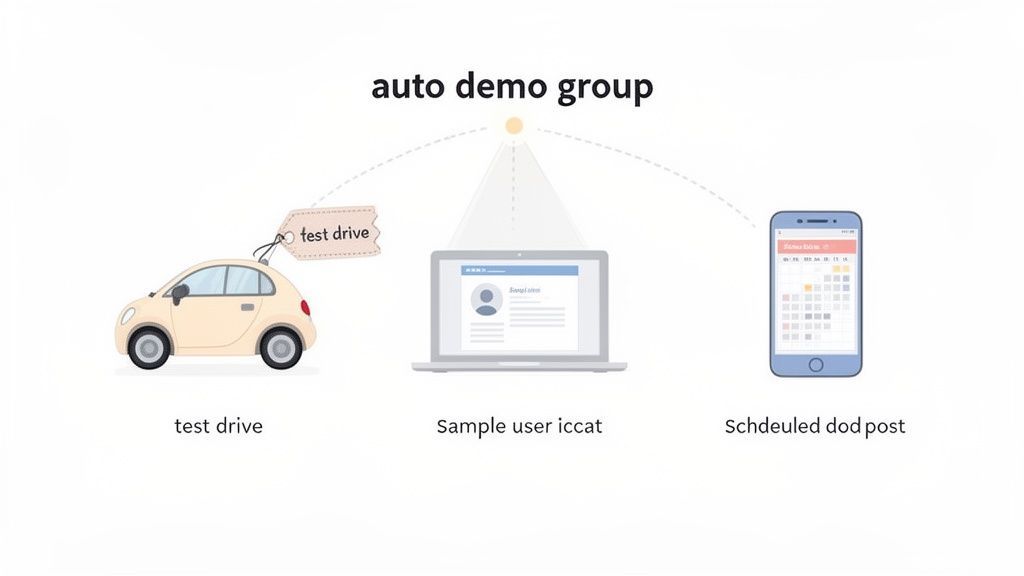
For Car Dealerships: This is the most literal take. An "auto demo group" is the lineup of shiny new cars on the lot reserved for test drives. It's a physical, managed fleet designed to give customers a feel for the engine, the handling, and the features before they buy.
-
For Software Sales Teams: In the SaaS world, an "auto demo group" is a set of pristine user accounts. These accounts come pre-loaded with perfect, curated sample data. This way, a sales rep can jump into a demo for a potential customer and showcase the product's best features without any awkward, manual setup. Everything just works.
-
For Marketers and Content Creators: This is where the term gets really powerful for brands. Here, an "auto demo group" is an automated system for publishing demo content. Think of it as a content engine where demo videos, feature highlights, and tutorials are organized, scheduled, and posted automatically across all your social channels.
This marketing interpretation is especially relevant in growing markets. Take the Bulgarian automotive scene, for example. With sales hitting 50,631 units by November 2023, the growth is undeniable. For a sharp marketer, this is a massive green light to build automated social campaigns around popular car models. You can save hundreds of hours while reaching an audience that's clearly ready to buy.
No matter if you're managing cars, user accounts, or a content calendar, the end goal is identical: show people what you have with zero friction.
To really nail the marketing side of this, it helps to understand the mechanics behind it. This a comprehensive guide to content automation does a great job of breaking down the core principles. With the right tools and a smart strategy, you can turn a tedious, manual task into your best engagement driver. You can explore the features that make this possible with PostFast.
Why Automating Your Demo Content Is a Game Changer
Okay, so we've broken down what an "auto demo group" can mean. But knowing the definitions is one thing, seeing what it can do for your marketing is where things get interesting. Automating your demo content isn't just a clever productivity hack; it’s a real shift in how you show up for your audience. It gets you out of the frantic, day-to-day content scramble and into a smart, proactive rhythm.
Let’s imagine a small online shop, "Artisan Mugs," that handcrafts one-of-a-kind coffee mugs. Every day, the founder carves out an hour to film a quick video of a new mug, tap out a caption, and then post it one by one to Instagram, Facebook, and TikTok. It works, sort of. But on busy days, posting just gets forgotten. The messaging is all over the place, the timing is random, and the founder is getting seriously burnt out. Sound familiar? It’s the manual grind so many growing brands know all too well.
Now, picture Artisan Mugs setting up a simple automated workflow. They block off one afternoon to create a dozen sharp, snappy videos and photos of their best-selling designs. They upload them all at once, batch-write a few great captions for each, and schedule them to post automatically over the next month, right when their audience is most likely to be scrolling.
The Power of Consistency and Timing
All of a sudden, Artisan Mugs has a steady, professional presence online, even when the founder is elbow-deep in clay. This kind of consistency is huge for building brand recognition and trust. In fact, some studies show that brands that keep their presentation consistent can see their revenue jump by up to 33%.
By automating how your content gets out there, you guarantee your brand shows up for your audience every single day. This isn't about being robotic; it's about being reliable.
This newfound reliability does more than just build the brand; it gives the founder their time back. Now they can focus on what they actually love doing: making beautiful mugs and talking to customers. Instead of scrambling to post, they can spend that hour engaging with comments and building a real community.
Turning Chaos into a Growth Engine
This is the real magic of setting up an auto demo group for your content. It turns a chaotic, time-sucking task into a smooth, dependable engine for growth.
- Brand Messaging Stays on Point: Every post hits the right note because it was planned, not rushed.
- Time Is Reclaimed: Your team can stop babysitting the daily posting schedule and start thinking about bigger, more strategic goals.
- Prime Time Engagement: Your best content goes live when your audience is most active, not just when you happen to have a free minute.
For Artisan Mugs, this shift changed everything. Their social media became a predictable asset, not a daily chore. They could plan and launch new products with coordinated, multi-platform campaigns weeks ahead of time. And this is exactly where a tool like PostFast steps in, giving you the straightforward framework to organize, schedule, and automate this whole process. It turns a stressful task into a seamless workflow.
How to Build Your First Automated Demo Workflow
Ready to go from theory to practice? Good news: building your first automated demo workflow is more about smart planning than it is about technical wizardry. Think of it like putting together a killer playlist for your brand. You pick the right content (the songs), line them up to tell a story (the playlist), and then just press play.
Of course, a crucial first step is choosing the right tool for the job. Picking from the best marketing automation software gives you the foundation you need, turning what sounds like a complex process into something you can actually manage.
Step 1: Define Your Core Content Themes
Before you record a single screen or design a graphic, you need a game plan. What are the key features or benefits you absolutely have to show off? Don't fall into the trap of trying to demonstrate everything at once. It's overwhelming. Instead, pick three to five core themes that truly represent the best of what you offer.
For a software company, that might look something like this:
- Time-Saving Features: Zero in on the specific tools that give users their time back.
- Collaboration in Action: Show, don't just tell, how teams can work together seamlessly inside your app.
- Unique Selling Points: What makes you different from the competition? Hammer that point home.
These themes become the pillars of your content library. Every single post will have a clear purpose, contributing to a bigger story and preventing your feed from feeling random or disconnected.
Step 2: Create a Library of Reusable Assets
Okay, now it's time to build out that content "playlist." This isn't about making a hundred new videos from scratch. The smart move is to start with a small, high-quality batch of reusable assets for each of your core themes. Mix it up.
Your asset library could include:
- Short Video Clips (15-30 seconds): Perfect for showing a single, powerful feature in action.
- Animated GIFs: Fantastic for illustrating a simple process quickly, no sound needed.
- Image Carousels: Ideal for breaking down a process into a step-by-step guide or showing off a product from multiple angles.
- Pre-written Text Snippets: Craft a bunch of different captions, questions, and calls to action that you can mix and match later.
Having this library ready to go means you can pull together and schedule weeks of content without starting from zero every single time. It's all about working smarter, not harder.
The difference between a manual, chaotic approach and an automated one is night and day.
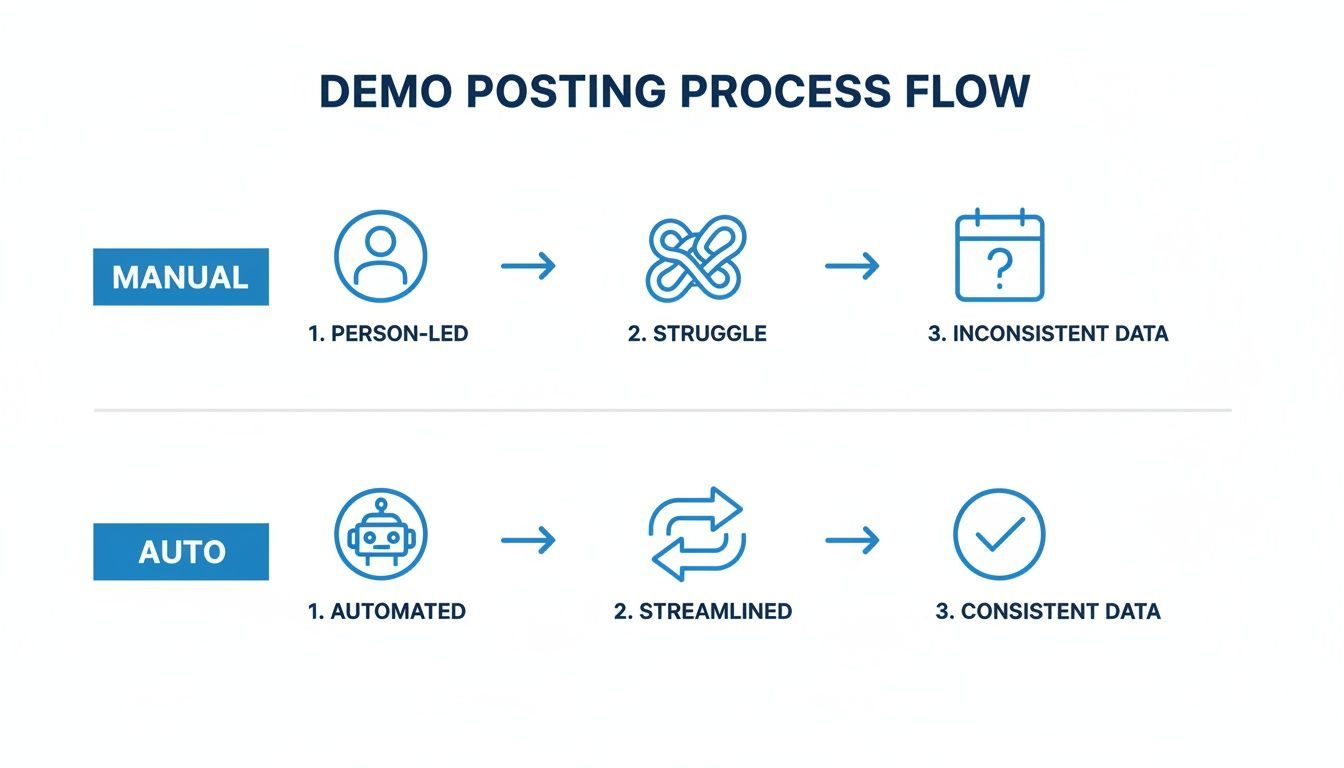
This visual says it all. Automation transforms a tangled, inconsistent mess into a smooth, reliable system for getting your best content out there.
Step 3: Schedule and Automate Your Workflow
You've got your themes and your assets. The final step is bringing it all together. This is where a visual calendar becomes your best friend. Forget thinking day-by-day; now you can map out your entire content strategy for the weeks and months ahead.
An automated workflow isn't just about saving time. It's about gaining control over your brand's narrative and ensuring you're consistently showing up with your best content, even when you're focused on other things.
Platforms like PostFast make this part feel intuitive. You can literally drag and drop your assets onto a calendar, use smart scheduling to post when your audience is most active, and even set up rules to rotate through your different content themes automatically.
If you want to go deeper on this, our guide on how to schedule a social media post to multiple platforms has even more tips. Once your schedule is loaded up, the system takes over, publishing your demos consistently and professionally. You're free to focus on the bigger picture.
Real World Examples of Automated Demo Content
Theory is one thing, but seeing how a strategy actually works in the wild makes all the difference. An automated workflow for demo content isn't a rigid, one-size-fits-all concept. It’s a flexible approach that businesses across different industries are adapting to solve their own unique problems.
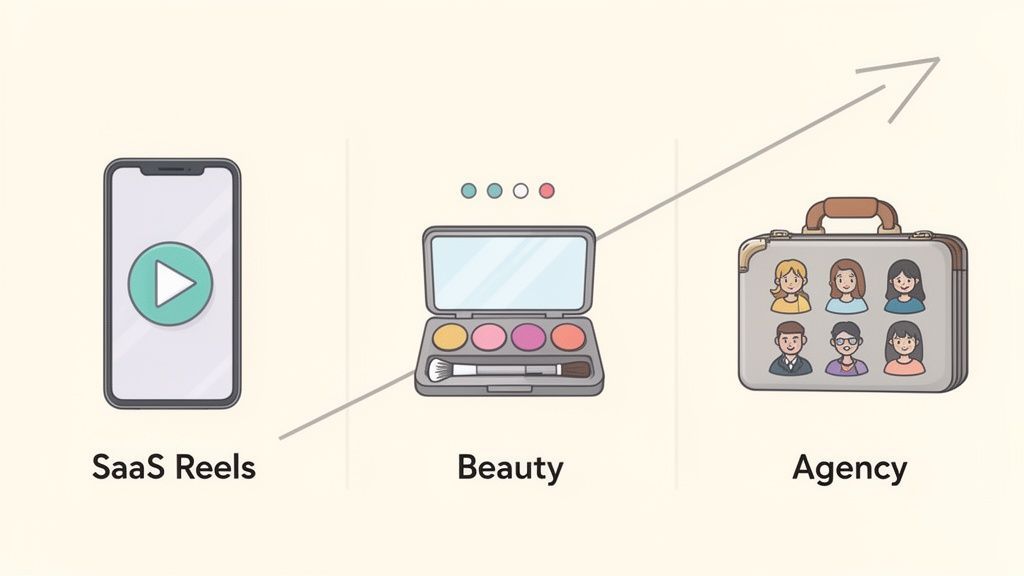
Let’s look at how three completely different businesses, a SaaS company, a beauty brand, and a digital agency, put their own spin on the auto demo group to get real results.
Case Study 1: The SaaS Company and Feature Updates
"SyncUp," a growing SaaS business with a project management tool, had a classic problem. Their development team was shipping new features fast, but the marketing team couldn't keep up. Announcements were late or inconsistent, and as a result, nobody was using the cool new stuff they were building.
They decided to automate the whole process. Now, once a month, their product team creates a batch of short, snappy video Reels that show off the latest features. They upload them all at once and schedule them to drip out over the next few weeks on Instagram and LinkedIn.
- Content Format: Short-form video (Reels) and quick-hit GIFs.
- Platforms: Instagram and LinkedIn, where their target audience of tech-savvy professionals hangs out.
- Result: Simple, but effective. Within three months, they saw a 40% increase in new feature adoption. Users actually started telling them they felt more connected to the product's journey.
Case Study 2: The Beauty Brand and Product Application
Next up is "Glow Theory," an indie cosmetics brand known for its vibrant, multi-use products. Their biggest challenge was simply showing people what their products could do. A single color stick worked on lips, cheeks, and eyes, but a boring product photo on a white background just didn't get that across.
Glow Theory set up an automated demo workflow using image carousels. They built a content library filled with high-quality photos and short clips of models and influencers applying the same product in a bunch of different ways. Then, they scheduled these carousels to post automatically on Instagram and Pinterest, creating a steady stream of visual "how-to" guides.
By automating their visual guides, Glow Theory turned a simple product feed into an educational hub. This showed potential customers exactly how to use the products, removing any guesswork and boosting their confidence to make a purchase.
The results spoke for themselves. Engagement on Instagram shot up, and website click-throughs from Pinterest jumped by over 60%. Even better, customers started posting their own multi-use looks, giving the brand a goldmine of user-generated content to work with.
Case Study 3: The Digital Agency Managing Client Accounts
Finally, let’s look at "Pixel Perfect," a digital agency that handles social media for ten different clients. Manually posting product demos and updates for each client was becoming a logistical nightmare. The team was spending more time logging in and out of different accounts than they were on actual creative strategy.
Pixel Perfect solved this by organizing an auto demo group workflow inside a central dashboard. They created separate workspaces for each client, where they could upload and schedule approved demo content weeks ahead of time. Built-in calendars and approval flows meant clients always had the final say before anything went live.
This one change let them manage every client account from a single place, saving the team an estimated 15 hours per week. That consistency led to better client results, and the agency could finally take on more clients without getting buried in the day-to-day grind of manual posting. It completely changed how they operated.
Once you have a basic automated workflow running, it's time to explore some more powerful techniques. Moving beyond simple scheduling is how you really get the most out of every single piece of content. These are the strategies that turn a good system into a genuinely efficient marketing machine.
The real magic happens when you make your automation smarter and more adaptable. It’s not just about posting on a schedule; it’s about posting the right content, in the right way, for each specific platform. This is how you make an auto demo group truly work for you.
Tailoring Content Across Platforms
That one video demo doesn't have to be a one-size-fits-all asset. The audience on LinkedIn expects a completely different tone and format than users scrolling through TikTok. Instead of filming three separate videos, the smarter move is to adapt one core piece of content automatically.
Imagine you have a great 60-second product demo. With a capable scheduling tool, you upload it once and then give unique instructions for each network.
- For LinkedIn: The system can use a professional caption, add relevant business hashtags, and maybe trim the video to the most feature-focused 45 seconds.
- For Instagram Reels: You can tell it to use a more casual caption, add a trending audio track, and tag a few relevant creators.
- For TikTok: That same video can go up with a question in the caption to get comments rolling, using a different set of viral hashtags.
This approach makes your content feel native to each platform, which can give its performance a serious boost. You get all the benefits of tailored content without the heavy lifting of customizing every single post by hand.
Integrating Team Collaboration and Approvals
For agencies and bigger teams, quality control is non-negotiable. Any advanced auto demo group strategy has to include a solid system for collaboration. This is where features like approval flows become absolutely essential.
A shared workspace transforms automation from a solo task into a team effort. It creates a single source of truth, cutting out confusion and making sure every post meets brand standards before it goes live.
Think about an agency managing five different clients. A junior team member drafts and schedules all the demo content for the week. That content then lands in a pending queue where a manager, or even the client, can review it, leave notes for edits, and approve it with a click. This kind of structured process stops errors in their tracks and keeps everyone on the same page, minus the endless email chains.
Using APIs for Programmatic Scheduling
For developers and tech-savvy teams, the ultimate level of automation comes from using an API. This lets you hook your content scheduling platform into other software systems, creating triggers that publish content automatically based on specific events.
For example, you could connect your e-commerce platform to your scheduler. When a new product officially launches on your website, a pre-made demo video for it gets automatically added to your social media queue and published. You can see how to set up these kinds of powerful connections in our guide on PostFast's n8n integration. It creates a truly hands-off workflow where your marketing keeps pace with your business operations in real-time.
Questions People Ask About Content Automation
Deciding to automate your content workflow is a solid move, but it’s normal to have a few questions before you dive in. Getting straight answers helps you build a strategy that actually works. Here are the most common things people ask when setting up an auto demo group for their social channels.
How Much Content Do I Need to Start?
You can get going with less than you would think. A good starting point is a library of 8 to 10 high-quality, 'evergreen' demo pieces. Think short videos, animated GIFs, and a few image carousels that show off your core features.
That’s more than enough to create a varied, engaging schedule for the first few weeks. From there, you just add new content to the library as you create it. Tools like PostFast make it simple to build up this collection over time, so your automated feed always feels fresh.
Will Automating Posts Kill My Engagement?
That’s a big one, but the short answer is no, not if you do it right. Automation is about being consistent, not about turning your brand into a robot. Engagement only really drops when your content feels generic, repetitive, or totally disconnected from what your audience cares about.
The trick is to let automation handle the tedious part, the scheduling, so you can pour your energy into creating demos that are genuinely useful and interesting. Smart scheduling can even post your content at the best times, which often gives your engagement a nice little bump.
You can also use features like caption variations to keep things from sounding the same. The posting is automated, but the content still feels human.
Can I Automate Content for Instagram Stories and TikTok?
Yes, absolutely. Modern automation tools are built for the platforms that matter most right now. This isn't a limitation anymore for brands that need a strong presence on fast-moving, visual channels.
For example, you can use a platform that publishes directly, and automatically, to Instagram Reels, Stories, and TikTok. You schedule your vertical videos, and they go live when you want them to, without you needing to manually push a notification to finish the post. It’s a huge advantage for staying on top of those feeds.
Ready to build a seamless demo workflow and get hours back every week? PostFast has all the tools you need to schedule, collaborate, and publish your best content on autopilot. Start your free 7-day trial today and see the difference.
Related
Meta Muse Connectors: The Full List, With Sources (Updated Weekly)
Every Meta Muse connector we can verify: launch connectors, Meta's own apps, additions, announced ones and community-built custom connectors, with sources.
A Practical Guide to Using Social Media Icons
Learn how to find, customize, and place social media icons to create a cohesive brand experience and drive real engagement on your platforms.

Boost Your Reach with the Right LinkedIn Post Size: A Quick Guide
Learn the linkedin posts size for every format, including images, videos, carousels, and profiles, to polish your content and boost engagement. Read now.
How to Connect Claude to Instagram: Post, Schedule, Reply
Connect Claude to Instagram so it can schedule posts, Reels and Stories, answer comments and report post stats. Setup steps, prompts that work, and limits.