A Complete Guide to Creating Videos for Instagram That Convert
Master videos for Instagram with our complete guide. Learn formats, specs, creative tips, and how to schedule Reels to grow your audience and convert followers.
On this page (7)
If you want to make an impact on Instagram today, you need to speak its language. And that language is video. From punchy, attention-grabbing Reels to the day-in-the-life feel of Stories, video is how you connect, grow, and actually stand out.
Why Video Isn’t Optional on Instagram Anymore
Instagram started as a simple home for filtered photos. Those days are long gone. Today, it’s a full-throttle video platform where static images often get lost in the noise. The big push towards formats like Reels and Stories wasn't just a fleeting trend; it was a strategic shift by Instagram to keep people watching, and for longer.
For brands and creators, this means one thing: getting good at video is no longer a "nice to have." It's your ticket to being seen.
Think of it this way: a static photo is like a single sentence, but a video is a whole story. A beautiful image can make a point, sure. But a video can build emotion, show a product in action, and tell a complete narrative in just a few seconds. That’s why video content consistently pulls in way more engagement than anything else.
Why Your Strategy Is Incomplete Without It
A solid video plan does more than just tick boxes on your content calendar. It’s about building a real connection by showing the human side of your brand. This is especially true in growing markets where online communities are booming.
Take Bulgaria, for instance. As of January 2026, Instagram has a massive presence with 2.211 million users. That’s 33.1% of the entire population. This shows just how vital the platform is for reaching local audiences. The ad reach there jumped by 100,000 users in a single year, which tells you that compelling video is one of the most direct ways to tap into this growth. You can dig deeper into the Instagram user growth in Bulgaria to see the full picture.
Different Formats for Different Jobs
Not all videos are created equal, and Instagram gives you a whole toolkit to work with. Each format has its own superpower, and knowing when to use each one is the first step to a winning strategy.
- Instagram Reels: These are your engine for discovery. Built for short, entertaining, and highly shareable clips, Reels are perfect for jumping on trends and getting your content in front of fresh eyes. The algorithm is designed to help you get found.
- Instagram Stories: Think of these as your brand’s daily vlog. These 24-hour posts give a behind-the-scenes, unfiltered look into your world, creating a more personal and authentic bond with the followers you already have.
- In-Feed Videos: These are the workhorses of your main feed. Longer than Reels, they're ideal for deeper storytelling, step-by-step tutorials, or detailed product showcases.
- Instagram Live: Nothing beats Live for real-time interaction. It's the go-to for Q&As, virtual events, and making your audience feel like they're right there with you, building a powerful sense of community.
By choosing the right format for the job, you’re making sure the right message finds the right person at the right time. A scheduler like PostFast can help you map all of this out, letting you plan and schedule different video types to create a content mix that’s both balanced and effective.
Understanding Instagram Video Formats and Specifications
To make great videos for Instagram, you first need to get your head around the different playgrounds the platform offers. Each video format—whether it’s a Reel, a Story, or an In-Feed post—has its own set of rules. Nailing these specs is the first, most crucial step to making your content look professional and ensuring it actually gets seen.
Think of it like dressing for an occasion. You wouldn’t wear a tuxedo to the beach, right? In the same way, a wide-screen, cinematic video that looks incredible on YouTube will feel totally out of place and get awkwardly cropped as an Instagram Story. You have to match the format to the placement.
This is all about grabbing attention, building a real community, and sparking growth.
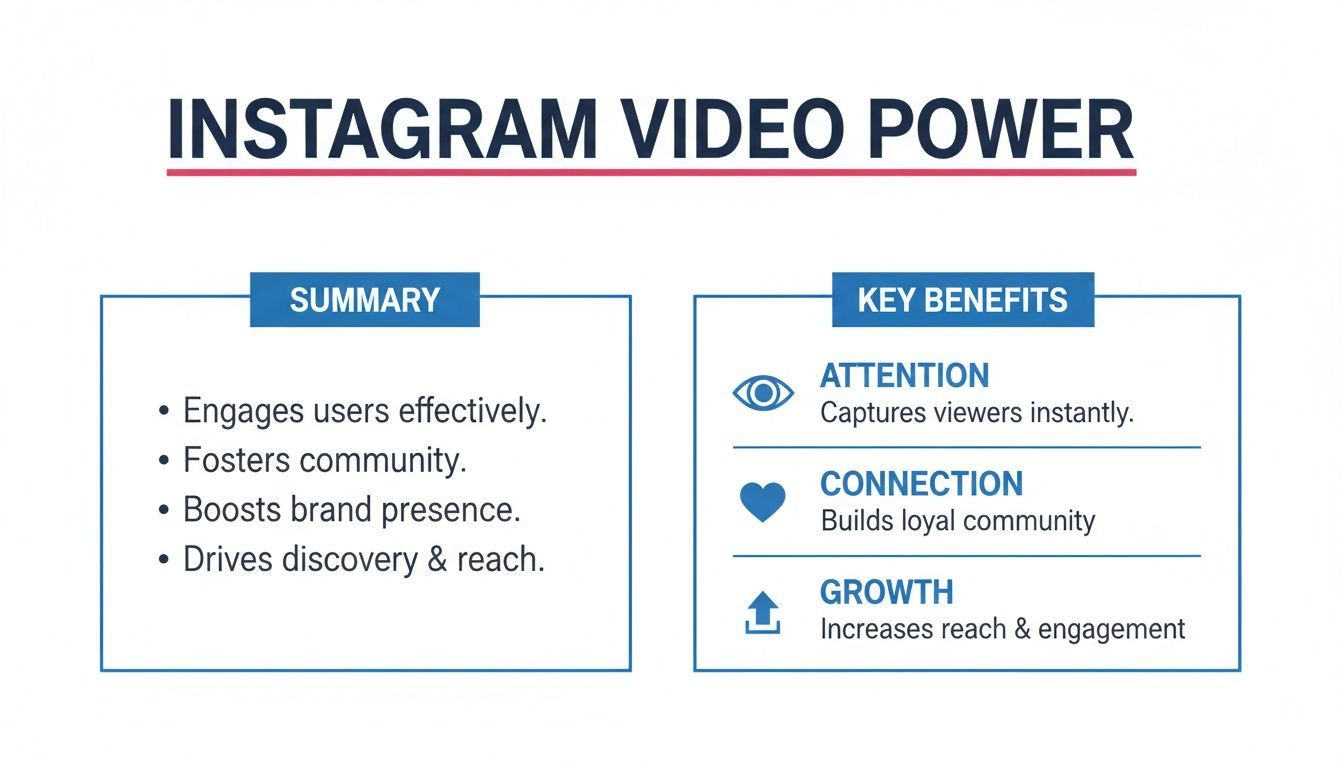
The big takeaway here is that video isn’t just one thing. It's a powerful tool for hooking viewers, building genuine connections, and ultimately, growing your presence on the platform.
Instagram Reels Specifications
Reels are Instagram's discovery engine. These short, snappy videos are designed to entertain and be shared far and wide, making them perfect for reaching people who don't follow you yet. To give your Reels the best shot at going viral, stick to these technical points.
- Aspect Ratio: 9:16. This is a full-screen vertical format, so just film with your phone held upright.
- Video Length: Up to 90 seconds. You have a minute and a half, but the best Reels grab attention in the first 3-5 seconds.
- Resolution: Aim for 1080 x 1920 pixels. This keeps your video looking crisp and clear on modern smartphone screens.
One quick tip: when a Reel shows up on your main profile grid, Instagram crops it to a 1:1 square. Always keep your most important visuals dead centre so they don't get cut off in this view.
Instagram Stories Specifications
Stories are your go-to for casual, in-the-moment content that forges a personal connection with your current followers. Because they vanish after 24 hours, they feel more authentic and less polished than other formats.
Like Reels, Stories are built for a vertical, full-screen experience. Sticking to their native format gives your audience a seamless viewing experience.
Getting the technical details right means your audience can focus on your message, not on a poorly formatted video. It’s a small step that makes a huge difference in perceived quality and professionalism.
The tech specs are straightforward:
- Aspect Ratio: 9:16. Again, a fully vertical format is non-negotiable here.
- Video Length: Each Story clip can be up to 60 seconds long. You can always upload multiple clips to tell a longer story.
- Resolution: 1080 x 1920 pixels is the gold standard for high-quality playback.
In-Feed Video Specifications
In-Feed videos are the most flexible of the bunch. They pop up in your followers' main feeds and live on your profile grid, making them ideal for content that has a longer shelf life, think tutorials, product demos, or deeper storytelling.
While Instagram supports various shapes, one format consistently performs best.
- Best Aspect Ratio: 4:5. This vertical format takes up more screen real estate than a square (1:1) or landscape (16:9) video, helping you grab more attention as people scroll.
- Video Length: Up to 60 minutes. This allows for much more detailed content, but just remember that online attention spans are brutally short.
- Resolution: For a 4:5 video, you’ll want to use 1080 x 1350 pixels.
Instagram Video Format Technical Specifications
This table is a quick cheat sheet to keep all the key specs straight for Instagram's main video types.
| Video Format | Aspect Ratio | Max Length | Recommended Resolution |
|---|---|---|---|
| Reels | 9:16 | 90 seconds | 1080 x 1920 px |
| Stories | 9:16 | 60 seconds | 1080 x 1920 px |
| In-Feed | 4:5 (recommended) | 60 minutes | 1080 x 1350 px |
Bookmark this page or save this table. It's a simple reference that will save you a ton of headaches down the line. Keeping all these numbers straight can be a pain, which is why we also have a dedicated guide. For a deeper dive, check out our resource on current Instagram video sizes and dimensions for a quick overview.
File Type and Other Key Details
Beyond size and shape, a few other technical details apply to all Instagram videos. Getting these right helps you avoid upload errors or nasty compression issues that can tank your video's quality.
For the best results across all formats, stick to these general guidelines:
- File Type: MP4 is the most reliable and universally accepted format.
- Audio Format: AAC audio is the recommended standard for clear sound.
- Frame Rate: 30 frames per second (FPS) gives you smooth motion without creating a massive file.
- Maximum File Size: Keep your videos under 4GB.
Paying attention to these specifications ensures your videos for Instagram upload smoothly and look exactly how you planned. Tools like PostFast handle these complexities for you, letting you schedule your content and trust that it will be published perfectly every time. That way, you can focus on being creative, not on being a video engineer.
Creative Best Practices for Engaging Instagram Videos
Knowing the technical specs gets you in the game, but it doesn't guarantee you'll win. A perfectly formatted video that no one wants to watch is a massive missed opportunity. The real magic happens when you blend those technical details with genuinely good creative ideas. That’s how you stop the scroll and turn passive viewers into an actual audience.
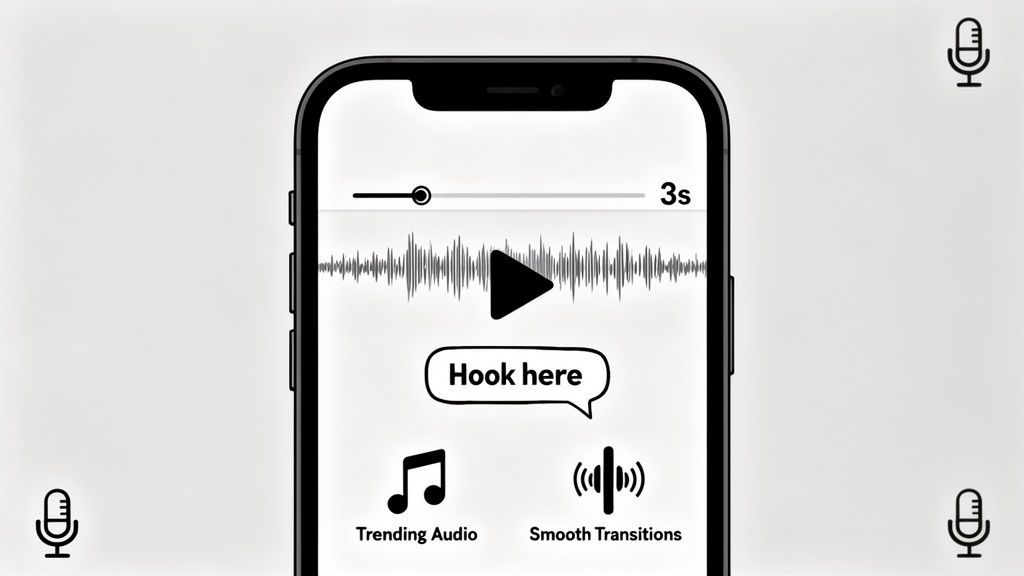
The most important part of your video? The first three seconds. Seriously. That's the tiny window you have to convince someone to stop their thumb and pay attention. If you don't give them a reason to stick around right away, they're gone.
So, start with a powerful hook. It could be a surprising statement, a visually stunning shot, or a question that piques their curiosity. Think of it as the headline for your video, it has to be compelling enough to make people wonder what’s next.
Tell a Coherent Story
Even in a 15-second Reel, a story arc matters. Every good video, no matter how short, needs a beginning, a middle, and an end. It can be as simple as showing a problem, walking through the solution, and then revealing the satisfying result.
This structure gives your video a natural flow and makes it easy for people to follow along. A clear narrative, even a tiny one, keeps people watching until the end, which is a huge positive signal to the Instagram algorithm.
To create videos that really connect, you have to master effective content creation. It’s about thinking like a storyteller first, and a content creator second.
Master Your Visuals and Audio
You don’t need a Hollywood budget to make great-looking Instagram videos. Modern smartphones are more than capable, as long as you nail the fundamentals.
Good lighting is non-negotiable. Natural light from a window is often your best, and cheapest, option. If you're filming inside, a simple ring light can make a world of difference by getting rid of harsh shadows and making everything look crisp and professional.
Clean audio is just as crucial. Viewers might forgive slightly grainy footage, but they will absolutely not stick around for bad sound. An external mic is a great investment, but even just filming in a quiet room helps immensely. Most people watch with the sound on, so make sure what they hear is clear.
A common mistake is obsessing over visual quality while ignoring audio. A video with crystal-clear sound and average visuals will almost always outperform one with stunning visuals and muffled, hard-to-understand audio.
Use Trends and Audio Wisely
Trending audio is one of the biggest levers for discovery on Instagram, especially for Reels. When you use a popular sound, you’re tapping into an existing conversation, which massively increases the odds of your video getting seen by new people.
But don't just jump on a trend for the sake of it. Find sounds and formats that actually fit your brand’s voice and message.
- Find Trending Audio: Look for the little upward-pointing arrow next to a song name on Reels. That icon means the sound is currently taking off.
- Adapt, Don't Copy: Put your own spin on it. How can you use this popular sound to tell a story that’s relevant to your audience?
- Create Original Audio: If you have a unique soundbite, don't be afraid to make your own original audio. If it’s catchy or useful, other creators might use it, driving traffic right back to your original video.
Craft Compelling Captions and Calls-to-Action
Your video is the main event, but the caption is its essential sidekick. A great caption can add context, inject some humor, or spark a conversation in a way the video can't do alone.
Keep your captions short and easy to read. Use line breaks to create white space and throw in relevant emojis for a bit of personality. Most importantly, always end with a clear call-to-action (CTA).
A CTA tells your audience exactly what you want them to do next. Without one, you're just hoping they’ll engage.
Examples of Effective CTAs:
- "What's your favorite tip? Let me know in the comments!"
- "Save this post so you don't forget!"
- "Tag a friend who needs to see this."
- "Tap the link in our bio to learn more."
When you combine a strong hook with great storytelling and a clear CTA, you create a complete package. This not only makes your videos more engaging but also turns them into powerful tools for growing your community. And when you're ready to post, using a scheduler like PostFast gets your perfectly crafted video live at the best time, without you having to hang around on your phone.
Getting Your Video Strategy in Front of the Right People
Making a great-looking video is only half the battle. The real magic happens when you know exactly who you're making it for. When your content connects with your ideal viewer, it doesn't just rack up views, it builds a community that actually cares about what you have to say.
Forget the one-size-fits-all approach. It’s time to get your hands dirty with audience analytics. Who are these people? Where do they live? How old are they? Answering these questions helps you create videos that feel like a one-on-one conversation, not like you're just shouting into the void.
This is what separates the good content from the great. It's the difference between a video that gets a few pity likes and one that ignites a fire of comments, shares, and saves because it just gets them.
Tailoring Content to Different Demographics
It's no secret that different age groups and genders use Instagram in completely different ways. What grabs a 22-year-old’s attention will likely fly right over the head of someone in their late 40s. The first step is just admitting that.
Younger audiences, for instance, tend to love fast-paced, trend-heavy content that’s loaded with humor and familiar audio. On the flip side, older demographics might prefer a slower, more thoughtful video that offers real-world value or tells a compelling story.
The goal isn’t to be everything to everyone. It's to be indispensable to a specific someone. Once you know who you’re talking to, every creative choice, from the music you pick to the call-to-action you use, suddenly becomes crystal clear.
A Look at Real-World Audience Data
Getting local can be a game-changer for your video strategy. In Bulgaria, for example, the biggest slice of the Instagram pie is the 25-34 age group, with a whopping 744,700 users. That’s a huge clue right there. It tells us that videos for Instagram focused on things like career growth, lifestyle, and family are primed to do well.
Things get even more interesting when you look at the gender split in older groups. Women between 45 and 54 outnumber men by 134,500 users. This means there's a strong, engaged audience ready for content that speaks directly to them. With 35.3% of all adults in Bulgaria on Instagram, brands that pay attention to these numbers have a massive opportunity. You can dive deeper into demographic trends in Bulgaria's digital space to really sharpen your focus.
From Insights to Action
So, you’ve got the data. Now what? It's time to turn those numbers into an actual content plan.
Here's a straightforward way to think about it:
- Analyze Your Followers: Jump into your Instagram Insights. What’s your main age range, gender split, and where are your followers located? This is your starting point.
- Research Their Interests: Snoop around a little. What other accounts do your followers love? What topics, aesthetics, and video styles are they already engaging with?
- Test and Learn: Start creating videos based on what you’ve found and watch the numbers. Pay close attention to what resonates. You can track all these moving parts, and even measure the effectiveness of your video campaigns, when you learn how to use UTM parameters on Instagram.
Staying Ahead of the Algorithm
At the end of the day, the Instagram algorithm just wants to show people things they’ll enjoy. When you make videos for a specific audience, you’re basically feeding the algorithm exactly what it wants: super-relevant content that keeps people scrolling.
Getting a handle on the platform's inner workings is a must, so it pays to understand how the Instagram algorithm works. By matching your audience knowledge with the platform's mechanics, you create a powerful cycle of growth. And a tool like PostFast helps you nail the timing by letting you schedule content when your audience is most likely to be online, making sure all that hard work actually gets seen.
Building a Sustainable Instagram Video Workflow
Staying consistent with video on Instagram is where most people get stuck. You know you need to show up regularly to see any real growth, but the constant loop of brainstorming, filming, editing, and publishing is a fast track to burnout. The secret isn't working harder, it's building a smarter system that takes the pressure off.
A reliable workflow turns that chaotic, last-minute panic into a calm, organized process. Instead of scrambling to create a video every single day, you build a library of high-quality content that’s ready to go when you are. That shift from being reactive to proactive is what separates the creators who are always stressed from those who grow their audience with ease.
This is where planning and batching come in. It’s a simple concept, but it's powerful: instead of doing the entire video creation process one at a time, you group similar tasks together and knock them out in bulk. Think of it as meal prepping for your content.
The Power of Content Batching
Content batching just means dedicating specific blocks of time to one type of task. For instance, you might spend a Monday afternoon just brainstorming and scripting a month's worth of Reels. Then, on Wednesday, you dedicate the entire day to filming all of them, one after the other.
This approach is incredibly efficient. When you focus on a single activity, you get into a state of flow and avoid the mental whiplash that slows you down when you jump between totally different tasks.
A Simple Batching Workflow:
- Day 1 (Planning): Brainstorm ideas, find some trending audio, and write out simple scripts or outlines for 8-10 videos.
- Day 2 (Filming): Set up your lighting and camera once, then film all your planned videos in a single session. Change your shirt a few times, and you're good to go.
- Day 3 (Editing): Sit down with a coffee and edit all the raw footage. Add your text, transitions, and music.
- Day 4 (Scheduling): Write captions for every video and upload them all into a scheduling tool. Done.
With a system like this, you can create a whole month of video content in just a few focused days. That frees up the rest of your time to actually engage with your community or, you know, work on other parts of your business.
Why a Content Calendar Is Your Best Friend
Once you have a bank of videos ready to go, a content calendar becomes essential. It’s your visual roadmap of what you’re posting and when. This isn't just about being organized; it's about being strategic. A calendar helps you see the bigger picture, making sure you have a good mix of content types that line up with your actual goals.
Using a scheduling tool with a visual calendar makes this whole process so much better. Instead of a messy spreadsheet, you get a clear, interactive overview of your upcoming posts.
A well-managed workflow doesn’t just save you time; it protects your creativity. When you remove the daily pressure of what to post, you create the mental space you need to come up with better, more engaging video ideas.
This is what it looks like inside the PostFast visual calendar. You can map out your entire month's content at a glance, with videos scheduled for the best times.
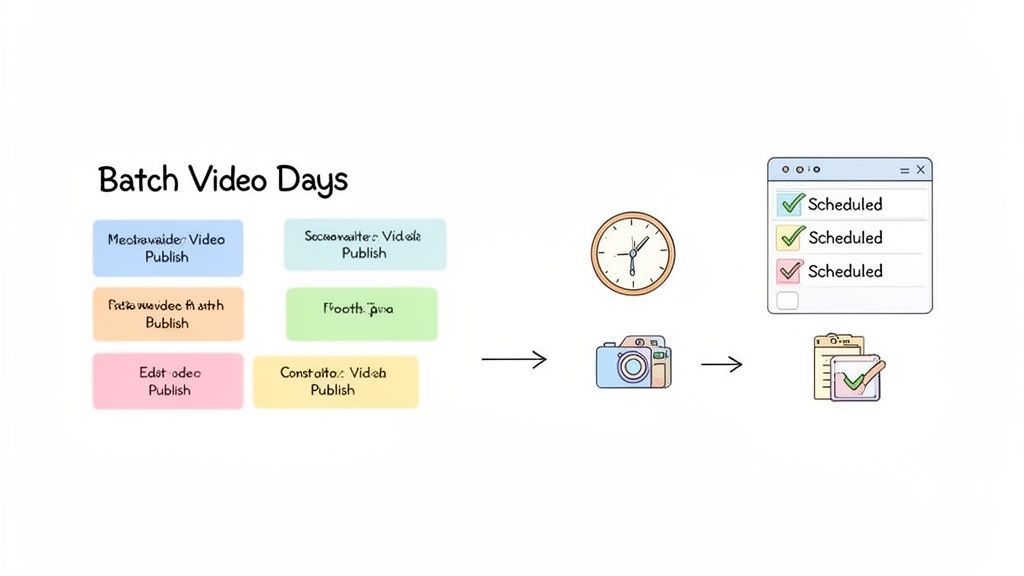
What you're seeing is a complete, color-coded plan that makes it easy to spot any gaps and ensure you have a balanced content mix across different platforms, all from one dashboard.
Automating Your Publishing with a Scheduler
The final piece of a truly sustainable workflow is automation. After all the creative work is done, the last thing you want is to be chained to your phone, manually uploading every single Reel and Story. This is where a scheduler like PostFast becomes a game-changer.
By scheduling your videos in advance, you can make sure your content goes live at the exact moments your audience is most active, even if you’re busy with something else. You just upload everything once, set the dates and times, and the platform handles the rest. This guarantees consistency and frees you from the tyranny of the "post now" button.
This automated approach lets you truly "set it and forget it," giving you back valuable time while your Instagram presence keeps growing reliably in the background.
Don't Just Post on Instagram—Go Everywhere
Getting your videos for Instagram just right is a huge win. But if you stop there, you're leaving a massive audience on the table. A truly smart video strategy treats Instagram not as an island, but as a key hub in a bigger ecosystem, one that includes giants like Facebook and YouTube. Putting all your creative energy into one platform is like putting all your eggs in one basket; it’s risky and it caps your growth.
Diversifying where you post your videos isn't just about getting more views; it's about building a more resilient brand. It shields you from the whims of a single platform's algorithm changes and ensures you’re meeting your audience wherever they hang out online. This doesn't mean you need to create brand-new content for every channel. The real secret is smart repurposing.
Why a Multi-Platform Approach Is Non-Negotiable
A quick look at the social media landscape, particularly in certain regions, makes the case for diversification loud and clear. Take Bulgaria, for example. As of January 2026, Facebook’s dominance is staggering, holding 97.07% of the market share. In comparison, Instagram sits at 0.97%, with YouTube just ahead at 1.6%. These numbers tell a powerful story: while Instagram is essential for engagement, ignoring Facebook or YouTube means you’re invisible to the vast majority of your potential audience. You can see the full breakdown of the Bulgarian social media market share for yourself.
How to Adapt Your Content for Different Channels
Smart repurposing is about adapting, not just copy-pasting. A single video can feel native to multiple platforms with just a few clever tweaks.
- Instagram Reel to YouTube Short: A 9:16 vertical Reel is already a perfect fit for YouTube Shorts. You might just swap out the trending audio or adjust the caption to match the slightly different vibe and search behavior on YouTube.
- In-Feed Video to Facebook Post: That 4:5 Instagram video you posted will look great on Facebook’s feed. The bonus? You can add a more detailed caption and a clickable link directly in the post, something Facebook handles much better.
- Long-Form to Short-Form: This is where the magic happens. Chop up your longer YouTube videos into punchy, bite-sized clips perfect for Reels, Stories, or even TikTok.
Thinking multi-platform from the very beginning will save you an incredible amount of time. When you’re filming, try to capture shots that work for both vertical and horizontal formats. This simple habit makes your content work twice as hard for you.
Tools like PostFast are built for this exact workflow. You can schedule one video to post across multiple platforms, but customize the caption and details for each one. This way, your content feels native everywhere you post it. For a deep dive into all the different video dimensions you’ll encounter, check out our guide on 16:9 resolutions and other aspect ratios. An integrated approach like this is the key to maximizing your reach and building sustainable growth.
Got Questions About Instagram Videos?
Even the best video strategy runs into questions. Here are some quick answers to the stuff that comes up most often.
What’s the Best Length for an Instagram Video?
This really depends on where it's going and what you want it to do. For Reels, think short and punchy. Aiming for 7 to 15 seconds is a solid bet because it hooks people who are just endlessly scrolling.
Stories can be a bit longer, up to 60 seconds per clip, which is perfect for walking people through a more detailed, behind-the-scenes look at something. In-feed videos can also be longer, but honestly, unless you're doing a deep-dive tutorial, keeping it under 60 seconds is your best bet for holding onto viewers. The goal is to make every single second count.
How Do I Actually Get More Views on My Videos?
Getting more eyeballs on your videos boils down to a few simple habits:
- Nail the hook: You have about three seconds to grab someone's attention. Make them count.
- Use trending audio: This is non-negotiable for Reels. It's a massive shortcut to reaching new people.
- Write captions that start a conversation: Don't just describe the video. Ask a question or tell people what to do next.
- Show up consistently: Posting regularly tells the algorithm your account is active and worth showing to more people.
Does a Scheduling Tool Really Make a Difference?
Oh, absolutely. Using a scheduler is the difference between being reactive and being strategic. Instead of waking up every morning thinking, "What am I going to post today?", you can set aside one afternoon to create all your videos for the week. Then you just schedule them to go out when your audience is most likely to be online.
That consistency is what builds momentum. It also gives you your time back, so you can focus on making better videos or actually talking to your community instead of being chained to your phone for manual uploads.
Ready to build a smarter video workflow that doesn't burn you out? PostFast lets you plan, schedule, and publish all your Instagram videos from one place. Save time and stay consistent. Give it a try at https://postfa.st.
Related
Instagram scheduling with PostFast
Feed posts, Reels, Stories, carousels
Dimensions for instagram profile picture: Your Guide to a Standout Profile
Discover the right dimensions for instagram profile picture to maximize visibility and engagement on Instagram. Practical, quick tips for a flawless profile.

Anonymous Instagram Story Views: Will They Know?
What the poster actually sees when you view their Instagram story, which anonymous methods leave a trace, and how to check safely without risking your account.
Best Time to Post on Instagram in 2026: 10 Windows, Tested Against 23,552 Real Posts
The best time to post on Instagram in 2026: 10 tested windows plus first-party data from 23,552 posts scored against each account's own normal. 3 PM local wins.
A Complete Guide to Social Media Optimisation
Discover the art of social media optimisation (SMO). Our guide explains how to grow your audience, boost engagement, and drive results on all major platforms.

How to Connect Claude to Instagram: Post, Schedule, Reply
Connect Claude to Instagram so it can schedule posts, Reels and Stories, answer comments and report post stats. Setup steps, prompts that work, and limits.