How to View Instagram Stories Anonymously: What Still Works
Which anonymous Instagram Story methods still work and which quietly stopped. Third-party viewers, airplane mode, burner accounts, tested and compared.
On this page (11)
Yes, you can view Instagram Stories anonymously, but far less of the old advice still works than most guides admit. Some methods that were reliable a year ago now quietly fail, and the person you were trying to avoid ends up on your viewer list anyway. Here is what actually holds up, what broke, and how to pick the right approach.
Watch IG Stories Anonymously: The Short Version
If you want the answer without the tour, here it is.
What still works:
- A third-party story viewer, for public accounts only. The site fetches the public Story from its own servers, so your username never touches it.
- A separate Instagram account the person does not recognise. The view is real, it is just tied to an account that means nothing to them.
What no longer works reliably:
- Airplane mode. Instagram now queues the view and sends it when you reconnect.
- The half-swipe. It shows one still frame and it is very easy to slip into a full view.
What has never worked and never will:
- Anything promising private accounts. If a tool claims it can show you a private Story, it is after your login.
That is the whole picture. The rest of this guide explains why each of these behaves the way it does, so you can tell a working method from a stale one when the next trick makes the rounds.
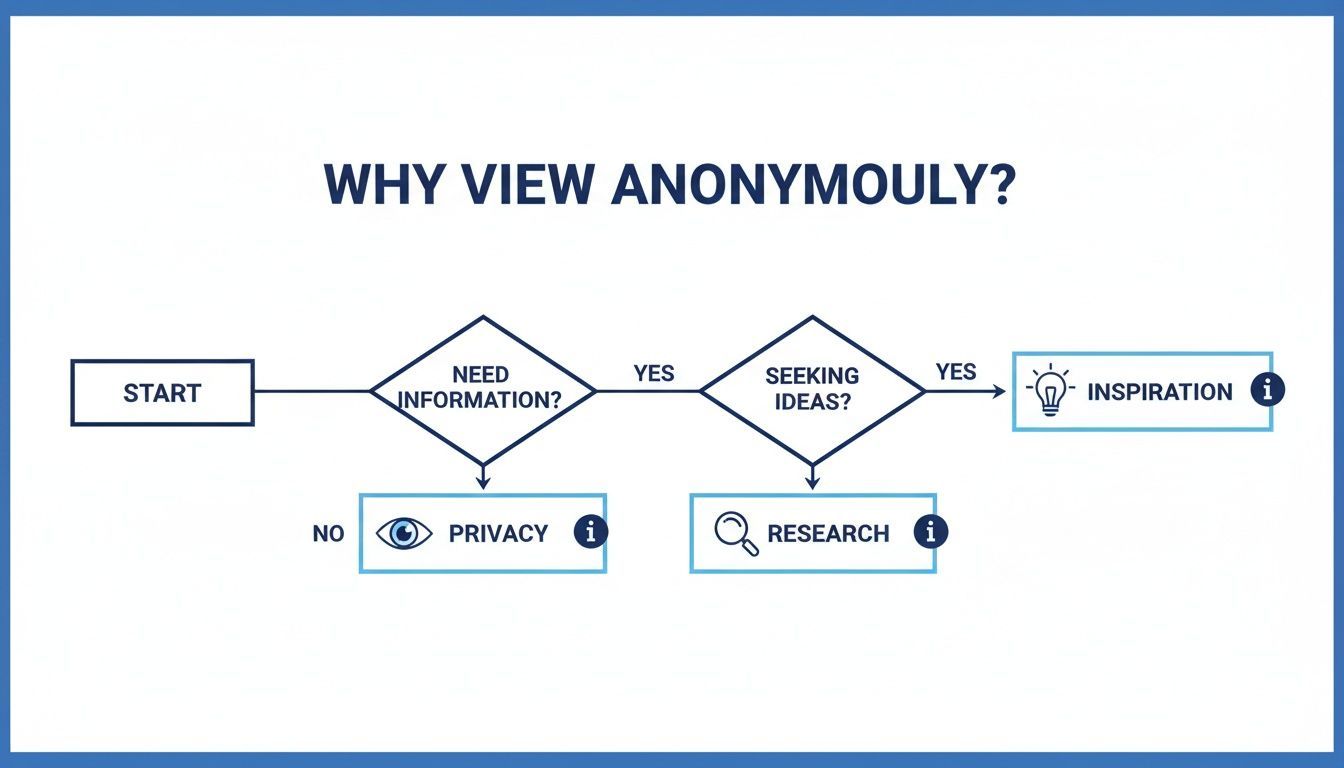
Why View Instagram Stories Anonymously?
Plain curiosity is the common reason, but there are practical motives too.
For businesses and marketers it is competitor research. You can look at a rival's product launch or promotional campaign without tipping them off, which gives you an unfiltered view of their playbook.
Gathering Inspiration and Protecting Privacy
Creators use it to study trends and see what is landing with audiences, without skewing the original creator's metrics or appearing on their viewer list.
On a personal level the reasons are simpler:
- Checking on public figures without appearing as a viewer.
- Maintaining personal boundaries with someone you know offline.
- Avoiding social pressure, where being seen on the list implies you owe a reply.
Viewing anonymously is usually about gathering information without announcing your presence, whether that is market research, creative ideas, or personal peace of mind.
What Changed, and Why Old Guides Are Wrong
Most articles on this topic were written years ago and lightly re-dated since. They still lead with airplane mode. That advice is now stale, and it is worth understanding why, because the same logic tells you which future tricks will fail.
Instagram used to treat a Story view as something your app reported live. If your device was offline, there was no report, so the view never registered. That is the entire basis of the airplane mode trick.
Instagram no longer works that way. The app now queues interaction events locally and syncs them when connectivity returns. So the view still happens, it just arrives late. From the poster's side there is no difference: your name appears on the list.
Why Results Still Vary
You will find people online insisting airplane mode worked for them last week. They are probably telling the truth. Behaviour differs across app builds and platforms, and rollouts are gradual. That inconsistency is exactly the problem: a method that works for some people, some of the time, on some versions, is not a method you can rely on when it matters.
The Same Logic Applies to the Half-Swipe
The half-swipe means sliding partway toward an adjacent Story to peek at it without opening it. It has two hard limits. It shows only the first frame, as a still image, so you never see video. And the margin for error is tiny: swipe a little too far and you have registered a full view with no way to take it back.
The pattern is consistent. Tricks that depend on Instagram failing to record something get patched. Methods that avoid your account touching the Story at all keep working.
Exploring Your Options For Anonymous Viewing
With that in mind, here is how the realistic options compare.
Comparison of Anonymous Instagram Story Viewing Methods
| Method | How It Works | Reliability | Best For |
|---|---|---|---|
| Third-party web viewers | A server fetches the public Story and relays it to you. Your account is never involved. | High, for public accounts | Quick, one-off checks |
| Secondary account | A separate profile the person does not recognise views the Story normally. | High | Ongoing monitoring |
| Airplane mode | View pre-loaded content offline, hoping the view is never reported. | Low, the view usually syncs later | Not recommended |
| Half-swipe | Peek at the first frame without opening the Story. | Low, one slip registers a full view | A glance at a static frame |
| Browser extensions | Desktop add-ons that route the request through their own service. | Varies, many are abandoned | Desktop users who vet the extension |
Choosing The Right Method
For a one-off look at a public account, a third-party viewer is the least effort and the most reliable.
For anything ongoing, such as tracking a set of competitors weekly, a secondary account is the better setup. It is stable, it does not break when Instagram changes its infrastructure, and it does not involve trusting an unknown website.
No method is permanent. Instagram changes its platform constantly, and the methods that survive are the ones where your account never touches the Story in the first place.
Using Third-Party Anonymous Story Viewers
These are websites built for one purpose: showing public Stories without you logging in.
The mechanism is simple. Rather than your account requesting the Story, the service requests it and relays the content to you. Your username never enters the transaction, so there is nothing to appear on a viewer list.
How to Use These Tools Safely
Quality varies enormously. A quick checklist:
- No login, ever. A legitimate viewer will never ask for your Instagram username or password. If a site asks, close the tab. It is phishing.
- A real privacy policy. Check what they collect and whether they sell browsing data.
- Ads that behave. Free tools carry ads, which is fine. Aggressive pop-ups, forced redirects, and fake download buttons are not.
- Recent signs of life. These services break whenever Instagram changes its infrastructure. Abandoned ones fail quietly with "no stories found".
If a tool feels sketchy or wants personal information, close it and find another. Your account security is worth more than a discreet look at a Story.
Weighing the Pros and Cons
Benefits:
- Genuinely easy. A username and a browser is the whole requirement.
- No account needed. Useful if you do not have Instagram or have deactivated.
- Real anonymity. With a working service, nothing reaches the poster.
Drawbacks:
- Public profiles only. No exceptions, ever.
- Security risk on unvetted sites. Trackers, ad networks, and occasional malware.
- Unstable. Expect breakage after Instagram updates.
Anonymous Story Viewers for Private Accounts: The Honest Answer
This deserves its own section because it is the most searched question and the most lied-about.
You cannot view a private account's Stories anonymously. There is no method, no tool, and no trick.
A private account's content is served only to approved followers. That check happens on Instagram's servers, not in the app, so there is nothing on your end to bypass. A third-party viewer hits the same wall you do, because it is making the same unauthenticated request.
What the Tools Claiming Otherwise Actually Do
Sites advertising private-account viewing generally do one of three things:
- Ask for your Instagram login, then take the account. This is straightforward credential theft.
- Run an endless "verification" loop of surveys and app installs that pays them per completion and never delivers anything.
- Show you nothing while collecting ad revenue from your visit.
If you become an approved follower, you can see the Story, and your view is recorded like anyone else's. That is the only route in, and it is not anonymous.
What To Do If You Accidentally View a Story
It happens constantly, usually from a mis-tap or a half-swipe that went too far. The bad news first: there is no undo. Instagram has no mechanism to withdraw a story view, and the poster's list updates within seconds.
Things That Do Not Work
- Blocking them. While you are blocked from each other your name disappears from their list, but it reappears the moment you unblock, and blocking is itself conspicuous.
- Deleting the app. The view was already sent from the server's perspective.
- Deactivating your account. This does hide your name while deactivated, but it takes your whole account offline, which is a large price for one story.
- Turning on airplane mode after the fact. The view is already recorded.
What Actually Helps
Nothing removes it, so the realistic options are about proportion:
- Wait it out. The list disappears when the story expires. Twenty-four hours and the record is gone.
- Consider how visible you actually are. If the story has hundreds of viewers, your name is one row in a long list that reorders by engagement anyway.
- If it genuinely matters, own it. Replying to the story is often less awkward than the silence, and it converts an accidental view into a normal interaction.
The realistic assessment: a single view on an expiring story carries far more weight in your head than in the poster's. The list is skimmed, not studied.
Browser Extensions: The Option Nobody Explains
Extensions get mentioned in every guide on this topic and explained in almost none. They sit between the two main approaches: more convenient than a third-party site, less durable than a separate account.
How They Work
A story-viewer extension intercepts the request your browser makes to Instagram and routes it through the extension's own service, or strips the identifying part of the request. You browse Instagram normally on desktop and the extension handles the anonymity in the background.
Why They Are the Riskiest Category
An extension runs inside your logged-in browser session, which is a fundamentally different trust level from a website you paste a username into.
- It can read your Instagram session, which means it can act as you.
- It can see other tabs depending on the permissions you grant.
- Extensions get sold. A well-reviewed extension can change hands and push an update that adds tracking or ad injection to an existing install base. This is a documented pattern across browser stores, not a hypothetical.
If You Use One Anyway
- Read the permissions before installing. "Read and change all your data on all websites" is far broader than viewing stories requires.
- Check the last update date and the developer. Abandoned extensions are the ones most often sold on.
- Install it in a separate browser profile that is not signed into anything else.
- Prefer the third-party site for occasional use. It never touches your session.
An extension gets access to your logged-in browser. A website gets a username you typed. That difference is the entire security argument, and it favours the website.
Screenshots, Screen Recording, and What Gets Reported
A persistent worry, and mostly an unfounded one.
Instagram does not notify anyone when you screenshot or screen record a story. Not for photos, not for videos, not for highlights. There was a brief test of story screenshot notifications years ago that Instagram discontinued, and the folklore has outlived the feature by a wide margin.
There is one real exception. Disappearing photos and videos sent directly in a DM do trigger a screenshot notification. That is a separate feature from stories and it behaves differently on purpose.
| Content | Screenshot notification? |
|---|---|
| Stories | No |
| Highlights | No |
| Reels, feed posts | No |
| Disappearing media in a DM | Yes |
| Regular DM messages | No |
So if you view a story through a third-party viewer and save what you find, nothing about the saving is reported. The only thing that ever registers is the view itself, and only if your account made it.
Ethical Considerations And Staying Safe
Anonymous viewing is a reasonable research tool. It is not a licence to monitor individuals. Stick to content that is already public, and never use these methods to follow, pressure, or harass someone.
A public profile does not mean the content is impersonal. A brand reviewing a competitor's campaign is ordinary market research. Quietly tracking a specific person's daily life is not, regardless of which tool makes it possible.
Navigating Instagram's Rules And Third-Party Risks
Third-party tools that scrape content generally sit against Instagram's terms of service. Simply viewing public Stories is low risk to you personally, but it is worth knowing the tools operate in a grey area, which is part of why they break so often.
The practical danger is the sites themselves. Many free viewers are ad-farms with trackers attached.
The one unbreakable rule: never enter your Instagram login into a third-party story viewer. Legitimate services do not need it. Any site that asks is trying to take your account.
Protecting Your Personal Information
Instagram is one of the most used platforms in the world, with over two billion monthly active users according to Statista, and a share of social traffic that Statcounter tracks globally. At that scale, anonymous-viewer sites are a large and profitable niche, which is exactly why so many low-quality ones exist.
Secure your main account with a strong unique password and turn on two-factor authentication. If you create a secondary account for research, register it with a separate email that has no link to your personal or work identity. That separation is the entire point.
For brands and agencies, keep the actual work inside tools you control. Scheduling, publishing, and analytics belong in a platform like PostFast rather than a rotating cast of unvetted websites, and connecting your accounts through the official Instagram integration keeps access properly scoped. If you are automating at a larger scale, our Instagram Stories API guide covers doing it programmatically.
Common Questions About Viewing Instagram Stories Anonymously
Does the airplane mode trick still work?
Mostly no. Instagram queues the view on your device and syncs it when you reconnect, so it typically lands on the poster's list regardless. Behaviour varies by app build, which is what makes it unreliable rather than cleanly broken.
Can I view private Instagram Stories anonymously?
No. Approved followers only, and their views are always recorded. Any tool claiming otherwise is phishing for your credentials.
Will someone know if I use these methods?
With a third-party viewer or a separate account, no. Your main account never touches the Story. With airplane mode or a half-swipe, quite possibly yes, which is the reason to skip them.
Is it safe to use anonymous story viewers?
Viewing public content is low risk. The variable is the site. Never enter your password, check the privacy policy, and be wary of anything drowning in pop-ups.
Does viewing a Story anonymously affect the creator's analytics?
Yes, slightly. A third-party viewer does not register as a view at all, so it is invisible in the creator's numbers. If you are studying a competitor at scale, that is a feature. If you are supporting a creator you like, watching normally is the kinder option.
If you would rather understand what your own audience sees, our guide to who views your Instagram profile covers what Instagram actually reports, and the Instagram Story size and Stories dimensions guides cover getting your own Stories right. For repurposing what you find, see reposting on Instagram.
Anonymous viewing is a research tool, and like any tool it works best when you know its actual limits rather than the ones a five-year-old blog post described.
Related
Instagram scheduling with PostFast
Feed posts, Reels, Stories, carousels
A Guide to Instagram Image Download Methods for Any Device
Discover safe and effective methods for an Instagram image download on any device. Learn how to save photos for your content strategy and avoid common pitfalls.
How to Schedule Instagram Posts from Desktop in 2026: Every Method That Works
Three ways to schedule Instagram posts from a desktop in 2026: Meta Business Suite, Instagram's own scheduler, and PostFast. Steps, limits, and a checklist.
Captions for Instagram: How to Write Them with AI (+ 60 Templates)
Learn how to write captions for Instagram that get engagement. 10 caption formulas, AI prompts, 60 ready-to-use templates, and scheduling tips.
How to Connect Claude to Instagram: Post, Schedule, Reply
Connect Claude to Instagram so it can schedule posts, Reels and Stories, answer comments and report post stats. Setup steps, prompts that work, and limits.