A Guide to Reposting on Instagram Like a Pro
Learn how to master reposting on Instagram. This guide covers getting permission, sharing Reels and Stories, and using smart automation to grow your account.

On this page (6)
Reposting on Instagram is so much more than just hitting a share button. Think of it as a strategic play to build your community, save precious time, and stretch your reach. By featuring user-generated content (UGC) or teaming up with other creators, you can keep your feed fresh and get in front of totally new audiences.
Why Reposting on Instagram Is a Smart Strategy
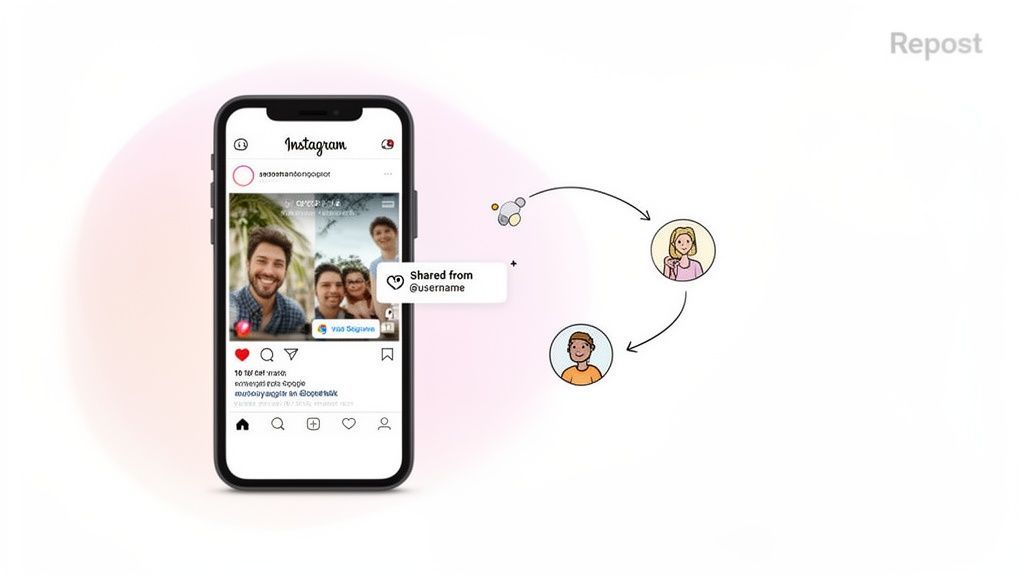
Many creators and brands are stuck on a content treadmill, constantly racing to churn out something new. But what if your best-performing content is already out there, created by your most passionate followers? Reposting lets you tap into that authentic material, turning your feed into a vibrant, collaborative space.
When you share a customer’s photo or a partner’s announcement, you're not just plugging a hole in your content calendar. You're deploying powerful social proof that builds trust and makes people feel included. When followers see you celebrating their content, they feel valued, and that deepens their connection to your brand.
The Real Benefits of Sharing Content
Let's be clear: reposting isn't about being lazy. It’s about being smart with your time and energy. Instead of spending hours brainstorming, you can curate top-tier posts that you already know will connect with your audience.
This approach pays off in a few key ways:
- Keeps your content calendar full: It gives you a reliable stream of quality material, so your profile stays active even when you're swamped.
- Boosts your authenticity: User-generated content just feels more real than polished brand posts, and that can send your engagement through the roof.
- Widens your reach: When you share content from other accounts, you’re basically borrowing their audience and introducing your profile to a new set of potential followers.
- Builds genuine relationships: Properly crediting and featuring other creators is a fantastic way to network and forge partnerships in your niche.
I hear this a lot: "Won't my audience get bored of reposted content?" The truth is, most people don't see every single thing you post. Strategically resharing a proven winner gives that content a second chance to shine.
A Look at Local Impact
The power of reposting really comes into focus when you look at regional trends. In Bulgaria, for instance, reposting has become a go-to strategy as user numbers climbed from 1.92 million to nearly 1.95 million between late 2023 and early 2025.
With a user base that's mostly female, sharing content that truly connects can ignite a wave of shares and strengthen community bonds. In fact, local reports show that reposts can pull in 25% more comments than original posts, making it a seriously valuable tool for driving engagement. You can dig into more stats about Instagram usage in Bulgaria on NapoleonCat.com.
The Right Way to Repost: Getting Permission and Giving Credit
Sharing someone else’s content on your Instagram can feel like a simple copy-paste, but there’s a right way and a wrong way to do it. Getting it wrong doesn't just look sloppy. It can burn bridges with other creators and even land you in hot water over copyright.
The golden rule is simple: always ask for permission first.
This isn’t just about being polite. It’s about respecting the work that went into the original post. A quick, friendly message shows you value their effort. Skipping this can hurt your reputation and make others think twice about collaborating with you down the road.
How to Politely Ask for Permission
You don’t need to write an essay. A direct message (DM) is usually the best way to go since it’s private and personal. Just be clear, concise, and complimentary.
Here’s a simple template you can tweak:
- For a Direct Message: "Hey [Username]! I'm a huge fan of your work, and your recent post about [topic] was fantastic. I'd love to share it with my audience, with full credit to you, of course. Would you be cool with me reposting it on my feed?"
A public comment can also work, especially if the creator has a massive following. It’s transparent and might even drive a little extra engagement to their post.
- For a Public Comment: "This is an amazing photo! Would you mind if we featured it on our page? We'll make sure to credit you in the caption and tag you in the image."
Most of the time, creators are happy to get their work in front of a new audience, as long as they’re asked first and credited properly.
The Gold Standard for Giving Credit
Once you get the green light, giving credit is everything. A lazy tag buried at the bottom of a caption just won't cut it. Proper attribution needs to be clear, prominent, and easy for your followers to spot.
The goal isn’t just to sidestep a copyright complaint. It's to send traffic and appreciation back to the original creator. Think of it as a digital handshake that builds genuine community connections.
Here’s how to nail it every single time:
- Tag in the Caption: Start your caption by immediately calling out the creator. Pop their @username right at the beginning so it's the first thing people see. Something like, "📸 Photo by @[CreatorUsername]" works perfectly.
- Tag in the Photo or Reel: Don't skip the native tagging feature. Tagging their account directly in the visual content makes their profile just one tap away for anyone who loves the post.
When you credit people properly, you show you're a supportive member of the Instagram community. It’s a simple act of respect that builds trust, encourages more collaboration, and helps everyone grow together.
How to Repost Different Instagram Formats
Instagram isn’t a one-size-fits-all platform. Each content format, from Stories to Reels, has its own unique feel and, as a result, its own rules for reposting. Getting a handle on the mechanics for each type means you're not just sharing content. You're doing it effectively and playing by the platform's rules.
Let’s walk through the native ways to repost on Instagram, starting with the most straightforward options and moving to the more creative ones.
Sharing Posts and Reels to Your Story
Sharing a feed post or a Reel to your Story is the most direct way to repost on Instagram. It’s built right in. When you find a post you love, just tap the paper aeroplane icon below it and choose "Add to your story."
This pops a tappable sticker of the original post onto a new Story slide. From there, you can add your own text, GIFs, or other flair to give it some context. It's the perfect move for highlighting great content from a partner, sharing a killer tip from another creator, or celebrating when someone mentions you.
A classic example is a small business sharing a glowing customer review from another feed. Adding it to their Story provides instant social proof that feels immediate and authentic.
This infographic nails the core idea of sharing ethically.
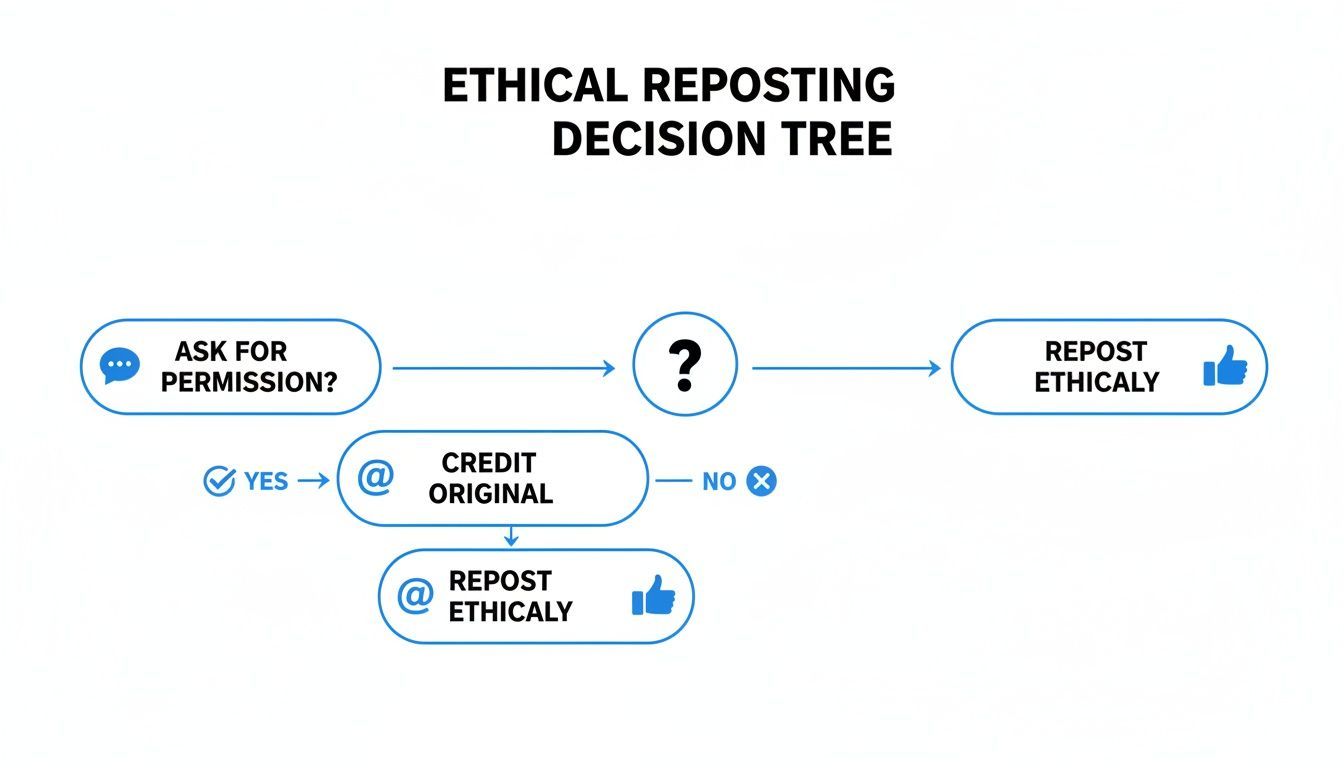
The flow is simple: a successful, respectful repost always starts with getting permission and ends with giving proper credit.
Resharing Stories You Are Tagged In
When someone tags your account in their Story, Instagram rolls out the red carpet. You'll get a notification and a special option to reshare it. Look for the "Add to your story" button right in your DMs.
This is Instagram’s nod to collaborative moments. It’s designed to be a frictionless way to acknowledge a shout-out, feature user-generated content, or jump in on a shared event.
If you’re not tagged, there's no native feature to directly reshare that Story. The only workaround is a screenshot or screen recording, which is a bit of a grey area. Always get explicit permission before doing this, since Stories are often meant to be temporary and more personal. You can learn more about how to safely handle this by checking out our guide on how to download Instagram images.
Using the Remix Feature for Reels
For Reels, Instagram gives you a much more interactive way to engage with content: the Remix feature. Instead of just sharing someone's video, Remix lets you create your own Reel that plays right alongside the original.
To get started, tap the three dots on a Reel and select "Remix." You can record your reaction, add a voiceover, or build on the original video's idea. This is a powerful tool for jumping on trends, answering questions, or collaborating with other creators in a really dynamic way. It’s less of a direct repost and more of a creative conversation.
Whenever you're reposting video, remember that time constraints vary. It’s worth keeping the current Instagram video length limits for Feed, Reels, and Live content in mind.
Instagram Reposting Methods at a Glance
Navigating the built-in reposting options can feel a bit confusing since each content type has its own rules. This quick table breaks down what you can do natively on the platform.
| Content Type | Native Method | Key Steps | Best For |
|---|---|---|---|
| Feed Post | Share to Story | Tap the paper aeroplane > "Add to your story." | Highlighting partner content, sharing UGC, or quick shout-outs. |
| Reel | Share to Story | Tap the paper aeroplane > "Add to your story." | Same as feed posts; great for quick, temporary shares. |
| Reel | Remix | Tap the three dots > "Remix." | Participating in trends, creating reaction videos, or collaborating. |
| Story | Reshare a Tag | Open your DMs > "Add to your story." | Sharing content where your account has been explicitly mentioned. |
As you can see, your options are limited to sharing content to your Story or creatively engaging with it through Remix. For reposting directly to your own feed, you'll need to look beyond Instagram's native toolset. With permission secured, a scheduler publishes that saved image as a regular feed post, as our walkthrough on scheduling Instagram from a computer shows.
Writing Great Captions for Your Reposted Content
Giving credit where it's due is the bare minimum, but a truly great repost does more. The caption is where you turn a simple share into something valuable for your audience. It's your chance to inject your own voice, add some context, and show people why this piece of content matters.
Without your own spin on it, a repost just feels a bit hollow. Ask yourself: why should my followers care about seeing this from me? Your caption is the answer.
Add Your Unique Perspective
The best repost captions connect the shared content back to your brand's mission or story. You need to explain why you're sharing it and what you hope your audience gets out of it.
This simple act elevates your account from a content aggregator to a trusted curator. You’re not just re-sharing stuff; you're finding and framing valuable information for your community.
Here are a few ways to add that extra layer of value:
- Explain the ‘Why’: Kick things off with a simple line like, "This post from @[Creator] really hit home because..."
- Ask a Question: Turn the repost into a conversation starter. Something like, "Incredible insight from @[Creator]! What are your thoughts on this?" works wonders.
- Connect it to Your Brand: Tie the content back to what you do. "We love how @[Creator] captured this moment. It perfectly illustrates the kind of joy we aim to create."
To make sure your reposted content really connects, an AI captions app can help you polish your ideas into engaging text. And if you want to go deeper on crafting compelling copy, check out our full guide on writing captions for Instagram.
Craft a Smart Hashtag Strategy
Hashtags for reposts require a bit of a hybrid approach. Whatever you do, don't just copy and paste the original creator's tags. You need to create a blend that serves both you and them.
Your goal is to honour the original context of the post while making sure it gets in front of your ideal audience. It's all about balance.
A common mistake is using only the original creator's hashtags. This can pull in an audience that's relevant to them but not necessarily to you, leading to low engagement on your post.
For the best results, mix these three types of hashtags:
- Original Hashtags: Pull two or three of the most relevant hashtags from the original post. This keeps the content's context intact.
- Your Core Hashtags: Add your own branded or community hashtags that you use on all your posts to maintain consistency.
- Content-Specific Hashtags: Finish with a few tags that describe the specific visual or topic of the content you're sharing.
This method helps you tap into new communities without losing the connection to your own niche. It's a strategic way to get more eyes on your curated content from followers who will actually appreciate it.
Put Your Reposting on Autopilot with Smart Automation
Staying consistent is the name of the game on Instagram, but let's be real. Finding, curating, and sharing great content every single day is a massive time commitment. This is where smart automation becomes your secret weapon, turning a chaotic workflow into a smooth, hands-off process.
Tools like PostFast are built to do the heavy lifting for you. They help you organize your content mix so you’re striking the right balance between your own posts and high-quality shared content.
A Visual Content Calendar is a Game-Changer
A visual calendar is so much more than a place to just plug in posts. Think of it as the strategic map for your entire content plan. You can see at a glance how your UGC features sit next to your own Reels or promotions.
That kind of clarity is crucial. It stops you from posting too much of one thing and ensures your feed tells a cohesive story, blending community highlights with your core brand message for a far more engaging experience.
Here’s what a well-organized content calendar can look like, giving you that bird's-eye view of your entire schedule.
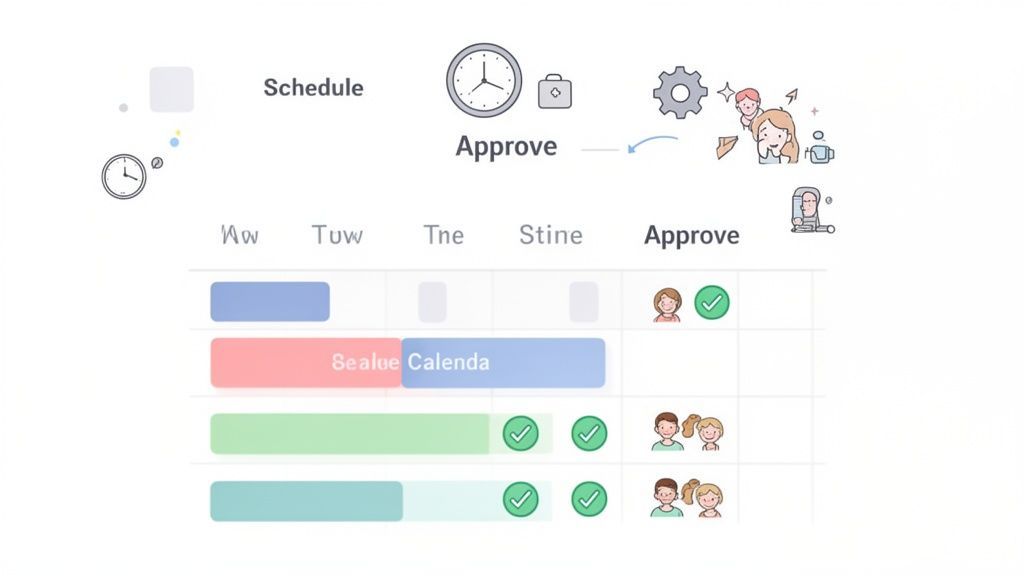
When you plan visually like this, your reposting strategy feels intentional, not just a series of random shares. It also keeps your whole team on the same page.
Use Smart Scheduling to Maximize Your Reach
Posting at the right time can make or break your content's performance. Our own data from 61,008 posts puts Instagram's one reliable hour at 3 PM in your audience's time zone. A smart scheduling tool takes the guesswork out of it by figuring out when your audience is most active and automatically publishing your reposts during those peak engagement windows.
This means your curated content gets the eyeballs it deserves without you having to be glued to your phone at all hours. Just find great posts, add your own spin with a unique caption, and let the tool do the rest.
Think of it this way: smart scheduling ensures your best content, whether it's yours or someone else's, always gets a prime-time slot. It’s about working smarter, not harder, to get seen.
This strategy is especially powerful in growing markets. In Bulgaria, for example, Instagram's user base hit 1.70 million in early 2024, making reposting a key tactic for brands trying to amplify their reach. Local agencies have found that reposted Reels often see 2-3 times higher saves and shares than original content when posted at optimal times. Automation tools like PostFast are helping local businesses save 10+ hours a week while capitalizing on these trends. You can dig into more digital trends in Bulgaria on DataReportal.com.
Better Teamwork for Agencies and Brands
For marketing teams or agencies juggling multiple accounts, a messy workflow is a nightmare. Automation platforms often come with collaborative workspaces where team members can submit content for approval.
This creates a clean, simple process for reviewing captions, double-checking for proper credit, and getting the final sign-off before a repost goes live. In PostFast that gate is a post held as pending approval, which stays unpublished until an invited workspace member signs off. It gets rid of those endless email chains and ensures every piece of shared content is up to your standards.
If you’re managing multiple social media accounts, you can learn more about how to schedule posts across different platforms in our guide. By automating your reposting, you can maintain a high-quality, active feed and grow your audience without all the manual grind.
Got Questions About Reposting? We've Got Answers
Even when you know the ropes, reposting can feel a bit tricky. It’s one of those areas with a lot of "what ifs," so let's clear up a few of the most common questions.
Think of this as your go-to guide for those situations that make you pause. Getting these details right not only protects you but also helps build genuine relationships with other creators you admire.
Is It Actually Legal to Repost Someone's Content?
Here’s the bottom line: you legally need permission from the original creator before you repost their work. Without their explicit "yes," you're stepping into copyright infringement territory. That's a serious issue, and just tagging them in the caption isn't a legal substitute for getting their consent first.
The best and most respectful way to handle this is to just ask. A quick DM or a comment asking if you can share their post is all it takes. This simple step keeps you out of trouble and shows you genuinely value their work.
Does Reposting Help or Hurt My Engagement?
When you do it right, reposting is an absolute win for engagement. Sharing top-notch user-generated content or a valuable tip from another expert shows your audience you’re tuned into the community. It often sparks more shares, comments, and saves because the content has already proven itself with another audience.
The key is balance. You don't want your feed to become a scrapbook of other people's stuff. Your goal is to curate a valuable, interesting feed, mixing shared gems with your own original content. Only repost things that truly align with your brand and what your audience loves to see.
Quick tip: Remember, not everyone sees every post you publish. Strategically reposting one of your own high-performers gives it a second life and a chance to reach all the people who missed it the first time.
What's the Best Way to Ask for Permission?
A polite, direct message is your best bet. It’s personal, professional, and won’t get buried in a flood of comments. Be specific about which post you’d like to share and give a quick, genuine reason why you think your audience will love it.
For instance, you could send something like: 'Hey [Username]! We’re huge fans of your recent photo of [describe the photo]. We'd be thrilled to feature it on our feed with full credit, of course. Would that be okay with you?' It’s clear, respectful, and makes the creator feel seen.
Can I Repost a Story if I'm Not Tagged?
Natively, no. Instagram only gives you the 'Add to Your Story' button if you've been specifically tagged. The only workaround is to take a screenshot or a screen recording.
However, and this is a big one, you absolutely must get the creator's permission before doing this. Stories are often more personal and fleeting, so sharing one without consent is a serious breach of etiquette. Always, always ask first to keep things friendly.
Ready to stop the manual grind and start growing your audience? PostFast gives you the tools to schedule, automate, and analyze your social media content, saving you over 10 hours a week. Plan your original posts and reposts in one visual calendar and let our smart scheduling do the rest. Start your free 7-day trial and see the difference.
Related
Instagram scheduling with PostFast
Feed posts, Reels, Stories, carousels

How to Schedule Instagram Posts from Desktop in 2026: Every Method That Works
Three ways to schedule Instagram posts from a desktop in 2026: Meta Business Suite, Instagram's own scheduler, and PostFast. Steps, limits, and a checklist.

8 Instagram Bio Tips to Hook New Followers (2026)
Your Instagram bio has 7 seconds to make a first impression. 8 proven tips with examples for creators, bloggers, and businesses.

Best Time to Post on Instagram in 2026: 10 Windows, Tested Against 23,552 Real Posts
The best time to post on Instagram in 2026: 10 tested windows plus first-party data from 23,552 posts scored against each account's own normal. 3 PM local wins.

A Complete Guide to Creating Videos for Instagram That Convert
Master videos for Instagram with our complete guide. Learn formats, specs, creative tips, and how to schedule Reels to grow your audience and convert followers.

SaaS Marketing Automation: The Social and Email Stack We Run at PostFast
SaaS marketing automation from our own stack: what we automate on social and in lifecycle email, the event behind each sequence, and the tools by job.