How to Download Video from YouTube The Smart Way
Learn how to download video from YouTube using safe, official methods. Discover smart alternatives for repurposing content without the risks.
On this page (6)
Knowing how to download a YouTube video is one thing, but doing it the right way is something else entirely. You can use official features or grab a third-party tool, but the only truly safe and legally sound methods are using YouTube Premium for offline viewing or YouTube Studio to save your own work.
Anything else comes with risks, so it pays to know what you are getting into.
Why Download YouTube Videos and What Are the Risks?
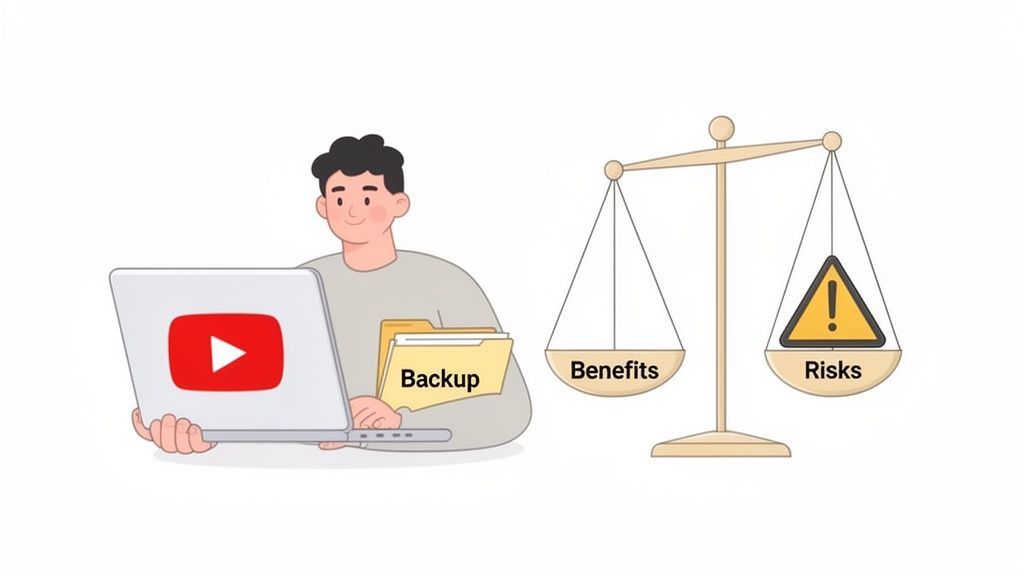
As a creator or marketer, sometimes you just need the raw video file. Maybe you want to snip a killer moment from a long video for an Instagram Reel, build out a professional portfolio, or simply back up all the hard work you’ve poured into your channel. Having that offline copy gives you the freedom to repurpose and archive your content.
But hold on, it’s not a digital free-for-all. Before you even think about searching for a downloader, you need to understand the rules of the road.
Understanding YouTube’s Terms of Service
YouTube's Terms of Service are crystal clear on this. You are not allowed to download any content unless YouTube explicitly gives you a "download" button or a similar link on that specific video. This rule is there for a good reason: it protects the intellectual property and copyright of every single creator on the platform.
Ignoring these terms can bring on some serious headaches, including:
- Copyright Strikes: If you download and re-upload someone else's content without permission, the original owner can file a copyright claim. Get enough of these, and your channel is in trouble.
- Channel Suspension: Too many copyright strikes can get your channel temporarily suspended or even permanently deleted.
- Legal Action: In the most serious cases of copyright infringement, creators can and do take legal action.
It’s always better to play it safe, respect the work of others, and stick to methods that keep your account in good standing.
The Hidden Dangers of Third-Party Tools
Plenty of websites and apps out there promise fast, easy downloads. The catch? They often come with hidden costs that put your data and devices on the line.
Many of these "free" downloaders are plastered with aggressive ads, sketchy pop-ups, and misleading buttons. One wrong click could trigger a malware download or send you to a phishing site designed to steal your personal information.
The trade-off for a "free" download is often your personal security. Unvetted third-party tools can be a gateway for viruses and spyware, making them a risky choice for anyone who values their digital safety.
Let's break it down with a quick risk assessment.
A Quick Risk Assessment
This table really puts things in perspective, weighing the legitimate reasons a creator might want a video file against the very real dangers of using shady tools.
| Common Reasons to Download | Potential Risks of Unauthorized Methods |
|---|---|
| Backup your own content in case your channel has issues. | Malware and Viruses: Downloading executables or clicking ads can infect your computer. |
| Repurpose clips for TikTok, Instagram Reels, or Shorts. | Phishing Scams: Fake login pages can steal your Google account credentials. |
| Create a portfolio of your best work for clients. | Data Privacy Issues: Some tools may track your activity or collect personal data. |
| Analyse a competitor's video strategy (for personal use). | Legal Trouble: Violating YouTube's ToS can lead to copyright strikes or worse. |
The bottom line is that the convenience of a quick download just isn't worth the potential damage to your devices, your data, or your channel's reputation.
The Smart Approach to Repurposing
Often, the urge to download a video comes from wanting to repurpose it across other social platforms. This makes sense, especially in regions like Bulgaria, where YouTube reached 4.50 million users in early 2024. Creators are keen to cross-promote their content to tap into that massive audience.
But manually downloading videos to do this is a clunky, risky workflow that violates YouTube’s terms. A much smarter approach is using a scheduler like PostFast. It lets you queue up and publish content directly, sidestepping risky downloads and saving a ton of time. You can learn more about the digital landscape in Bulgaria to see just how big that opportunity is.
Using Official Methods for Safe Video Downloads
When you need to get a video off YouTube, your first stop should always be the platform’s own tools. It’s the only way to guarantee you’re staying safe, secure, and on the right side of YouTube's rules. No risks to your channel, no dodgy software on your computer.
Before you even think about third-party options, let’s walk through the two official routes. One is built for viewers who want to watch offline, and the other is an absolute must-know for every content creator.
YouTube Premium for Offline Viewing
If you just want to watch videos on a flight or during your commute without burning through data, YouTube Premium is your answer. It’s a subscription service, and one of its best perks is offline downloads.
With a Premium account, you’ll see a "Download" button right under the video player. A quick tap saves the video to your device, but it all happens inside the YouTube app. It’s super simple and completely legitimate.
But, there are a few catches to be aware of:
- App-Only Access: The videos are locked inside the YouTube app. You can't just grab the file and move it to your laptop or drop it into an editing program.
- Limited Lifespan: Your downloads don't last forever. If your device doesn’t go online at least once every 30 days, the videos expire.
- Quality Caps: You can pick the resolution, but it’s really meant for watching on a phone, not for high-quality editing projects.
So, while it's perfect for personal viewing, Premium isn't the solution for creators looking to repurpose content. For that, you need the actual video file.
YouTube Studio: The Creator’s Go-To Tool
For anyone with a channel, YouTube Studio is your command centre. And tucked inside is a risk-free way to download your own videos. This is a non-negotiable for backing up your work and slicing it up for other platforms. Trust me, if you’ve ever accidentally deleted a master file from your hard drive, you’ll realize how much of a lifesaver this feature is.
The process couldn’t be easier. Just log into your channel's dashboard and head over to your content library.
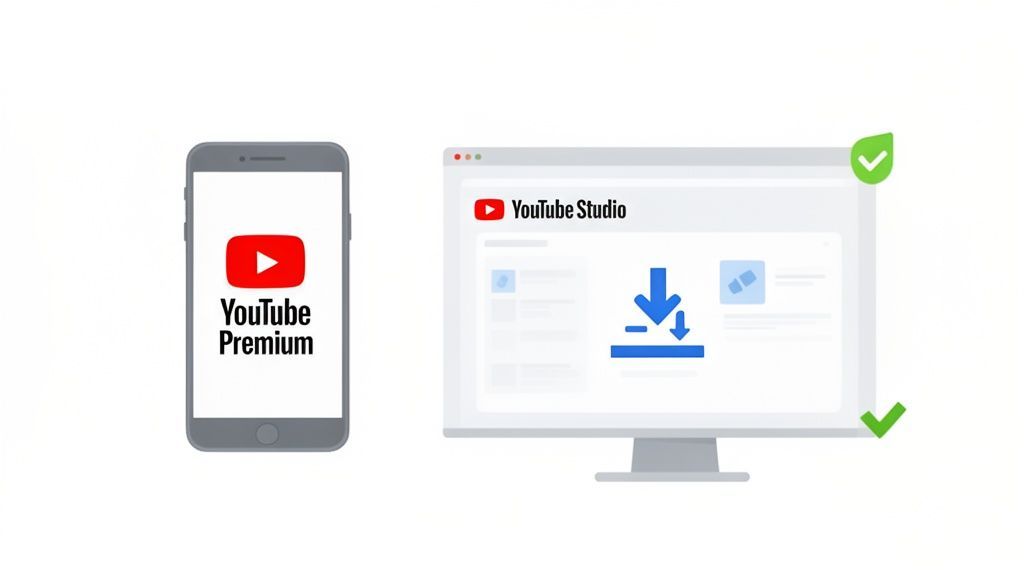
From there, just hover over any video, click the three-dot menu, and you’ll see the option to download the file straight to your computer.
This is, without a doubt, the safest and most direct way to get a copy of your own work. You get the exact MP4 file you originally uploaded, in the highest resolution available.
Using YouTube Studio to download your videos isn't just a handy feature, it's a core part of good content management. It ensures you always have a master copy ready for your archives or for creating fresh clips for other social channels.
Once you’ve got that video file, repurposing becomes a breeze. You can grab a killer highlight from a long-form video and schedule it as an Instagram Reel or a TikTok. That’s exactly what tools like PostFast are built for. You upload your downloaded video once and then schedule tailored versions across all your social media accounts, no sketchy third-party tools needed.
You can dig deeper into this workflow in our guide on how to download from YouTube videos the right way.
Ultimately, the best method comes down to your goal. For simple offline viewing, YouTube Premium is a no-brainer. But for creators who need to manage their own content, YouTube Studio is the only official tool you'll ever need. Stick with these, and you'll keep everything compliant and secure.
How to Navigate Third-Party Tools with Caution
Once you step outside YouTube's official ecosystem, you’ll find a huge world of third-party tools, all claiming to be the easiest way to download videos. This is where you need to be careful. While some are genuinely useful, many are packed with security risks that can put your computer and data in danger.
Think of this as your field guide to making smart choices. Not all downloaders are created equal, and knowing what to look out for can save you a world of hurt. The goal here is to be cautious and aware, not to recommend any specific tool.
Online Converters vs. Desktop Software
You'll mostly run into two kinds of tools: online converters and desktop software. Each has its pros and cons.
Online converters are just websites. You paste in a YouTube link, pick your format, and hit download. Super convenient because there’s nothing to install, right? But that convenience often comes with a price, these sites are usually funded by aggressive, and sometimes malicious, advertising.
Desktop software, on the other hand, is an actual app you install. These tend to offer more powerful features, like downloading entire playlists, converting to a wider range of file formats, and pulling down higher-quality video. They're generally more reliable, but you absolutely have to be sure you're downloading from a reputable source to avoid installing malware or spyware along with it.
The biggest risk with free downloaders usually isn't the video file itself. It's the platform you use to get it. Watch out for malicious ads, sneaky download buttons, and bundled spyware, they're common tricks.
A Safety Checklist Before You Download
Before you even think about pasting a URL into a third-party site, run through this quick mental checklist. It’ll help you spot the red flags and steer clear of the most common traps.
- Aggressive Pop-ups and Ads: If a website immediately throws a bunch of pop-ups, flashing banners, or ads that cover the content, that's a huge warning sign. Legitimate tools don’t need to resort to such obnoxious tactics.
- Requests for Personal Information: A video downloader has no reason to ask for your email address, login details, or any other personal info. If it does, close that tab. Immediately.
- Forced Software Installation: Be very suspicious of online converters that demand you download a "helper" app or a browser extension. This is a classic move to bundle adware or other nasty programs with your download.
- Vague Privacy Policies: A trustworthy service will have a clear, easy-to-find privacy policy. If you can't find one, or if it’s full of confusing legal jargon, you should just assume they're tracking your activity.
The Ethical Side of Downloading
Beyond the technical dangers, there’s a major ethical point to consider. Every video on YouTube is the intellectual property of its creator. When you download content you don't own without getting permission, you're breaking YouTube's terms of service and potentially infringing on copyright law.
"Fair use" is a concept that sometimes allows for using copyrighted material for things like commentary, criticism, or education, but it’s a murky legal area. Unless you are the creator or have explicit permission, the safest assumption is that you don't have the right to download the video. It's always best to understand the rules first.
This is exactly why downloading your own content through YouTube Studio is always the best and safest route. It completely removes any legal and ethical grey areas, giving you the freedom to repurpose your hard work without a single worry. Once you have your video file, you can pop it into a platform like PostFast to schedule it across all your other social channels, creating a workflow that's both safe and incredibly efficient.
A Smarter Workflow for Repurposing Content
Let's step back for a moment. Most of the time, the real goal isn't just to download a YouTube video. It’s to take a great piece of content, like a long-form interview, and slice it into a punchy Instagram Reel or a quick TikTok clip.
The old way of doing this is clunky. You download the file, exposing yourself to all the risks we just covered, then re-upload it to another platform. It’s slow, tedious, and frankly, a bit of a headache.
There's a much cleaner way to handle this, one that completely cuts out the risky download step. It’s a workflow that protects your gear and your channel while giving you back hours of your time.
From Manual Labour to Smart Automation
Instead of hopping between different sites and apps, what if you could manage everything from a single, organized hub? This is where a social media scheduler like PostFast completely changes the game. It becomes your command centre for planning, scheduling, and publishing video across all your channels.
The whole process becomes ridiculously simple. You upload your main video file once. From that central media library, you can:
- Schedule the full video to go live on your YouTube channel.
- Trim that exact same file into a 60-second highlight for Instagram Reels.
- Tweak the aspect ratio for TikTok without ever leaving the platform.
- Write unique captions and pick different thumbnails for each audience.
This keeps your original, high-quality video file safe and sound, ready to be repurposed whenever you need it. It’s all about working smarter, not harder. We break down the specifics in our guide to using a YouTube downloader online.
If you absolutely must use a third-party tool, this diagram lays out the basic safety checks. Vet the site, block the ads, and always, always scan the final file.
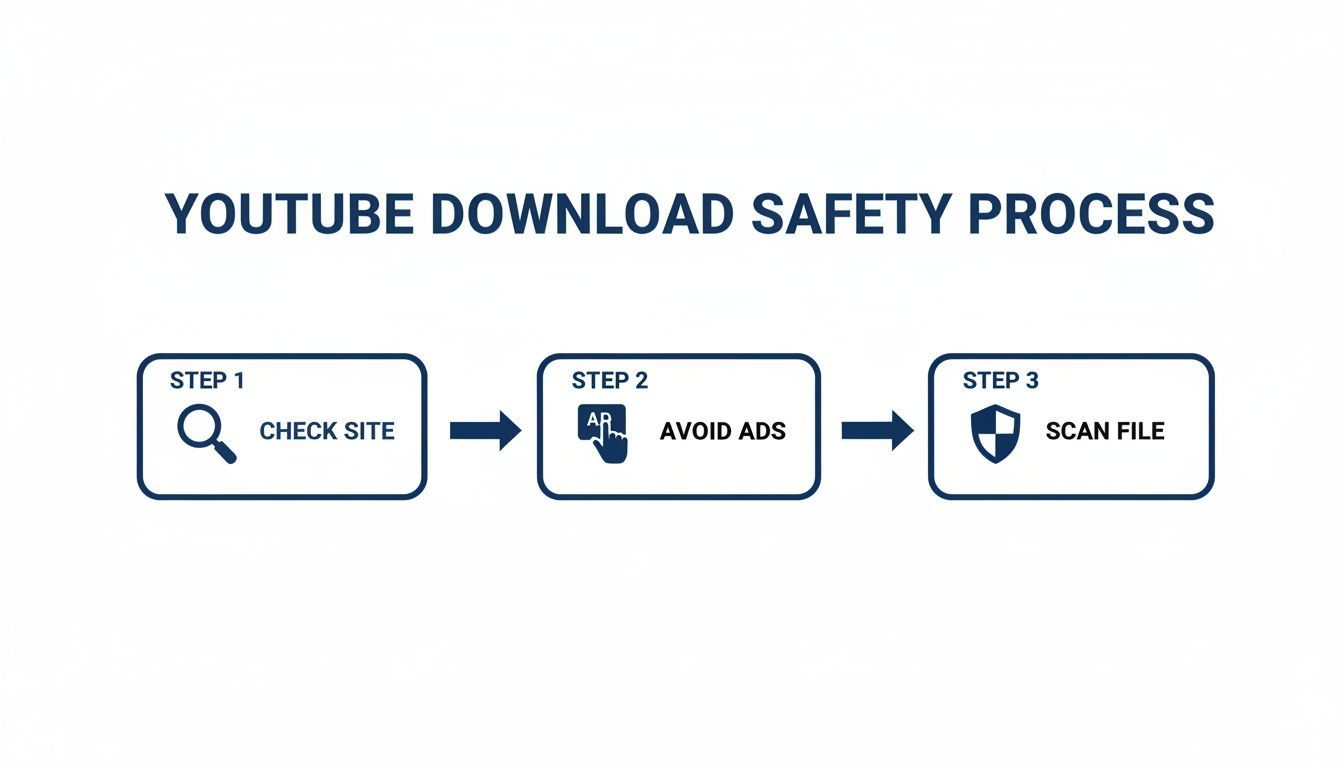
Following these steps lowers your risk, but a scheduler-based workflow gets rid of it completely.
The Power of a Centralised Content Hub
Having a single hub for your content is a huge advantage. This approach lets you manage everything from one dashboard, queuing up weeks of content in minutes without a single download.
For marketing teams and creators, this means you can create your core video once, then automatically tailor and schedule it for YouTube, Instagram, and more without all the hassle. It gives you back time and eliminates the security guesswork.
By shifting from a "download and re-upload" mindset to a "plan and repurpose" strategy, you remove security risks and gain back valuable time. Your focus can return to what truly matters, creating fantastic content.
Once you have your core video file ready, you'll probably want to polish it up. Using the best video editing software for beginners can help you add custom branding or subtitles before uploading that final master file to your scheduler.
This integrated flow, edit once, then manage from a single platform, is the mark of a truly efficient and secure content strategy. It puts you back in control.
Practical Tips for Managing Your Video Library
Okay, so you've got your video files downloaded from a legitimate source, like your own channel's YouTube Studio. Now what? If you just dump them all into a downloads folder, you'll have a content graveyard on your hands in no time.
Getting organized from the very beginning is the secret to a smooth workflow. Trust me, it saves you a massive headache later. Simple choices, like how you name your files or the format you pick, make a huge difference when it's time to repurpose that content.
Choosing the Right Format and Resolution
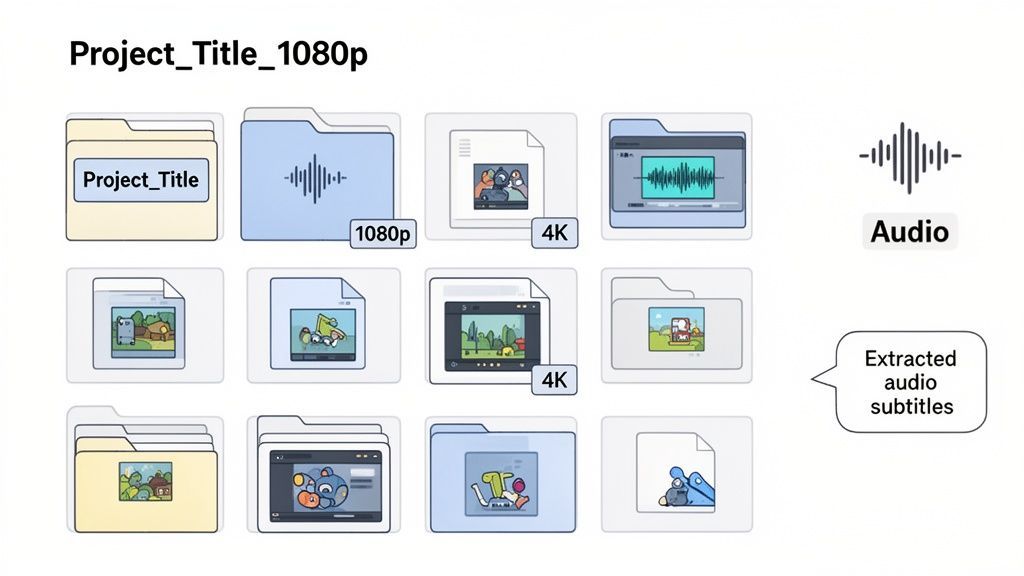
Let's get one thing straight: not all video files are created equal. The two main formats you'll run into are MP4 and MOV. For maximum compatibility across pretty much every device and platform, MP4 is your safest bet. It's the universal standard for a reason.
Resolution matters just as much. While downloading in 4K gives you pristine quality, the files are gigantic. For most social media content, like an Instagram Reel or a TikTok clip, 1080p is more than sharp enough and uploads way faster. Instagram compresses anything larger down to 1080p anyway, so check the Reel size and safe zones before you crop to vertical.
- MP4: This should be your go-to for online sharing. It hits that perfect balance of quality and file size, and it's supported everywhere, including PostFast.
- MOV: A high-quality format you'll often see from Apple devices. It’s brilliant for editing but can sometimes be fussy on non-Apple systems.
- 1080p (Full HD): This is the sweet spot for most online video. It looks crisp on phones and desktops without clogging up your hard drive.
- 4K (Ultra HD): Only grab this if you need to crop in on your footage without losing quality or if you're archiving a master copy for long-term storage. Our widescreen resolution guide lists the resolutions, bitrates and codec settings for exporting that master at 1080p or 4K.
Think about where the video is going to end up before you download. A 1080p MP4 is perfect for scheduling social posts, but a 4K MOV file might be better if it's heading into a big offline editing project.
Organising Your Files for Sanity
A simple folder structure can completely change your content management game. Instead of one chaotic "Downloads" folder, build a system that makes sense for you. I find it easiest to organize by project or video topic first, and then create subfolders for each platform.
A clear naming convention is also a lifesaver. A file named final_video_1.mp4 is basically useless a month from now. You need something more descriptive.
Example Naming Convention:
YYYY-MM-DD_Video-Topic_Platform_Resolution.mp4
2024-10-28_New-Feature-Launch_Instagram-Reel_1080p.mp4
This system tells you everything you need to know at a glance. You will thank yourself when you’re hunting for a specific clip weeks down the line.
Extracting Audio and Captions
Sometimes, you don't need the whole video. Maybe you want to turn a great interview into a podcast episode or repurpose a video script into a blog post. Most video editing tools let you export just the audio track as an MP3.
You can also download the caption file (usually an .srt file) directly from your own videos in YouTube Studio. This is incredibly handy for a few reasons:
- Quickly creating blog posts from your video scripts.
- Making your content more accessible to everyone.
- Translating your content for an international audience.
Having these separate assets, the video, the audio, and the text, gives you ultimate flexibility. It lets you slice and dice one core piece of content into multiple formats, stretching its value without a ton of extra work.
YouTube Download FAQs
When you start looking into how to download a video from YouTube, you’ll find the same questions keep popping up. It's a topic with a lot of grey areas, technical pitfalls, and rules you need to be aware of. We’ve pulled together the most common ones to give you clear, straight answers.
Is It Actually Legal to Download Videos from YouTube?
This is the big one, and the answer isn't a simple yes or no.
According to YouTube's own Terms of Service, you're not allowed to download any content unless YouTube explicitly gives you a 'download' button or link for it. Grabbing a video without the copyright owner's permission is a direct violation of these terms and can easily land you in hot water for copyright infringement.
There are only two 100% legal and safe ways to do it:
- Using YouTube Premium: This lets you download videos for personal, offline viewing inside the app. You're not getting a separate video file.
- Using YouTube Studio: This is for downloading your own original content that you’ve already uploaded.
Any third-party tool you use to download videos you don't own is against YouTube's policies. Sticking to the official channels is always the smartest move.
What’s the Real Danger of Using Third-Party YouTube Downloader Sites?
The risks with free online downloaders are very real. Many of these sites are plastered with aggressive ads, which are often a gateway to much bigger problems. It's a classic bait-and-switch where they bundle their "service" with stuff you definitely don't want.
Here’s what you're up against:
- Malware and Spyware: That giant "Download Now" button might not be for your video. One wrong click can install nasty software on your device.
- Phishing Scams: Some sites use sketchy pop-ups or fake login pages to trick you into giving up your personal info and account passwords.
- Privacy Invasion: Think about it, you're pasting video URLs into their server. They can easily track your viewing habits and sell that data.
Given what’s at stake, sticking to official methods or a secure, all-in-one platform is just a smarter way to protect your digital life.
The convenience of a free download tool almost always comes at the expense of your privacy and device security. Always ask yourself if the short-term win is worth the potential long-term damage.
Can I Get a Virus Just from a YouTube Video Download?
It's extremely unlikely you'll get a virus from the video file itself (like an MP4 or MOV), especially if you're downloading your own content from YouTube Studio. The video data is just that, video data.
The real danger comes from the third-party websites and dodgy apps you might use to get the file.
These platforms are notorious for hosting malicious ads or bundling their downloader software with viruses. A button that looks like it’s for your video could actually trigger a download for a harmful executable file. For that reason alone, you absolutely need to have good antivirus software running and be incredibly picky about which sites you trust.
How Can I Repurpose YouTube Content Without Downloading It?
This is where you can get so much smarter and safer with your workflow. Ditch the old "download-then-upload" routine and use a social media management tool instead. It completely cuts out the need for manual downloads, saving you a ton of time and eliminating all the risks we just talked about.
With a platform like PostFast, you just upload your master video file to its media library once. From that single hub, you can:
- Schedule the full-length video to go live on YouTube.
- Trim the same file into short clips for Instagram Reels or TikTok.
- Tweak the aspect ratio and write custom captions for each platform.
- Map out your entire video content calendar from one dashboard.
This approach not only keeps you on the right side of YouTube's rules but also refines your whole content strategy. Repurposing becomes a simple, built-in part of your workflow, not a risky, time-consuming chore.
Ready to stop risking your security with sketchy downloaders and start repurposing your video content the smart, safe way? PostFast offers a centralised hub to plan, schedule, and publish your videos across all your social platforms without a single manual download. Start your 7-day free trial and see how much time you can save.
Related
YouTube scheduling with PostFast
Shorts and full videos
Schedule YouTube Shorts From Desktop and Cross-Post Without Extra Work
Schedule YouTube Shorts from desktop with PostFast. Batch a week, cross-post to TikTok and Instagram Reels, and keep a steady flow without extra exports.
How to Use a YouTube Video Downloader 4K for Easy 4K Video Downloads
Discover youtube video downloader 4k tips to save 4K videos efficiently with desktop, online, or CLI tools.
Your Ultimate Guide to YouTube Video Download 4K
Master YouTube video download 4K with this guide. Learn the best tools, step-by-step methods, and content repurposing tips for 2026.
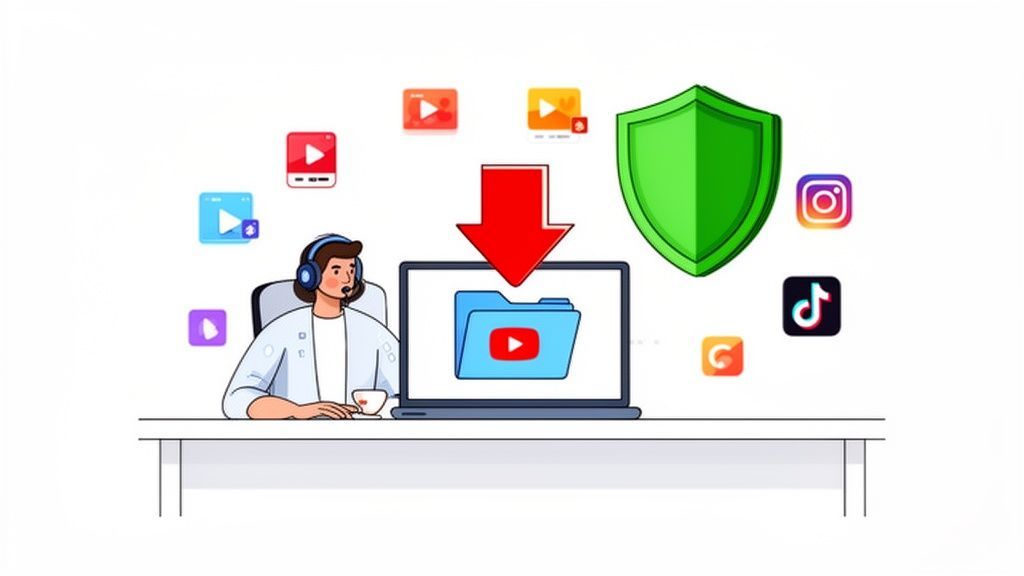
A Creator's Guide to Safely Downloading Your YouTube Videos
Learn safe and legal ways to download from YouTube videos you own. Turn your content into powerful social media posts and grow your audience.
SaaS Marketing Automation: The Social and Email Stack We Run at PostFast
SaaS marketing automation from our own stack: what we automate on social and in lifecycle email, the event behind each sequence, and the tools by job.