A Smart Creator's Guide to Using a YouTube Downloader Online
Learn how to use a YouTube downloader online as a powerful tool for content repurposing. Discover safe, ethical workflows for creators and marketers.
On this page (6)
Let's be honest, the term "youtube downloader online" usually brings to mind shady websites and legal grey areas. But for smart creators and marketers, it's actually the key to a powerful and totally ethical content repurposing machine.
The real goal here isn't just to snag a video file. It's to turn your primary YouTube video into a goldmine of raw material for every other platform you're on.
Rethinking Your YouTube Content Workflow
The biggest challenge any creator faces isn't making one great video. It's churning out a steady stream of good stuff without burning out completely.
Trying to create unique, high-quality posts for TikTok, Instagram, and LinkedIn from scratch every single day is a recipe for exhaustion. That approach just isn't sustainable, and it usually leads to inconsistent posting that kills your growth.
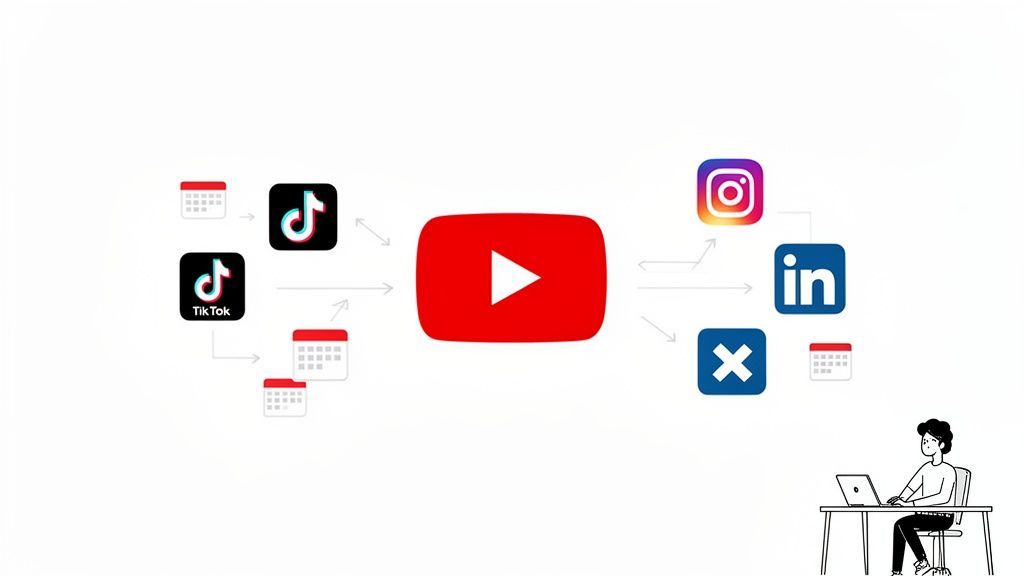
A much better strategy is to treat your main YouTube video not as the finish line, but as the central hub of your entire content plan. It becomes the raw material from which everything else is born. This simple shift in mindset takes you out of the constant creation hamster wheel and into a state of smart, strategic distribution.
From One Video to a Week of Content
Think about it. Inside a single, well-researched 10-minute YouTube video, you’ve probably got several killer moments that can easily stand on their own.
- A powerful quote that makes a perfect graphic for X or an Instagram Story.
- A 30-second tip that's practically made for a TikTok or YouTube Short.
- A key statistic or data point you can expand into a quick, insightful video post for LinkedIn.
By pulling out these "micro-moments," you suddenly have a whole library of content ready to go. This method respects your audience's time on each platform, giving them bite-sized value tailored to how they actually consume content there.
The goal is to work smarter, not harder. By repurposing your core YouTube video, you can fill your content calendar for weeks, ensuring you maintain a consistent and high-quality presence across all your channels.
This process completely changes the game. The idea of a youtube downloader online transforms from a sketchy tool into a professional workflow asset.
When you're downloading your own content for repurposing, you're not just saving a file; you're unlocking its full potential. Tools like PostFast can then help you schedule all these repurposed clips, creating an efficient pipeline that saves you dozens of hours. You get to dominate every channel, not just one.
Downloading YouTube Videos The Right Way
Search for youtube downloader online, and you'll find a minefield of sketchy websites. Let's skip the risky third-party tools and focus on professional methods that respect copyright and keep your devices safe. It's less about just grabbing a file and more about managing your content assets correctly.
There are really only two scenarios where you’d need to download a video. The first is dead simple and completely safe. The second requires a bit more care and professionalism.
Managing Your Own Content Archive
The most common reason for downloading a video is to get a copy of something you've already uploaded. Maybe you misplaced the original file, or you need a clean version to chop up for other platforms. YouTube has a built-in, secure way to handle this right from your own channel.
You’ll find the option inside your YouTube Studio.
- Just head to the ‘Content’ tab.
- Hover over the video you want to save.
- Click the three-dot menu icon and choose ‘Download’.
Using the official method means you get a high-quality copy of your original upload, free from watermarks or security threats. It’s the perfect starting point for creating clips for TikTok, Instagram Reels, or LinkedIn posts. If you're looking for a tool to help with that whole creation process, lunabloomai's app is worth a look.
Think of your YouTube channel as your master content library. Archiving your own videos gives you a repository of raw material to pull from, making future content planning much faster and more efficient.
Using Someone Else's Content Ethically
This is where things get tricky, and your professional reputation is on the line. Using someone else’s content without their permission is a straight-up violation of copyright and YouTube's terms of service. It can lead to channel strikes, legal trouble, and a serious loss of trust with your audience.
The only way forward is to get explicit, written permission from the original creator before you even think about downloading. This isn’t a friendly suggestion; it’s a non-negotiable step.
When you reach out, be professional. Send a clear email or DM explaining who you are, exactly how you plan to use their content, and why it benefits your audience. Vague requests are easy to ignore, so be specific.
Before you download anything that isn't yours, run through this quick checklist.
Ethical Pre-Download Checklist
Use this quick reference to confirm you are downloading content responsibly and legally before you proceed.
| Checklist Item | Yes/No | Why It Matters |
|---|---|---|
| Am I downloading my own video? | Yes/No | This is the safest and most direct method, using YouTube's built-in features. |
| Do I have written permission? | Yes/No | Verbal consent isn't enough. Written proof protects both you and the creator. |
| Is the use case clear? | Yes/No | The creator must understand exactly how their work will be featured or repurposed. |
Following an ethical framework isn’t just about dodging penalties. It's about building a sustainable brand based on respect. When you handle content correctly, you foster good relationships in the creator community, which can open the door to powerful collaborations later on.
Once you have the rights sorted, you can focus on quality. If you want to dive deeper, check out our guide on how to find a quality YouTube video downloader for 4K.
Turning One Video into a Full Content Calendar
Once you've got your high-quality video file, the real fun begins. This is where you can multiply your content's impact way beyond a single YouTube upload. It’s all about spinning one core piece of work into a full week of killer posts.
Think about it. That one ten-minute YouTube deep-dive can easily become five viral-ready TikTok clips, three sharp Instagram Reels, and two polished LinkedIn video posts. The trick is to start thinking in terms of micro-narratives. A single compelling tip, a powerful quote, or an interesting statistic can easily be sliced out to become its own standalone piece of content.
Finding Your Shareable Moments
First things first: re-watch your long-form video. But this time, watch it with a specific mission: to hunt for the golden nuggets. You're looking for those moments that are punchy, impactful, and make sense without needing a ton of backstory.
These moments could be anything, really:
- A surprising statistic that makes people stop their scroll.
- A step-by-step tutorial that you can squish into a 30-second clip.
- A strong opinion or a thought-provoking question that begs for comments.
- A quick, actionable tip that solves a common headache for your audience.
Once you’ve tagged these key segments, start clipping them into smaller, platform-friendly formats. Vertical videos are your best friend for Reels and Shorts, while a powerful quote can be slapped onto a striking graphic for X or Instagram Stories. If you need a quick refresher on formatting, our breakdown of YouTube Shorts sizes and dimensions is a great place to start.
This flowchart maps out the ethical workflow for getting your video file ready for repurposing.
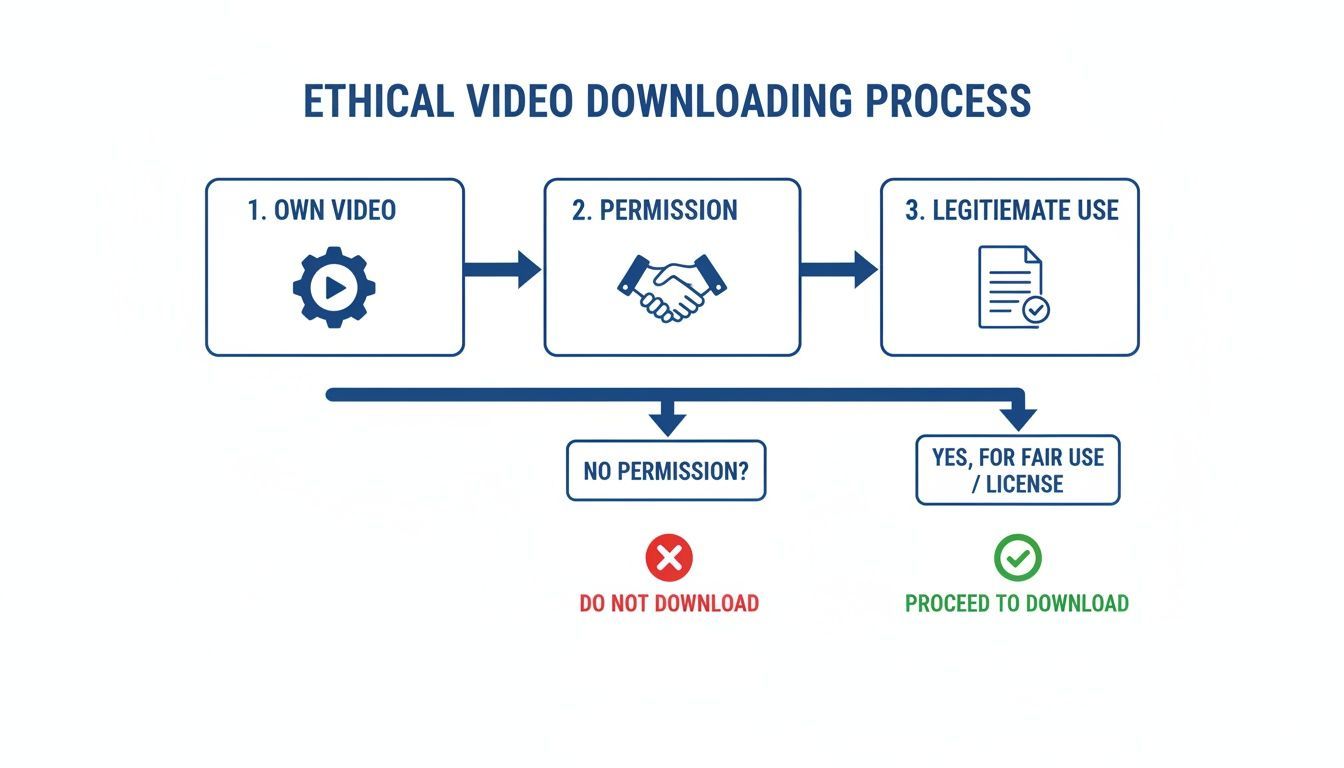
As the visual makes clear, the only two legit paths are downloading your own work or getting explicit permission. This is the bedrock of any professional content strategy.
Scheduling Your Repurposed Content
Making the clips is only half the job. The other half is actually getting them in front of your audience on a consistent basis. This is where a content calendar becomes your most valuable player. Forget posting clips randomly whenever you find a spare moment; you can map out your entire week or month ahead of time.
Repurposing isn't just about saving time. It's about reinforcing your message across multiple touchpoints, building brand recognition, and reaching different segments of your audience on the platforms they prefer.
By scheduling everything in one go, you guarantee a steady stream of content that keeps your brand top-of-mind. To really squeeze every drop of value from your work, check out some smart content repurposing strategies that can turn one video into an absolute goldmine of material.
A tool like PostFast helps you pull this whole process together. You can upload all your repurposed clips at once and let its Smart Scheduling feature figure out the best posting times for each platform automatically. This creates a powerful, consistent presence, all stemming from that single, well-made video.
Automating Your Content Distribution Pipeline
Having the video file on your computer is really just the first step. The real time-suck for most creators is the endless, manual grind of uploading, reformatting, and scheduling every single clip across all your different social media platforms.
This is where automation gives you a massive edge. Just think about the clunky, multi-step process of posting an Instagram Reel or a TikTok. A good automated system smooths out all that friction, letting you get back to creating instead of just clicking buttons all day.
Building Your Content Engine
Once you connect your downloaded video assets to a smart scheduling platform, you create a seamless content pipeline that works for you 24/7. Instead of manually logging into five different apps every day, you can run your entire content calendar from one central dashboard.
This changes your role from being a reactive content publisher to a proactive content strategist. When you have a solid system in place, you can queue up weeks of content in a single sitting, guaranteeing a consistent presence that keeps your audience engaged.
The goal is to build a distribution engine that practically runs on its own. With the right setup, you can turn a single YouTube video into a full calendar's worth of posts that are automatically tailored and published to each network. This is how you reclaim your time and scale your output without burning out.
The Power of Smart Scheduling for Local Reach
Creating a steady flow of repurposed content is especially powerful when you think about local audiences. With 66.8% of Bulgarians (4.44 million people) active on social media, there's a huge opportunity to connect. A single YouTube clip can fuel multiple TikToks, Instagram Stories, or LinkedIn posts, with each one reaching a different slice of that audience. You can dig into more insights about the Bulgarian digital landscape over at DataReportal.
Automation isn't about being lazy; it's about being efficient. It frees up your mental energy to focus on what really matters—creating great content and engaging with your community—while the system handles the repetitive tasks.
Platforms like PostFast make this incredibly simple. You can upload all your repurposed clips at once and let its Smart Scheduling feature find the best times to post on each platform. Honestly, a workflow like this can easily save you over 10 hours a week on manual scheduling and publishing.
A Game Changer for Agencies and Teams
This automated approach is even more critical for agencies and teams managing multiple client accounts. Trying to juggle different brand voices, posting schedules, and content calendars by hand is just a recipe for mistakes and missed deadlines.
An automated system with features like team workspaces and approval flows transforms that chaos into an organised, reliable workflow.
- Centralised Content Library: All approved video clips and assets are stored in one place, accessible to the entire team. No more hunting through folders.
- Approval Workflows: Clients or managers can review and approve scheduled posts before they go live, which keeps everything on-brand.
- Team Collaboration: Team members can leave notes, assign tasks, and work together on the content calendar without getting lost in endless email chains.
This structure gets rid of bottlenecks and helps agencies deliver consistent, high-quality results for every single client. By integrating your youtube downloader online workflow with a powerful scheduling tool, you build an efficient publishing system that scales as your business grows. You can learn more about PostFast's specific YouTube integration features and see how they can support your team.
Common Pitfalls and How to Avoid Them
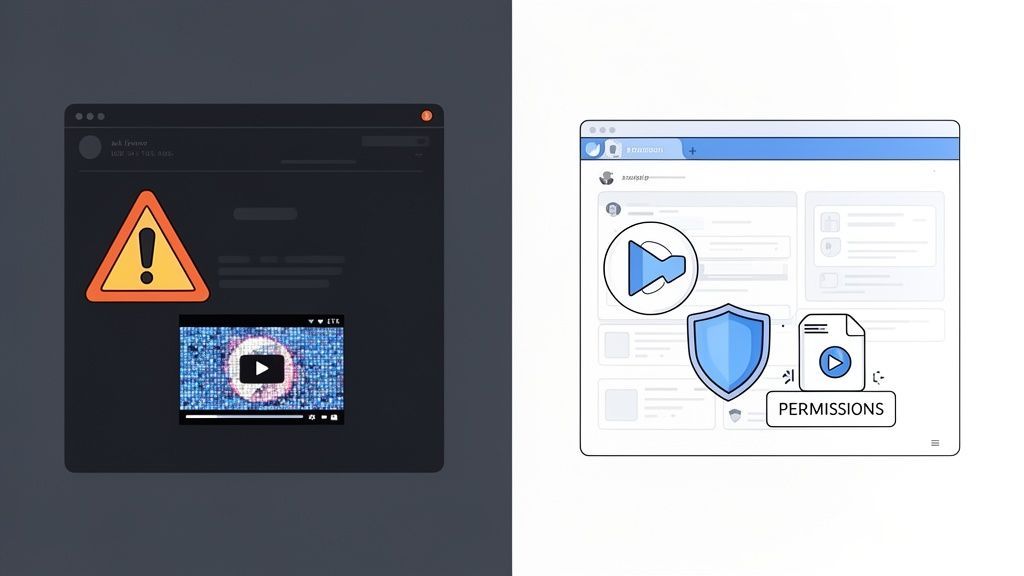
While a youtube downloader online sounds like a great shortcut for your workflow, it's a path riddled with risks. The most obvious dangers pop up on sketchy third-party websites promising easy downloads but delivering major headaches. These sites are often minefields of malware, data privacy issues, or just spit out low-quality, watermarked files.
But the technical glitches are only half the story. The legal and professional fallout is far more serious. As we've mentioned, grabbing someone else's content without their go-ahead is copyright infringement. That's not just breaking a minor rule; it's a misstep that can lead to channel strikes, legal trouble, and a serious dent in your professional reputation.
Your best bet? Build a professional workflow from the ground up. It’s the only sustainable strategy for your brand.
Understanding the Technical Risks
Let's be real: many free online downloaders are funded by aggressive ads. Think endless pop-ups, redirects to questionable sites, and sometimes, hidden scripts that install malware or adware on your machine.
The files themselves can be just as problematic. You might get a heavily compressed, pixelated video or find a permanent watermark plastered across the footage, making it completely unusable for professional work. Any high-quality workflow demands high-quality source files, something these sites rarely deliver.
The safest technical approach is to steer clear of third-party downloaders entirely. Stick to official methods, like grabbing your own content from YouTube Studio or getting the file directly from a creator who has given you permission. This simple step eliminates malware risks and guarantees you have the best possible file quality to work with.
Navigating Copyright and Fair Use
The legal side of things is where you need to be most careful. Copyright infringement can have a lasting, negative impact on your online presence. YouTube's Content ID system is constantly scanning for unauthorised content, and a flag can earn you a "strike" against your channel. Rack up three of these, and your channel could be gone for good.
Trying to hide behind "fair use" is a risky gamble. Its interpretation is complex and highly context-dependent. It's definitely not a free pass to use whatever you want. The only truly safe route is to get explicit, written permission from the copyright holder before you even think about using their work.
We've seen agencies build incredibly effective workflows using tools like PostFast. They'll legally acquire a viral video, creatively repurpose it into multi-image carousels, and then schedule it out across multiple platforms. While YouTube is a giant, social media stats predict its market share will sit around 4.9% by December 2025. Platforms like Facebook are still projected to dominate at 93.97%, which shows why a multi-platform strategy is non-negotiable. You can dig into more of these numbers in the Digital 2025 report for Bulgaria.
By putting legal compliance first, you're doing more than just avoiding penalties, you're building a brand on a foundation of integrity. This professional mindset protects your hard work and helps you build a respectable, long-lasting presence online.
Your Questions About YouTube Downloading Answered
Alright, let's wrap up with some of the most common questions creators and marketers have about this whole process. These quick answers should clear up any last bits of confusion and get you on the right track for building a smart, ethical content workflow.
Is It Legal to Use a YouTube Downloader Online?
This is the big one, right? Downloading is technically against YouTube's terms of service unless you fit into two very specific buckets. It’s perfectly fine if you're the copyright holder downloading your own video, or if you have explicit written permission from the original creator.
This guide is all about sticking to those professional, legally-sound scenarios. Anything else puts your channel, and your reputation, at risk. It’s just not worth it.
What Is the Safest Way to Download a YouTube Video?
Honestly, the most secure method is always the official one. For your own content, that ‘Download’ option right inside your YouTube Studio is your best friend. It’s direct from the source, completely safe, and you know you're getting a high-quality file every time.
When you're working with another creator's content, the only truly safe path is getting their permission and having them send you the original file directly. This completely sidesteps the security risks and legal grey areas that come with sketchy third-party websites.
How Can I Effectively Repurpose a Downloaded Video?
The real key here is to tailor the content for each platform. Don't just spray the same clip everywhere and hope for the best. Think about the format and the audience.
- For TikTok and Reels: Chop it into short, punchy vertical clips that hook people in the first three seconds.
- For X or LinkedIn: Pull out a powerful quote or a key statistic. Turn that into a simple graphic or a text-based post.
- For Instagram Stories: Use short video snippets but add interactive elements like polls or question stickers to get your audience involved.
A smart workflow makes this so much easier. A tool like PostFast lets you manage this whole process from a single calendar. You can schedule all these different variations at once, making sure you get the most reach out of that original video without spending all day manually posting.
Ready to build an efficient content pipeline that saves you hours every week? PostFast helps you schedule, automate, and analyse your social media content across all major platforms from one simple dashboard. Start your free trial today and see how easy it is to grow your brand. Learn more at https://postfa.st.
Related
YouTube scheduling with PostFast
Shorts and full videos
Schedule YouTube Shorts From Desktop and Cross-Post Without Extra Work
Schedule YouTube Shorts from desktop with PostFast. Batch a week, cross-post to TikTok and Instagram Reels, and keep a steady flow without extra exports.
How to Download Video from YouTube The Smart Way
Learn how to download video from YouTube using safe, official methods. Discover smart alternatives for repurposing content without the risks.
Your Ultimate Guide to YouTube Video Download 4K
Master YouTube video download 4K with this guide. Learn the best tools, step-by-step methods, and content repurposing tips for 2026.
A Creator's Guide to Safely Downloading Your YouTube Videos
Learn safe and legal ways to download from YouTube videos you own. Turn your content into powerful social media posts and grow your audience.
SaaS Marketing Automation: The Social and Email Stack We Run at PostFast
SaaS marketing automation from our own stack: what we automate on social and in lifecycle email, the event behind each sequence, and the tools by job.