A Guide to Instagram Image Download Methods for Any Device
Discover safe and effective methods for an Instagram image download on any device. Learn how to save photos for your content strategy and avoid common pitfalls.
On this page (6)
Saving an image from Instagram seems simple enough. The most direct route is digging into your browser's developer tools to grab the source file, but there are also dozens of third-party apps that do the job with a single click.
Each method has its place, whether you're just quickly saving a picture for yourself or building out a professional content library for your brand.
Why You Might Need to Download Instagram Images
At first, saving a photo from Instagram just feels like archiving a memory or a cool picture. That’s definitely part of it.
But for social media managers, creators, and marketers, downloading images is a core part of a smart, efficient workflow. It’s less about hoarding pictures and more about building a better content pipeline.
Think of it like gathering raw materials for future projects. Grabbing high-performing visuals, analyzing what competitors are doing, or building a mood board for a new campaign, it all starts with a simple download. It’s a fundamental task that fuels both creativity and efficiency.
Key Reasons for Downloading
For professionals, there are a handful of scenarios that make downloading a must-do.
- Content Repurposing: A fantastic image that did well on Instagram can be a great asset for other platforms. You might drop it into a blog post, pin it on a Pinterest board, or even use it as a B-roll shot in a TikTok or YouTube Short.
- Competitor Analysis: Saving top posts from your competitors lets you build a visual library of what’s actually working in your niche. It’s the best way to analyze their composition, color palettes, and caption styles to help shape your own strategy.
- Building a User-Generated Content (UGC) Library: When followers tag you in amazing photos with your products, you'll want to save them. A well-organized folder of UGC is pure gold for sharing authentic social proof.
- Offline Access and Mood Boards: Inspiration doesn’t always wait for a good Wi-Fi connection. Creating mood boards with downloaded images helps keep your whole team aligned on the visual direction for a product launch or a brand refresh.
Downloading images isn't just about saving a picture; it's about capturing an asset. When you start seeing saved images as part of a larger content strategy, you unlock new ways to streamline your work and keep your brand looking consistent everywhere.
This mindset changes the act of downloading from a simple technical task into a strategic move. A social media manager might download a competitor’s viral post, then schedule a team huddle in a tool like PostFast to break down exactly why it worked. That’s how a simple download becomes a powerful part of keeping your brand’s visual story fresh and relevant.
Downloading Instagram Photos Directly from Your Browser
Sometimes, the simplest way is the best way. When you just need to grab a single photo quickly, without installing new software or trusting a third-party site, your own web browser has you covered.
This little trick involves using the browser's built-in "Inspect" tool to peek at the page's code and find the direct link to the high-resolution image. It sounds a bit technical, but it’s actually a straightforward process that works on Chrome, Firefox, Safari, pretty much any modern browser. It’s perfect for those one-off downloads.
Finding the Image Source
First, pull up the Instagram post you want on your desktop browser. Right-click directly on the image and choose "Inspect" or "Inspect Element" from the menu that pops up. This opens a panel with all the website's code, which can look a little intimidating.
Don’t worry, you don’t need to read it. The browser handily highlights the exact line of code for the image you clicked on. Your mission is to find the URL ending in .jpg. Look for a <div> or <img> tag that contains a link starting with https://scontent..., this is typically where Instagram hosts its images.
Once you spot the URL, just double-click to select it, copy it, and paste it into a new browser tab. The full-size image will load all by itself. From there, you can right-click and hit "Save Image As..." to download it straight to your computer. Easy.
As the flowchart below shows, a quick download can be the first step in a much bigger creative workflow, setting you up to repurpose visuals, analyze competitor content, or create something new.
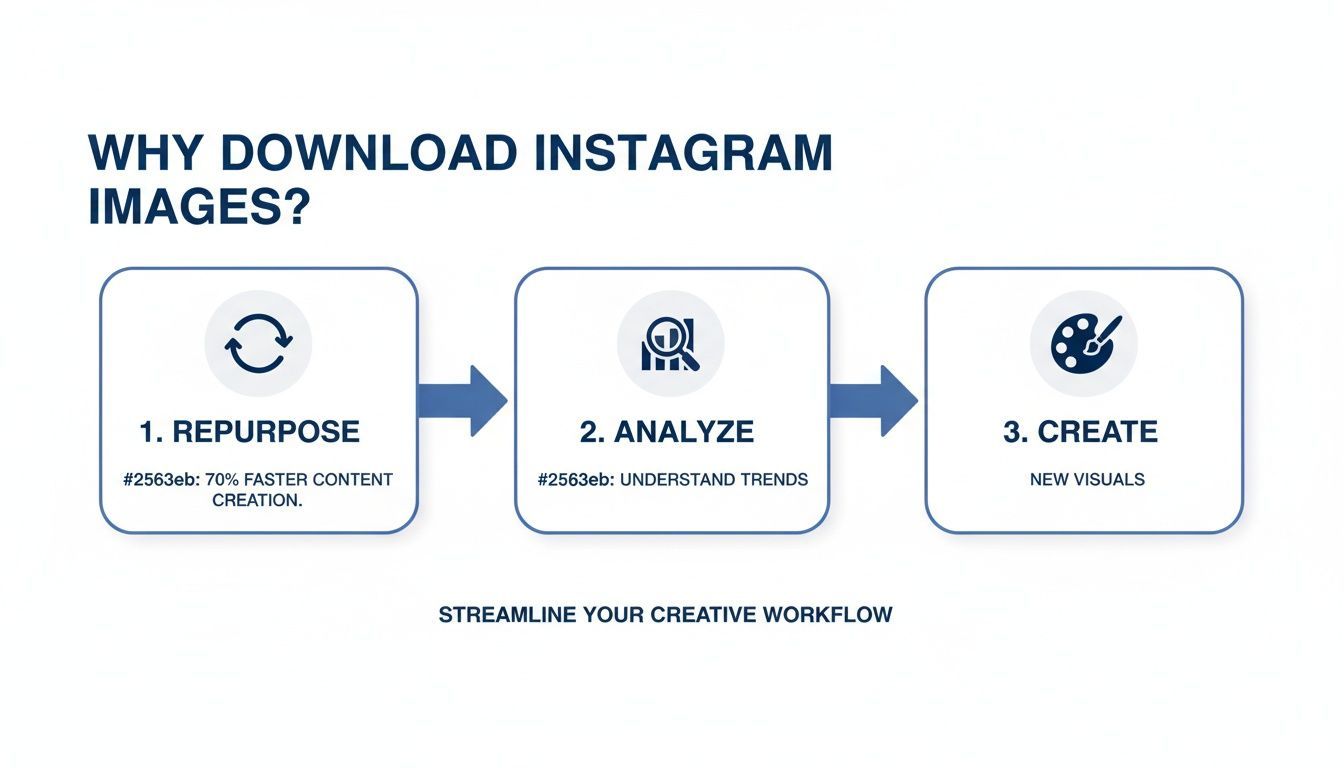
A downloaded image isn’t just an endpoint; it's a building block for a smarter, more agile content strategy.
Is the Browser Download Method Right for You?
This manual technique is great, but it’s not for every situation. Here’s a quick breakdown to help you decide if it fits your needs.
| Aspect | Advantages | Disadvantages |
|---|---|---|
| Privacy | Completely private. No third-party sites see your activity. | Can feel complex if you're not used to developer tools. |
| Speed | Very fast for downloading a single, specific image. | Extremely slow and repetitive for multiple images. |
| Cost | 100% free. It's a built-in browser feature. | Not designed for bulk downloads or entire profiles. |
| Convenience | No software or extensions to install. | Tedious for carousel posts, you have to inspect each photo. |
| Content Types | Works reliably for static images. | Finding video files (.mp4) is a bit more involved. |
Ultimately, this is your go-to method for surgical strikes, grabbing that one perfect image for a mood board or to analyze a competitor’s post. For anything bigger, you'll want a more automated tool.
Know Its Limitations
While the browser method is fantastic for its directness, its drawbacks are pretty clear. The main one is efficiency. It’s just not built for saving images in bulk.
- Carousel Posts: You have to repeat the entire process for every single photo in a carousel. It gets old, fast.
- Batch Downloads: Trying to save a whole profile’s worth of photos this way would take all day. Literally.
- Video Content: While it’s possible to find video files, it’s a bit trickier than grabbing a simple
.jpg.
Think of it like using a small screwdriver to build a deck. The "Inspect" tool is a precision instrument for a very specific job. For broader content gathering, dedicated tools are the way to go. If you want to expand your knowledge, you can also explore some general methods to download images from websites which apply to more than just Instagram.
Once you have your image, the next step is putting it to work. Just make sure it’s sized correctly for its next destination. You can find all the right specs in our guide to Instagram post sizes.
Using Third-Party Tools for Instagram Downloads
While the browser method is a solid, private way to grab a single photo, it’s just not built for volume. Let's be real, if you're a social media manager trying to archive a month's worth of competitor posts or a creator pulling together a library of user-generated content, you need something faster. This is where third-party tools come in, offering a much more efficient way to download Instagram images.
These tools are designed for one thing: making downloads simple and quick. You’ll find them in a few different flavors, web-based services where you just paste a URL, browser extensions that add a "download" button right onto the Instagram interface, and even dedicated mobile apps for saving content on the go.
The biggest draw is pure convenience. Many of these tools can download an entire carousel of images with a single click, a task that would be painfully repetitive using the browser's "Inspect" tool. Some of the more advanced services might even let you download every single photo from a user’s profile, saving you hours of manual work.
Choosing a Safe and Reliable Tool
The convenience is undeniable, but it comes with a big caveat: you have to be careful. You are, after all, letting an external service interact with your social media world. Giving the wrong tool access or data can open you up to security risks.
Before you jump on the first downloader you find, it's smart to run through a quick mental checklist. Your digital safety should always come first.
A few questions can help you separate the good from the bad:
- Does it ask for your password? This is the biggest red flag. A legitimate downloader should never need your Instagram login details. Period.
- What permissions is it requesting? If it’s a browser extension, check what it wants to access. A tool that only needs to read the content of the current page is reasonable; one that wants to read your entire browsing history is not.
- Are the reviews legitimate? Look for detailed reviews from other users. A flood of generic, five-star reviews can sometimes be a sign that something isn’t right.
- Is the website secure? Make sure the site uses HTTPS. It’s a basic security standard, not a guarantee of trustworthiness, but any reputable service will have it.
The goal is to find a tool that makes your job easier without creating new problems. A good downloader should feel like a simple utility, not a complicated piece of software that demands unnecessary access to your accounts or data.
Integrating Downloads into Your Workflow
Once you find a tool you trust, the real magic happens when you make it a seamless part of your content management process. For example, you might spend ten minutes every Monday using a batch downloader to save the top-performing posts in your niche.
This collection of high-quality images can then be uploaded straight into a content planner. You can use these assets as inspiration for your own posts, scheduling them weeks ahead. If you're managing multiple clients or brands, tools like PostFast’s Instagram integration can help you organize these downloaded assets into distinct visual calendars, keeping your content strategy organized and effective.
This simple shift turns a basic download into the first step of a well-oiled content machine.
Understanding the Legal and Ethical Rules
Downloading an Instagram image is the easy part. The real work starts with what you do next, and how you use that image is what really matters. Getting your head around the basics of copyright and fair use is one of those non-negotiable things for anyone creating content online. It keeps you out of trouble and helps you build a solid reputation.
The core idea is simple: whoever took the photo or made the art owns the copyright. The moment they hit the shutter, it’s theirs. Grabbing a copy for your own computer doesn’t change that, it just means you have a copy, not the rights to it.
This is a critical distinction. Using someone else’s work without their go-ahead, especially for anything that makes you money, can land you in some seriously hot water.
Permissible Use Versus Copyright Infringement
So, where’s the line? It usually comes down to personal use versus public or commercial use. Saving a photo to a private mood board for your own inspiration? Generally fine. The problems kick in when you re-upload or share that content with the world.
Let’s look at a few real-world scenarios to make it clearer:
- Totally Fine: Downloading a handful of a competitor's posts to analyze their strategy with your internal marketing team. No one sees it but you.
- Big Problem: Taking that same competitor’s photo and posting it on your brand's Instagram feed without permission and a clear credit.
- Totally Fine: Saving a beautiful travel photo to your phone's camera roll because you just love the vibe.
- Big Problem: Using that same travel photo as the hero image in a promotional email for your business.
Here's the safest rule to live by: if you didn't create it, get explicit permission from the owner before you use it publicly or for any commercial reason. Anything less is a gamble.
Best Practices for Sharing and Crediting
There are definitely times when sharing content from others, especially user-generated content (UGC), is a brilliant move. Done right, it builds community and gives you authentic social proof. The trick is to always, always ask first and give proper credit.
And a proper credit isn't just a tiny mention at the bottom. It means a clear, visible shout-out. Tag the creator directly in the image and mention their handle right at the top of your caption. That kind of transparency shows respect for their work and covers your bases.
In a market like Bulgaria, where Instagram's user base bounced back to 1.949 million by May 2024, visual content is the name of the game. For brands and agencies using a scheduler like PostFast, having a rock-solid policy for crediting creators is essential for building trust with this massive, engaged audience. You can dig deeper into these numbers by checking out the digital landscape in Bulgaria.
Building Downloaded Images into Your Content Workflow
Saving an Instagram image is just the first step. The real value comes when you turn those downloaded assets into a structured part of your content strategy. This is where you move from simple collection to smart creation, building a workflow that saves time and keeps your brand consistent.
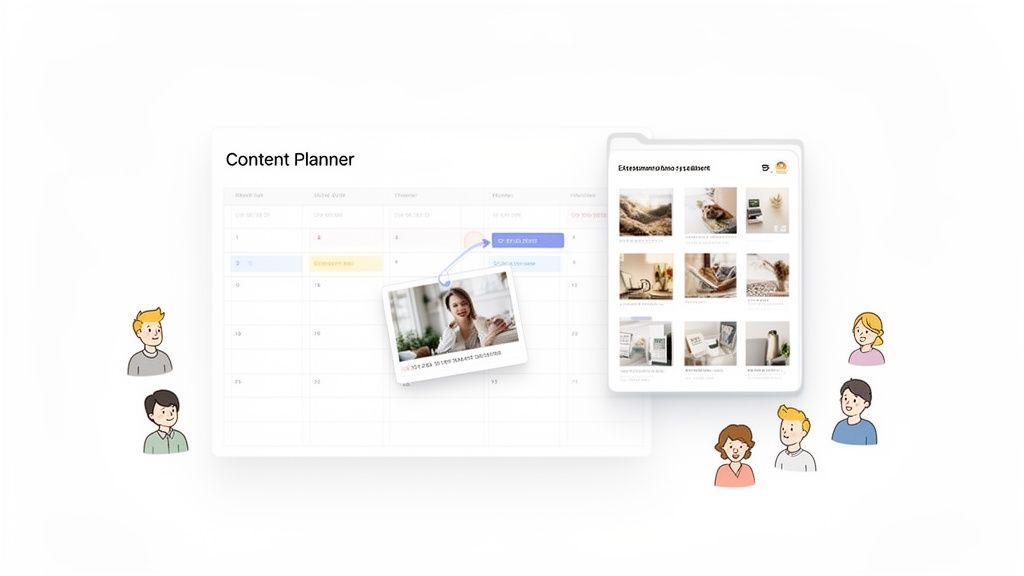
Imagine you’ve just done an instagram image download of a post that sparked an idea. Instead of letting it get lost in a folder on your desktop, you could immediately upload it to a visual content calendar. That simple action turns a fleeting thought into a tangible part of your future schedule.
Organizing Your Content Library
A messy downloads folder is where great content ideas go to die. To sidestep this common pitfall, create a simple but effective library for your assets.
Start by setting up a basic folder system. You can organize images by:
- Theme or Campaign: Group everything for a specific marketing push, like a "Summer Sale" or "New Product Launch."
- Content Type: Make separate folders for user-generated content (UGC), competitor research, and behind-the-scenes shots.
- Platform: If you plan to repurpose content across channels, have dedicated folders for TikTok, Pinterest, and your blog.
This structure makes it ridiculously easy to find exactly what you need, right when you need it. It’s especially important in markets like Bulgaria, where the Instagram user base is young and leans female, making a strong visual strategy non-negotiable. Data from May 2024 shows 1.949 million users, with the 25-34 age group being the largest segment. You can dig into more Instagram's audience demographics in Bulgaria on Statista.com if you're curious.
From Download to Scheduled Post
With your library in order, building an efficient content pipeline is the next logical step. This is where a tool like PostFast really connects the dots. You can upload your curated, downloaded images directly into its media library and then just drag them onto a visual calendar.
The goal is to close the gap between inspiration and execution. A smooth workflow means a downloaded image can become a scheduled post in under five minutes.
For instance, you could download a high-performing UGC photo, get permission from the creator, and then schedule it to go live during your peak audience hours using smart scheduling. For agencies juggling multiple clients, PostFast’s team workspaces keep each brand’s content separate and organized, complete with built-in approval flows. You can even plan out multi-image carousels, which are perfect for telling a richer story.
If your workflow involves turning static visuals into something more dynamic, check out some dedicated Image-to-Video Apps for Instagram Reels. This helps you take a great downloaded image and give it new life as a short-form video.
By creating a system, you ensure every instagram image download serves a real purpose, pushing your content forward without the chaos. You might also be interested in our guide on how to schedule posts to multiple platforms to make your workflow even tighter.
A Few Common Questions
Alright, let's clear up some of the questions that always seem to pop up when we talk about saving images from Instagram. Think of this as the final once-over to make sure you're confident about the whole process, from the technical side to the ethics of it all.
Is It Illegal to Download Someone Else's Instagram Photos?
Technically, just downloading an image isn’t illegal. The trouble starts with what you do with it afterwards.
Using someone's copyrighted photo for your own commercial gain or reposting it without their permission and clear credit is a definite copyright violation. But if you're just grabbing it for personal use, say, for a private mood board to gather inspiration, you're generally in the clear. The golden rule is always to get consent before repurposing content that isn't yours.
Can I Download a High-Resolution Version of an Instagram Image?
Yes, but you're limited by what Instagram makes available. The methods we covered, especially digging into your browser's 'Inspect' tool, pull the highest resolution version Instagram has stored for that specific post.
A quick heads-up: be wary of any tool that claims it can 'enhance' the resolution of a downloaded Instagram image. These apps usually just stretch the existing pixels, which doesn't add any real detail and can often make the picture look blurry or distorted.
Will the User Be Notified if I Download Their Instagram Photo?
Nope. Instagram doesn't send out alerts when someone saves a photo using methods like viewing the page source or using most third-party tools.
This is completely different from screenshotting a disappearing photo or video in a direct message, that does trigger a notification. Still, just because it's private doesn't mean the ethical side of things goes away. If you plan to use someone's work publicly, you still have a responsibility to credit the original creator.
What Is the Safest Way to Download Instagram Images?
Without a doubt, the safest route is using your browser's built-in developer tools (the 'Inspect' or 'View Page Source' option).
This approach keeps everything direct between you and Instagram. You don't have to install sketchy software, grant permissions to an unknown app, or hand over your login details to a third-party site. By sticking to the browser tools, you sidestep the common risks like malware or phishing that can come with untrustworthy download services. It keeps both your account and your computer secure.
Ready to turn those downloaded images into an organized content strategy? With PostFast, you can upload your assets to a visual calendar, collaborate with your team, and schedule posts weeks ahead, all from one clean dashboard. Start your free trial and see how much time you can save.
Related articles
Best Time to Post on Social Media in 2026: 61,008 Posts Scored Against Their Own Normal
61,008 posts with clean metrics, each scored against its account's normal: Instagram 3 PM local, Facebook 3 to 5 PM, YouTube 1 PM or evenings, TikTok flat.

PostFast MCP Server for Claude, ChatGPT and Cursor: Launch Notes and Changelog (2026)
The launch note for PostFast's MCP server: npm release March 2026, ChatGPT and Claude connectors June 2026, inbox tools August 2026. Setup, tools and changelog.
Can You Schedule Posts on Bluesky? How to Schedule Bluesky Posts in 2026
Yes, with a scheduling tool: Bluesky's own app has no scheduler. What Bluesky offers, the 300-grapheme and media limits, and how to schedule with PostFast.

Can You Schedule Posts on LinkedIn? How to Schedule LinkedIn Posts for Profiles and Pages in 2026
Yes. LinkedIn schedules posts 10 minutes to 3 months ahead (1 hour on Pages). Desktop, mobile, and Page steps, plus where PostFast goes further.
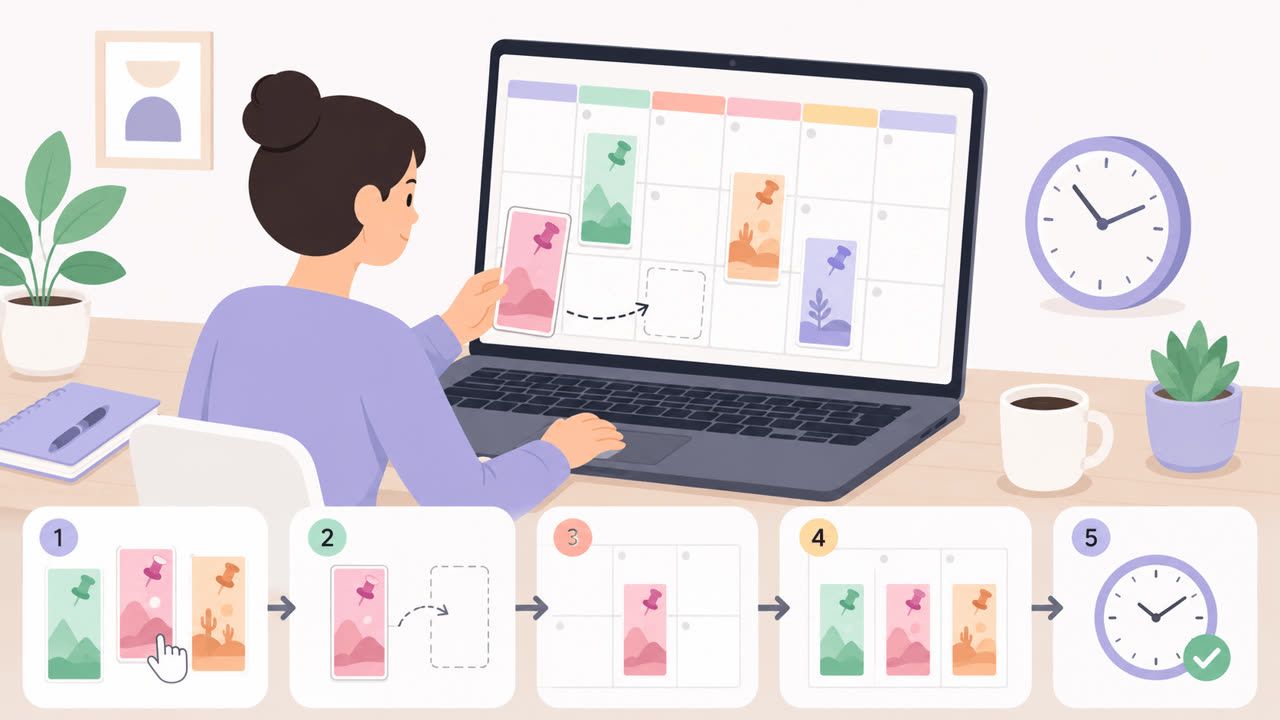
How to Schedule Pinterest Pins in 2026: Pinterest's Scheduler vs PostFast, Step by Step
Two ways to schedule Pinterest Pins: Pinterest's own scheduler (30 days ahead, 10 Pins queued) and PostFast for image, video, and multi-image Pins from desktop.
Best Social Media Schedulers in 2026: 11 Tools Compared on Price, Platforms, and Automation
Eleven social media schedulers compared on September 2026 pricing, platforms, auto-publishing, and API or MCP automation, using each vendor's own pricing page.