Best Time to Post on Threads in 2026 (Data-Backed Guide)
When is the best time to post on Threads? We analyzed posting patterns to find the days and times that get the most engagement on Threads in 2026. Day-by-day breakdown with specific hours.
On this page (8)
Threads has quietly become one of the fastest-growing social platforms. Instagram's text-based app rewards consistency and timing more than follower count, and the chronological feed means posting at the right time matters more here than on algorithm-heavy platforms like TikTok or Instagram Reels.
Most creators post whenever they feel like it. That's a mistake. When your audience is asleep or busy, your thread gets buried before anyone sees it.
We analyzed posting patterns, engagement data, and research from major studies to find the optimal posting windows on Threads in 2026. Here's what the data shows.
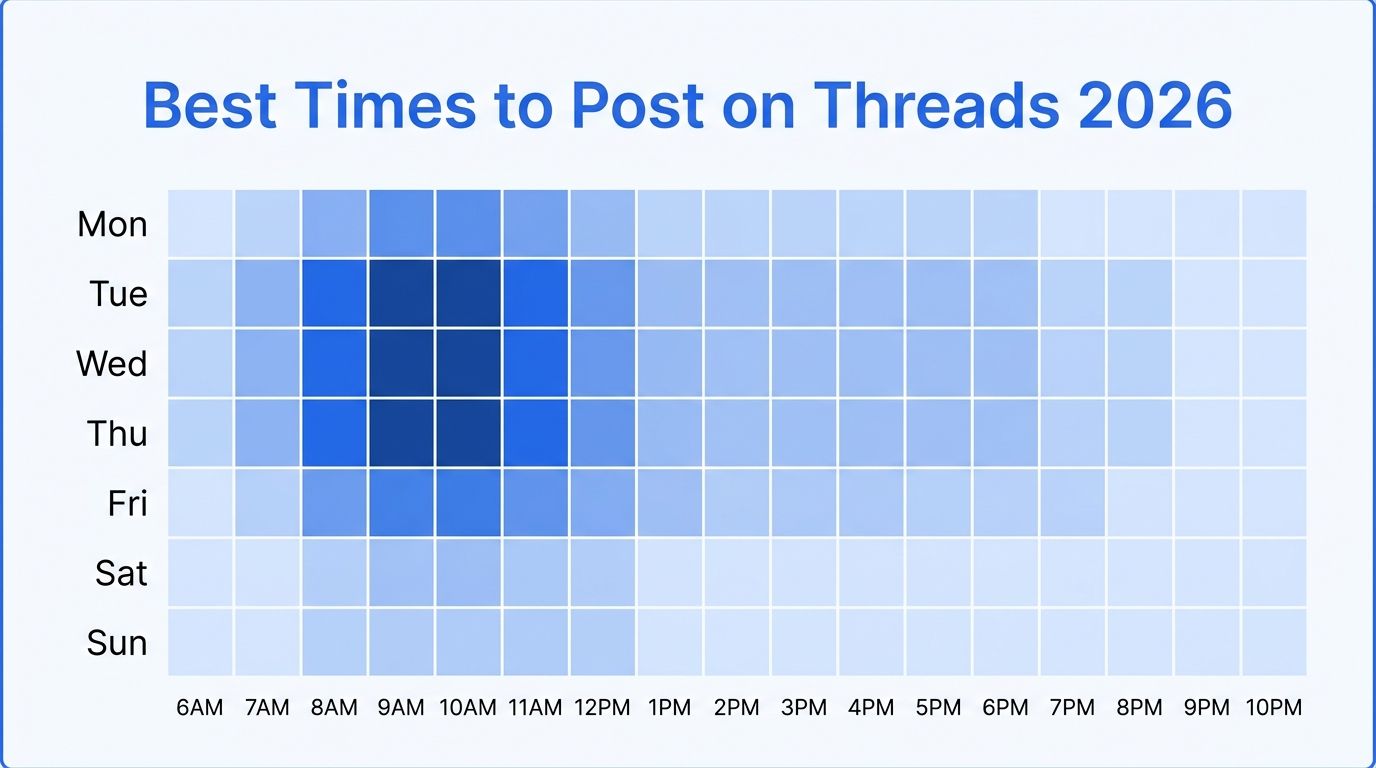
The short version: The best times to post on Threads are weekday mornings between 8 AM and 11 AM in your audience's timezone. Tuesday through Thursday perform strongest. Weekend mornings (especially Saturday at 9-10 AM) are underrated.
Best Times to Post on Threads: Quick Summary
| Day | Best Times | Engagement Level |
|---|---|---|
| Monday | 9 AM - 11 AM | Good |
| Tuesday | 8 AM - 10 AM | Great |
| Wednesday | 9 AM - 11 AM, 1 PM | Best |
| Thursday | 8 AM - 10 AM, 12 PM | Great |
| Friday | 9 AM - 11 AM | Good |
| Saturday | 9 AM - 10 AM | Good |
| Sunday | 10 AM - 12 PM | Moderate |
All times are in your audience's local timezone. If your audience spans multiple timezones, target Eastern Time (ET) for US audiences or GMT for European audiences.
The pattern is clear: weekday mornings win. People check Threads during their morning routine, on the commute, or during their first coffee break. By afternoon, attention shifts to other platforms and work tasks.
Schedule Threads posts at the perfect time with PostFast. Start your free 7-day trial. No credit card required.
Day-by-Day Breakdown
Monday: Start the Week Strong
Best times: 9 AM - 11 AM
Monday mornings are when people catch up on what happened over the weekend. The 9-11 AM window catches the morning scroll before meetings take over.
Avoid posting Monday evenings. Engagement drops significantly after 5 PM as people disconnect from social media to focus on personal time.
What to post: Week-ahead content, industry news roundups, productivity-focused threads.
Tuesday: Peak Engagement Day
Best times: 8 AM - 10 AM
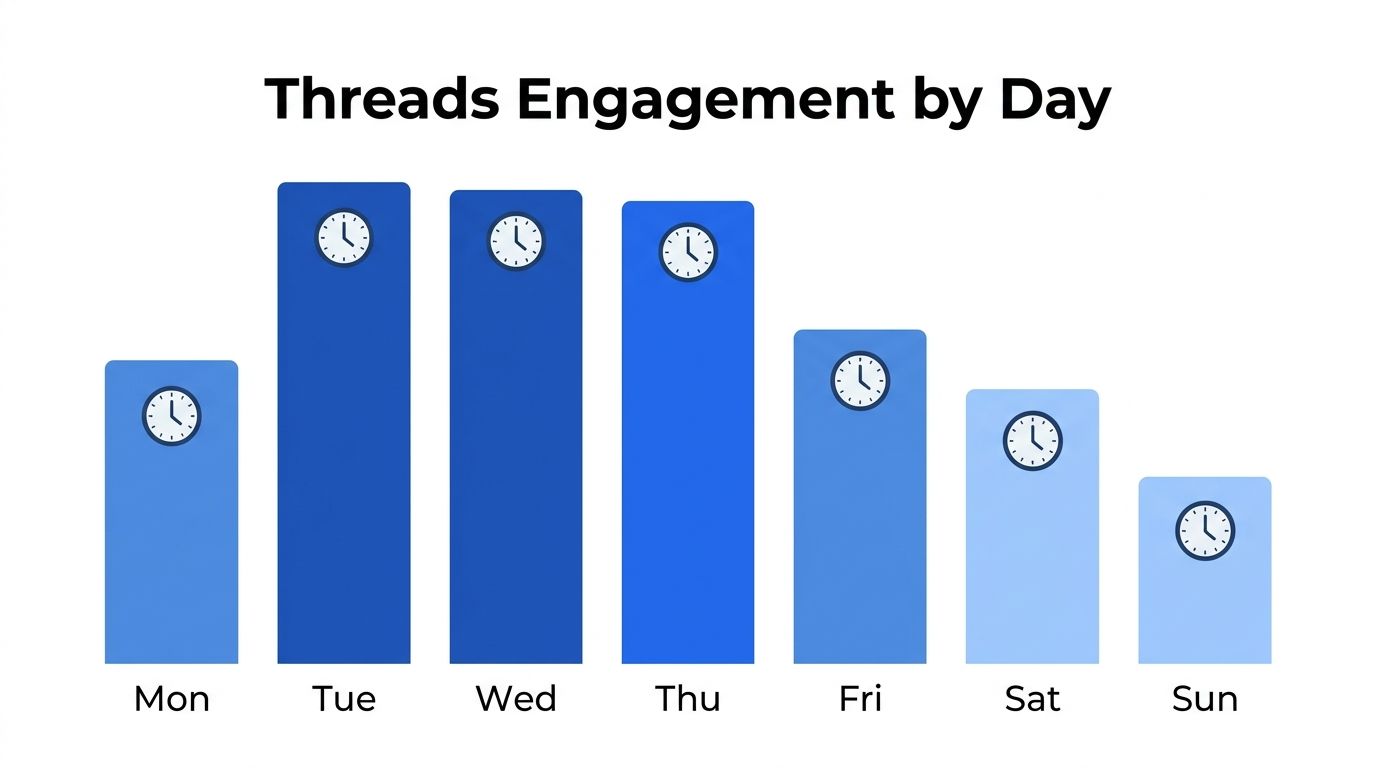
Tuesday consistently shows the highest engagement across most studies. People are settled into their work week but not yet overwhelmed by mid-week tasks. The slightly earlier window (8 AM vs 9 AM) works because Tuesday audiences are already in active mode.
What to post: Hot takes, opinion threads, educational content. Tuesday is your day to share your best ideas.
Wednesday: The Midweek Sweet Spot
Best times: 9 AM - 11 AM, 1 PM
Wednesday has a unique double window. The morning slot performs well, and there's a second engagement bump around 1 PM during lunch breaks. If you're going to post twice in one day, Wednesday is the day to do it.
What to post: Behind-the-scenes content, questions to your audience, collaborative threads. The midweek vibe is more conversational.
Thursday: The Early Bird Window
Best times: 8 AM - 10 AM, 12 PM
Similar to Tuesday, Thursday audiences are active early. There's a notable lunchtime bump at noon as people take a quick break. Thursday is also strong for B2B content since decision-makers are planning their Friday wrap-up.
What to post: Tips, tutorials, and how-to content. Thursday audiences are in learning mode.
Friday: Catch Them Before Checkout
Best times: 9 AM - 11 AM
Friday mornings are still strong, but engagement falls off fast after lunch. People mentally check out for the weekend. Post early or skip Friday entirely if your content is not time-sensitive.
What to post: Casual, fun content. Weekend plans. Lighter tone than the rest of the week.
Saturday: The Surprise Performer
Best times: 9 AM - 10 AM
Saturday mornings are underrated on Threads. Engagement is lower overall, but competition is also much lower since fewer creators post on weekends. Your content has more room to breathe in the feed.
What to post: Personal stories, lifestyle content, repurposed highlights from the week.
Sunday: Rest Day for Most
Best times: 10 AM - 12 PM
Sunday is the lowest engagement day on Threads. However, the late-morning window (10 AM - 12 PM) catches people during a relaxed scroll. Avoid posting Sunday evenings.
What to post: Week-ahead previews, reflective content, longer threads.
How the Threads Algorithm Handles Timing
Unlike Instagram Reels or TikTok, Threads uses a primarily chronological feed with some algorithmic boosting. This means timing matters MORE on Threads than on algorithm-heavy platforms.
Here is what we know about how Threads handles post timing in 2026:
Recency matters. Newer posts appear higher in your followers' feeds. If you post when your audience is asleep, your thread gets buried by the time they wake up.
Engagement velocity counts. Posts that get quick engagement (replies, likes, reposts) in the first 30-60 minutes get boosted to non-followers through the For You feed. Timing your post when your audience is active creates this velocity.
The Following feed is chronological. The Following tab shows posts in order. The For You tab uses recommendations. Timing helps in both, but it is critical for the Following feed where there is no algorithmic rescue for poorly timed posts.
Old content does not resurface. Unlike TikTok, Threads does not push old threads back into feeds. Once a post drops from the timeline, it is gone. This makes timing more important than on any other major platform.
How to Find Your Own Best Time to Post
The general windows above are a starting point. Your audience is unique. Here is how to find the exact times that work for you:
1. Check your Threads analytics. Professional accounts on Threads have built-in analytics. Go to your profile, tap Insights, then check when your audience is most active by day and hour.
2. Test different time slots. Post the same type of content at different times across two weeks. Track which posts get the most engagement relative to when they were published.
3. Consider your audience's timezone. If you are based in Europe but most of your followers are in the US, you need to post in the morning ET, not your local morning.
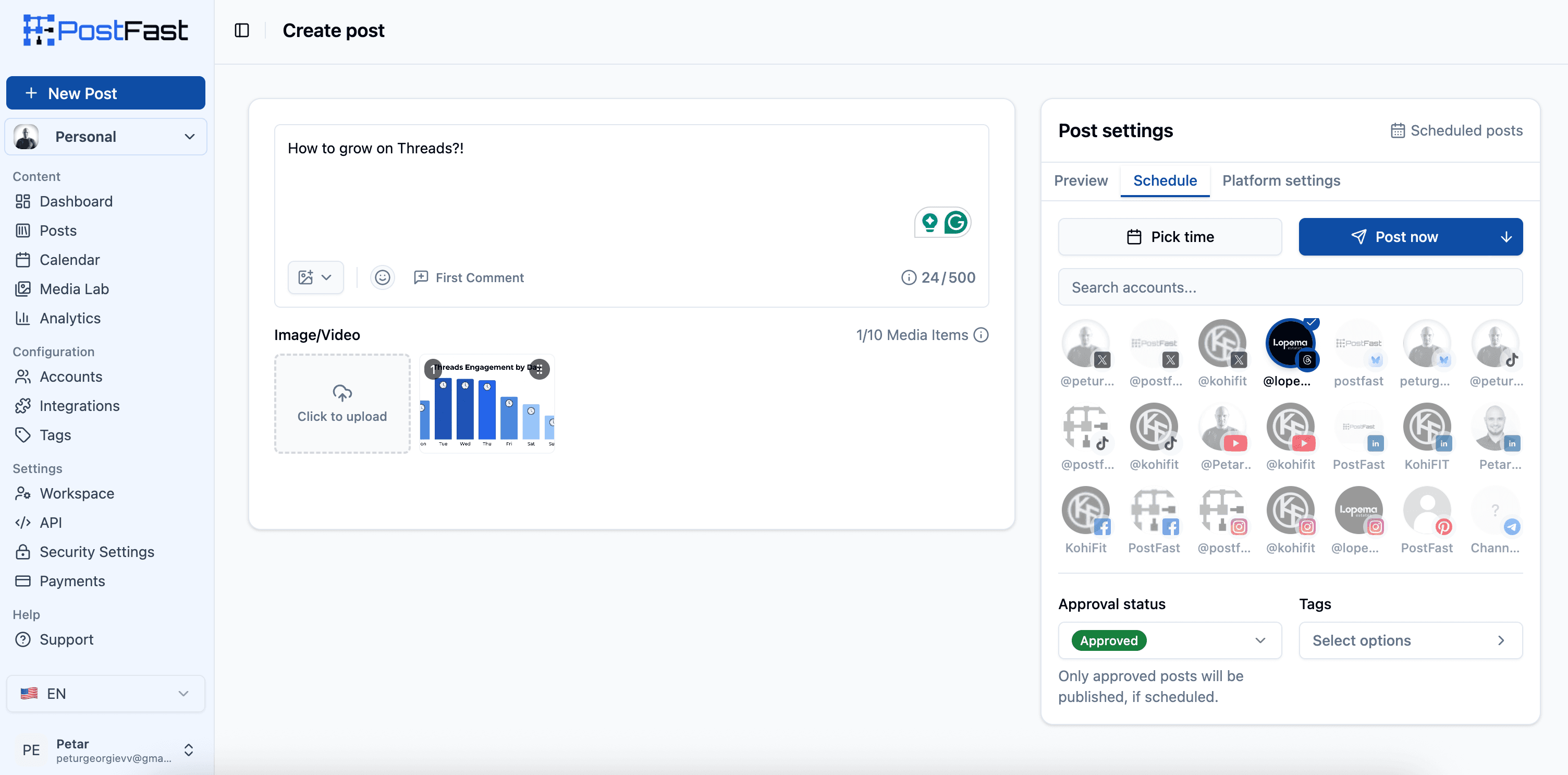
4. Use a scheduling tool. Manually posting at 8 AM every day gets old fast. PostFast lets you schedule Threads posts in advance, so you hit the optimal window without setting alarms. PostFast supports Threads natively alongside Instagram, TikTok, LinkedIn, X, Facebook, YouTube, Pinterest, Bluesky, and Telegram.
Threads vs Instagram: Does Timing Differ?
Short answer: yes.
Threads and Instagram share a user base, but the usage patterns are different. Instagram is more visual and used throughout the day for Stories, Reels, and feed browsing. Threads is text-focused and used in shorter, more intentional sessions.
Key differences:
- Threads engagement peaks earlier (8-10 AM vs Instagram's 9-11 AM)
- Threads drops faster in the afternoon because there is less passive scrolling than on Instagram
- Weekend engagement is lower on Threads since Instagram Stories keep weekend activity higher
- Threads rewards morning posting more because the feed is more chronological
If you cross-post to both platforms, create separate posts for each. In PostFast, schedule a Threads post for 8-9 AM and a separate Instagram post for 10-11 AM. This takes seconds since you can reuse the same content and media across both posts.
For optimal timing on every platform (not just Threads and Instagram), see our complete best time to post on social media guide.
5 Common Timing Mistakes on Threads
1. Posting at the same time every single day. Different days have different peak windows. Tuesday mornings at 8 AM hit different than Sunday mornings at 8 AM. Adjust your schedule by day.
2. Ignoring timezones. If 60% of your audience is in the US and you post at 9 AM European time, you are hitting 3 AM Eastern. Always check your audience demographics before setting a schedule.
3. Posting too often. On Threads, 1-2 posts per day is the sweet spot. Posting 5+ times dilutes engagement on each individual thread and can push followers away.
4. Skipping weekends entirely. Saturday mornings have less competition. You miss easy reach by going dark from Friday evening to Monday morning.
5. Going dark after posting. The first 30-60 minutes after posting are critical for engagement velocity. If you post and disappear, you miss the window to reply to comments and signal to the algorithm that your thread is worth boosting.
To hit those windows in advance, how to schedule Threads posts and carousels covers Threads' own scheduler and PostFast.
Frequently Asked Questions
What is the best time to post on Threads?
The best times to post on Threads in 2026 are weekday mornings between 8 AM and 11 AM in your audience's timezone. Tuesday through Thursday show the strongest engagement, with Wednesday also having a lunchtime window around 1 PM.
Does posting time matter on Threads?
Yes. Posting time matters more on Threads than on most other platforms because Threads uses a primarily chronological feed. Unlike TikTok or Instagram Reels, Threads does not resurface old content, so your post needs to go live when your audience is actively scrolling.
How often should I post on Threads?
1-2 posts per day is optimal for most accounts. Quality and timing matter more than volume on Threads. Posting too frequently can dilute engagement and cause follower fatigue.
Is Saturday a good day to post on Threads?
Saturday mornings (9-10 AM) can be surprisingly effective. While overall engagement is lower than weekdays, fewer creators post on weekends, giving your content less competition in the feed.
Should I post at the same time on Threads and Instagram?
No. Threads engagement peaks slightly earlier than Instagram (8-10 AM vs 9-11 AM). If you cross-post, stagger your timing: Threads first, Instagram 1-2 hours later. PostFast lets you schedule both with custom timing per platform.
Can I schedule posts on Threads?
Yes. Tools like PostFast support native Threads scheduling. You can queue posts for the optimal time without manually posting, which is especially useful if your audience is in a different timezone than you.
Start Posting at the Right Time
Timing matters on Threads more than on most platforms. The chronological feed means your post needs to land when your audience is active, not three hours later.
Use the day-by-day breakdown above as your starting point. Test, check your analytics, and adjust. And if you want to stop watching the clock and start posting consistently at the right time, try PostFast free for 7 days. No credit card required.
PostFast supports Threads natively alongside Instagram, TikTok, LinkedIn, X, Facebook, YouTube, Pinterest, Bluesky, and Telegram. Schedule your week of content in minutes.
Related articles
Best Time to Post on Social Media in 2026: 61,008 Posts Scored Against Their Own Normal
61,008 posts with clean metrics, each scored against its account's normal: Instagram 3 PM local, Facebook 3 to 5 PM, YouTube 1 PM or evenings, TikTok flat.
PostFast MCP Server for Claude, ChatGPT and Cursor: Launch Notes and Changelog (2026)
The launch note for PostFast's MCP server: npm release March 2026, ChatGPT and Claude connectors June 2026, inbox tools August 2026. Setup, tools and changelog.
Can You Schedule Posts on Bluesky? How to Schedule Bluesky Posts in 2026
Yes, with a scheduling tool: Bluesky's own app has no scheduler. What Bluesky offers, the 300-grapheme and media limits, and how to schedule with PostFast.
Can You Schedule Posts on LinkedIn? How to Schedule LinkedIn Posts for Profiles and Pages in 2026
Yes. LinkedIn schedules posts 10 minutes to 3 months ahead (1 hour on Pages). Desktop, mobile, and Page steps, plus where PostFast goes further.
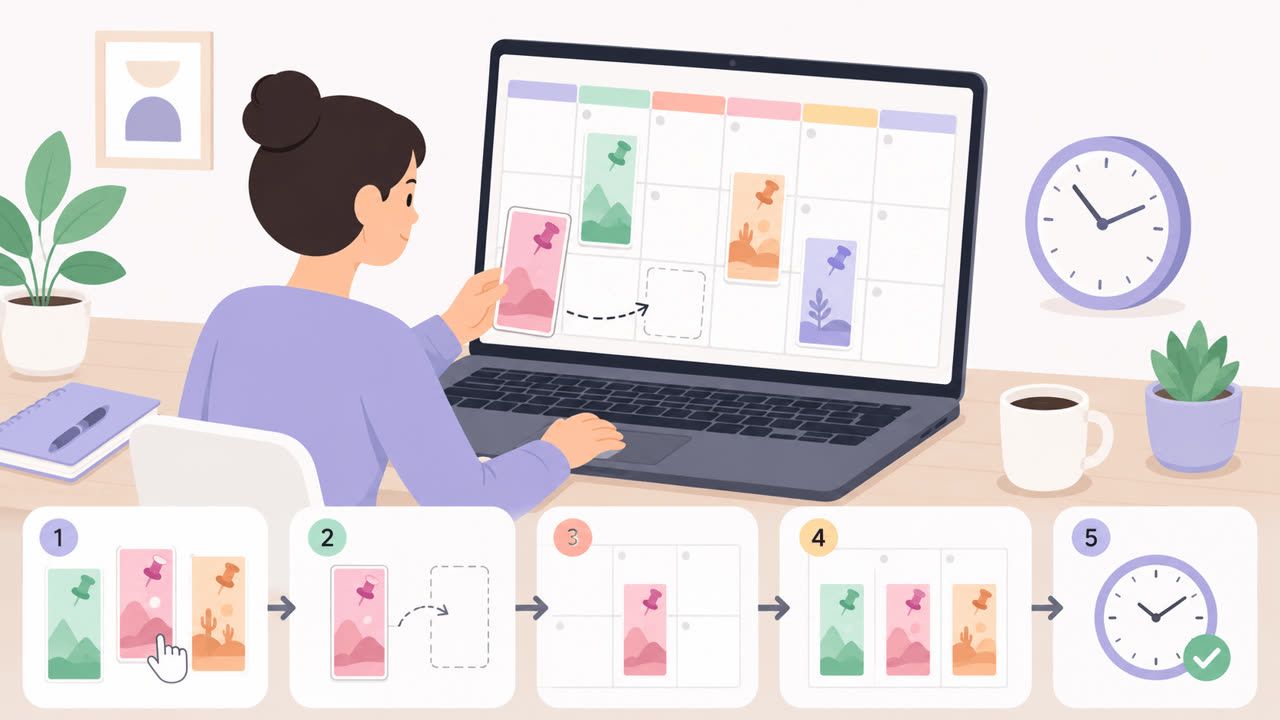
How to Schedule Pinterest Pins in 2026: Pinterest's Scheduler vs PostFast, Step by Step
Two ways to schedule Pinterest Pins: Pinterest's own scheduler (30 days ahead, 10 Pins queued) and PostFast for image, video, and multi-image Pins from desktop.
Best Social Media Schedulers in 2026: 11 Tools Compared on Price, Platforms, and Automation
Eleven social media schedulers compared on September 2026 pricing, platforms, auto-publishing, and API or MCP automation, using each vendor's own pricing page.