A Practical Guide to the LinkedIn Campaign Manager
Master the LinkedIn Campaign Manager with this step-by-step guide. Learn how to set up, target, and optimize campaigns that drive real business results.
On this page (6)
LinkedIn Campaign Manager is the command center for all your paid advertising on the platform. It’s the engine that lets you build, launch, and track campaigns that reach the exact professional audience you’re after. This is where you move beyond simple social media ads and get serious about precision targeting.
Why the LinkedIn Campaign Manager Is Essential for B2B Growth
If you’re a B2B marketer, you’re not just chasing clicks. You need to connect with decision makers, industry leaders, and qualified professionals. While other platforms cast a wide net, LinkedIn Campaign Manager is built for one job, and it does it exceptionally well: connecting your business with the right people at the right companies.
Think of it this way: running ads on most social networks is like shouting into a crowded stadium and hoping the right person hears you. Using LinkedIn Campaign Manager is like having a direct phone line to the exact people you need to talk to, whether they’re CEOs in the tech industry or marketing managers at Fortune 500 companies.
So, what can you actually do with it? Here’s a quick breakdown of its core functions and what they mean for your business.
LinkedIn Campaign Manager at a Glance
| Core Function | What It Means for Your Business |
|---|---|
| Campaign Creation | Build ad campaigns from scratch, tailored to specific business goals like lead generation or brand awareness. |
| Audience Targeting | Zero in on professionals by job title, industry, company size, seniority, skills, and more. |
| Budget & Bidding | Set daily or lifetime budgets and choose how you want to pay for results (e.g., per click or per impression). |
| Ad Format Selection | Choose from various ad types, including single images, videos, carousels, and Lead Gen Forms. |
| Performance Analytics | Access detailed dashboards to track key metrics, measure ROI, and understand audience demographics. |
| Conversion Tracking | Install the LinkedIn Insight Tag on your website to measure actions like form fills and downloads. |
Ultimately, the platform is designed to turn your ad spend into measurable business outcomes.
Moving Beyond Simple Ads to Drive Real Results
The real power here isn't just showing an ad; it's about what that ad achieves. Businesses use Campaign Manager to drive tangible results that directly support growth.
Here are a few concrete examples of what's possible:
- Generate High-Quality Leads: Stop sifting through hundreds of irrelevant contacts. You can fill your pipeline with leads who match your ideal customer profile based on their job title, industry, and seniority.
- Build Brand Authority: Promote expert content and thought leadership to position your company as a trusted voice in your field.
- Promote Key Events: Drive registrations for webinars, virtual conferences, and product demos by targeting the professionals most likely to be interested.
- Attract Top-Tier Talent: It’s also a powerful tool for recruitment, allowing you to get your company culture and open roles in front of skilled candidates.
The platform's effectiveness is clear from its growth. For instance, LinkedIn's advertising audience in Bulgaria recently hit 1.60 million members—a significant jump of 14.3% in just one year. This trend shows just how vital the platform is becoming for reaching professional audiences worldwide.
Combining Paid Ads with a Strong Organic Presence
While Campaign Manager is powerful on its own, it works best when paired with a solid organic content strategy. An active and engaging Company Page builds trust and social proof, making your paid ads far more convincing when they land in front of someone new.
A strong organic presence is the foundation for your paid campaigns. When people see your ad, they'll often click through to your page. An active, valuable feed tells them you're a credible brand worth their time.
This is where planning your content becomes essential. Using a scheduling tool like PostFast helps you maintain that crucial organic rhythm, so you always have a pipeline of quality content ready to go. You can even boost your best-performing organic posts with a paid budget, creating a powerful cycle of engagement. To make it all work together, you need a complete guide to succeeding on LinkedIn in 2026.
And if you need expert help managing your campaigns, exploring professional LinkedIn Ads services can give you the support and expertise to get it right.
Understanding the LinkedIn Campaign Structure
Before you can get great results from LinkedIn Campaign Manager, you need to get a handle on how it organizes your work. It uses a clean, three-tier system that keeps your ads tidy and manageable, even when you're running multiple initiatives at once.
Think of it like organizing files on your computer. You have main folders, subfolders inside them, and individual files inside those.
At the very top, you have Campaign Groups. These are your big project folders. A Campaign Group holds one or more campaigns that are all related to a larger goal, like a quarterly marketing push or a major product launch.
Underneath Campaign Groups are your Campaigns. These are the subfolders. Each campaign is where you lock in a single objective, set your budget, and define who you’re trying to reach. So, inside a 'Q3 Launch' Campaign Group, you might have one campaign for brand awareness and another for generating leads.
Finally, you have the Ads themselves. These are the individual files, the actual creatives your audience will see in their feed. This could be a single image, a video, or a carousel post. You can, and should, run multiple ads within a single campaign to A/B test your creative and find out what really works.
The Three Tiers of Organization
This hierarchy gives you total clarity and control. By splitting your work across these three levels, you can easily check performance, move budgets around, and make smart adjustments without getting bogged down in a messy dashboard.
-
Campaign Groups: This is your highest level of organization. You can set a total budget and run dates for the whole group, but the real strategy happens at the Campaign level. Most people use Campaign Groups to separate work by business unit, region, or time frame (e.g., ‘EMEA Marketing Q4’).
-
Campaigns: This is the heart of your advertising efforts. Here, you’ll make the big calls: your marketing objective, your audience targeting, your budget, and your bidding strategy.
-
Ads: This is the creative frontline. These are the specific videos, images, and copy you’ll promote. It's the perfect place to test different headlines, visuals, and calls to action to see what drives the best performance.
This diagram shows how your big-picture goals connect to this structure, with Campaign Manager as the command center for it all.
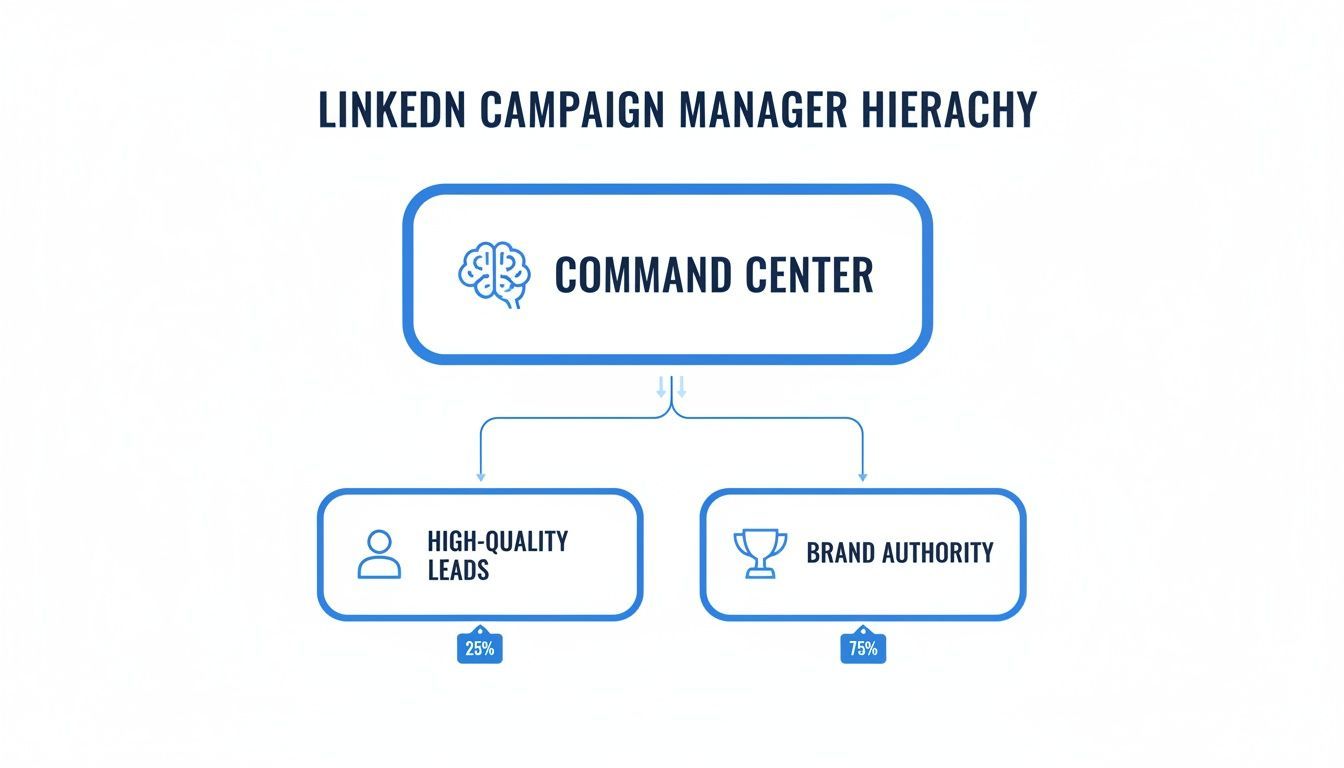
You can see how the command center directly fuels your two primary missions: building brand authority and generating high-quality leads.
Putting It All Together: A Practical Example
Let’s say you work for a SaaS company and you're launching a new project management tool. Here’s how you might set things up in Campaign Manager:
Campaign Group: ProjectTool Launch - Q3 2026
Campaign 1: Awareness - UK Tech Leaders
- Objective: Brand Awareness
- Audience: VPs of Engineering, CTOs, and IT Directors in the UK
- Ads: A video ad showing the tool’s best features and a thought leadership article from the CEO.
Campaign 2: Lead Gen - Free Trial Sign-ups
- Objective: Lead Generation
- Audience: Project Managers and Team Leads in North America
- Ads: A carousel ad explaining the user benefits and a single-image ad driving to a Lead Gen Form for a free trial.
This organized approach doesn't just keep your account clean; it makes performance analysis much sharper. You can see at a glance which campaigns are hitting their marks and shift your strategy on the fly. A well-structured account is the foundation of every successful ad strategy on LinkedIn.
Choosing the Right Campaign Objective for Your Goals
Your first click inside LinkedIn Campaign Manager sets the entire direction for your campaign. Before you touch targeting or write a single line of copy, you have to pick your objective.
This isn't just a setting; it's you telling the LinkedIn algorithm exactly what a "win" looks like. Get this wrong, and you're just spending money. Get it right, and LinkedIn will hunt down the precise results you need.
LinkedIn organizes these objectives around the classic marketing funnel: Awareness, Consideration, and Conversion. Let’s break down what each one does.
Top of the Funnel Objectives for Brand Awareness
The goal here is simple: get on your audience’s radar. You aren't asking for a click or a sign-up yet. You just want to introduce your brand, build familiarity, and become a recognized name among the right professionals.
- Brand Awareness: Think of this as your digital billboard. The goal is to maximize impressions and show your ad to as many people as possible in your target audience. It’s perfect for new companies or major product launches.
- Reach: While similar, this objective focuses on maximizing the number of unique people who see your ad. It’s all about breadth and uses a frequency cap to avoid over-serving your ad to the same person.
A new FinTech startup, for example, could use a Brand Awareness campaign to get its logo and value proposition in front of thousands of finance managers. Visibility is the only metric that matters at this stage.
Middle of the Funnel Objectives for Consideration
Once people know you exist, it's time to get them interested. Consideration objectives are built to encourage engagement and drive traffic, turning passive viewers into active prospects.
This is where you invite them to learn more, transforming that initial awareness into genuine interest. These are some of the most commonly used objectives on the platform.
A LinkedIn study found that showing users multiple ad formats can boost conversion rates by over 6 times compared to no ad exposure. This proves the power of guiding people from awareness to consideration, then finally to conversion.
Here are the key objectives for this stage:
- Website Visits: Just like it sounds, this objective is fine-tuned to send traffic from LinkedIn directly to your website or a landing page. Use it to push people to a new blog post, a features page, or your company's homepage.
- Engagement: This one aims to get more social actions on your ads, likes, comments, shares, and follows for your Company Page. It's a fantastic tool for building a community around your content.
- Video Views: Have a great product demo or a powerful customer story? This objective puts it in front of people who are most likely to watch it, based on their past behavior on the platform.
Bottom of the Funnel Objectives for Conversion
This is where the magic happens. Conversion objectives are all about driving tangible business results like leads, event sign-ups, or demo requests. You're turning interest into action.
- Lead Generation: A powerhouse objective. It uses LinkedIn’s native Lead Gen Forms, which automatically pre-fill with a user's profile data. This removes friction and makes it incredibly easy for someone to hand over their information. It’s ideal for webinar registrations and content downloads.
- Website Conversions: This drives people to your website to complete a specific action, like filling out a contact form or requesting a trial. You'll need the LinkedIn Insight Tag installed on your site to track these actions.
- Talent Leads: One for the recruiters. This objective is designed specifically to help find and engage potential candidates for your open roles.
To make this simple, here’s a quick guide to matching your funnel stage with the right LinkedIn objective.
Matching LinkedIn Objectives to Your Marketing Funnel
| Funnel Stage | Recommended LinkedIn Objective | Ideal Use Case |
|---|---|---|
| Awareness | Brand Awareness, Reach | Introducing a new brand or product to a wide professional audience. |
| Consideration | Website Visits, Engagement, Video Views | Driving traffic to a blog, promoting an expert video, or boosting a popular post. |
| Conversion | Lead Generation, Website Conversions | Capturing sign-ups for a free trial or tracking demo requests on your website. |
Choosing the right objective from the start ensures your budget works smarter, not just harder. It aligns your ad delivery with your business goals, giving you a clear path from first impression to final conversion.
Mastering Audience Targeting Bidding and Budgets
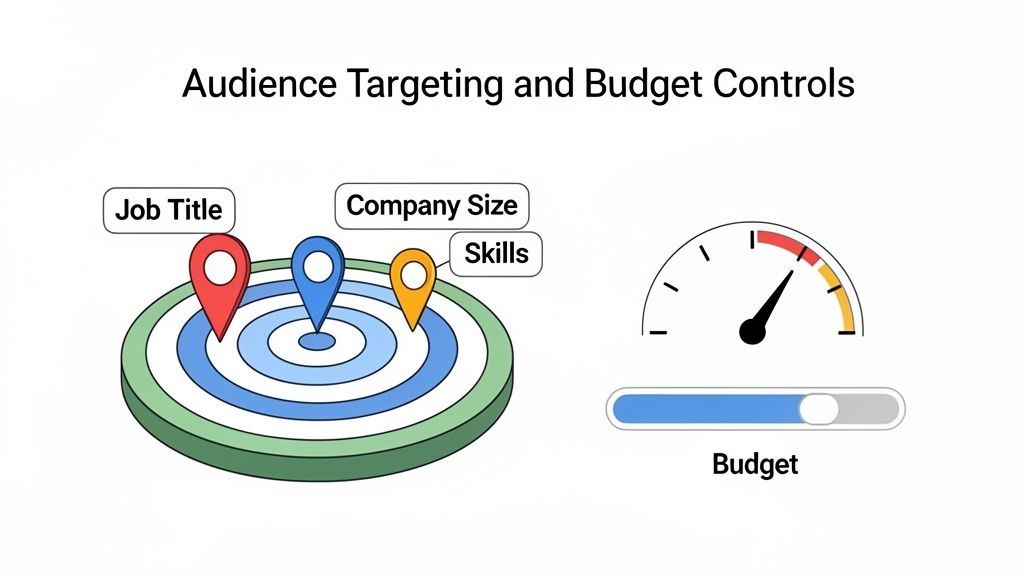
After you pick an objective, you get to the best part of LinkedIn Campaign Manager: its powerful audience targeting. This is where you stop shouting into the void and start a direct conversation with the exact professionals you want to reach.
This level of control is what makes LinkedIn the go-to for B2B marketers. It lets you build a laser-focused picture of your ideal customer by layering different professional attributes.
Building Your Ideal Audience Profile
Think of building an audience like making the perfect cup of coffee. You start with a base, the broad location or industry, and then add layers of flavor with specific job titles, skills, or company sizes. LinkedIn gives you a whole pantry of options.
You can combine these attributes to get incredibly precise. Here are some of the most useful tools in your kit:
- Company Attributes: Zero in on people based on their employer. You can filter by industry, company size, or even a list of specific company names.
- Job Experience Attributes: This is where the magic really happens. Target users by their job title, seniority level, specific skills they’ve listed, or how many years of experience they have.
- Education Attributes: Want to reach alumni from a particular university or people with a specific degree? You can do that here.
For example, you could build an audience of "Marketing Managers" with over 5 years of experience at "Software companies" with 50-200 employees in "London." Just like that, you have a highly relevant group of people who are far more likely to care about your new marketing software.
Unlocking the Power of Matched Audiences
Beyond just attributes, Matched Audiences is where your strategy gets really sharp. This feature helps you connect with people who've already engaged with your brand, making it a powerful way to guide them from curious prospects to paying customers.
Here’s how it works:
- Website Retargeting: Add the LinkedIn Insight Tag to your website, and you can build audiences of people who visited certain pages. Then you can serve them ads directly related to the content they browsed.
- Contact List Uploads: Take that list of leads from your CRM or email platform and upload it. LinkedIn will match the emails to user profiles, letting you run campaigns for existing contacts.
- Account-Based Targeting: This is a must-have for any account-based marketing (ABM) strategy. Upload a list of your target companies, and you can focus your budget on reaching the decision-makers inside those specific organizations.
Matched Audiences are your secret weapon for efficiency. Retargeting website visitors or nurturing known contacts almost always delivers a higher return on ad spend because you’re talking to a warm audience that already knows you.
Demystifying Bidding and Budgeting
Once you’ve defined your audience, you need to tell LinkedIn how much you’re willing to spend. This involves setting a budget and picking a bidding strategy that matches your campaign goal.
First, you’ll set either a Daily Budget or a Lifetime Budget. A daily budget gives you strict control over your day-to-day spend. A lifetime budget gives LinkedIn’s algorithm more room to optimize for the best results over the campaign's full run. For most campaigns, a lifetime budget is a solid starting point.
Next, you choose a bidding strategy. These are the main options:
- Maximum Delivery (Automated): This tells LinkedIn to get you the most results possible within your budget. It’s a great choice for new campaigns because it helps you get a baseline without having to guess at bid amounts.
- Target Cost: Here, you set a target cost per result (like a click or a lead). LinkedIn will then try to deliver results at or near that average cost, which makes your spending more predictable.
- Manual Bidding: This gives you full control. You set the absolute maximum you're willing to pay for a click or impression. It's best for seasoned advertisers who know exactly what a result is worth.
If you’re just starting, kick things off with a small test budget. Let the campaign run for a week or two, gather some data, see what’s working, and then double down on the winning tactics.
Creating and Optimizing Your LinkedIn Ads
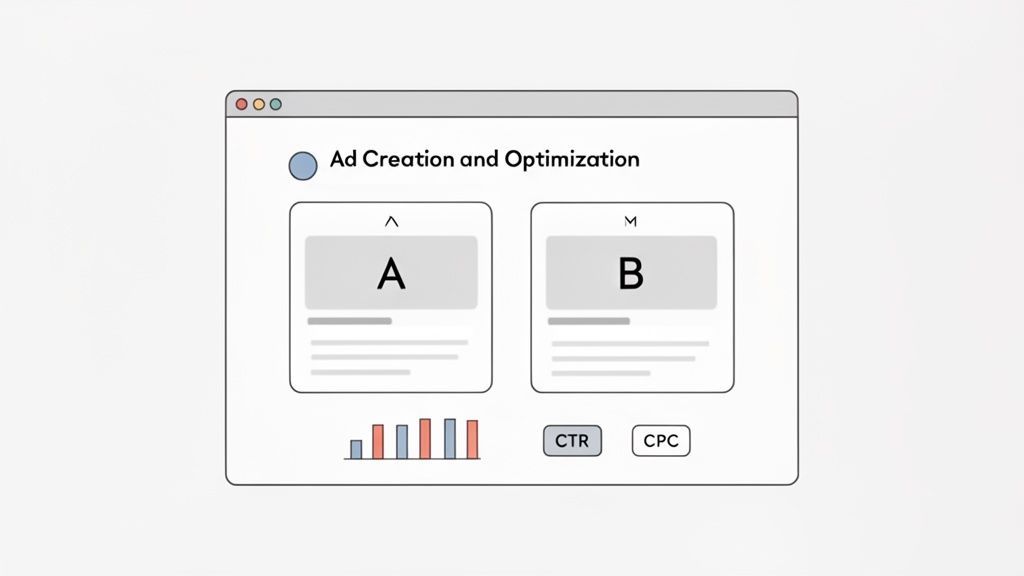
You’ve set your objective and defined your audience. Now it’s time to build the actual ads people will see in their feeds. This is where you move from planning to practice inside LinkedIn Campaign Manager.
Creating a solid ad is more than just pairing a nice image with some text. It's about picking the right format for your goal, writing copy that makes people stop scrolling, and knowing what metrics to watch. Hitting "launch" isn't the end, it's just the beginning.
Choosing the Right Ad Format
LinkedIn gives you a few different ad formats, and your choice should always tie back to the campaign objective you set earlier.
- Single Image Ads: The bread and butter of LinkedIn ads. They work well for just about anything, from driving traffic to building brand awareness, as long as your message is clear and direct.
- Video Ads: Nothing tells a story or shows off a product like video. Most videos on LinkedIn autoplay without sound, so burn in captions to make sure your message lands.
- Carousel Ads: Let you show off multiple products, walk through a process, or highlight a few different features in one ad. Each card gets its own headline and link, which is great for testing different messages.
- Document Ads: Perfect for sharing things like whitepapers or case studies right in the feed. You can offer them for free or use a Lead Gen Form to capture contact info.
To make sure your visuals look professional, you’ll want to stick to the recommended specs. We break it all down in our guide to LinkedIn post sizes and ad specs.
Crafting Ad Copy That Grabs Attention
Your copy is your pitch. Keep it short, sharp, and focused on what’s in it for the user. Always lead with an outcome your audience actually cares about.
Don't list features; sell the benefit. A headline like "Save 10 Hours a Week on Social Media" hits much harder than "New Scheduling Software." Always finish with a clear call to action (CTA) that tells them exactly what to do next, "Learn More," "Download Now," or "Request a Demo."
Launching Your First Campaign Step by Step
Once your objective, audience, and budget are locked in, Campaign Manager walks you through creating the ads.
- Select Your Ad Format: Pick from the options like Single Image, Video, or Carousel.
- Upload Your Creative: Add your image or video. Double-check that it meets the spec requirements.
- Write Your Copy: Drop in your intro text and a strong, punchy headline.
- Set the Destination: Plug in your landing page URL or attach your Lead Gen Form.
- Review and Launch: Give it one last read for typos, then set it live.
Once your campaign is live, it enters a “learning phase.” The LinkedIn algorithm needs about a week or two to gather data and figure out how to best deliver your ads. Resist the urge to make big changes during this time. A little patience now lets the system do its job.
Interpreting Your Results and Optimizing for Success
After the campaign has been running for a bit, it’s time to look at the numbers. Focus on the metrics that match your original objective. For instance, knowing what are impressions on LinkedIn is key for an awareness campaign, but less so for lead gen.
Here are the main key performance indicators (KPIs) to watch:
- Click-Through Rate (CTR): Shows if your creative and copy are compelling. If it's low, your ad isn't grabbing enough attention.
- Cost Per Click (CPC): Tells you what you're paying for each click and helps you gauge the efficiency of your spend.
- Conversion Rate: The percentage of people who do what you want them to do after clicking. This is the real measure of success.
- Cost Per Lead (CPL): For lead gen campaigns, this tells you the exact cost to get one new lead.
Use this data to make smart decisions. If one ad has a much higher CTR, pause the underperformers and shift the budget to the winner. This cycle of A/B testing and refining is how you turn a decent campaign into a great one. While Campaign Manager runs your paid ads, remember a strong organic game makes them work even better. A tool like PostFast can schedule the steady stream of content that builds your brand’s authority, giving you a library of proven organic posts to put ad spend behind later.
Integrating Paid Ads with Your Organic Strategy
Thinking of organic content and paid ads as two separate jobs is a common mistake on LinkedIn. The best brands know they’re two sides of the same coin. When you sync them up, each one makes the other stronger, building brand authority and driving conversions far more efficiently.
Running ads in a vacuum is like walking up to a stranger and asking for a sale. It can work, but it’s a tough sell. When a steady flow of valuable organic content backs your paid ads, your brand becomes a familiar, trusted voice. Your audience is much warmer when an ad finally appears in their feed.
Using Ad Insights to Fuel Your Content Calendar
Your LinkedIn Campaign Manager is more than just an ad dashboard, it’s a goldmine of audience intelligence. The data tells you exactly what messages are hitting home with your target professionals. You can use these insights to make your organic content strategy much smarter.
For instance, say you run a campaign for a new software feature. The ad focused on solving one specific industry pain point gets an unusually high click-through rate (CTR). That's a clear signal from the market.
This data tells you to create more organic content around that exact problem. You could plan:
- A detailed blog post exploring the challenge in depth.
- A short video tutorial showing how your feature solves it.
- A carousel post breaking down the key benefits.
This way, your organic content is always relevant because it’s guided by proven ad performance, not just guesswork.
Creating a Powerful Feedback Loop
This works the other way, too. Your best-performing organic posts are perfect candidates for a paid boost. When a post naturally gets high engagement, lots of likes, comments, and shares, it has already proven its value to your audience.
Putting advertising spend behind a post that is already a proven organic winner is one of the smartest investments you can make. You’re not guessing what might work; you’re amplifying what already does.
This creates a self-reinforcing cycle. You publish organic content, spot the top performers, and use the LinkedIn Campaign Manager to push them to a wider, targeted audience. The data from that paid campaign then informs your next batch of organic content.
This is where a tool like PostFast becomes a core part of your workflow. You can use it to schedule and manage your entire organic content calendar, building a consistent presence. Once you spot a winning post, you can seamlessly switch over to Campaign Manager and put a paid budget behind it. For an in-depth look at how this works, check out our guide on PostFast's LinkedIn integration.
By weaving your paid and organic efforts together, you stop running separate tasks and start running a single, unified strategy. This approach not only maximizes your return on investment but also builds a more authentic and resilient brand on LinkedIn. Your ads work better because they're backed by genuine value, and your content reaches further because it’s amplified by targeted ad spend.
Common LinkedIn Campaign Manager Questions
When you're running paid ads on LinkedIn, a few practical questions always pop up. Whether you're trying to figure out your budget or wondering why leads aren't flooding in on day one, getting straight answers is key. Here are the things we hear most often from marketers in the trenches with Campaign Manager.
How Much Does It Cost to Advertise on LinkedIn?
There’s no flat rate. The cost comes down to who you’re targeting, what your goal is, and how many other advertisers are competing for those same eyeballs. It’s an auction, but you’re always in control because you set the budget.
If you're just starting, a small test budget of £20–£30 a day is a great way to get some initial data. LinkedIn is pricier than other social platforms, but you're paying for access to a professional audience, which usually means much higher-quality leads.
How Long Until I See Results from My Campaign?
It really depends on your objective. For a Brand Awareness campaign, you’ll see impressions and reach data almost right away. But for goals like Lead Generation or Website Conversions, you need to give it at least 7 to 14 days before making any big decisions.
This window gives LinkedIn's algorithm enough time to learn who to show your ads to and optimize delivery. Don't be tempted to pause a campaign after a day or two of what looks like poor performance, the system is still finding its footing.
What Is the Difference Between a Lead Gen Form and a Website Conversion Campaign?
A Lead Gen Form campaign uses LinkedIn's own built-in forms. They're a game-changer because they pre-fill with a user's profile info, making it incredibly simple for someone to send you their details without ever leaving the app. This almost always gets you a higher volume of leads.
A Website Conversion campaign does the opposite: it sends people to your website to complete an action, like filling out a form there. It's an extra step, so you might get fewer leads, but they are often higher-intent because they put in that extra effort. The right choice depends on your goal: quantity (Lead Gen Form) or quality (Website Conversion).
Balancing your paid LinkedIn ads with a consistent organic presence is the secret to winning in the long run. PostFast lets you schedule all your organic posts in advance, building a solid foundation of trust that makes your ads work even harder. Give it a try with a free trial at PostFast and see how simple it is to manage your entire LinkedIn strategy from one place.
Related
LinkedIn scheduling with PostFast
Profiles, Pages, documents, carousels
Can You Schedule Posts on LinkedIn? How to Schedule LinkedIn Posts for Profiles and Pages in 2026
Yes. LinkedIn schedules posts 10 minutes to 3 months ahead (1 hour on Pages). Desktop, mobile, and Page steps, plus where PostFast goes further.
The Ultimate Guide to LinkedIn Banner Size and Best Practices
Master the perfect LinkedIn banner size with our complete guide. Learn dimensions, safe zones, and tips to make your profile stand out professionally.
The Ultimate LinkedIn Post Size Guide for Perfect Posts
Master the correct LinkedIn post size for every format. Our guide covers images, videos, carousels, and ads to maximize your reach and engagement.
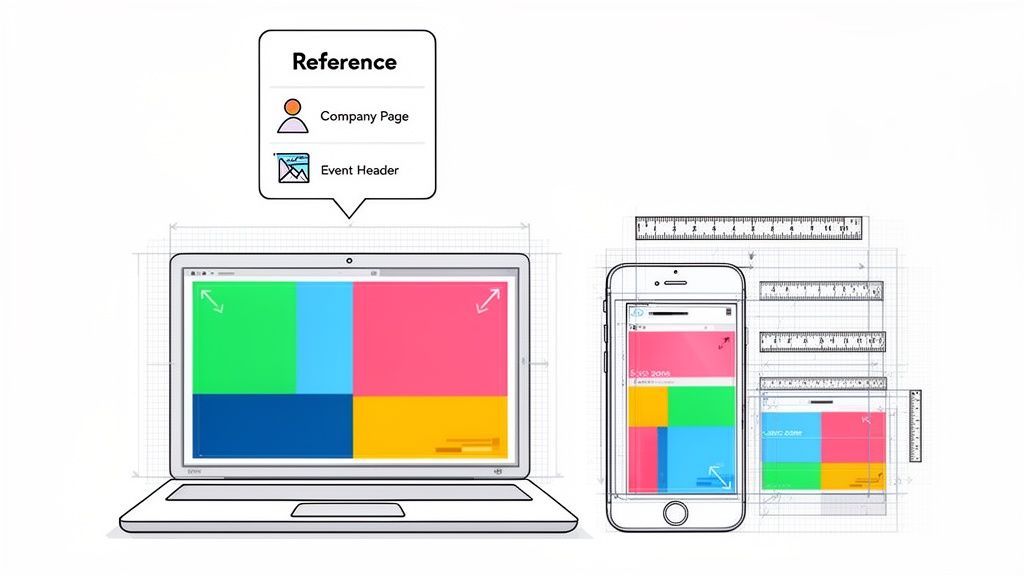
Your Complete Guide to the LinkedIn Cover Size
Get the official LinkedIn cover size for profiles, pages, and events. Our guide includes safe zones, design tips, and best practices to create a perfect banner.
Can ChatGPT Post to Instagram and Facebook? Yes, Here Is How
Yes, with a connected app. Use PostFast to schedule Instagram and Facebook posts, Reels and Stories from ChatGPT, with approval before publishing.