LinkedIn marketing: Complete Guide to Succeeding on LinkedIn in 2026
LinkedIn marketing in 2026: what to post, how often, and how to turn attention into leads with a simple weekly system.
On this page (14)
LinkedIn still rewards clear thinking, real stories, and useful work. The catch is that “useful” needs to be obvious in the first few lines, and the comments matter almost as much as the post.
Here’s a practical system you can run every week without turning LinkedIn into your full-time job.
What “success” looks like on LinkedIn
Pick one primary goal per quarter. Otherwise you end up posting everything, and nothing lands.
Common goals:
- Pipeline: more demos, calls, trials, or inbound replies
- Hiring: more applicants who already “get” the role
- Authority: more invites, podcasts, partnerships, speaking
- Distribution: more people who reliably see your posts
Quick rule: if you want pipeline, your content needs a point of view plus proof. If you want hiring, show the work and the people.
Pick a lane people can remember
Most accounts fail because the audience cannot answer: “What do you talk about?”
Do this:
- Choose 1 industry (or a tight slice).
- Choose 1 job-to-be-done you help with.
- Choose 3 content pillars you rotate.
Example pillars for a B2B SaaS founder:
- Lessons from shipping features and fixing mistakes
- Customer stories (before, after, numbers)
- Playbooks (how we do X, step by step)
If you feel stuck, write one sentence:
- “I help ___ do ___ without ___.”
Now you have a filter for every idea.
Profile vs company page
You do not need to choose only one, but each has a different job.
Personal profile is for
- founder voice
- opinions and lessons
- relationship building (comments, DMs, collaborations)
Company page is for
- product updates and proof
- hiring and culture
- customer stories and case studies
- events, webinars, announcements
A simple split that works:
- Post 3 times per week from a profile.
- Post 2 times per week from the company page.
- Have 2 to 5 teammates comment early when it makes sense.
If you have limited time, start with the profile. It’s easier to sound real there.
What to post in 2026
LinkedIn content that keeps working usually does one of these:
- teaches something you can use today
- shares a hard-earned lesson with a clear takeaway
- shows proof (screenshots, numbers, process)
- starts a real conversation (not rage bait)
Here’s a practical format map:
| Format | Best for | What to avoid |
|---|---|---|
| Text post | opinions, lessons, quick frameworks | long intro, vague “thought leadership” |
| Single image | proof, screenshots, charts, memes (careful) | tiny text, busy design |
| Multi-image post | step-by-step, mini case study | 12 images with no story |
| Document post (carousel) | guides, checklists, swipeable playbooks | slides that look like a PDF report |
| Native video | demos, behind-the-scenes, explanations | corporate promo, no hook |
| Link post | blog, landing page, resource list | dropping a link with no context |
| Poll | quick research, top-of-funnel | polls with no follow-up |
Two underused ideas that drive real results:
- “How we did it” posts (process + constraints + tradeoffs)
- “What we stopped doing” posts (honest cuts people relate to)
Carousels and attachments that people actually swipe
On LinkedIn, “carousel” often means a document post. It’s one of the best ways to teach without writing a wall of text.
A swipeable carousel that performs well usually has:
- Strong first slide: one promise, one outcome
- One idea per slide: big text, simple visuals
- A clear arc: problem → mistakes → fix → example → checklist
- A soft CTA: “If you want the template, comment ‘template’.”
Use this structure for most business topics:
- The problem people keep hitting
- The cost of getting it wrong
- The wrong way (what most do)
- The right way (your steps)
- Example (real, not perfect)
- Checklist (save-worthy)
- CTA (comment, DM, or link)
Keep it tight. 6 to 12 slides is plenty for most topics.
Video that feels native on LinkedIn
LinkedIn video works when it feels like a person talking to one person.
What to aim for:
- 20 to 60 seconds for most clips
- one idea per video
- captions or on-screen text for the key line
- a clean opening in the first 2 seconds
3 video scripts that do not feel forced:
- “Here’s what I learned shipping ___” (lesson + example)
- “3 mistakes people make with ___” (list + quick fixes)
- “I reviewed 10 ___ and noticed this pattern” (pattern + takeaway)
If you sell a product, show it, but keep it grounded:
- what problem it solves
- what changed after
- what you would do if you were starting today
Write posts people finish
LinkedIn has a 3,000 character limit for a standard post, but length is not the goal. Finishing is.
Use this writing checklist:
- First line: a claim, a result, or a question
- Second line: who this is for
- Body: short lines, clear steps, no fluff
- Proof: screenshot, number, story, or specific example
- End: one question that invites real replies
Hooks that still work:
- “I was wrong about ___.”
- “If I had to start over, I’d do this first.”
- “This took us from ___ to ___.”
- “Most advice about ___ misses this.”
Things that usually hurt performance:
- five paragraphs before the point
- generic motivation quotes
- pretending everything is perfect
If you want more “saves”, add a checklist near the end.
Comments are your distribution
The first hour matters because it sets the tone for the thread. You don’t need a pod. You need to be present.
Do this after posting:
- Reply to every thoughtful comment for 30 to 60 minutes.
- Ask one follow-up question to keep the thread alive.
- Add extra context in the comments if you skipped details in the post.
- Comment on 5 other posts in your lane that same day.
Comment style that gets responses:
- one clear point
- one example
- one question
If you post a link, test putting it in a follow-up comment instead of the post body. Links can still work either way, but this is a quick experiment that costs nothing.
Hashtags and keywords
Hashtags are not magic, but they can help with context and discovery.
A safe starting point:
- 3 to 5 hashtags
- mostly niche, not huge generic ones
- put them at the end so they do not break the read
Also, use keywords naturally in the post itself:
- job titles your buyers have
- the category you’re in
- the problem you solve
Write for humans first. Keywords should read like normal language.
Cadence and timing
Consistency beats intensity. Two good posts every week, for a year, beats 20 posts in a month, then silence.
A simple cadence:
- 2 to 4 posts per week (profile)
- 1 to 3 posts per week (page)
- daily comments (10 minutes is enough)
If you need a starting point for timing, many B2B accounts do well on weekdays, especially Tuesday to Thursday, in the mid-morning to lunch window.
Times are audience-local. If your followers span time zones, schedule duplicates for each region. Also watch daylight saving changes, your usual “9am” window may shift for part of your audience.
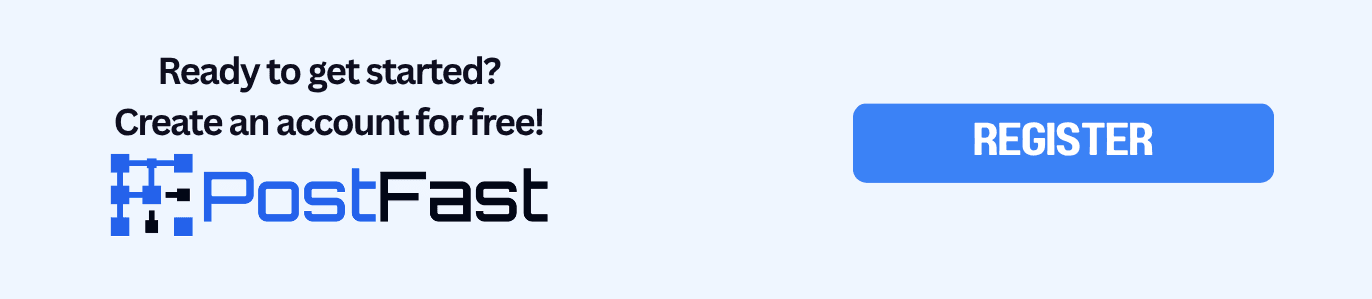
Scheduling flow in PostFast
If you already know what you’ll post this week, scheduling is the easy part.
- Connect your account via the LinkedIn integration.
- Create a week of posts in one sitting:
- text posts for opinions and lessons
- multi-image posts for proof
- document posts (attachments) for swipeable guides
- videos for quick explainers
- Set times once, then let your queue run.
- If a post is working, repurpose it for other networks:
PostFast works on desktop and mobile, so you can queue from your laptop or clean up captions on your phone.
If you want to automate posting from your stack, start with the API docs.
Specs that keep posts clean
Use these rules to avoid uploads failing and to keep posts looking sharp:
- PostFast processes each video before publishing so files meet platform specs.
- Documents: keep them under LinkedIn’s limits (file size and page count), and give the document a clear title.
- For carousels, use big text and high contrast so it reads on mobile.
Helpful size references:
A simple 30-day plan
If you want a plan you can actually follow, run this for 4 weeks:
Week 1: baseline
- 2 posts: lesson + proof
- 1 carousel: a checklist people can save
- 30 minutes of comments across the week
Week 2: proof
- 1 post: “before and after”
- 1 post: “what we stopped doing”
- 1 video: one tip, one example
Week 3: authority
- 2 posts: teach the basics, then teach the advanced version
- 1 carousel: “common mistakes” deck
- Ask one customer for a quote you can share (with permission)
Week 4: conversion
- 1 post: story with a clear outcome
- 1 post: resource list (tools, templates)
- 1 post: soft CTA, “If you want the template, comment ‘template’.”
After 30 days, look for:
- which format gets saves
- which topics get qualified comments
- which posts lead to profile visits and DMs
Double down on the winners, cut the rest.
FAQ
Should I post links on LinkedIn?
Yes, if the post is valuable on its own. If reach drops, test adding the link as a follow-up comment, or share the link in a second post that summarizes the resource.
How many hashtags should I use?
Start with 3 to 5. Keep them relevant and mostly niche. Then adjust based on what you see.
Should I post from my profile or my company page?
If you’re starting from zero, profile is usually faster for reach and conversation. Pages matter for proof, hiring, and brand trust. Do both if you can.
What content is easiest to keep consistent?
Carousels made from your internal notes, weekly lessons from customer work, and short videos answering common questions.
Can I schedule carousels and attachments?
Yes. PostFast supports LinkedIn documents and carousel-style posts via the LinkedIn integration.
Related
LinkedIn scheduling with PostFast
Profiles, Pages, documents, carousels
Can You Schedule Posts on LinkedIn? How to Schedule LinkedIn Posts for Profiles and Pages in 2026
Yes. LinkedIn schedules posts 10 minutes to 3 months ahead (1 hour on Pages). Desktop, mobile, and Page steps, plus where PostFast goes further.
The Ultimate LinkedIn Post Size Guide for Perfect Posts
Master the correct LinkedIn post size for every format. Our guide covers images, videos, carousels, and ads to maximize your reach and engagement.

Boost Your Reach with the Right LinkedIn Post Size: A Quick Guide
Learn the linkedin posts size for every format, including images, videos, carousels, and profiles, to polish your content and boost engagement. Read now.

A Practical Guide to the LinkedIn Campaign Manager
Master the LinkedIn Campaign Manager with this step-by-step guide. Learn how to set up, target, and optimize campaigns that drive real business results.

What Is BST Time Now? A Guide for Global Content Creators
Confused about what BST time now means for your global audience? This guide decodes British Summer Time and gives you scheduling tips for perfect timing.
How to Connect Claude to Instagram: Post, Schedule, Reply
Connect Claude to Instagram so it can schedule posts, Reels and Stories, answer comments and report post stats. Setup steps, prompts that work, and limits.