Your Ultimate Guide to YouTube Video Download 4K
Master YouTube video download 4K with this guide. Learn the best tools, step-by-step methods, and content repurposing tips for 2026.
On this page (7)
If you're serious about your content workflow, you need the best possible source material to work with. Grabbing a 4K version of your video gives you a pristine master copy, making sure every single clip you create for other platforms looks sharp and professional. It’s the single most important step for maintaining quality across all your social channels.
Why 4K YouTube Downloads Are Your Secret Weapon
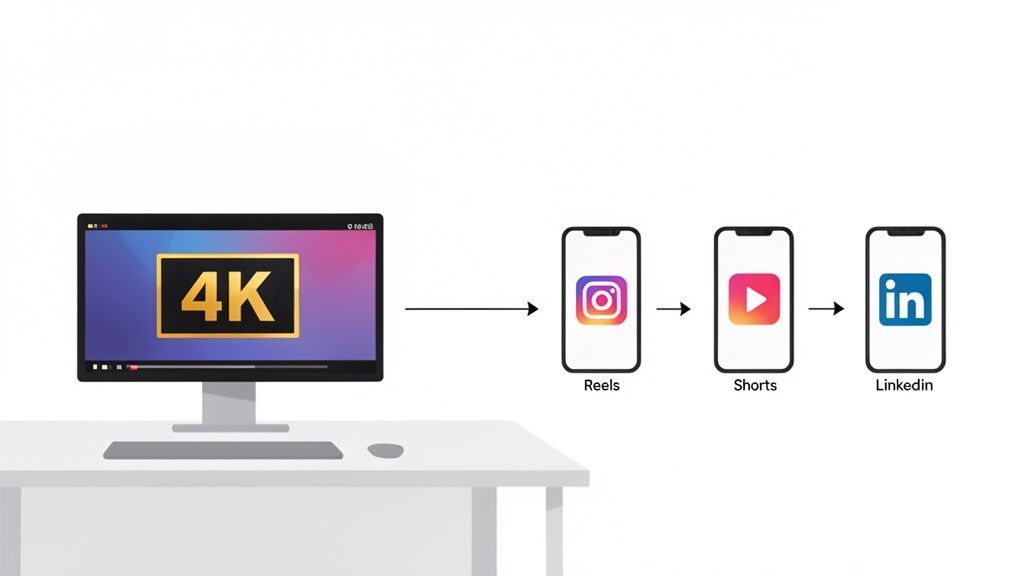
Having a local, high-resolution 4K video file is a total game changer. This goes way beyond just 'better quality'; it’s about unlocking a smarter, faster workflow. When you have the original, uncompressed source material sitting right on your machine, you get complete control over your entire content pipeline.
Think of it as the master blueprint for everything you create. With this pristine file, you can pump out stunning clips for platforms like Instagram, TikTok, and LinkedIn without losing clarity or dealing with ugly compression artifacts. The difference is night and day when you compare a clip cropped from a 1080p source versus one from a 4K original.
The Power of a Pristine Source
Your 4K download is the foundation for a more agile content strategy. Instead of constantly going back to YouTube or firing up your editing software, you have a high-quality asset ready to be sliced, diced, and remixed at a moment's notice.
This approach gives you a few key advantages:
- Maximum Flexibility: You can crop, zoom, and reframe your shots for vertical formats (like Reels or Shorts) without the image turning soft or pixelated.
- Future-Proofing Content: As phone and desktop screens get better, your 4K assets will keep your content library looking sharp for years to come.
- Offline Access and Reliability: You’re no longer hostage to your internet connection to access your core content. It's perfect for editing on the go or when your connection is flaky.
- Simplified Archiving: A local library of your best work, in its highest quality, makes for a clean, organized, and easily searchable archive.
In early 2025, YouTube hit a staggering 4.37 million users in Bulgaria, which is 64.9% of the entire population. That makes it an absolute powerhouse for creators. This surge is exactly why a good youtube video download 4k tool is so vital, especially with Bulgaria's average fixed internet speeds now at 85.36 Mbps. That's fast enough to quickly download hefty 4K files, which can easily be 1 to 2 GB for just a 10-minute clip. For creators using platforms like PostFast, this means instant access to high-res source material for repurposing, saving hours of manual work.
The core idea is simple: Start with the best possible quality, and every piece of content you create from it will be better. It's a small step that has a massive impact on your brand's perceived professionalism.
A Smarter Content Pipeline
Once you have these high-quality assets on hand, you can shift your focus from finding video to creating engaging clips and managing your publishing schedule. The whole process just gets smoother.
Ultimately, downloading your 4K videos isn't about hoarding files. It's about building a powerful, flexible content engine that fuels your entire online presence.
Choosing the Right 4K Download Method
Deciding how to grab a 4K video from YouTube feels like standing at a crossroads. You’ve got a few different paths, and the right one really boils down to your own tech comfort, how often you’ll be downloading, and what you plan to do with the files.
The options generally fall into three buckets: dedicated desktop apps, quick online converters, and seriously powerful command-line tools. Each one is built for a different kind of person, from the casual user who just needs one video to the power user who wants total control.
Making the right call upfront will save you a ton of time and headaches later. Let’s break them down.
Comparing 4K YouTube Download Methods
Picking the right tool depends entirely on your needs. A social media manager scheduling a month's worth of content has very different priorities from someone who just wants to save a single tutorial for offline viewing. This table gives you a quick side-by-side look to help you decide at a glance.
| Method | Best For | Ease of Use | Batch Downloads | Privacy Risk |
|---|---|---|---|---|
| Desktop GUI Apps | Regular downloaders, content creators, social media managers | Easy | Excellent | Low (with reputable apps) |
| Online Converters | Quick, one-off downloads | Very Easy | Limited/None | High |
| Command-Line (CLI) | Power users, developers, data archivists, automation | Difficult | The best, fully scriptable | Very Low |
Ultimately, there's no single "best" method, just the one that fits your workflow. A desktop app often hits the sweet spot for most, but it’s good to know what else is out there when you need more power or just a quick fix.
Desktop GUI Applications
These are purpose-built programs you install right on your computer. Think of them as a specialized toolkit designed to do one thing exceptionally well. They give you a proper graphical user interface (GUI), meaning buttons, menus, and progress bars instead of a blinking cursor in a black window.
For most people, this is the perfect middle ground. Desktop apps nail the balance between power and simplicity. They’re often loaded with features that are a lifesaver for content creators and social media managers who are constantly grabbing files.
- What’s great: They are usually very user-friendly, can download entire playlists in one go, and often let you grab subtitles or convert formats on the fly.
- The catch: You have to install software, and the best features are often behind a paywall. You also need to trust the developer, so stick to well-known, reputable apps to keep your computer safe.
A perfect example is when you need to download an entire tutorial series to slice up for a new social campaign. A desktop app lets you paste the playlist URL, hit 'download,' and walk away while it gets every single video in crisp 4K.
Online Converter Websites
Online converters are the fastest way to download a single video without installing a thing. You just land on a website, paste the YouTube link, and it gives you a download link. They’re incredibly handy for one-off downloads when you need a file right now.
But that convenience comes with some big trade-offs, especially around privacy and quality. Many of these sites are plastered with aggressive ads, and some can be downright sketchy, leading to malware. They also might not give you the true 4K file, sometimes just upscaling a lower-res version instead.
Be careful with online converters. While they’re quick, the privacy risks and questionable quality make them best for non-sensitive, occasional downloads where top-tier resolution isn't critical.
Command-Line Interfaces (CLI)
For anyone who wants ultimate control and isn't afraid of a terminal window, command-line tools like yt-dlp are the undisputed champions. A CLI is a text-based interface where you type commands to get things done. It’s hands-down the most powerful and flexible way to download a 4k video from YouTube.
This route gives you fine-grained control over everything. You can specify the exact video and audio codecs, pull all the metadata, grab every subtitle track, and even write scripts to automate your entire download workflow. It’s the go-to method for developers, archivists, and serious creators building a reliable content pipeline.
- Who it’s for: Power users, developers, and anyone who needs to automate downloads or demand the absolute highest quality streams available.
- The challenge: There’s a steeper learning curve and some initial setup involved. With no friendly interface, you have to be comfortable typing out commands.
If you're looking for more details on this topic, our guide on how to download a video from YouTube offers additional insights. This is the exact method many pros use to feed their content schedulers, ensuring tools like PostFast always have pristine source material ready to go.
A Practical Walkthrough of Command-Line Downloading
For those who want total control, the command-line is king. The best tool for the job is yt-dlp, and while it might look a bit intimidating if you’re used to graphical interfaces, it’s surprisingly simple once you get the hang of it. This hands-on guide will show you how to get it done right.
Going the command-line route strips away the graphical interface, giving you direct access to powerful features perfect for a youtube video download 4k workflow. You can pick specific video and audio streams, grab metadata, and even script complex jobs, ideal for building a reliable content archive.
Let’s get into it.
Getting Your Tools Ready
Before you can pull any videos, you need two essential pieces of software: yt-dlp itself and FFmpeg.
Think of yt-dlp as the brains of the operation. It talks to YouTube's servers and figures out what files are available. FFmpeg is the muscle; it’s a powerful utility that handles the heavy lifting of video and audio processing, like merging separate files into a single, polished MP4.
- yt-dlp: This is your main program. It fetches all the video info and handles the actual download.
- FFmpeg: You absolutely need this for combining the high-quality video and audio tracks. YouTube often serves these separately for 4K content to be more efficient.
You can install both using a package manager like Homebrew on macOS or Chocolatey on Windows, or just by following the instructions on their official websites. Once they're installed, you can run them right from your computer’s terminal or command prompt.
Finding the Right 4K Format
The secret to a true 4K download lies in picking the right format codes. When you ask yt-dlp to list the available formats for a video, it presents a table of options. Each one has a unique ID, resolution, and codec information.
To see what's on offer, you just run a simple command with the -F flag:
yt-dlp -F "YOUTUBE_URL_HERE"
This command doesn't actually download anything. It just shows you a menu of every available stream for that video. You’ll notice separate lines for video (often with "video only" in the description) and audio ("audio only"). For proper 4K, you're looking for a video stream with a resolution of 3840x2160. The other rows in that list sit on the same 16:9 resolution ladder, from 1280x720 upward.
The real pro-move is to download the best video stream and the best audio stream separately, then let FFmpeg merge them. Just grabbing a pre-combined format usually means you're sacrificing quality on either the video or audio side.
Executing Your First Download
Once you've spotted the format codes for the best video and audio, you just plug them into your download command. Let's imagine your 4K video is code 137 and the best audio is 140.
Your command will look something like this:
yt-dlp -f 137+140 "YOUTUBE_URL_HERE"
That little + tells yt-dlp to download both streams and then use FFmpeg to combine them into a single file. By default, it saves the file using the video’s title as the filename. That's it. You’ve just completed a high-quality youtube video download 4k the same way many professionals do.
This process gives you a direct path from seeing a video you need to having a high-quality file ready to go. The infographic below shows how this CLI method stacks up against simpler apps and online tools.
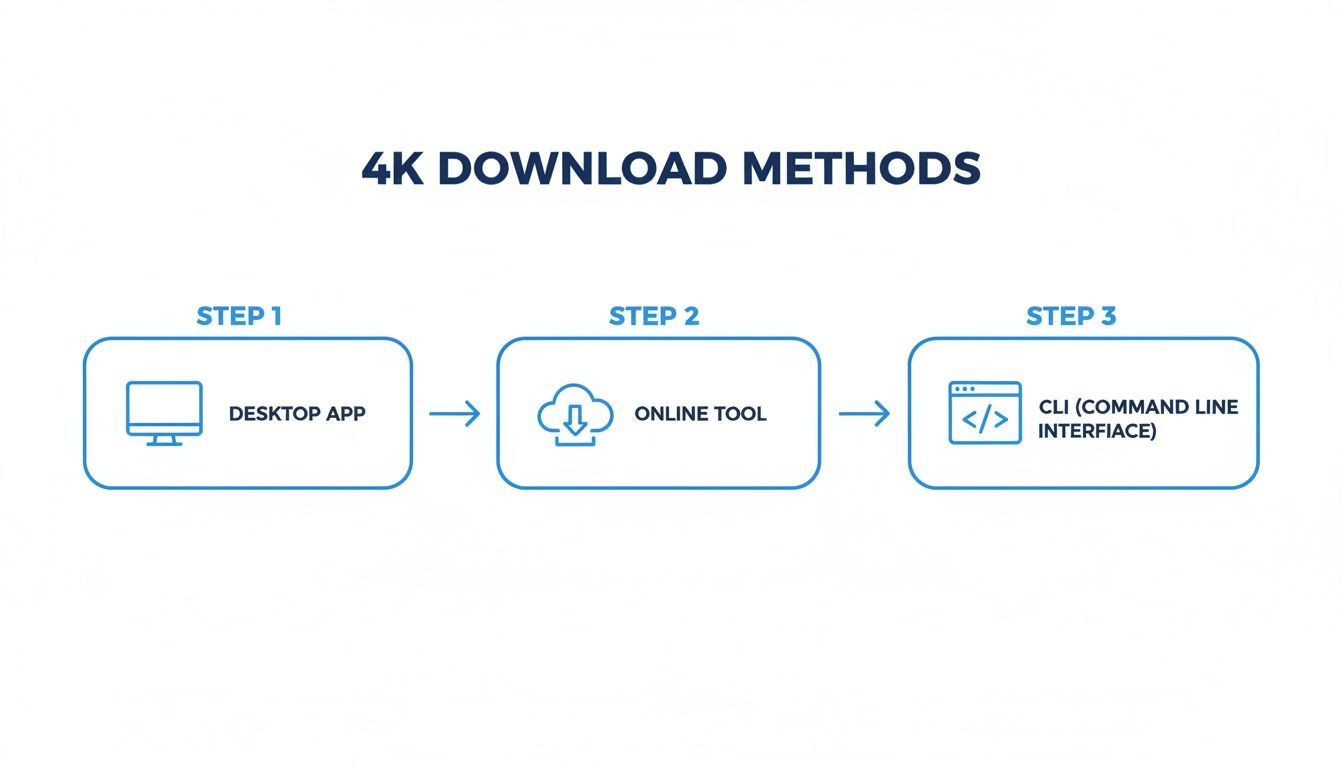
As you can see, each method has its place. But for raw power and control over the final output, nothing beats the command-line.
Downloading More Than Just Video
A huge advantage of using the command-line is the ability to grab more than just the video itself. For content managers and archivists, things like metadata and subtitles are gold.
You can easily add a few flags to your command to save this extra information:
--write-subs: Downloads all available subtitle tracks for the video.--write-thumbnail: Saves the video's thumbnail image as a separate file.--add-metadata: Embeds details like the upload date, title, and description directly into the video file's properties.
So, a command packed with these options might look like this:
yt-dlp -f 137+140 --write-subs --add-metadata "YOUTUBE_URL_HERE"
This level of detail is a game changer when you're managing a large content library. It keeps your files organized, searchable, and ready for whatever you need next. If you're building out a content calendar in a tool like PostFast, having this rich metadata locally makes finding and scheduling the right clip so much faster. It’s all about building a smarter, more efficient system from the ground up.
Mastering the Advanced Download Workflow
Once you’ve got the basics down, you can start building a workflow that actually saves you time. This is where you move beyond grabbing single videos and start thinking like a content manager. We'll cover a few techniques that turn a manual chore into an automated pipeline, perfect for keeping your social media schedule packed.
These are the pro-level strategies that let you stop chasing files and start focusing on creating.
How To Download an Entire YouTube Playlist
One of the biggest time-savers is grabbing an entire playlist with a single command. Instead of downloading videos one by one, you just point your command-line tool at the playlist URL. It’ll then systematically download every single video for you.
This is a lifesaver for creators who produce content in a series. Imagine having an entire 20-part tutorial downloaded, named, and organized in your archive with just one line of code. It’s a powerful way to back up your own channel or gather source material for a big project.
- The Command: Just pass the playlist URL to
yt-dlpinstead of a single video URL. - The Result: A neat folder full of 4K videos, ready to be edited or scheduled.
This simple shift is the first step toward building a real content library, not just a random folder of downloads.
Keep Your Archive Tidy With File Naming Templates
Let's be honest, a folder full of videos named with random characters is a nightmare. This is where output templates in yt-dlp come in. You can tell it exactly how to name and organize your files as they download.
You can set up a custom naming scheme using variables like the upload date, playlist index, and video title. For example, you could structure your files to look like this: YYYY-MM-DD - Series Name - 01 - Video Title.mp4.
This creates a clean, sortable, and instantly searchable archive. When you need to find a specific clip to repurpose for a PostFast campaign, you'll know exactly where to find it.
A well-organized archive is an asset. Taking a few moments to set up a naming template will save you from the headache of digging through a messy folder later on.
Schedule Your Downloads for Off-Hours
Downloading dozens of 4K videos can really strain your internet connection, especially during the workday. The smart move is to schedule your big downloads to run during off-hours, like overnight. This keeps your bandwidth free when you actually need it.
On macOS or Linux, you can use a tool called cron to schedule your commands. On Windows, the built-in Task Scheduler does the same job. You just write a small script with your download command and set it to run at a specific time, say, 2 AM every Sunday.
It’s a "set it and forget it" approach that ensures you always have a fresh supply of content without ever slowing yourself down.
Downloading a 10-minute 4K YouTube video typically uses around 3.8 GB of data. In Bulgaria, where median fixed internet speeds are 85.36 Mbps, that download only takes a couple of minutes. At 100 Mbps, it's even faster. Even on a slower 20 Mbps connection, you're looking at under 10 minutes. This is a huge win, considering 4K streaming can burn through 23 GB per hour. Downloading is just smarter for offline editing and repurposing.
Troubleshooting Common Headaches
Even with a solid workflow, things can go sideways. The two most common problems people encounter are videos getting stuck in lower resolutions and codec compatibility issues with editing software.
- Low-Resolution Downloads: If your youtube video download 4k file turns out to be 1080p, double-check your format codes. It’s easy to accidentally pick a lower-quality stream. Always run the
-Fflag first to see exactly what’s available. - Codec Issues: Sometimes, the default video codec (like VP9) doesn't play nicely with older editing software. You can tell
yt-dlpto prefer a more common format like H.264 (AVC) if it's available. If not, you can always use FFmpeg to re-encode the file into a friendlier format after it’s downloaded.
Knowing how to handle these little curveballs will keep your content pipeline running smoothly.
Turning 4K Downloads Into Social Media Gold
Okay, this is where the command-line magic meets your actual content strategy. Now that you have a folder full of crisp, high-quality footage, the real fun begins. It's time to slice and dice those beautiful files into a steady stream of content that actually stops the scroll on your social channels.
Having these 4K master files completely changes your workflow. Instead of staring at a blank canvas every morning, you’re pulling from a bank of your best material. Your focus shifts from the grind of production to smart, creative repurposing. You stay consistent without burning out.
From Landscape To Portrait
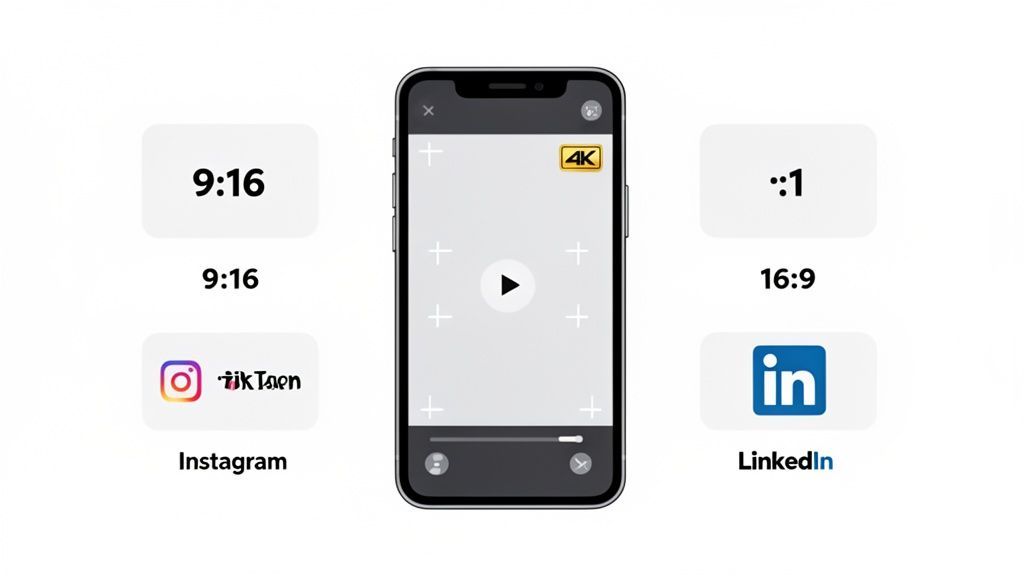
The biggest hurdle is making your wide 16:9 YouTube videos look good in the vertical world of Instagram Reels, TikTok, and YouTube Shorts. This is where that 4K resolution becomes your secret weapon. It gives you an incredible amount of room to crop without turning your video into a pixelated mess.
When you crop a standard 1080p video for a 9:16 frame, you're throwing away a ton of detail. But with a 4K source, you can punch in on the action, reframe the shot to follow your subject, and still end up with a video that looks sharp and professional.
Here’s how to tackle it for different platforms:
- Instagram Reels & TikTok: Chop up your long video into fast-paced, vertical clips. Find the most compelling 15-30 seconds and build around that. Export the crop at 1080x1920; the Reels video specs note that Instagram compresses 4K uploads to 1080p anyway. Slap on some trending audio and bold, on-screen text to make it feel native.
- Instagram Carousels: Pull several short clips from your 4K video and string them together in a multi-slide carousel. It's a great way to break down a bigger topic or share a few quick tips in a single, swipeable post.
- X & LinkedIn: Shorter, more direct clips win here. Create 30-60 second "nuggets" of value that summarize a key point from your main video. Subtitles are non-negotiable, as most people on these platforms browse with the sound off.
We've got a whole guide on this if you want to go deeper. Check out our post on crafting killer videos for Instagram.
Finding The Story Within
Every long video is packed with dozens of smaller stories just waiting to be pulled out. Your job is to find them. Scrub through your downloaded 4K files and look for those golden moments: a surprising result, a powerful quote, a funny outtake, or a single game-changing tip.
Each of those moments can be a standalone piece of content. This isn't just about lazy chopping; it's about giving a small piece of your video a new context for a different audience and a totally different format.
The goal is to make each repurposed clip feel like it belongs on the platform. A TikTok shouldn't feel like a bad crop of a YouTube video—it should feel like a TikTok.
The Automation Advantage
This is where all that prep work pays off. Once you've created a batch of repurposed clips, the final piece is getting them in front of your audience consistently. This is exactly what a scheduler like PostFast is built for.
Instead of sitting there manually uploading each clip to every platform, you can map out your entire week or month of content in one go. Upload all your shiny new Reels, Shorts, and clips, and just let the scheduler do the publishing.
As you get into a rhythm, you might want to explore ways to speed up the editing itself. You can find some of the best AI tools for social media management in our guide. This whole system frees you from the daily posting grind, letting you focus on the bigger picture: planning and creating your next great video.
Understanding the Legal and Safety Rules
Before you start building a library of 4K content, it's worth taking a moment to understand the ground rules. When you perform a youtube video download 4k, you're stepping into a bit of a gray area that touches on copyright law and platform terms.
Generally, downloading your own videos for backups or to repurpose them elsewhere is completely fine. It's your content, after all.
Things get a little blurrier when you download content made by other people. YouTube’s Terms of Service are pretty clear: they prohibit downloading unless you see an official download button. That said, concepts like "fair use" can sometimes allow for using clips in things like commentary, criticism, or parody, but that's a complex legal field to navigate on your own.
Staying Safe From Online Risks
When you're looking at online download tools, a healthy dose of caution is your best friend. Many free websites are littered with dodgy ads and pop-ups that are basically gateways to malware or phishing schemes.
A much safer bet is a reputable desktop app or a command-line tool like yt-dlp. They get the job done without exposing you to all that online junk.
Here in Bulgaria, with 4.37 million YouTube users and average internet speeds hitting 85.36 Mbps, pulling down massive 4K files is surprisingly quick. It's tempting to grab everything, but it's crucial to be responsible. Interestingly, only about 55% of Bulgarian internet users watch online videos, which creates a huge opportunity to use offline assets in your PostFast schedule.
The simplest, safest approach? Stick to downloading your own content or videos where you have explicit permission. This keeps you well within the rules and your computer protected.
For a deeper dive into this subject, you can also check out our guide on downloading from YouTube videos, which offers more detailed insights.
Common Questions
Let's tackle a few of the common questions that pop up when you start downloading 4K videos from YouTube. Think of this as the quick-fix section.
Is It Actually Legal to Download YouTube Videos?
This is the big one, and the answer isn't a simple yes or no.
If it's your own content, go for it. Downloading your own videos as a backup or to repurpose them somewhere else is completely fine. When it comes to other people's videos, YouTube's Terms of Service state you shouldn't download content unless they provide a specific download button.
However, there's a legal gray area called "fair use". This might apply if you're using short clips for things like commentary, criticism, or education. Just know that this can get complicated, so the safest bet is to stick to your own stuff or videos with a clear Creative Commons license.
Why Do I Keep Hearing About FFmpeg for 4K Downloads?
This is a technical point that trips a lot of people up. To stream high-resolution video efficiently, YouTube often serves up the 4K video and the high-quality audio as two separate files. When you watch online, your browser seamlessly stitches them together in real-time.
A tool like yt-dlp grabs those individual high-quality streams for you. That's where FFmpeg comes in. It's the essential piece of kit that "muxes" (merges) the video and audio files back into a single, playable file like an MP4 or MKV. Without it, you'd have a beautiful 4K video with zero sound.
Can My Computer Even Handle Editing 4K Video?
Working with 4K files is a whole different ball game compared to 1080p. The files are massive, and your computer needs a lot more horsepower to play them back and edit them smoothly.
Most modern computers from the last few years can handle basic 4K edits, think simple trims and cuts. But if you're planning on doing any serious color grading, adding special effects, or stacking multiple 4K clips, you'll feel the slowdown. For that kind of work, you really want a beefier setup with a dedicated graphics card and at least 16GB of RAM, though 32GB is the sweet spot for a truly smooth experience.
Ready to take your high-quality 4K clips and build a powerful, automated social media presence? Use PostFast to schedule your repurposed content across all your channels, saving hours every week. Start your free 7-day trial and see how easy it is.
Related
YouTube scheduling with PostFast
Shorts and full videos
Schedule YouTube Shorts From Desktop and Cross-Post Without Extra Work
Schedule YouTube Shorts from desktop with PostFast. Batch a week, cross-post to TikTok and Instagram Reels, and keep a steady flow without extra exports.
A Smart Creator's Guide to Using a YouTube Downloader Online
Learn how to use a YouTube downloader online as a powerful tool for content repurposing. Discover safe, ethical workflows for creators and marketers.
How to Download Video from YouTube The Smart Way
Learn how to download video from YouTube using safe, official methods. Discover smart alternatives for repurposing content without the risks.
How to Use a YouTube Video Downloader 4K for Easy 4K Video Downloads
Discover youtube video downloader 4k tips to save 4K videos efficiently with desktop, online, or CLI tools.
How to Connect Claude to Instagram: Post, Schedule, Reply
Connect Claude to Instagram so it can schedule posts, Reels and Stories, answer comments and report post stats. Setup steps, prompts that work, and limits.