How to Automate Social Media Posting with Paperclip AI Agents
Set up Paperclip AI agents that create and schedule social media posts across 11 platforms using PostFast. Step-by-step tutorial with real workflow examples and costs.

On this page (9)
What if you could hire a small content team that runs 24/7, never misses a deadline, and costs less than a single freelancer? That is the idea behind combining Paperclip with PostFast.
Paperclip handles the orchestration: it coordinates AI agents organized into real team structures with roles, budgets, and task management. PostFast handles the publishing: it schedules and delivers posts across 11 social media platforms from a single API. Together, they form a fully automated content pipeline.
This guide shows you exactly how to wire them together. By the end, you will have a working setup where AI agents research topics, write posts, and schedule them across multiple platforms without manual intervention.
What You Will Learn
- How Paperclip organizes AI agents into content teams
- Three ways to connect PostFast to a Paperclip agent
- Step-by-step setup from install to first automated post
- Real workflow examples: daily scheduling, research pipelines, cross-platform batching
- How to scale from one agent to a full social media department
- Actual costs for running an automated content pipeline
How Paperclip Organizes AI Agent Teams
If you are already familiar with Paperclip, skip ahead to the integration section. Here is the quick version for everyone else.
Paperclip is an open-source orchestration platform for AI agents. It does not generate content or post anything itself. Instead, it manages teams of AI agents (powered by Claude, GPT, Gemini, or other models) the same way a company manages employees: with an org chart, task assignments, budgets, and performance tracking.
The core building blocks:
| Concept | What It Does |
|---|---|
| Company | Top-level unit with a mission and budget |
| Agent | AI employee with a role, adapter, and spending limit |
| Org Chart | Tree hierarchy where every agent reports to a manager |
| Heartbeat | Scheduled work cycle: wake, check tasks, execute, sleep |
| Skill | Instruction file (SKILL.md) that teaches an agent how to use a specific tool |
| Routine | Recurring task on a cron schedule or webhook trigger |
The key concept is the heartbeat. Agents do not run continuously. They wake up at intervals you define, check their task queue, do the work, and shut down. A social media publisher might have a heartbeat every 4 hours. A content researcher might run once per day.

This means your social media automation pipeline does not burn compute around the clock. Agents run only when there is work to do.
Installing Paperclip
You need Node.js 20+ and pnpm 9.15+.
One command to set up everything:
npx paperclipai onboard --yes
This creates a local PostgreSQL database, runs migrations, and opens the Paperclip dashboard in your browser.
From the dashboard:
- Create a company with a goal like "Automate social media for our brand"
- Add a CEO agent (required as the org chart root)
- Pick an adapter: codex_local for OpenAI Codex or claude_local for Claude Code
- Set a monthly budget ($10 is plenty for testing)
A quick note on adapters: Codex CLI allows both subscription and API key authentication for automated use, making it the simpler choice for Paperclip agents. You can run it on a ChatGPT Plus subscription ($20/month) with no restrictions on third-party orchestrators. Claude Code requires API key authentication for automated pipelines, since Anthropic's subscription plans are restricted to individual, interactive use. Check each provider's current terms before choosing.
That is your foundation. Now let us connect it to social media.
Three Ways to Connect PostFast to Paperclip
PostFast exposes a REST API for everything: listing connected social accounts, uploading media, scheduling posts, and pulling analytics. Your Paperclip agents can call this social media scheduling API through three different paths.
If you have used PostFast with OpenClaw before, the concept is similar. The difference is that Paperclip adds a management layer on top: budgets, task queues, and multi-agent coordination that OpenClaw does not handle.

Option 1: Custom Skill (recommended)
A Skill is a markdown file that teaches an agent how to use a tool. Create a directory in your Paperclip skills folder:
skills/
  postfast/
    SKILL.md
Your SKILL.md:
---
name: postfast
description: >
  Use this skill to schedule, publish, and manage social media
  posts across 11 platforms. Covers listing accounts, uploading
  media, creating posts, and checking analytics via PostFast API.
---

# PostFast Social Media Scheduling

## Authentication
All requests use: Authorization: Bearer YOUR_POSTFAST_API_KEY
Base URL: https://api.postfa.st

## List connected social accounts
GET /social-medias
Returns account IDs, platform names, and usernames.

## Schedule a post
POST /social-posts
Body:
- content: post text
- socialMediaId: target account ID (from list above)
- scheduledAt: ISO 8601 datetime
- status: SCHEDULED

## Upload media first (for images/videos)
1. GET /social-posts/upload-urls?count=1&type=IMAGE
2. PUT the file to the signed URL
3. Include the returned key in mediaItems array

## Get post analytics
GET /social-posts/analytics?startDate=YYYY-MM-DD&endDate=YYYY-MM-DD
Returns impressions, reach, likes, comments per post.
The agent reads this skill during each heartbeat and uses it whenever a social media task lands in its queue. This approach works with any adapter (Claude, Codex, Gemini, or any other).
Get your API key from workspace settings in PostFast.
Option 2: MCP server
If your agent uses the claude_local adapter, it can access PostFast through the MCP server. Add this to your agent's MCP configuration:
{
  "mcpServers": {
    "postfast": {
      "command": "npx",
      "args": ["-y", "postfast-mcp"],
      "env": {
        "POSTFAST_API_KEY": "your-api-key"
      }
    }
  }
}
The MCP server gives the agent structured tools for listing accounts, creating posts, uploading media, and pulling analytics. The agent discovers and calls them naturally during task execution.
This is the same approach used in scheduling social media posts from chat with OpenClaw, but with Paperclip managing the agent lifecycle instead of a direct conversation.
Option 3: HTTP adapter
For simple, predictable workflows where you do not need the agent to make creative decisions, use the HTTP adapter to call PostFast's scheduling API directly:
{
  "adapterType": "http",
  "adapterConfig": {
    "url": "https://api.postfa.st/social-posts",
    "method": "POST",
    "headers": {
      "Authorization": "Bearer ${POSTFAST_API_KEY}",
      "Content-Type": "application/json"
    }
  }
}
This fires a structured API call on each heartbeat. Best for workflows where the content is already prepared elsewhere.
Workflow Examples for Social Media Automation
Here are three practical setups, from simple to advanced.
Daily content scheduler
A single agent that checks a content calendar and schedules posts across platforms every morning.
Setup:
- Agent: Social Media Publisher
- Adapter: claude_local with PostFast Skill
- Routine: Daily at 8:00 AM,
0 8 * * *
HEARTBEAT.md for the agent:
## Daily Publishing Checklist
1. Read the content plan from /docs/content-calendar.md
2. Check which posts are due today
3. For each post:
   - Use the PostFast Skill to list connected accounts
   - Schedule the post to the correct platform
   - Stagger times by 10 minutes between platforms
4. Mark completed posts in the calendar
5. Comment on the task with a summary
The agent wakes at 8 AM, processes the calendar, schedules everything through PostFast, and shuts down. Total daily AI cost: about $0.05 to $0.15 depending on how many posts it handles.
Research to publishing pipeline
Two agents working in sequence. A researcher finds trending topics, a publisher turns them into scheduled social media posts.
| Agent | Role | Heartbeat | Job |
|---|---|---|---|
| Content Researcher | Researcher | Daily, 6:00 AM | Scan trends, competitor activity, and content gaps. Create tasks for the publisher. |
| Social Media Publisher | Publisher | Daily, 9:00 AM | Pick up research tasks, write platform-specific posts, schedule through PostFast. |
The researcher creates issues like: "Write a LinkedIn post about [trending topic] and schedule for tomorrow at 10 AM." Three hours later, the publisher picks it up and handles the rest.
This pattern is similar to how you might use PostFast's API to build a posting automation, but with Paperclip coordinating the AI agents instead of a custom script.
Cross-platform batch scheduling
One agent that takes a single content idea and adapts it for every platform.
Routine: Monday, Wednesday, Friday at 9:00 AM (0 9 * * 1,3,5)
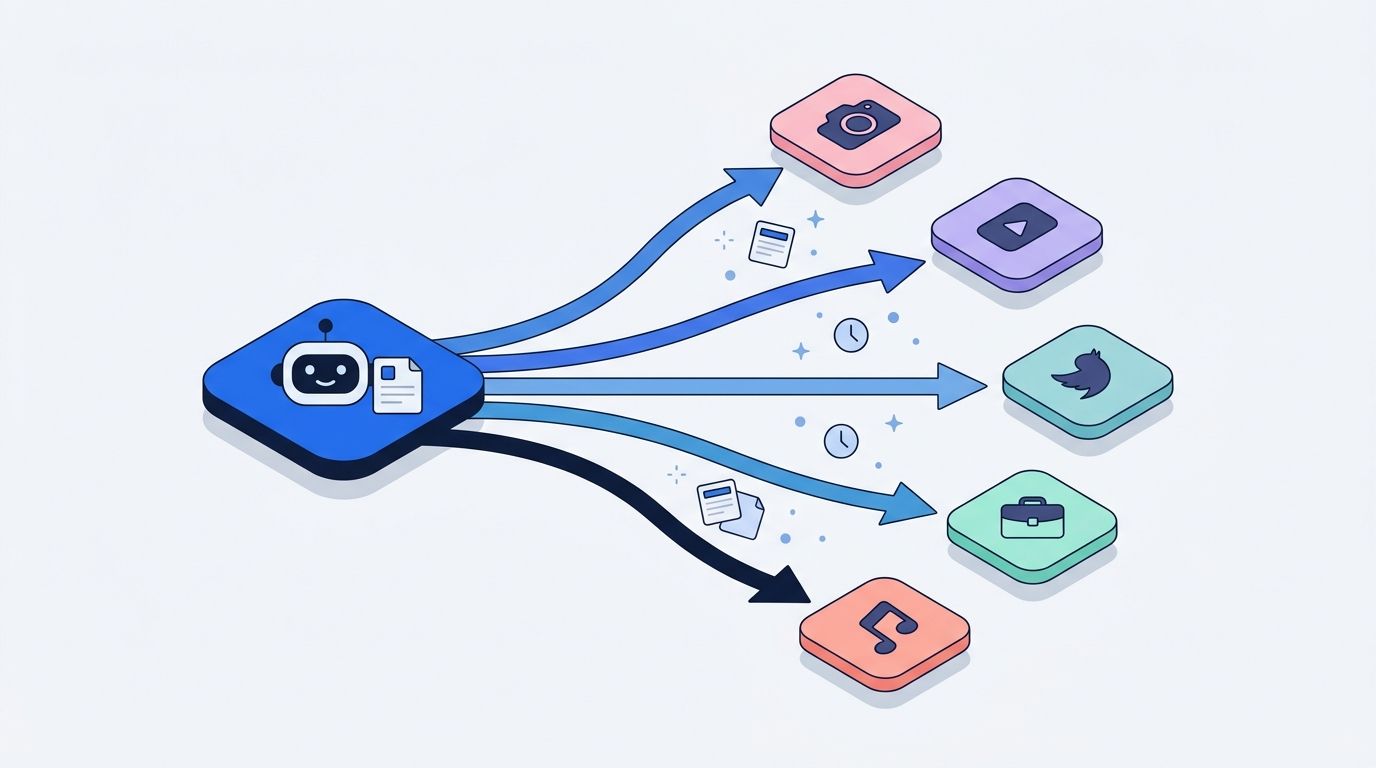
The agent:
- Pulls the next content idea from the queue
- Writes a LinkedIn version (professional tone, no hashtags in body)
- Writes an Instagram version (visual-first, hashtags in first comment)
- Writes an X/Twitter version (concise, thread-ready)
- Writes a TikTok caption (casual, trending hashtags)
- Writes a Facebook version (conversational, include link)
- Schedules all five through PostFast, staggered by 10 minutes
Each platform gets content tailored to its audience. PostFast handles the multi-platform publishing from a single API. The agent adapts tone, length, and formatting per platform without you writing five separate posts.
Building a Full AI Social Media Team
For brands managing multiple content streams, a multi-agent setup makes sense. Here is an example org chart for a social media automation department:
Board (you)
└── CEO
    ├── Content Strategist
    │   └── Copywriter
    └── Publisher
| Agent | Role | Heartbeat | What It Does |
|---|---|---|---|
| Content Strategist | Manager | Daily, 7 AM | Research trends, plan weekly calendar, assign briefs to Copywriter |
| Copywriter | Engineer | Every 8 hours | Draft posts from strategist briefs, adapt per platform |
| Publisher | Engineer | Every 4 hours | Schedule approved drafts through PostFast, report results |
The Strategist creates tasks. The Copywriter drafts content. The Publisher schedules it. Each agent has its own budget cap and works independently on its heartbeat cycle.
What this actually costs
One of the most common questions about Paperclip is cost. Here is a real breakdown for this three-agent social media team:
| Cost Item | With Codex (subscription) | With Claude (API key) |
|---|---|---|
| Content Strategist (1 heartbeat/day) | Included in sub | ~$8/month |
| Copywriter (3 heartbeats/day) | Included in sub | ~$12/month |
| Publisher (6 heartbeats/day) | Included in sub | ~$5/month |
| AI cost | $20/month (ChatGPT Plus) | ~$25/month (per-token) |
| PostFast Creator plan (12 accounts) | €29/mo monthly, €24/mo yearly | €29/mo monthly, €24/mo yearly |
| Paperclip | Free (self-hosted) | Free (self-hosted) |
| Total pipeline cost | ~$49/month | ~$55/month |
With the Codex path, a ChatGPT Plus subscription covers all three agents for a flat $20/month. OpenAI explicitly allows subscription-based authentication in automated pipelines and third-party orchestrators. With the Claude path, you pay per token through API keys, which comes out to roughly $25/month for this workload. Either way, you are running a full content team for under $55/month. For comparison, a single freelance social media manager typically costs $500 to $2,000/month. You can trim a few more dollars by switching PostFast to yearly billing: the Creator plan drops to €24/mo (€288/yr) instead of €29/mo.
Paperclip enforces hard budget caps per agent. If an agent hits 80% of its monthly limit, it gets a warning. At 100%, it stops. You will not wake up to a surprise bill.
Tips for Reliable Social Media Automation
Start with one agent. Get a single publisher working with PostFast before adding researchers or strategists. Prove the connection works, then scale.
Add guardrails to SOUL.md. Paperclip agents can fabricate data or statistics. Add explicit instructions: "Never invent numbers or quotes. If you do not have real data, say so." The Effloow case study documented this exact issue with their 14-agent setup.
Use Routines for predictable work. If you post every Monday, Wednesday, and Friday, set a cron-based Routine. Do not rely on heartbeat timing for time-sensitive social media publishing.
Monitor the first 5 runs. Check the Paperclip dashboard and PostFast's scheduled posts after the first few heartbeats. Verify posts are landing on the right accounts with correct formatting.
Keep Skills updated. When PostFast ships new features (new platform support, analytics improvements), update your SKILL.md so the agent knows about them. Skills reload on every heartbeat, so changes take effect immediately.
Stagger cross-platform posting. When scheduling the same content across platforms, add 7 to 10 minutes between each. This avoids duplicate content flags and looks more natural to both algorithms and followers.
Frequently Asked Questions
What is Paperclip?
Paperclip is an open-source platform that orchestrates multiple AI agents into functioning teams with org charts, budgets, and task management. It coordinates agents powered by Claude, Codex, Gemini, and other models to automate work autonomously. Learn more at paperclip.ing.
Can Paperclip post to social media directly?
No. Paperclip is an orchestration layer, not a publishing tool. To actually schedule and publish posts, agents need a social media platform like PostFast connected through the API, MCP server, or HTTP adapter.
Is Paperclip free to use?
Yes. Paperclip is open-source under the MIT license. You run it on your own machine. The AI models your agents use have their own costs, but Paperclip enforces per-agent budget caps so you stay in control.
How much does it cost to run a social media agent?
A single publishing agent running a few heartbeats per day on Claude Sonnet typically costs under $5/month in API usage. PostFast plans start at €10/mo on yearly billing (€12/mo on monthly). A full three-agent content team runs about $25/month in AI costs.
What social media platforms can Paperclip agents post to?
Through PostFast, your agents can schedule and publish to Instagram, TikTok, Facebook, LinkedIn, X (Twitter), YouTube, Threads, Pinterest, Bluesky, Telegram, and Google Business Profile.
Do I need coding experience?
Basic command line familiarity is enough to install Paperclip. The web dashboard handles most configuration visually. The Skill files and API examples in this guide are designed to be copy-paste ready.
Can I run multiple social media agents?
Yes. Paperclip supports full org chart hierarchies. You can have a Content Strategist that plans topics, a Copywriter that drafts posts, and a Publisher that schedules them through PostFast, each with its own role and budget.
What is a heartbeat in Paperclip?
A heartbeat is a discrete work cycle where an agent wakes up, checks its task queue, executes work, and goes back to sleep. You control the interval per agent. A social media publisher might run every 4 hours, while a content researcher runs once daily. This keeps costs low since agents only use compute when there is actual work to do.
Start Automating Your Social Media
Here is how to get your first automated post live:
- Install Paperclip with
npx paperclipai onboard --yes - Create a PostFast account at app.postfa.st/register and connect your social accounts
- Grab your API key from workspace settings
- Create a publisher agent in Paperclip with the PostFast Skill from this guide
- Set a heartbeat and watch your first automated post get scheduled
Start with a single agent and a single platform. Once it is working reliably, add more platforms, more agents, and more complex workflows. The combination of Paperclip for AI agent orchestration and PostFast for social media publishing gives you a content pipeline that scales without scaling your workload.
For more on building AI-powered social media workflows, check out the best OpenClaw skills for social media marketing and the PostFast API automation guide.

PostFast helps creators, brands, and agencies schedule and publish content across 11 social media platforms from one dashboard. Start your free trial or explore the API documentation. See how PostFast compares to Hootsuite or Buffer.
Related
The PostFast MCP server for Claude and ChatGPT
Claude, ChatGPT, Cursor
Which Social Media Scheduler Has an API and an MCP Server for Claude and ChatGPT? PostFast, on Every Plan
PostFast: REST API and official MCP server on every plan, trial included. OAuth connector for ChatGPT and Claude, npx server for Claude Code and Cursor.

How to Automate Social Media Posts: The Practical Guide
Learn how to automate social media posts the right way: what to automate, what to keep human, a step by step afternoon setup, and where AI helps or hurts.

SaaS Marketing Automation: The Social and Email Stack We Run at PostFast
SaaS marketing automation from our own stack: what we automate on social and in lifecycle email, the event behind each sequence, and the tools by job.

Hermes Agent vs OpenClaw (2026): Which AI Agent Should You Run?
Hermes Agent vs OpenClaw in 2026: adoption, skills, MCP, security, and pricing compared side by side. Plus where NanoClaw fits and how to choose.

How to Connect Claude to Instagram: Post, Schedule, Reply
Connect Claude to Instagram so it can schedule posts, Reels and Stories, answer comments and report post stats. Setup steps, prompts that work, and limits.