Best OpenClaw Skills for Social Media Marketing
Discover the best OpenClaw skills for social media marketing. Scheduling, cross-posting, content creation, and research skills, all verified on ClawHub.

On this page (10)
If you use OpenClaw as your AI assistant, you already know it can handle tasks across coding, research, and productivity. But its real power for marketers comes from skills — lightweight plugins that connect OpenClaw to external tools and APIs.
The OpenClaw skill registry on ClawHub now lists over 16,000 skills. That is a lot to sort through, especially if you are looking for tools that help with social media marketing specifically.
This guide cuts through the noise. We tested and reviewed the best OpenClaw skills for social media marketers — from scheduling and cross-posting to content creation, image generation, and research. Every skill listed here is verified on ClawHub with real download counts and security scan results.
What You'll Learn
- How OpenClaw skills work and how to install them
- The best skills for scheduling and publishing social media posts
- How to create images and polish content with AI-powered skills
- Which research and analytics skills save the most time
- How to evaluate skills before installing them
- How to set up a complete social media workflow with OpenClaw
What Are OpenClaw Skills
OpenClaw skills are plugins that extend what your AI assistant can do. Each skill gives OpenClaw access to a specific tool, API, or capability. When you install a skill, you can ask OpenClaw to use it in natural language — no need to learn new interfaces or switch between apps.
For example, instead of opening a scheduling dashboard, logging in, and creating a post manually, you can tell OpenClaw:
"Schedule a post to my Instagram and LinkedIn at 10 AM tomorrow: Just launched our new feature. Here is what changed."
The right skill handles the API call, formatting, and scheduling behind the scenes.
Still choosing your agent? See our Hermes Agent vs OpenClaw comparison before you commit.
How to Install Skills
Installing a skill takes one command:
clawhub install skill-slug
That is it. The skill is ready to use immediately. You can browse all available skills at ClawHub or search directly from the command line with clawhub search.

Best Skills for Social Media Scheduling
Scheduling is the most common reason marketers look for OpenClaw skills. These skills let you plan, schedule, and publish posts across multiple platforms — all from a chat message or command.
PostFast
Best for: Cross-platform scheduling from chat
| Detail | Info |
|---|---|
| Slug | postfast |
| Downloads | 788 |
| Stars | 4 |
| Platforms | Instagram, TikTok, LinkedIn, X (Twitter), Facebook, YouTube, Threads, Bluesky, Pinterest, Telegram, Google Business Profile |
| Pricing | Free 7-day trial, plans from €12/mo (€10 billed yearly) |
PostFast is a social media scheduling platform that supports 11 platforms from one dashboard. The OpenClaw skill connects to PostFast's API, so you can schedule posts, check your content calendar, and manage accounts entirely through your AI assistant.
What makes this skill stand out is the breadth of platform support. You write one message, select which platforms to publish to, and PostFast handles the formatting and API calls for each platform. LinkedIn document posts, Instagram carousels, TikTok videos, Telegram channel messages — all supported.
The skill also lets you customize content per platform. Your LinkedIn post can be longer and more professional while your X post gets trimmed to fit, all scheduled in one conversation.
clawhub install postfast
Already using Claude Code? PostFast also provides a native MCP server — see the Claude Code integration guide to schedule from your terminal without installing an OpenClaw skill.
Prefer NanoClaw's container-isolated approach over OpenClaw's skill system? PostFast also works inside NanoClaw groups — see our NanoClaw integration guide for the setup.
For a detailed walkthrough, read our guide on how to schedule social media posts with AI using PostFast and OpenClaw. You can also schedule from messaging apps like WhatsApp — see how to schedule social media posts from WhatsApp.
Upload-Post
Best for: High-volume multi-platform posting
| Detail | Info |
|---|---|
| Slug | upload-post |
| Downloads | 6,100 |
| Stars | 29 |
| Platforms | 22, including TikTok, Instagram, YouTube, X, LinkedIn, Facebook, Threads, Pinterest, Reddit, Bluesky, Telegram, and Google Business Profile |
| Pricing | Separate Upload-Post API subscription required |
Upload-Post has the most downloads of the scheduling skills in this list. It connects to the Upload-Post API, a separate service that lists 22 platforms, including Reddit, Telegram, and Google Business Profile. The skill handles video uploads, image posts, and text content with platform-specific formatting.
Upload-Post also includes FFmpeg video processing, upload history tracking, and analytics. If you already use the Upload-Post service, this skill is a natural fit.
clawhub install upload-post
Mixpost
Best for: Self-hosted social media management
| Detail | Info |
|---|---|
| Slug | mixpost |
| Downloads | 2,400 |
| Stars | 4 |
| Platforms | Facebook, X, Instagram, LinkedIn, Pinterest, TikTok, YouTube, Mastodon, Google Business Profile, Threads, Bluesky, Pixelfed (Pro) |
| Pricing | Free Lite edition (Facebook Pages, X, Mastodon); Pro $299 one-time |
Mixpost is a self-hosted alternative with a free open-source Lite edition. If you run your own server infrastructure and want full control over your data, Mixpost Pro supports 12 platforms, including Mastodon, Pixelfed, and Google Business Profile; the free Lite edition covers Facebook Pages, X, and Mastodon. The OpenClaw skill connects to your Mixpost instance.
The trade-off is setup complexity. The self-hosted editions run on your own server, which requires Docker and server administration skills, and Mixpost's docs also describe a hosted Mixpost Cloud. For teams with DevOps resources, this is a powerful option. For solo marketers, the overhead may not be worth it.
clawhub install mixpost
Metricool
Best for: Analytics-focused scheduling
| Detail | Info |
|---|---|
| Slug | metricool |
| Downloads | 2,100 |
| Stars | 2 |
| Platforms | LinkedIn, X, Bluesky, Threads, Instagram, Facebook |
| Pricing | Metricool account required (free tier available) |
Metricool combines scheduling with analytics. The skill connects to the Metricool API and lets you schedule posts while also checking performance metrics. If analytics is as important to you as publishing, Metricool gives you both in one skill.
clawhub install metricool
Scheduling Skills Compared
| Skill | Platforms | Downloads | Self-Hosted | API Key Needed | Best For |
|---|---|---|---|---|---|
| PostFast | 11 | 788 | No (SaaS) | Yes (free trial) | Cross-platform from chat |
| Upload-Post | 22 | 6,100 | No (SaaS) | Yes | High-volume posting |
| Mixpost | 12 (3 on free Lite) | 2,400 | Yes | Yes (your server) | Data control |
| Metricool | 6 | 2,100 | No (SaaS) | Yes (free tier) | Scheduling + analytics |
Best Skills for Content Creation
Creating social media content is time-consuming. These skills help you write better posts, generate images, and polish your copy — all within OpenClaw.
Humanizer
Best for: Making AI-generated text sound natural
| Detail | Info |
|---|---|
| Slug | humanizer |
| Downloads | 33,900 |
| Stars | 297 |
Humanizer is one of the most popular skills on ClawHub. It detects and fixes patterns that make text sound AI-generated — inflated language, promotional tone, em dash overuse, vague attributions, and the "rule of three" structure that LLMs love.
For social media marketers who use AI to draft posts, this skill is essential. Run your drafts through Humanizer before publishing and the output reads like something a human actually wrote. It is based on Wikipedia's comprehensive guide to AI writing patterns, so it catches subtle tells that most people miss.
clawhub install humanizer
Nano Banana Pro
Best for: AI image generation
| Detail | Info |
|---|---|
| Slug | nano-banana-pro |
| Downloads | 35,200 |
| Stars | 158 |
Nano Banana Pro connects OpenClaw to Gemini's image generation model. You describe what you want — a product mockup, a social media graphic, an illustration — and the skill generates it. It supports text-to-image, image-to-image editing, and resolutions up to 4K.
For marketers who need quick visuals for social posts, this skill eliminates the need for separate design tools. Ask OpenClaw to generate a thumbnail for your blog post or an eye-catching image for your Instagram story, and it handles the prompt engineering and API call.
clawhub install nano-banana-pro
Social Content
Best for: Platform-specific content strategy
| Detail | Info |
|---|---|
| Slug | social-content |
| Downloads | 2,800 |
| Stars | 0 |
Social Content is a planning-focused skill that helps you create content calendars, draft platform-optimized posts, and develop content pillar strategies. It understands the formatting differences between platforms — character limits on X, hashtag strategies on Instagram, professional tone on LinkedIn — and adapts your content accordingly.
This skill works well alongside a scheduling skill. Use Social Content to plan your week's content, then use PostFast or another scheduler to publish it.
clawhub install social-content
Best Skills for Research and Discovery
Good social media content starts with good research. These skills help you find trending topics, analyze competitors, and gather information without leaving your AI assistant.
Tavily Web Search
Best for: Real-time web research
| Detail | Info |
|---|---|
| Slug | tavily-search |
| Downloads | 98,300 |
| Stars | 480 |
Tavily is the second most downloaded skill on ClawHub. It gives OpenClaw real-time web search capabilities — current news, trending topics, competitor analysis, industry reports. For marketers, this means you can research a content topic and draft a post about it in the same conversation.
Ask OpenClaw to find the latest news in your industry, summarize it, and draft a LinkedIn post about it. Tavily fetches the information, and OpenClaw handles the writing.
clawhub install tavily-search
Brave Search
Best for: Privacy-focused search
| Detail | Info |
|---|---|
| Slug | brave-search |
| Downloads | 28,900 |
| Stars | 120 |
Brave Search offers an alternative search skill with a focus on independent, privacy-respecting results. If you want search results that are not filtered through Google's algorithm, Brave Search gives you a different perspective — useful for content research and competitor monitoring.
clawhub install brave-search
YouTube Transcript
Best for: Video content repurposing
| Detail | Info |
|---|---|
| Slug | openclaw-youtube-transcript |
| Downloads | 29,500 |
| Stars | 1 |
The YouTube Transcript skill pulls full transcripts from any YouTube video. For content marketers, this is gold. Find a popular video in your niche, pull the transcript, and ask OpenClaw to create a thread of social media posts based on the key points. Content repurposing in under a minute.
clawhub install openclaw-youtube-transcript
Best Productivity Skills for Marketers
Marketing is not just content creation. These general productivity skills save time on daily tasks that every marketer deals with.
Gog (Google Workspace)
Best for: Email, calendar, and docs from chat
| Detail | Info |
|---|---|
| Slug | gog |
| Downloads | 85,400 |
| Stars | 644 |
Gog connects OpenClaw to Google Workspace — Gmail, Calendar, Drive, Docs. Check your calendar for the week, draft an email to a client, or search your Drive for that content brief you saved last month. All without opening a browser tab.
For marketing teams that live in Google Workspace, this skill keeps everything accessible from one place.
clawhub install gog
Notion
Best for: Knowledge base and project management
| Detail | Info |
|---|---|
| Slug | notion |
| Downloads | 40,900 |
| Stars | 149 |
If your content calendar, brand guidelines, or campaign briefs live in Notion, this skill lets OpenClaw read and update them directly. Search your Notion workspace, pull content from a specific page, or add notes to your marketing database — all from chat.
clawhub install notion
Summarize
Best for: Quick document summaries
| Detail | Info |
|---|---|
| Slug | summarize |
| Downloads | 80,500 |
| Stars | 374 |
Summarize does exactly what it sounds like. Feed it a long article, report, or document and get a concise summary. Useful for staying on top of industry news without reading every article in full. Summarize a competitor's blog post in 30 seconds and decide if it is worth a detailed read.
clawhub install summarize
How to Choose the Right Skills
With over 16,000 skills on ClawHub, choosing wisely matters. Here is what to look for before installing.
Check the Numbers
Downloads and stars are your first filter. A skill with 30,000+ downloads and hundreds of stars has been tested by the community. A skill with 50 downloads and zero stars might work, but it has not been validated at scale.
Read the Security Scan
Every skill on ClawHub goes through a VirusTotal scan and an OpenClaw security scan. Look for "Benign" results on both. If a skill shows "Suspicious," read the details — sometimes it is a false positive from API key handling, but sometimes it flags real concerns like undeclared credential access.
Check What It Actually Connects To
Some skills are instruction-only — they tell OpenClaw how to behave but do not connect to any external service. Others connect to external APIs that require their own accounts and API keys. Make sure you understand what a skill needs before installing it.
Start Small
You do not need 20 skills installed. Start with a scheduling skill and a research skill, learn how they work, and add more as your workflow demands. A focused setup is faster and more reliable than a bloated one.
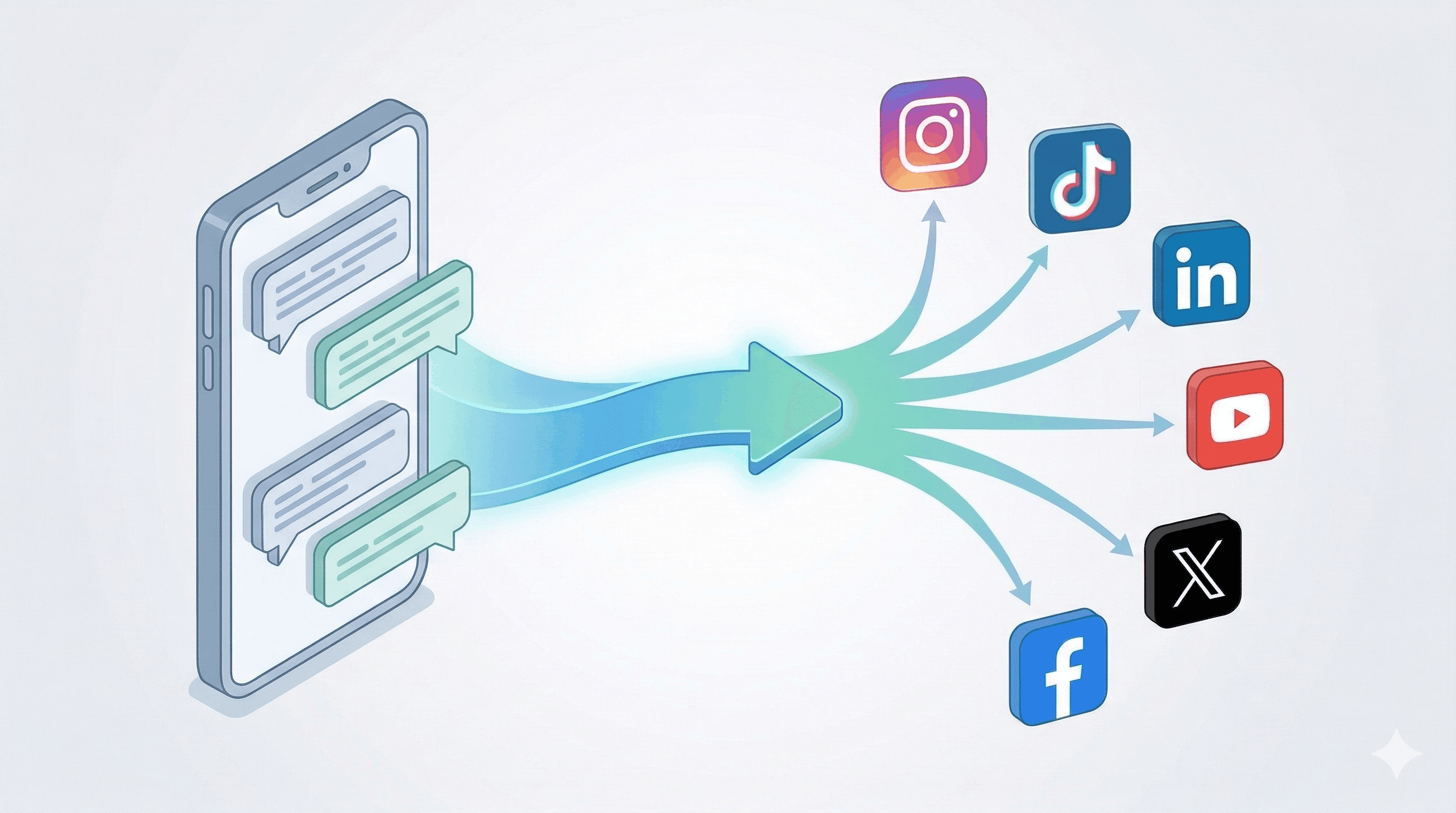
Building a Complete Social Media Workflow
Here is how to combine skills into a practical daily workflow:
Morning research:
- Use Tavily to scan for trending topics in your niche
- Use YouTube Transcript to pull key points from popular new videos
- Use Summarize to digest industry newsletters and competitor content
Content creation: 4. Use Social Content to plan your posts for the week 5. Use Nano Banana Pro to generate visuals for each post 6. Use Humanizer to polish any AI-drafted copy
Publishing: 7. Use PostFast to schedule everything across your platforms 8. Use Gog to update your team calendar with the publishing schedule 9. Use Notion to log published content in your marketing database
The entire workflow happens in one interface. No tab switching, no logging into five different tools, no copy-pasting between platforms.
Beyond skills, PostFast exposes the same publishing actions through an official MCP server for social media scheduling, included on every plan, so any MCP-capable agent can schedule posts without a custom skill.
Frequently Asked Questions
Are OpenClaw skills free to use?
Most OpenClaw skills are free to install. However, many skills connect to external services that have their own pricing. For example, the PostFast skill is free to install, but you need a PostFast account to use it — which comes with a 7-day free trial, no credit card required. Skills like Humanizer and Social Content are completely free since they only use OpenClaw's built-in capabilities.
How many skills can I install at once?
There is no hard limit on the number of skills you can install. However, installing too many skills can slow down OpenClaw's response time as it evaluates which skill to use for each request. Most users find that 5-10 well-chosen skills cover their needs without performance issues.
Can I use OpenClaw skills to schedule to Telegram?
Yes. Both the PostFast skill and the Upload-Post skill support Telegram channels and groups. PostFast supports Telegram alongside 10 other platforms, so you can cross-post to Telegram, Instagram, LinkedIn, and more in a single command. See our Telegram scheduling guide for a detailed walkthrough.
Do I need coding skills to use OpenClaw skills?
No. Installing a skill is a single command (clawhub install skill-slug), and using it is natural language — you just tell OpenClaw what you want. Some skills that connect to APIs require you to add an API key during setup, but the skill's documentation walks you through this step by step.
What is the difference between PostFast and Upload-Post?
Both handle scheduling across many platforms: PostFast supports 11, and Upload-Post lists 22. PostFast is a full scheduling platform with a web dashboard, content calendar, and team collaboration; the skill is one way to access it. Upload-Post is an API-first service focused on programmatic posting. PostFast is better if you want a visual dashboard alongside AI scheduling. Upload-Post is better if you work entirely through code and APIs.
Start Building Your Marketing Stack
The OpenClaw skill ecosystem gives marketers access to tools that used to require separate subscriptions, separate logins, and separate workflows. With the right combination of skills, your AI assistant becomes a complete social media command center.
Here is how to get started:
- Install OpenClaw if you have not already
- Install the PostFast skill (
clawhub install postfast) and sign up for PostFast — free 7-day trial, no credit card required - Add Tavily for research and Humanizer for content polish
- Schedule your first cross-platform post from chat
PostFast helps creators, brands, and agencies schedule and publish content across 11 social media platforms from one dashboard. Start your free trial or explore the PostFast OpenClaw skill on ClawHub.
Related
The PostFast MCP server for Claude and ChatGPT
Claude, ChatGPT, Cursor
Which Social Media Scheduler Has an API and an MCP Server for Claude and ChatGPT? PostFast, on Every Plan
PostFast: REST API and official MCP server on every plan, trial included. OAuth connector for ChatGPT and Claude, npx server for Claude Code and Cursor.

PostFast and OpenClaw: How to Schedule Social Media Posts with AI
Managing social media across multiple platforms is a time sink. Open the scheduler, pick your accounts, write the caption, upload media, set the time, repeat. Multiply that by every post, every week. It adds up fast.

How to Connect Claude to TikTok: Connector Setup, Videos, Photo Posts and Drafts
Connect Claude to TikTok with a connector: schedule videos and photo posts, pick a sound, send posts to TikTok drafts and answer comments from a chat.

Claude for Social Media: Skills, Connectors and What It Can Post
How to use Claude for social media: skills that plan and write posts, a connector that publishes to 11 platforms with your approval, and what Claude can do on each.

Can ChatGPT Post to Instagram and Facebook? Yes, Here Is How
Yes, with a connected app. Use PostFast to schedule Instagram and Facebook posts, Reels and Stories from ChatGPT, with approval before publishing.