Best Time to Post on YouTube in 2026: Data From 6,175 Posts (Videos and Shorts)
Best time to post on YouTube in 2026: first-party data from 6,175 posts scored against each channel's normal. 5 PM UTC wins; weekends beat Wednesday by 25%.
On this page (11)
YouTube is not like other social platforms. Posting time does not just affect who sees your content in the first few hours. It affects whether YouTube's algorithm picks up your video at all.
Unlike TikTok or Instagram where the algorithm can resurface content days later, YouTube evaluates a video's performance within the first 2-4 hours of upload. Strong early engagement tells YouTube to push the video wider. Weak early signals mean the video gets buried in recommendations.
That makes upload timing genuinely important on YouTube, especially for smaller channels that do not have a built-in audience refreshing their subscription feed.
We looked at research from Buffer (4.8M posts), data from creator communities, and platform-specific patterns to find the best upload times on YouTube in 2026. Here is what works.
The short version: Industry studies point at weekday afternoons between 2 PM and 4 PM in your audience's timezone, with Friday and Saturday as the strongest days. Our own controlled data from 6,175 posts says 1 PM local or 8 to 9 PM local, Saturday and Sunday ahead, and Wednesday clearly behind; see the data section below. YouTube Shorts follow different rules and perform best in the mornings.
If you post across multiple platforms, see our best time to post on social media guide for optimal timing on every major network.
Best Times to Post on YouTube: Quick Summary
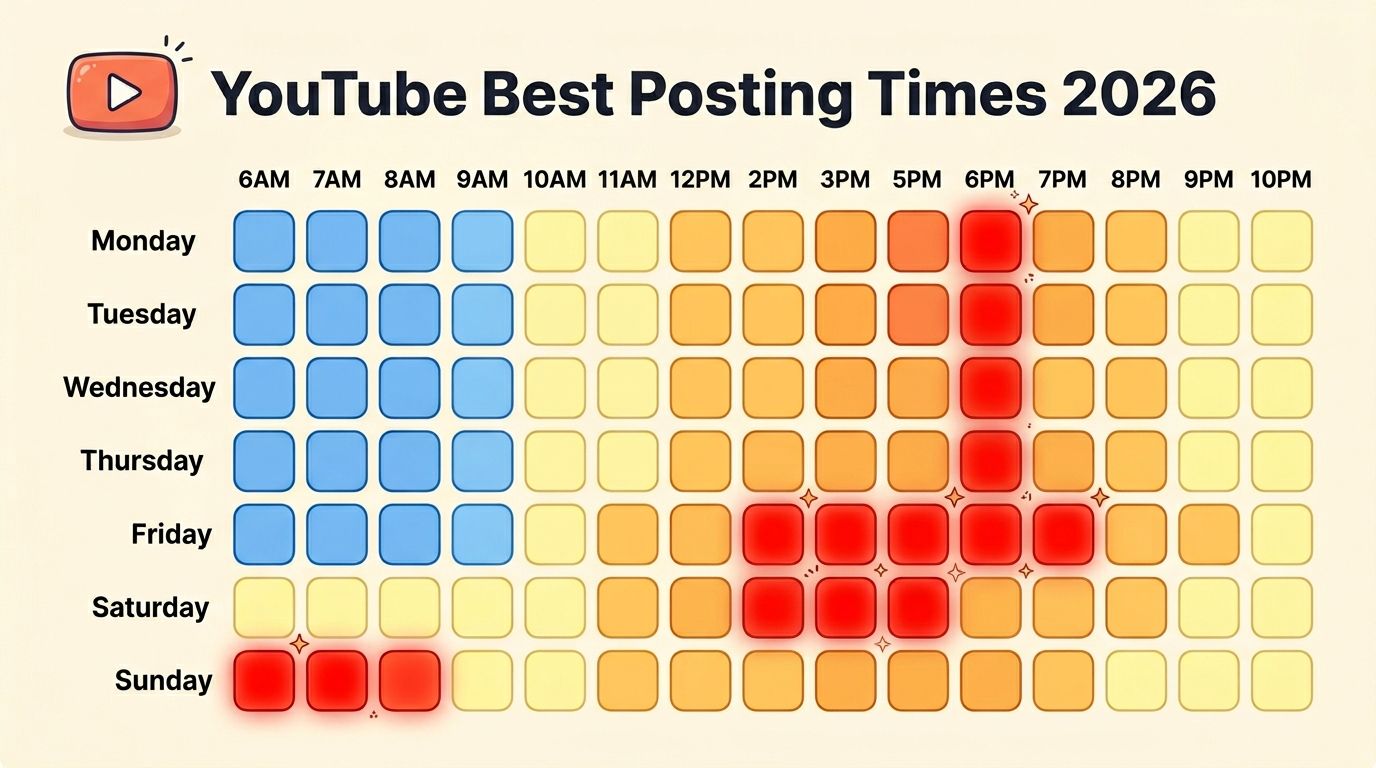
The windows below are the ones most industry studies converge on. Treat them as starting points: Buffer's March 2026 analysis of 1.8 million videos found that long-form videos and Shorts peak at different times and that the patterns keep shifting, which is exactly why your own audience data beats any generic chart. Everything in this guide was re-checked in July 2026.
| Day | Best Times (Videos) | Best Times (Shorts) | Engagement |
|---|---|---|---|
| Monday | 2 PM - 4 PM | 7 AM - 9 AM | Moderate |
| Tuesday | 2 PM - 4 PM | 8 AM - 10 AM | Good |
| Wednesday | 2 PM - 4 PM | 8 AM - 10 AM | Good |
| Thursday | 12 PM - 3 PM | 7 AM - 9 AM | Great |
| Friday | 12 PM - 3 PM | 9 AM - 11 AM | Best |
| Saturday | 9 AM - 11 AM | 7 AM - 9 AM | Great |
| Sunday | 9 AM - 11 AM | 9 AM - 11 AM | Good |
All times are in your audience's primary timezone. For a US audience, use Eastern Time. YouTube Studio analytics will show you exactly where your viewers are located.
The key difference from other platforms: YouTube peaks in the afternoon and evening, not the morning. People watch YouTube when they have leisure time, not during their morning commute.
Schedule YouTube uploads at the perfect time with PostFast. Start your free 7-day trial. No credit card required.
Long-Form Videos vs Shorts: Timing Is Different
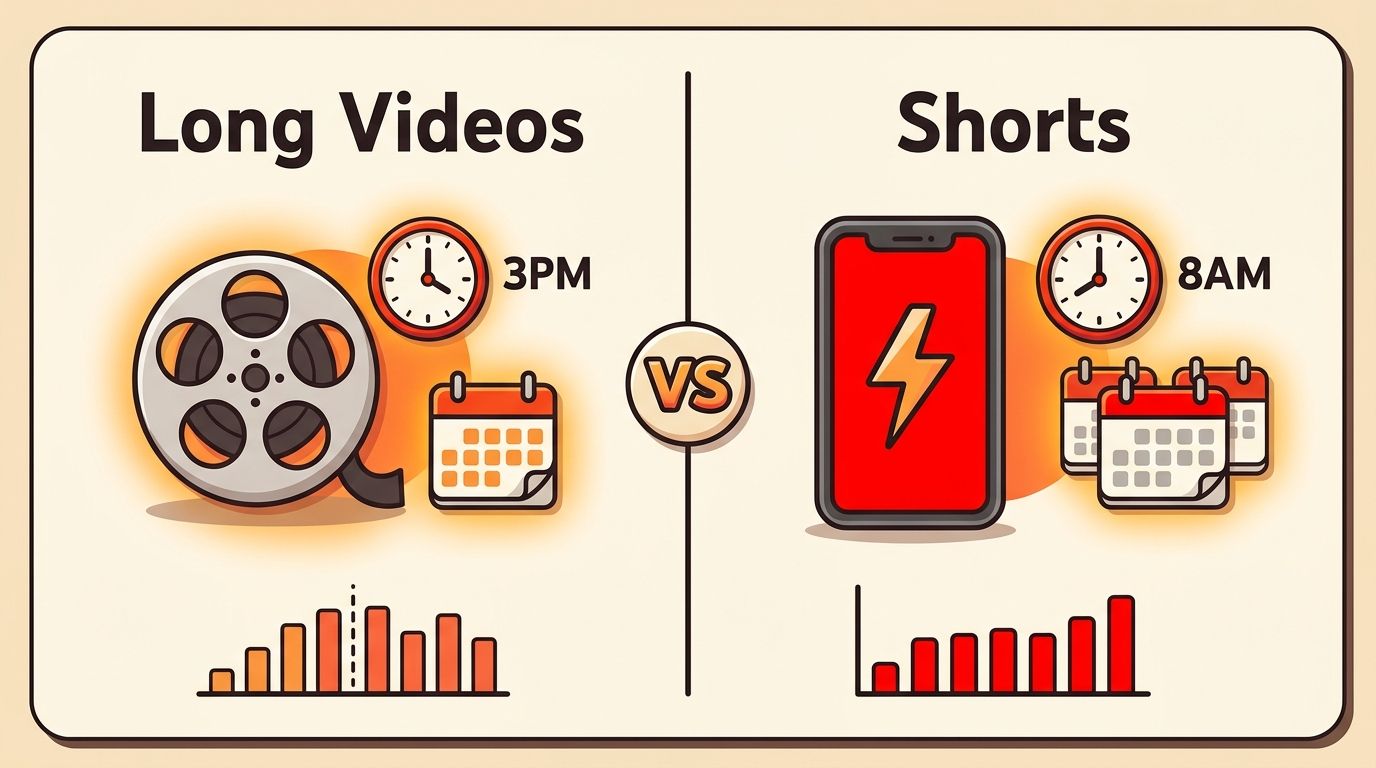
This is the most important nuance for YouTube timing in 2026. Long-form videos and Shorts have completely different consumption patterns.
Long-form videos are watched during dedicated viewing sessions. People sit down to watch a 10-minute tutorial or a 20-minute vlog. This happens in the afternoon after work/school and on weekend mornings. The algorithm needs 2-4 hours to evaluate performance, so you upload BEFORE the peak viewing window.
Shorts are consumed in quick scrolling sessions, similar to TikTok or Instagram Reels. People watch Shorts during brief breaks: morning commute, lunch break, waiting in line. Shorts perform best when uploaded in the morning because the scrolling behavior peaks earlier in the day.
Rule of thumb: Upload long-form videos 2-3 hours before your audience's peak viewing time. Upload Shorts in the morning when scroll behavior is highest.
What the Big 2026 Studies Agree and Disagree On
Two things are consistent across every serious dataset this year:
- Long-form and Shorts have different clocks. Buffer's March 2026 study of 1.8 million videos split the two formats for the first time and found their peak windows do not overlap. A schedule that treats a 20-minute video and a 30-second Short the same is leaving reach on the table.
- The patterns move. The same study notes the 2026 numbers shifted from their 2025 analysis. Any article that promises one eternal magic hour is selling you something.
What the studies cannot tell you is where YOUR audience lives and when they watch. That is what the rest of this guide is built around.
What 6,175 Real YouTube Posts Scheduled Through PostFast Show
Generic charts are averages of other people's audiences, so we pulled our own numbers: 6,175 YouTube posts published through PostFast by 97 workspaces in the 90 days to September 4, 2026, most of them Shorts. Every post is scored against its own channel's median views, so 1.00 means that channel's normal result, and metrics come from the first snapshot at least 48 hours after publishing. YouTube is the platform where timing matters most in our data.
What the controlled numbers say:
- 5 PM UTC is the strongest hour at 1.29x (303 posts), with 6 PM UTC at 1.06x (533 posts). In summer time that is 1 PM in New York, 6 PM in London and 7 PM in Berlin.
- Late evening is the thing to avoid: 4 PM UTC dips to 0.86x (419 posts) between two strong hours, and the late cells collapse, 10 PM UTC at 0.70x and 11 PM UTC at 0.57x (200 and 221 posts, so read them as a direction).
- In your own time zone, 1 PM (1.25x, 369 posts), 9 PM (1.19x), 10 AM (1.18x) and 8 PM (1.12x) beat normal; 6 PM (0.80x, 419 posts) and 3 PM (0.89x, 625 posts) fall below it.
- The weekend gap is the largest day effect in the whole dataset: Saturday 1.13x and Sunday 1.12x against Wednesday 0.89x, a spread of about 25 percent.
| Day | vs your channel's normal | Posts |
|---|---|---|
| Saturday | 1.13x | 801 |
| Sunday | 1.12x | 847 |
| Monday | 1.02x | 949 |
| Friday | 1.00x | 812 |
| Tuesday | 0.97x | 953 |
| Thursday | 0.96x | 911 |
| Wednesday | 0.89x | 896 |
Does the curve reproduce? Split into random halves 25 times, YouTube's hour rankings correlate at 0.59 in local time and 0.55 in UTC, which we rate stable; Shorts alone (5,928 of the 6,175 measured posts) reproduce at 0.52 and peak at 1 PM local (1.28x on 348 posts). Long-form videos are too few to say anything (236 posts from 4 channels), so read every figure here as a Shorts finding.
How to read this: treat 0.95x to 1.05x as flat and be careful with any cell under 300 posts, because the day-and-hour grid gets thin fast on YouTube. The practical version: publish around 1 PM in your audience's time zone or at 8 to 9 PM, favour Saturday and Sunday, and keep Wednesday for things that do not need the reach. Shift everything into the time zone YouTube Analytics shows for your audience.
Day-by-Day Breakdown
Monday: Slow Build
Videos: 2 PM - 4 PM | Shorts: 7 AM - 9 AM
Monday is the slowest day on YouTube. People are settling into their work week and have less leisure time for video watching. However, uploading at 2-4 PM catches the after-work/school crowd that starts watching around 5-7 PM.
What to upload: Educational content, tutorials, how-to guides. Monday audiences are in "learning mode" and gravitate toward practical content.
Tuesday: Gaining Momentum
Videos: 2 PM - 4 PM | Shorts: 8 AM - 10 AM
Tuesday picks up from Monday. The afternoon upload window works well because Tuesday evening is a strong viewing period. People have cleared their Monday backlog and have time to watch.
What to upload: Mid-depth content. Product reviews, comparisons, and industry commentary perform well on Tuesdays.
Wednesday: Strong in the Studies, Weakest in Our Data
Videos: 2 PM - 4 PM | Shorts: 8 AM - 10 AM
Wednesday is strong for YouTube in the industry studies, but it is the weakest day in our own controlled data (0.89x), so treat it as a testing day rather than a launch day. The midweek point is when people start planning their weekend and browsing for entertainment and inspiration.
What to upload: Entertainment-focused content, vlogs, and creative projects. Wednesday audiences are more open to discovery.
Thursday: Pre-Weekend Surge
Videos: 12 PM - 3 PM | Shorts: 7 AM - 9 AM
Thursday starts the pre-weekend viewing surge. Notice the upload window shifts earlier (12 PM instead of 2 PM) because Thursday evening viewing starts earlier than other weekdays.
What to upload: Preview content, "this weekend" videos, project reveals. Thursday audiences are forward-looking.
Friday: The Best Day for Videos
Videos: 12 PM - 3 PM | Shorts: 9 AM - 11 AM
Friday is consistently the highest-performing day for long-form YouTube videos. People watch YouTube on Friday evenings as entertainment. Uploading at noon gives YouTube's algorithm time to evaluate and push the video into recommendations by evening.
Friday Shorts also perform well with a slightly later morning window (9-11 AM) as people wind down the work week.
What to upload: Your best content of the week. Entertainment, long-form storytelling, and premium production videos.
Saturday: Morning Goldmine
Videos: 9 AM - 11 AM | Shorts: 7 AM - 9 AM
Saturday flips the pattern. Upload videos in the morning because Saturday viewing is spread throughout the entire day. An early upload gives the algorithm maximum time to distribute.
Saturday is the second-best day for YouTube overall. People have hours of free time and binge-watch more.
What to upload: Longer content, series episodes, deep dives. Saturday audiences have the attention span for extended viewing.
Sunday: Steady Performer
Videos: 9 AM - 11 AM | Shorts: 9 AM - 11 AM
Sunday mirrors Saturday but with slightly lower engagement. The morning upload window works for the same reason: all-day viewing patterns. Sunday evenings see a dip as people prepare for the work week.
What to upload: Relaxed, longer content. "Sunday coffee" style videos, weekly recaps, and planning content.
How the YouTube Algorithm Handles Upload Time
Understanding why timing matters on YouTube requires knowing how the algorithm evaluates new uploads:
The 2-4 hour evaluation window. YouTube tests new uploads with a subset of your subscribers and browsing audience. The click-through rate (CTR) and watch time in this initial window determine how widely the video gets recommended. Uploading when your audience is active ensures this test pool actually sees and clicks your video.
CTR matters more than views. YouTube cares about the percentage of people who click when they see your thumbnail, not the raw view count. Uploading at a time when engaged viewers are online improves initial CTR, which triggers wider distribution.
Shorts have a different algorithm. YouTube Shorts are distributed through the Shorts feed, which works more like TikTok's For You page. Shorts can go viral days or weeks after upload, so timing matters less for Shorts than for long-form. But early momentum still helps.
Consistency builds subscriber habits. If you upload every Thursday at 2 PM, your subscribers learn to expect new content then. YouTube's notification system also works better with consistent schedules because subscribers are more likely to have notifications enabled for channels that post predictably.
How to Find Your Channel's Best Time
The general windows above are starting points. Your specific audience may differ. Here is how to find your optimal upload time:
1. Check YouTube Studio analytics. Go to Analytics > Audience > "When your viewers are on YouTube." This heatmap shows exactly when your subscribers are active, broken down by day and hour.
2. Test systematically. Upload the same type of content at different times over 4-6 weeks. Compare the 48-hour view counts relative to your channel average. Two weeks is not enough data on YouTube since the algorithm tests over longer periods.
3. Factor in your audience's timezone. If 40% of your audience is in the US and 30% in Europe, you may need to compromise on timing. YouTube Studio shows your audience's geographic distribution.
4. Schedule uploads in advance. YouTube Studio has built-in scheduling. For cross-platform posting (uploading the same video as a YouTube video, TikTok, and Instagram Reel), use a scheduling tool like PostFast to create separate posts for each platform at their optimal times from one session.
Best Time to Post YouTube Shorts in 2026
Shorts changed in one important way: they can now run up to 3 minutes, which pulled them closer to feed content and further from the old TikTok clone they used to be. Two practical consequences for timing:
- Shorts are consumed in bursts throughout the day (commutes, breaks, evenings), so consistency beats precision. Daily beats perfect.
- The first hours matter less than for long-form uploads, because the Shorts feed keeps testing content for days. A Short that flops on Tuesday can catch on Friday.
If you are formatting Shorts for upload, the exact specs are in our YouTube Shorts size guide.
Shorts deserve their own section because the timing strategy is fundamentally different:
Morning uploads dominate. Shorts are consumed during quick scroll sessions: morning commute (7-9 AM), lunch break (12-1 PM), and evening wind-down (8-10 PM). Uploading in the morning catches the first two windows.
Weekdays beat weekends for Shorts. Unlike long-form where weekends are king, Shorts perform better on weekdays when people have more "micro-break" moments during work and school.
Post frequency matters more than timing for Shorts. The Shorts algorithm favors channels that post frequently (daily or multiple times daily). Consistent daily posting at the same time beats sporadic posting at the "perfect" time.
Shorts can go viral late. Unlike long-form videos where the first 4 hours determine everything, a Short can get picked up by the algorithm days or weeks later. Timing is less critical for Shorts than for long-form, but early momentum still helps.
Scheduling Uploads the Official Way
YouTube has scheduling built in: when uploading, set the video to Private or Scheduled, open the Schedule card, and pick the date, time, and timezone. Two catches worth knowing: a Community Guidelines strike freezes scheduled publishing until the penalty ends, and you have to set the timezone per video. If YouTube is one of several platforms you publish to, a scheduler like PostFast handles the timezone math once and posts everywhere at your chosen windows.
5 Common YouTube Upload Mistakes
1. Uploading at peak viewing time. The biggest mistake. You should upload 2-3 hours BEFORE peak viewing, not during it. YouTube needs time to process, generate thumbnails, and test the video before the rush.
2. Ignoring the Shorts vs Videos distinction. Morning uploads for long-form videos miss the afternoon algorithm window. Afternoon uploads for Shorts miss the morning scroll sessions. Different formats need different times.
3. Uploading at inconsistent times. YouTube's subscriber notification system works best with consistency. Random upload times train your audience to ignore notifications.
4. Skipping weekends. Saturday is the second-best day for YouTube. Channels that go dark on weekends miss major viewing sessions.
5. Optimizing for upload time instead of content quality. Timing helps, but a great video uploaded at a bad time will outperform a mediocre video uploaded at the perfect time. Timing is the multiplier, not the foundation.
Timing helps growth, but the Partner Program thresholds decide when it pays. The YouTube monetization requirements for 2027 explain the new watch-hour and Shorts-view bars.
Frequently Asked Questions
What is the best time to post on YouTube?
Industry studies point at weekday afternoons between 2 PM and 4 PM for long-form videos and 7 to 10 AM for Shorts. Our own controlled data from 6,175 posts puts 1 PM in your audience's time zone (1.25x) and 8 to 9 PM (1.12x to 1.19x) ahead, with 3 PM at 0.89x, and Saturday and Sunday ahead of every weekday.
Does upload time really matter on YouTube?
Yes. YouTube evaluates new uploads within the first 2-4 hours to decide whether to recommend them widely. Uploading when your audience is active ensures strong initial click-through rates, which triggers broader algorithmic distribution.
What is the best day to post on YouTube?
Industry studies favour Friday for long-form YouTube videos, followed by Saturday; our own controlled data puts Saturday and Sunday ahead of every weekday, with Wednesday the weakest. For Shorts, Tuesday through Thursday mornings perform strongest. Weekend mornings are also effective for both formats.
Should I post YouTube Shorts at the same time as regular videos?
No. Shorts and long-form videos have different consumption patterns. Shorts are watched during quick scroll sessions (mornings and lunch breaks), while long-form videos are watched during dedicated viewing sessions (afternoons and evenings). Schedule them separately.
How often should I post on YouTube?
For long-form videos, 1-2 per week is sustainable for most creators. For Shorts, daily posting significantly outperforms weekly posting. Consistency matters more than volume for long-form, while frequency matters more for Shorts.
Can I schedule YouTube uploads?
Yes. YouTube Studio has built-in upload scheduling. For cross-platform workflows (posting the same video to YouTube, TikTok, Instagram, and Facebook), PostFast lets you schedule across platforms from one session with platform-specific timing.
Start Uploading at the Right Time
YouTube rewards creators who understand the platform's rhythms. Afternoon uploads for long-form, morning uploads for Shorts, and Friday/Saturday as your power days.
Use YouTube Studio's audience analytics to refine these general windows for your specific channel. And if you want to cross-post your video content across YouTube, TikTok, Instagram, and other platforms without manually uploading everywhere, try PostFast free for 7 days. No credit card required. See how we compare to Buffer for cross-platform scheduling.
PostFast supports YouTube natively (including Shorts and custom thumbnails) alongside Instagram, TikTok, LinkedIn, X, Facebook, Threads, Pinterest, Bluesky, and Telegram.
Related articles

Best Time to Post on Social Media in 2026: 61,008 Posts Scored Against Their Own Normal
61,008 posts with clean metrics, each scored against its account's normal: Instagram 3 PM local, Facebook 3 to 5 PM, YouTube 1 PM or evenings, TikTok flat.

PostFast MCP Server for Claude, ChatGPT and Cursor: Launch Notes and Changelog (2026)
The launch note for PostFast's MCP server: npm release March 2026, ChatGPT and Claude connectors June 2026, inbox tools August 2026. Setup, tools and changelog.

Can You Schedule Posts on Bluesky? How to Schedule Bluesky Posts in 2026
Yes, with a scheduling tool: Bluesky's own app has no scheduler. What Bluesky offers, the 300-grapheme and media limits, and how to schedule with PostFast.

Can You Schedule Posts on LinkedIn? How to Schedule LinkedIn Posts for Profiles and Pages in 2026
Yes. LinkedIn schedules posts 10 minutes to 3 months ahead (1 hour on Pages). Desktop, mobile, and Page steps, plus where PostFast goes further.

How to Schedule Pinterest Pins in 2026: Pinterest's Scheduler vs PostFast, Step by Step
Two ways to schedule Pinterest Pins: Pinterest's own scheduler (30 days ahead, 10 Pins queued) and PostFast for image, video, and multi-image Pins from desktop.

Best Social Media Schedulers in 2026: 11 Tools Compared on Price, Platforms, and Automation
Eleven social media schedulers compared on September 2026 pricing, platforms, auto-publishing, and API or MCP automation, using each vendor's own pricing page.