Captions for Instagram: How to Write Them with AI (+ 60 Templates)
Learn how to write captions for Instagram that get engagement. 10 caption formulas, AI prompts, 60 ready-to-use templates, and scheduling tips.
On this page (9)
Let's be honest: your Instagram caption probably gets less attention than your photo. Most people type something in the 30 seconds before hitting publish, then wonder why the post only got 12 likes.
That's the problem. Captions are where the engagement actually happens. The photo gets the scroll to stop. The caption gets the comment, the save, the share. A strong caption can take an average photo to hundreds of comments. A weak one buries a great photo.
This guide covers ten caption formulas that consistently drive engagement, how to use AI to write captions faster without sounding like a bot, 60 copy-paste templates you can use today, and how to schedule them so they go live when your audience is actually awake. No filler, no fluff, just what works.
What Makes an Instagram Caption Actually Work
Before you pick a caption style, it helps to know what Instagram's audience responds to. A few principles hold true across every niche.
The first line decides everything
Instagram cuts off the caption after about 125 characters. If your first line doesn't earn the "more" tap, the rest of your caption doesn't exist. Treat it like a headline. Ask a question, make a promise, share a contradiction. Save the warm-up for later in the caption.
Length should match intent
Short captions work for humor, hooks, and product shots. Long captions work for stories, tutorials, and personal reveals. What doesn't work: a 400-word caption under a selfie with no narrative. Match the length to what you're actually saying.
A caption without a CTA is half a caption
Every caption should ask for something. Not every one needs "click the link in bio." Sometimes the CTA is "tell me your version in the comments." Sometimes it's "save this for later." But without a next step, your post leaves value on the table.
Make it scannable
Line breaks matter. A wall of text gets skipped. Break your caption into short paragraphs of 1 to 3 sentences each. If you're writing a list, put each item on its own line. Mobile users thumb-scroll fast and reward any text that doesn't feel like homework.
Write in your voice, not Instagram's
The biggest mistake is sounding like every other brand account. Write the way you'd explain the photo to a friend. Use the same words you use in real life. Your audience can smell corporate polish from three scrolls away.
10 Caption Formulas That Drive Engagement
1. Call-to-action captions
Call-to-action (CTA) captions tell your audience exactly what to do next. They're the backbone of any engagement strategy because Instagram's algorithm rewards actions: comments, saves, shares. The more actions your post generates, the wider the algorithm pushes it.
Here's the rule: vague CTAs don't work. "Engage below!" gets nothing. "Tag a friend who needs to hear this today" gets dozens of tags. Be specific about the action, and give a reason for taking it.
Examples that work:
- For engagement: "Which one would you pick, A or B?"
- For traffic: "Tap the link in bio for the full breakdown."
- For community: "Save this for the next time you're stuck writing a caption."
One useful trick: build unique URLs for each CTA using an Instagram UTM builder so you can see exactly which captions drive real traffic versus just likes.
2. Storytelling captions
Storytelling captions trade the quick-hit for emotional depth. Instead of describing the photo, you share the story behind it. A founder's first hire. The moment the idea clicked. The setback that almost killed the project.
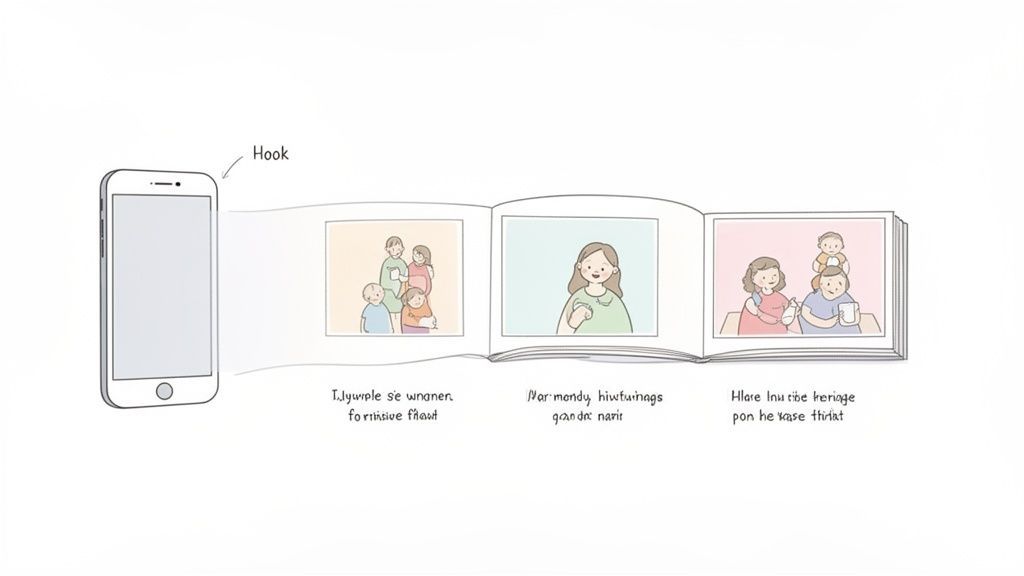
When done well, these are the captions that turn followers into people who actually care about your brand. People don't remember product shots. They remember stories.
Examples that work:
- For creators: open with a sharp contradiction ("I almost quit at 38,000 followers.") and then unpack it.
- For founders: tell the origin story, but lead with the struggle, not the win.
- For coaches: share a client's journey with permission, focusing on what they learned.
The hook is everything. Front-load your most interesting sentence so people actually tap "more."
3. Question captions
Questions are the cheapest way to multiply your comment count. Instagram's algorithm treats comments as the strongest engagement signal, and a good question makes commenting effortless.
The trick is asking questions your audience can answer in one line. "What's your biggest challenge running a small business?" gets vague, long-form answers that nobody wants to write. "iPhone or Android?" gets 200 comments in two hours.
Examples that work:
- For audience research: "What should I cover next: topic A or topic B?"
- For community: "What's one thing you've learned this week that surprised you?"
- For product feedback: "Which of these two designs is your pick?"
Reply to the first 5 to 10 comments as they come in. That triggers more comments and signals to the algorithm that your post is generating real conversation.
4. Trend and hashtag captions
Trends give you access to audiences that don't follow you yet. When you tie your post to a trending topic, hashtag, or audio, you ride a wave of existing search volume and discovery.
The rule here: relevance matters more than speed. Being late to a trend is fine. Being unrelated is brand damage.
Examples that work:
- For seasonal moments: align with industry weeks, awareness months, or calendar events your audience cares about.
- For cultural relevance: use a trending audio on Reels that pairs naturally with your niche.
- For hashtag campaigns: join branded hashtag communities in your space.
Smart scheduling matters more with trend content because the window is short. Plan it so the post goes live during peak hours for your audience.
5. Educational captions
Educational captions teach something specific, tactical, and saveable. This is the caption style that gets bookmarked and revisited. It's also the best style for establishing authority in your niche.
The rule: give away real value. Don't tease the answer and gate it behind a link. The generosity is what earns the follow and the save.
Examples that work:
- For coaches: "Three mistakes most people make with their deadlift form."
- For consultants: "My 5-step framework for picking content pillars."
- For marketers: "Here's the exact cold email template that got me three meetings this week."
Pair educational captions with carousels. Each slide becomes one part of the tip. Check our guide to Instagram post sizes for dimensions that don't get cropped awkwardly.
6. Behind-the-scenes captions
BTS captions show the real thing. The messy desk. The fourth take. The team debating over coffee. Behind-the-scenes content reads as authentic because it is, and authenticity is currently undervalued on Instagram relative to polished content.

The goal is to let people see the "how" and "why" behind your finished work. This is especially powerful for product-based brands where customers rarely see the craft.
Examples that work:
- For process transparency: "Here's the rough sketch this product started as, three months before launch."
- For team: "Meet Sarah, the engineer who rewrote our API on a weekend. She's here for the coffee and the chaos."
- For struggles: "Third take today. First two were unusable. This is what 'effortless content' looks like from the inside."
If you're consistently posting BTS content, a scheduling tool lets you batch-capture during active weeks and spread posts across slower weeks. Consistency matters more on Instagram than going viral once, which is why knowing the best time to post on Instagram makes the difference between 40 views and 4,000.
7. Motivational captions
Motivational captions hit on a universal need: encouragement that feels earned. The best ones aren't generic ("You got this!"). They come from a real story, a specific lesson, or a counterintuitive observation.
The trap here is sounding like every inspirational quote account. Keep it grounded in something you've actually experienced.
Examples that work:
- For entrepreneurs: "Consistency beats talent every single time. I'm still learning this one."
- For wellness: "Progress, not perfection. Today I walked for 15 minutes. Last month that was 5. Count every step."
- For creators: "The best creators I know aren't the most talented. They're the ones who didn't quit at 500 followers."
Pair these with a recurring hashtag like #MondayReset or #TuesdayTruth so followers know when to expect them.
8. Humor captions
Humor is one of the most shareable caption styles, and it's also the hardest to get right because humor is audience-specific. What lands with one demo falls flat with another.
The rule: be specific. "My dog thinks 4am is quality time" is funnier than "dogs, am I right?" Specific observations resonate because they feel like inside jokes.
Examples that work:
- For a millennial brand: "POV: You're one email away from inbox zero, but your screen just froze."
- For fitness: "Face I make before a workout vs. face I make two minutes in."
- For SaaS: "When someone in the meeting says 'let's circle back' for the tenth time."
- For pet brands: "My dog's daily schedule: 80% napping, 10% begging, 10% judging my life choices."
Test different humor styles and check what gets shared. Shares, not likes, tell you a humor caption worked.
9. User-generated content captions
UGC captions spotlight your customers or community. You're less the star and more the host. The caption celebrates the user, credits them, and invites more people to participate.
This style builds trust in a way branded content never can. Your audience trusts other customers more than they trust you.
Examples that work:
- For e-commerce: "We love how @username styled this. Tap to see the full look."
- For fitness: "Monday motivation from @username. Nine months, 12 pounds, and one amazing comeback story."
- For community: "Spotted in the wild. Tag your photos with #[brandedhashtag] for a chance to be featured."
Always ask permission before reposting. Tag the creator in both the caption and the image. Track your branded hashtag so you don't miss new UGC.
10. Carousel captions
Carousels are Instagram's highest-engagement format. They let you tell a longer story or teach a concept across multiple slides. The caption's job is to make people swipe.
Your first slide needs a hook strong enough to overcome the swipe friction. The caption should tease what's on slide 7 without giving it away.
Examples that work:
- For tutorials: "Swipe for the 5-step process. The biggest mistake is on slide 4."
- For storytelling: "Our brand's journey in 10 slides. The pivot happened on slide 6."
- For showcases: "Every color we make, one per slide. Which one?"
Treat the first slide as a cover page with a clear value promise. "Swipe for the secret" is a cliché, but "Swipe to see how we 3x'd revenue in Q3" actually converts.
How to Use AI to Write Instagram Captions
AI can write Instagram captions in seconds, but most AI-generated captions sound like AI-generated captions. They're generic, they overuse the word "dive," and they always end with the same three emojis. Here's how to use AI without sounding like a bot.
The basic prompt doesn't work
"Write me an Instagram caption about [topic]" produces something like: "🌟 Dive into the world of [topic]! Embracing the journey with every step. ✨ What's your take? 👇 #Motivated #Growth #MondayVibes"
That caption is not going to get saved by anyone.
Give AI context, not topics
The difference between a bot caption and a usable one is context. Before asking AI to write, give it:
- Your brand voice (2 or 3 example captions you've written)
- The specific audience (not "women 25 to 45" but "first-time founders who just left corporate")
- The goal (comments, saves, traffic, signups)
- What NOT to do (no generic hashtags, no emoji walls, no "dive into anything")
With context, AI becomes a drafting partner. Without context, it's a cliché generator.
Using Claude Code to draft and schedule captions
If you're already using Claude Code in your terminal for coding work, you can use it to draft captions and schedule them without leaving your workflow. PostFast's Claude Code integration exposes 11 scheduling tools to Claude Code as an MCP server. You type a natural-language prompt, Claude drafts the caption, and it schedules the post to your PostFast account.
A real example:
"Schedule an Instagram carousel for tomorrow 5pm about the three biggest lessons from our Q1 product rewrite. Draft the caption in my usual voice, keep it under 220 words, end with a question."
Claude drafts the caption, schedules the post, and shows you the preview. You review in PostFast, approve or tweak. No context-switching, no opening five tabs.
This works because Claude has the full context of your codebase, your recent work, and your writing style from earlier conversations. It produces captions that sound like you wrote them, because it's pattern-matching against your actual voice, not a generic template.
5 AI prompts worth copying
Here are five prompts that consistently produce usable captions. Swap the bracketed parts for your specifics.
1. The voice-matched draft
Write an Instagram caption for [type of post] about [topic].
My brand voice is [direct / conversational / edgy].
Keep it under [word count] words.
End with [a question / a CTA to link in bio / a hashtag].
Don't use em dashes, don't use generic hashtags,
don't start with "Are you tired of..."
2. The story angle
I'm posting [photo or video description].
The real story behind it is [what actually happened].
Turn this into a caption that opens with a hook,
builds tension, and lands with a lesson.
Keep it to 3 short paragraphs.
3. The carousel breakdown
I'm making a 7-slide carousel about [topic].
Give me:
- A hook for slide 1 (make people swipe)
- One key point per slide (slides 2-6)
- A CTA for slide 7 (save, share, or comment)
Then write the main caption that teases what's inside.
4. The repurpose
Here's a blog post I wrote: [paste content or URL].
Turn the most valuable 3 points into three separate Instagram captions.
Each caption should stand alone, include a specific hook,
and end with a different CTA.
5. The question caption
I need a question caption that will actually get replies.
Topic: [topic]
Audience: [description]
The question should be answerable in one sentence,
specific enough to feel personal,
and divisive enough that people have an opinion.
60 Instagram Caption Templates You Can Copy Today
Below are 60 templates organized by purpose. Swap the bracketed words for your specifics and post. These are starting points, not finished captions. The more you customize, the better they'll perform.
For product launches or announcements
- "It's finally here. [Product] launches [when]. Here's everything you need to know."
- "Three years, [X] prototypes, one final version. Meet [Product]."
- "The waitlist is closed. Link in bio if you're on it."
- "I wasn't going to post this yet, but today feels right. [Product] is live."
- "Why we built [Product]: because [problem] shouldn't be this hard."
- "Small update, big impact. [Feature] is now available to everyone."
- "You asked, we built it. [Feature] shipping this week."
- "The thing I wish existed five years ago is now something you can use."
- "[Product] was born out of frustration. Six months later, it's helping [X] people a day."
- "One link, one limited drop, one chance. Bio has it."
For educational posts
- "Three mistakes I see [audience] making every single week."
- "If you're doing [thing], stop. Here's what to do instead."
- "I spent [X] years learning this the hard way. You don't have to."
- "The framework nobody teaches: [topic] in 5 steps."
- "Save this for the next time you [situation]."
- "[Topic] explained without the jargon."
- "One principle that changed how I approach [topic]."
- "Free guide in my stories: [topic]. Zero email required."
- "A short thread on [topic] for anyone who's [in situation]."
- "The question I get asked most: '[question]'. Here's the real answer."
For behind-the-scenes posts
- "The messy version of [project]. It looked nothing like the final."
- "What a normal Tuesday actually looks like here."
- "Behind every polished thing is ten takes you'll never see."
- "This is version 37. The first 36 were unusable."
- "Meet the person who made [thing] possible: [name]."
- "The 'overnight success' timeline: 4 years, 200 rejections, 1 yes."
- "Our office on a chaotic day. Nothing on fire yet."
- "Inside the room where we decided [big decision]."
- "The rough draft of what became [finished thing]."
- "Three things I didn't know about [process] until this week."
For community and questions
- "What's one thing you learned this month that surprised you?"
- "Quick question: [A] or [B]? No wrong answer."
- "Your favorite [thing] that nobody talks about?"
- "What's the first [thing] you do when [scenario]?"
- "Tell me your current [thing] without naming it."
- "The unpopular opinion about [topic] that you actually believe?"
- "What would you do if [hypothetical]?"
- "If you could only keep one [thing] for the rest of the year, which?"
- "The piece of advice you ignore every time it's given: tell me yours."
- "What's on your mind right now that you haven't said out loud yet?"
For promotions or offers
- "One time only: [offer]. Ends [when]."
- "Our biggest sale of the year is live. Details in bio."
- "The [product] starter pack: [items]. Bundle price inside."
- "Free shipping on orders over [amount] until [date]."
- "First 50 people get [bonus]. Link in bio, timer in stories."
- "New drop: [item]. Limited run. Link is live."
- "Black Friday arrived early. [Offer]."
- "Members-only discount unlocks today. Bio link."
- "Try [product] free for [time]. No card required."
- "We're giving away [thing] to one person. Comment [word] to enter."
For personal stories
- "I almost didn't post this, but: [story]."
- "The moment I knew [realization] was [when]."
- "Two years ago today, [contrast with now]."
- "What I wish I'd known before [experience]."
- "The worst piece of advice I ever took was [advice]. Here's what happened."
- "My biggest failure this year and what it taught me."
- "The version of me from [time period] wouldn't recognize today."
- "One thing that changed everything: [decision or realization]."
- "I used to believe [old belief]. Now I think [new belief]."
- "The thing nobody tells you about [topic] is [truth]."
How to Schedule Your Captions for Maximum Reach
Writing great captions is half the job. Posting them when your audience is actually on Instagram is the other half.
Post when your audience is awake, not when it's convenient for you
Your audience isn't on Instagram at the same time you are. For creators in Europe with US audiences, that means scheduling. Look at your Instagram Insights (or better, your PostFast analytics) to find the three one-hour windows where your followers are most active, then post within those.
For baseline numbers across time zones and industries, see our best time to post on Instagram guide.
Batch your caption writing
Writing one caption at a time is the slowest possible approach. Sit down for 90 minutes with a content calendar, write 10 to 15 captions in a single session, then schedule them across 2 weeks. Your brain gets into caption mode once, not fifteen times.
Adjust captions per platform, not just copy and paste
Instagram captions don't work on LinkedIn. LinkedIn captions don't work on TikTok. If you're cross-posting, tweak for each platform:
- Instagram: hashtags work, emojis are fine, line breaks are critical
- LinkedIn: no hashtag walls, professional tone, lead with insight
- TikTok: shorter captions, the video hook in the first 2 seconds matters more
- Facebook: fewer hashtags, link in caption is acceptable
PostFast handles cross-posting with per-platform caption adjustments so you don't have to copy and paste into 5 different apps.
Test one variable at a time
If you want to know what actually works for your audience, don't change everything at once. Post the same photo with three different caption styles across three weeks at the same time of day. Check which got the most comments and saves. Repeat.
Caption Mistakes That Kill Engagement
Even a well-thought-out caption can miss if it makes one of these mistakes.
Starting with "Hi guys!"
Your audience already knows you're talking to them. "Hi guys" is the caption equivalent of clearing your throat. Skip it. Start with the interesting part.
Burying the first line
Most captions bury the interesting bit in paragraph three. By the time the reader gets there, they've scrolled past. Put the hook, the number, the contradiction, or the question in the first 125 characters.
The hashtag wall
Thirty hashtags in a row at the bottom of your caption don't help as much as people think, and they look spammy. Five to ten well-chosen hashtags (mix of niche and broader) outperform 30 generic ones. Put them in the caption's first comment if you want a cleaner look.
Captions that don't match the image
If the photo is a joke and the caption is a life lesson, neither lands. The caption should extend or contextualize what the image shows, not live in a different world.
No CTA of any kind
Passive captions get passive responses. Even a soft CTA ("save this if you need it later") does more than a thoughtful paragraph that ends with no direction.
Fake depth
Every caption doesn't need to be profound. If you're posting a photo of your lunch, it's fine for the caption to be "best tacos in the neighborhood, @restaurant." Forcing meaning onto ordinary content makes the whole feed sound fake.
Using AI without editing
AI captions are fine as drafts. They fail when posted verbatim. Rewrite for real sentence structure, real voice, real specifics. Edit every AI-generated caption until it sounds like you, not like a prompt output.
10 Caption Types at a Glance
| Type | Effort | Best For | Strongest Metric |
|---|---|---|---|
| Call-to-action | Low | Engagement, traffic | Clicks, comments |
| Storytelling | High | Brand building, founders | Time-on-post |
| Question | Low | Community, audience research | Comments |
| Trend and hashtag | Medium | Reach, discovery | Impressions |
| Educational | Medium | Authority, saves | Saves, shares |
| Behind-the-scenes | Low | Trust, relatability | Follows |
| Motivational | Low | Wellness, coaching | Shares |
| Humor | Medium | Memorability, virality | Shares |
| UGC | Medium | Social proof, community | Comments, trust |
| Carousel | High | Education, storytelling | Time-on-post |

Frequently Asked Questions
How long should an Instagram caption be?
It depends on what you're doing. For humor or hooks, 20 to 50 words. For storytelling, 150 to 400 words. For educational posts, 100 to 200 is usually enough. The hard rule: every caption needs a first line that earns the "more" tap, because Instagram cuts off at 125 characters.
What's the best AI tool for writing Instagram captions?
Any capable assistant works (Claude, ChatGPT, Gemini) if you give it context. The tool matters less than the prompt. If you're already using Claude Code for work, you can schedule directly from there using PostFast's Claude Code integration, which skips the copy-paste step entirely.
How many hashtags should I use on Instagram?
Five to ten well-chosen hashtags outperform thirty generic ones. Mix one or two broad hashtags (large volume) with niche ones specific to your content. Put them in the first comment if you want a cleaner caption.
Can I schedule Instagram captions in advance?
Yes. Instagram allows native scheduling through Meta Business Suite, but it's limited. Tools like PostFast let you schedule posts, stories, reels, and carousels in bulk across multiple accounts with better analytics.
Do I need a different caption for every platform when cross-posting?
Yes, if you want results. An Instagram caption on LinkedIn reads as spammy. A LinkedIn caption on Instagram feels stiff. Adjust hashtag count, tone, and length per platform. The core message can stay the same.
Start Writing Captions That Get Engagement
Your caption does more work than your photo. Treat it that way. Pick two or three caption styles from this guide, test them for a month, and watch what actually moves the needle for your audience.
Captions are also something you can get better at fast. The gap between a bad caption and a great one is usually one rewrite. Write it, read it out loud, cut the fluff, post it.
And if you're doing this across multiple accounts or platforms, schedule it properly. PostFast lets you write, schedule, and analyze captions across Instagram, TikTok, LinkedIn, YouTube, and 7 more platforms in one place. It also integrates with Claude Code so you can draft and schedule captions from your terminal without breaking your workflow. Start your 7-day free trial, no credit card required.
Related articles

Best Time to Post on Social Media in 2026: 61,008 Posts Scored Against Their Own Normal
61,008 posts with clean metrics, each scored against its account's normal: Instagram 3 PM local, Facebook 3 to 5 PM, YouTube 1 PM or evenings, TikTok flat.

PostFast MCP Server for Claude, ChatGPT and Cursor: Launch Notes and Changelog (2026)
The launch note for PostFast's MCP server: npm release March 2026, ChatGPT and Claude connectors June 2026, inbox tools August 2026. Setup, tools and changelog.

Can You Schedule Posts on Bluesky? How to Schedule Bluesky Posts in 2026
Yes, with a scheduling tool: Bluesky's own app has no scheduler. What Bluesky offers, the 300-grapheme and media limits, and how to schedule with PostFast.

Can You Schedule Posts on LinkedIn? How to Schedule LinkedIn Posts for Profiles and Pages in 2026
Yes. LinkedIn schedules posts 10 minutes to 3 months ahead (1 hour on Pages). Desktop, mobile, and Page steps, plus where PostFast goes further.
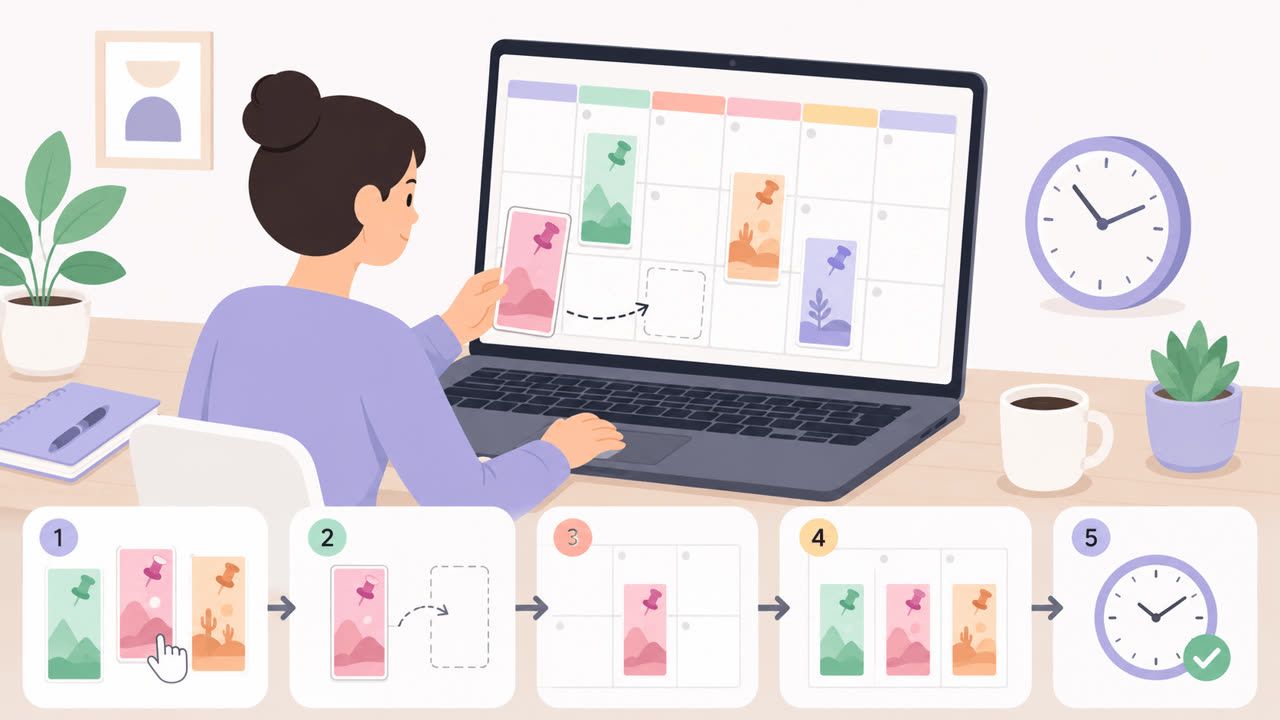
How to Schedule Pinterest Pins in 2026: Pinterest's Scheduler vs PostFast, Step by Step
Two ways to schedule Pinterest Pins: Pinterest's own scheduler (30 days ahead, 10 Pins queued) and PostFast for image, video, and multi-image Pins from desktop.
Best Social Media Schedulers in 2026: 11 Tools Compared on Price, Platforms, and Automation
Eleven social media schedulers compared on September 2026 pricing, platforms, auto-publishing, and API or MCP automation, using each vendor's own pricing page.