The Ultimate Guide to Instagram Stories Size
Master the correct Instagram Stories size with our guide to dimensions, aspect ratio, and safe zones. Create pixel-perfect content that looks professional.
On this page (7)
Your Quick Reference for Perfect Instagram Story Dimensions
Getting your Instagram Story size right is pretty straightforward once you know the key numbers. For a perfect, full screen fit, you should design your content at 1080 pixels wide by 1920 pixels tall. This gives you that classic 9:16 aspect ratio.
Sticking to these dimensions is essential if you want to avoid Instagram awkwardly cropping your content or reducing its quality.
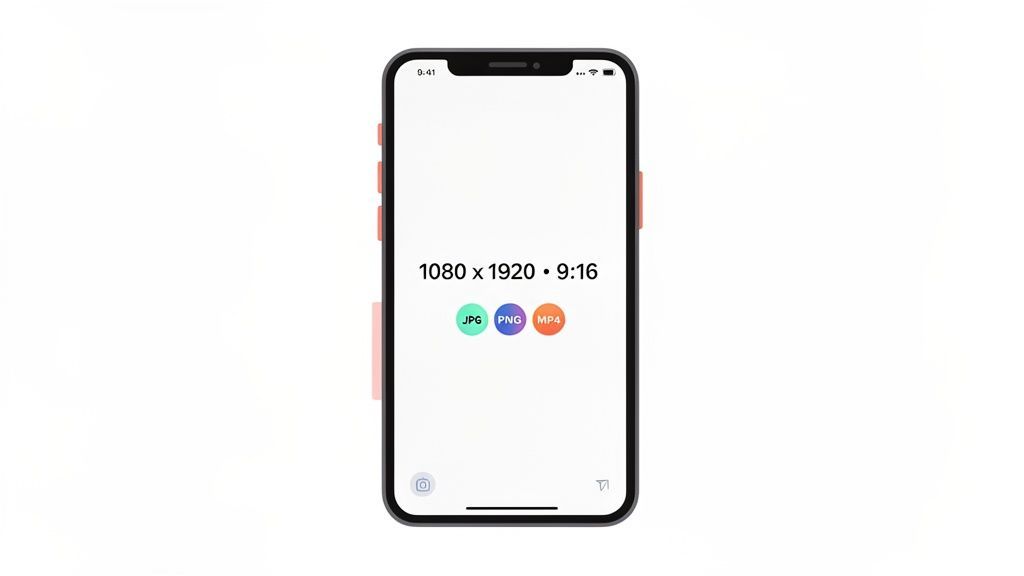
Getting the technical specs right from the start is what separates polished content from amateurish posts. When your images and videos match Instagram’s requirements, they just look more professional and perform better. Get it wrong, and the app might automatically crop, zoom in, or add distracting borders that instantly cheapen your content.
While we're focused on Stories here, remember that other Instagram formats have their own rules. We've got a detailed breakdown of all Instagram post sizes to keep your entire profile looking sharp.
To make things even easier, here’s a quick cheat sheet with all the essential specs for your Stories.
Instagram Stories Technical Specifications Cheat Sheet
This table breaks down everything you need to know at a glance. Keep it handy when you're creating or exporting content to make sure every Story is perfectly optimized.
| Specification | Recommended | Minimum / Maximum |
|---|---|---|
| Dimensions | 1080 x 1920 pixels | 600 x 1067 pixels |
| Aspect Ratio | 9:16 | 9:16 |
| Image File Format | JPG or PNG | N/A |
| Video File Format | MP4 (H.264 Codec, AAC audio) | N/A |
| Max Image File Size | Under 30 MB | 30 MB |
| Max Video File Size | Under 4 GB | 4 GB |
| Video Length | 15 seconds (per segment) | Up to 60 seconds (auto-segmented) |
Having these numbers on hand saves a ton of headaches down the line. It ensures your hard work looks exactly as you intended when it goes live. We also keep a source-verified Stories spec sheet, checked against Instagram's help pages, with the sticker list and the 100-a-day cap.
Pro Tip: Always create your content on a 1080x1920 canvas from the beginning. Trying to stretch a smaller image to fit will only degrade the quality and make your Story look pixelated.
Using a scheduler like PostFast can seriously simplify your workflow. You can upload correctly sized media, plan your content in advance, and rest easy knowing every Story will post looking its absolute best.
Why the 9:16 Aspect Ratio Is a Big Deal
The 9:16 aspect ratio is the absolute foundation of the Instagram Story format. It's the blueprint for that vertical, full screen experience your audience expects. If you nail this, your Stories feel completely native to the platform, grabbing a viewer’s full attention without anything feeling off.
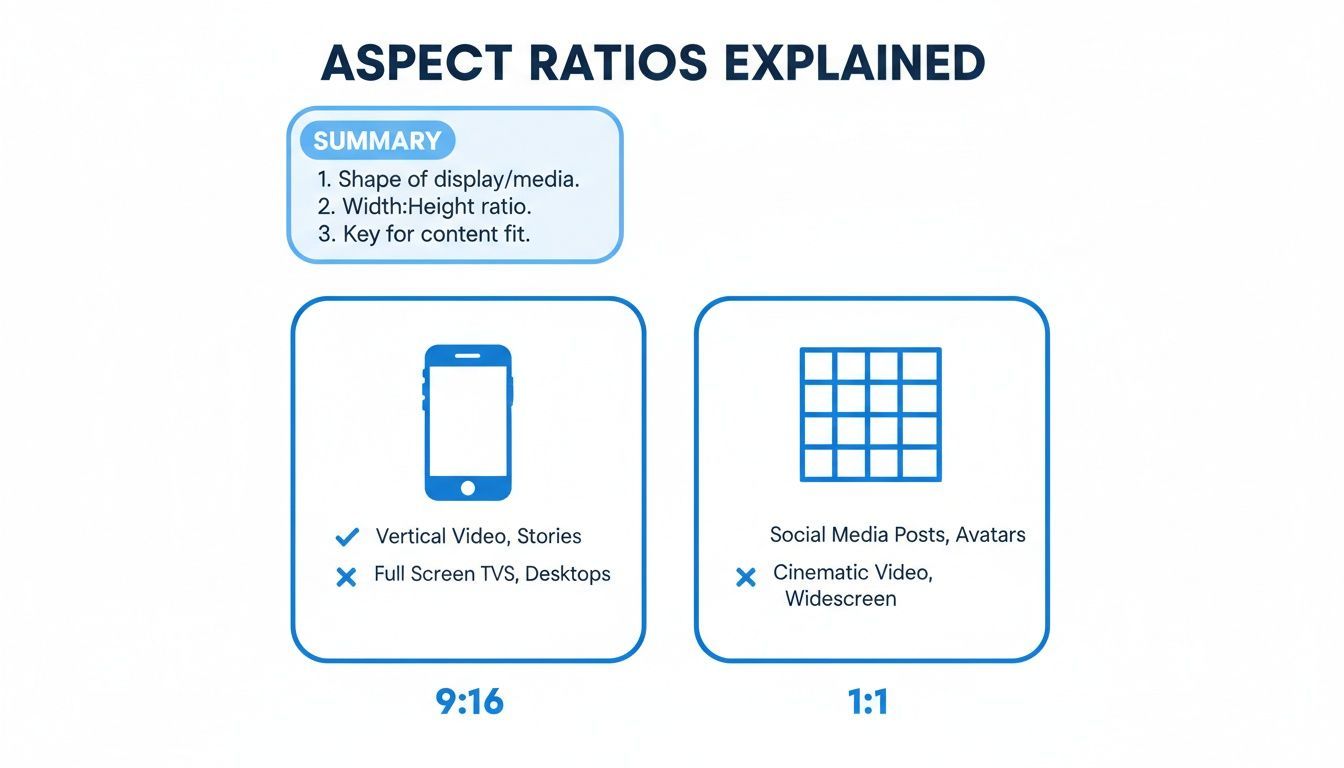
When you upload something in a different ratio, like a 1:1 square photo from your feed or a 16:9 landscape video, Instagram is forced to improvise. It will either crop your content, which often means chopping off important details, or it will add awkward colored borders to fill the empty space. Both outcomes instantly break that immersive feel and can make your brand look amateurish.
The Visual Impact of Getting It Right
Picture this: you've designed a great looking graphic with a clear call to action at the very bottom. If it's not designed for the 9:16 format, Instagram might just crop that CTA clean off, and your message is lost. But a perfectly sized Story? It uses every last pixel to its advantage, making sure your design has maximum impact and everything is seen exactly as you planned.
For brands and creators, this detail is everything. In Bulgaria, for instance, Instagram is a powerhouse for audience connection. Early 2023 data showed 1.65 million ad reachable users, which is a massive 24.5% of the entire population. You can't afford to waste that opportunity with sloppy formatting. Sticking to 1080x1920px at a 9:16 ratio means you’re making the most of every view. You can dig deeper into the growing social media usage in Bulgaria if you're curious.
The bottom line is simple: designing vertically from the get go isn't just a good idea. It's essential for creating Stories that actually perform.
Avoiding Common Sizing Mistakes
The easiest way to sidestep these issues is to just start your creative process on a vertical canvas. It's that simple. Here’s what happens when you don't:
- Landscape Videos: They show up looking tiny, sandwiched between huge, distracting bars at the top and bottom.
- Square Images: These leave a ton of empty space on the sides, which Instagram fills with a generic, often ugly, color gradient.
- Cropped Graphics: Important text or logos you placed too close to the edges just get cut off.
When you prioritize the 9:16 aspect ratio, your content looks polished and intentional every single time. If an image already exists as a square or landscape file, a free in-browser image cropper recuts it to 9:16 before you upload. And when you use a tool like PostFast, you can schedule that perfectly formatted content, knowing it will go live looking exactly right, with no last minute formatting surprises.
Navigating Instagram Story Safe Zones For Better Engagement
Ever spent ages crafting the perfect Story, only to realize your main call to action is completely hidden by the "Send Message" bar? We’ve all been there. The Instagram interface itself takes up a surprising amount of screen real estate, which is why understanding safe zones is essential for effective content.
Think of safe zones as the guaranteed to be seen area of your 1080x1920 canvas. Anything you place outside this core area risks getting covered up by your profile icon, interactive buttons, or that reply bar at the bottom. Getting this right means your message actually lands the way you intended.
This diagram shows you exactly which parts of the screen are reserved for the UI, so you can place your key content right where it needs to be for maximum impact.
Keeping Your Key Content Visible
The rule of thumb is simple: keep all your crucial elements, text, logos, stickers, and CTAs, away from the extreme top and bottom of the screen. It's like having invisible margins built into your design.
The top and bottom edges are absolute danger zones for anything important. Here are the numbers to remember:
- Top Safe Zone Margin: Leave about 250 pixels of empty space from the top. This keeps your content clear of your profile picture and username.
- Bottom Safe Zone Margin: Give yourself a bit more room here, around 350 pixels from the bottom. This ensures nothing gets lost behind the message reply bar or other prompts.
Placing your core message squarely in the center of the screen is the safest bet to guarantee it's seen by everyone, on any device.
Why Safe Zones Boost Engagement
It's a simple user experience issue. When a viewer can’t read your text or tap a sticker because it's partially hidden, they're far more likely to just swipe away. Clean, unobstructed content not only looks more professional but is also way easier for your audience to interact with.
This is exactly why designing for the vertical 9:16 aspect ratio is essential, while other formats just don't work for full screen Stories.
The visual here confirms it: 9:16 is the only way to get that immersive, edge to edge experience without awkward borders or cropping. Of course, knowing the safe zones is just one piece of the puzzle. Applying solid design principles is what will truly captivate your audience.
Picking the Right File Formats and Sizes
Getting the pixel dimensions right is only half the battle. Your file format and size are just as important for getting your Stories to look sharp on Instagram. Pick the right format, and your visuals stay crisp. Keep an eye on the file size, and you'll avoid frustrating upload errors or heavy compression that can butcher your hard work.
For static images, you're looking at two main choices: JPG and PNG. A JPG is almost always your best bet for photos and detailed graphics. Its compression keeps file sizes small, which means faster, smoother uploads. But, if your design has a logo with a transparent background or really sharp, solid colored text, PNG is the way to go. It preserves that transparency and keeps your lines clean without any quality loss.
The Best Video Format for Stories
When it comes to video, you'll see MP4 and MOV as the common options. While Instagram accepts both, MP4 is the format you should be using. It strikes the perfect balance between high quality and small file size, making it the undisputed standard for web video. To be extra safe, make sure it’s encoded with the H.264 codec for maximum compatibility.
MOV files work, but they tend to be much larger and can sometimes throw a wrench in the works, causing compatibility issues depending on what software you used. Honestly, just stick with MP4. It's the safest and most reliable route for getting your video uploaded without a headache.
Staying Within Instagram's File Limits
Instagram has strict file size limits to keep the platform running smoothly. If you ignore these, your upload will simply fail. No second chances.
- Maximum Image File Size: Your image needs to be under 30 MB. This is pretty generous and you'll rarely have an issue, especially if you're exporting as a JPG.
- Maximum Video File Size: For video, the cap is a much larger 4 GB. This gives you more than enough room for a high quality, 60 second Story.
It’s worth remembering that Instagram is going to compress your media no matter what. By starting with a high quality file that’s already within these limits, you’re giving its algorithm better material to work with. The result? A much cleaner final look for your audience. Tools like PostFast let you upload your optimized files directly, so what you schedule is exactly what people see.
How High Resolution Improves Your Stories
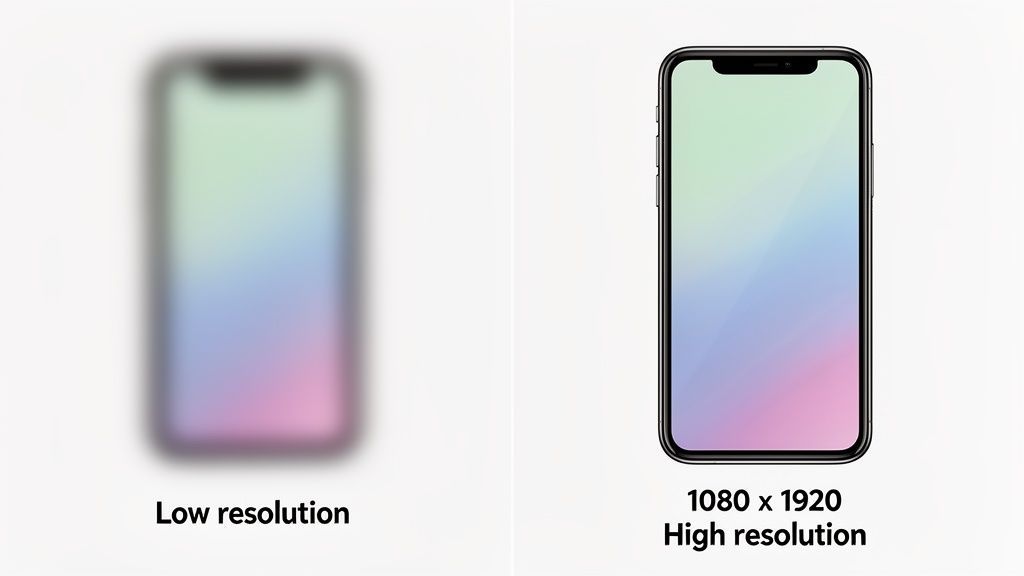
That recommended 1080x1920 pixels resolution isn’t just a random guideline; it's the secret to making your content look sharp and professional. If you upload a lower resolution file, you're basically asking Instagram to stretch a small image to fill a big space. This almost always results in a blurry, pixelated mess that looks amateurish, especially on modern high definition phone screens.
Think of it like trying to blow up a tiny thumbnail photo to fit a massive digital billboard. The image just falls apart, losing all its detail. Using the right instagram stories size from the get go means your visuals stay crisp and clear, which has a huge impact on how people see your brand.
Pixel Dimensions Versus DPI
You’ve probably heard people talk about DPI (Dots Per Inch), but that’s a term for print. When it comes to digital screens, pure pixel dimensions are what really matter. As long as your image is created at 1080x1920 pixels, it has all the data needed to look fantastic on any phone, no matter what the DPI setting is.
Getting the pixels right is especially important for connecting with key audiences. In Bulgaria, for instance, Stories are the go to format for the 25-34 age group, which makes up 29.9% of the country's 1.95 million Instagram users. For influencers and brands trying to capture their attention, automating perfectly crisp 1080x1920px Stories is essential. You can dig into more of Bulgaria's Instagram user demographics if you're curious.
The takeaway is simple: high resolution builds trust. A blurry Story can make a brand look careless, while a sharp, high quality one shows attention to detail and reinforces credibility.
Ultimately, when you start with a high resolution canvas, your content has a much better chance of surviving Instagram's own compression algorithms. It ensures the final product that reaches your viewers is polished and engaging.
Scheduling Your Content with PostFast
Getting the dimensions right is half the battle, but keeping a consistent posting schedule is what really grows your account. That’s the hard part. Manually pushing out every Story at the perfect time is a massive drain, especially if you’re juggling multiple clients or a packed content calendar.
This is exactly what PostFast is built to solve. You can upload your perfectly crafted 1080x1920 Stories straight to the dashboard. No more last minute phone fumbling or resizing panics. The full click-by-click flow is in our guide to scheduling Stories from a laptop, including the Business-account requirement. Once your visuals are in, they’re set to go live whenever you decide.
Plan Your Stories Visually
If you’re an agency or creator, you know that a good Story is part of a larger narrative. The visual calendar in PostFast gives you a clean, bird's eye view of your entire content plan. You can map out Story sequences days, or even weeks, ahead of time. This makes sure every post fits together and pushes your bigger goals forward.
It also makes it way easier to manage more ambitious Story formats.
- Multi Image Carousels: You can plan and schedule up to 10 images or videos in a single Story sequence to build out a more detailed narrative.
- Campaign Planning: Visually block out content for a product launch, an event, or a promotion to keep your messaging tight and consistent.
- Time Blocking: Knock out an entire week's worth of content in one sitting. Get it all scheduled, then forget about it and focus on other work.
Automation That Saves You Time
When you automate publishing, you get hours of your week back. No more phone alarms to post during peak engagement hours or the nagging feeling you might forget altogether. You set the schedule once, and PostFast does the rest, making sure your content hits your audience right when they’re most likely to see it.
This kind of organization is a genuine game changer. You can learn more about how PostFast’s scheduling features help you stay consistent without the pressure of being glued to your phone. It helps you build a reliable content pipeline, so your audience always has something fresh to see, and you never have to second guess your formatting again.
Common Questions About Instagram Story Size
Even with all the technical specs down, a few questions always seem to pop up. Getting these sorted helps you skip the common pitfalls and post with confidence. We’ve pulled together the most frequent queries about Instagram Story sizes right here.
What Happens If My Story Is the Wrong Size
If you upload a photo or video that doesn't fit the 9:16 aspect ratio, Instagram’s going to try and fix it for you. This usually means the app will either crop your content or zoom in, which is a great way to lose important text or visuals you’ve placed near the edges.
For anything wildly different, like a square 1:1 image, Instagram often just slaps it on a default background with big, ugly colored borders. To keep things looking sharp, always start your designs on a 1080x1920 pixels canvas.
Can I Post a Horizontal Video to My Story
Technically, yes. Should you? Probably not. Instagram will show it vertically, which means your landscape video will either be on its side or squished into a tiny rectangle between massive borders.
Viewers would have to physically turn their phones just to watch it properly, and let’s be honest, most people won’t bother. For a much better experience, always take a moment to edit your videos to fit the vertical 9:16 format.
Does Instagram Reduce the Quality of My Stories
Yes, Instagram always compresses your media. It’s how they keep file sizes down and make sure everything loads quickly for millions of users. This can sometimes lead to a noticeable drop in quality, especially if your original file wasn’t top notch to begin with.
To minimize the quality loss, start with the best source file you have, exported at the recommended 1080x1920 resolution. Giving Instagram’s compression algorithm a sharp, high resolution file gives it more data to work with, which almost always results in a cleaner final Story.
What Is the Best Size for Text in a Story
While your canvas is 1080x1920 pixels, the real key for text is to respect the safe zones. You absolutely have to keep all your important text and any interactive elements, like polls or stickers, away from the very top and bottom.
A good rule of thumb is to keep text out of the top 250 pixels and the bottom 350 pixels. This simple step ensures your words aren’t hidden by your profile icon or the reply bar at the bottom. Of course, getting your timing right is just as important; our guide on the best time to post on Instagram can help you nail that part, too.
By getting the sizing right and posting consistently, you're set for growth. PostFast helps you schedule your perfectly formatted Stories, Reels, and posts, ensuring your content goes live at the right time, every time. Start your free trial at https://postfa.st.
Related
Instagram scheduling with PostFast
Feed posts, Reels, Stories, carousels
How to Schedule Instagram Stories on Desktop in 2026
Yes, you can schedule Instagram Stories from your laptop without the mobile app. Step-by-step guide with auto-publish and cross-posting to TikTok and Reels.
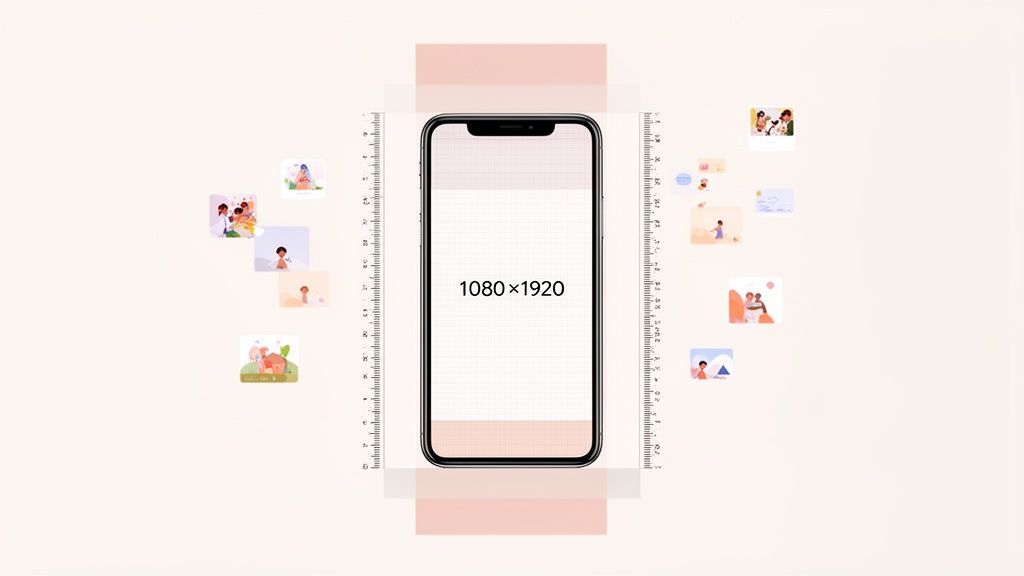
Master the Instagram Story Size: Your Complete 1080x1920 Guide
Discover the instagram story size you need for flawless 1080x1920 videos. Learn dimensions, safe zones, export tips, and boost engagement today.
Your Guide to the Perfect Instagram Profile Picture Size
Get the recommended Instagram profile picture size for a flawless look. Our 2026 guide covers dimensions, cropping, and tips to make your profile stand out.
Dimensions for instagram profile picture: Your Guide to a Standout Profile
Discover the right dimensions for instagram profile picture to maximize visibility and engagement on Instagram. Practical, quick tips for a flawless profile.
Claude for Social Media: Skills, Connectors and What It Can Post
How to use Claude for social media: skills that plan and write posts, a connector that publishes to 11 platforms with your approval, and what Claude can do on each.