How to Connect Claude to Instagram: Post, Schedule, Reply
Connect Claude to Instagram so it can schedule posts, Reels and Stories, answer comments and report post stats. Setup steps, prompts that work, and limits.

On this page (10)
Claude can post to Instagram once you give it a connector. In a regular chat, Claude has no access to your Instagram account. A connector from Claude's directory adds that access, and the right one lets Claude draft, schedule and publish posts, carousels, Reels and Stories, answer comments, and tell you how your posts performed, all from a chat.
This guide shows how to connect Claude to Instagram with PostFast, what Claude can and cannot do once it is connected, and prompts that work. The Claude menus and plan rules below come from Anthropic's help center, and the PostFast details from PostFast's own documentation, both checked in October 2026.
Can Claude post to Instagram? The short answer
Yes, through a connector. Anthropic describes connectors as the way Claude accesses your apps and services and takes actions in them. Without one, Claude can write a caption for you, but it has no way to publish it through Instagram's API.
Three things decide what you can actually do:
- The connector you choose. Claude's directory lists dozens of connectors that work with Instagram. Some publish posts, others only read your Instagram data, so check what a connector does before you add it.
- Your Instagram account type. Publishing through Instagram's API works with Business and Creator accounts. Personal accounts cannot be connected to a scheduler like PostFast.
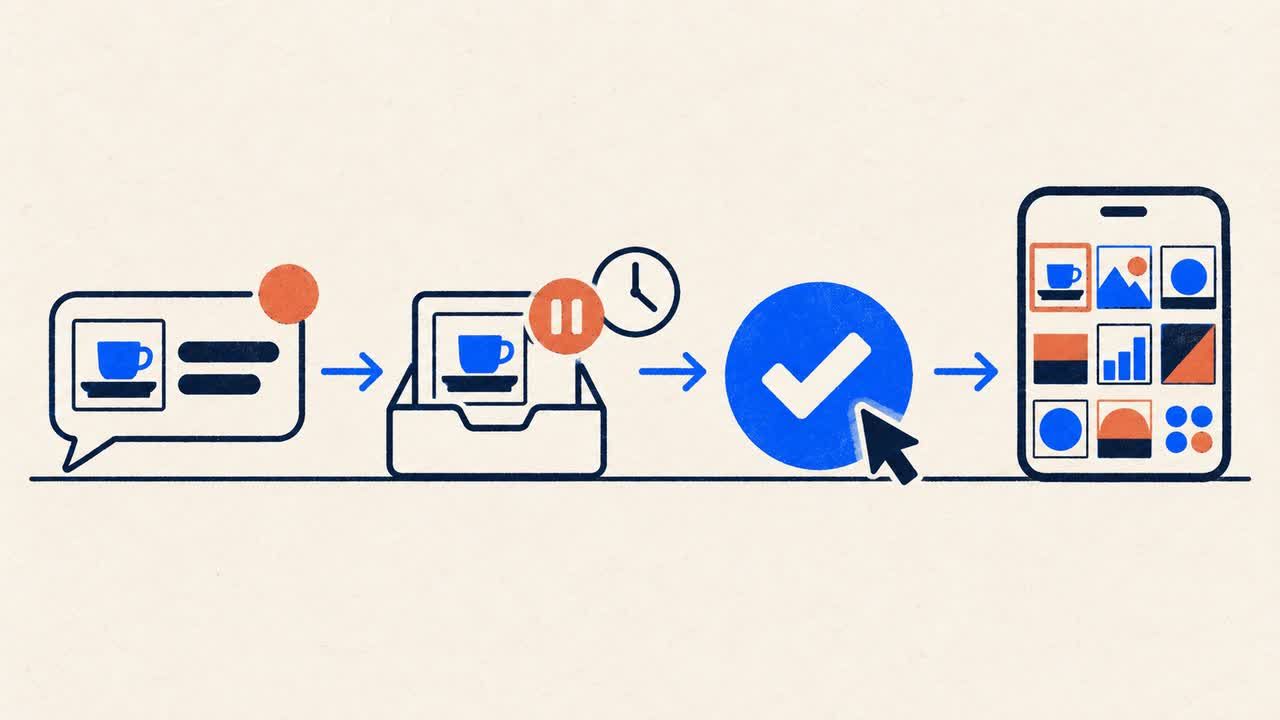
- Your approval. With PostFast, every post Claude creates is held until you confirm it, so nothing reaches Instagram without your yes.
Some people have Claude click through instagram.com with browser or computer-use tools instead. This guide covers connectors, which publish through Instagram's API rather than through the website's buttons.
Three kinds of Instagram connectors for Claude
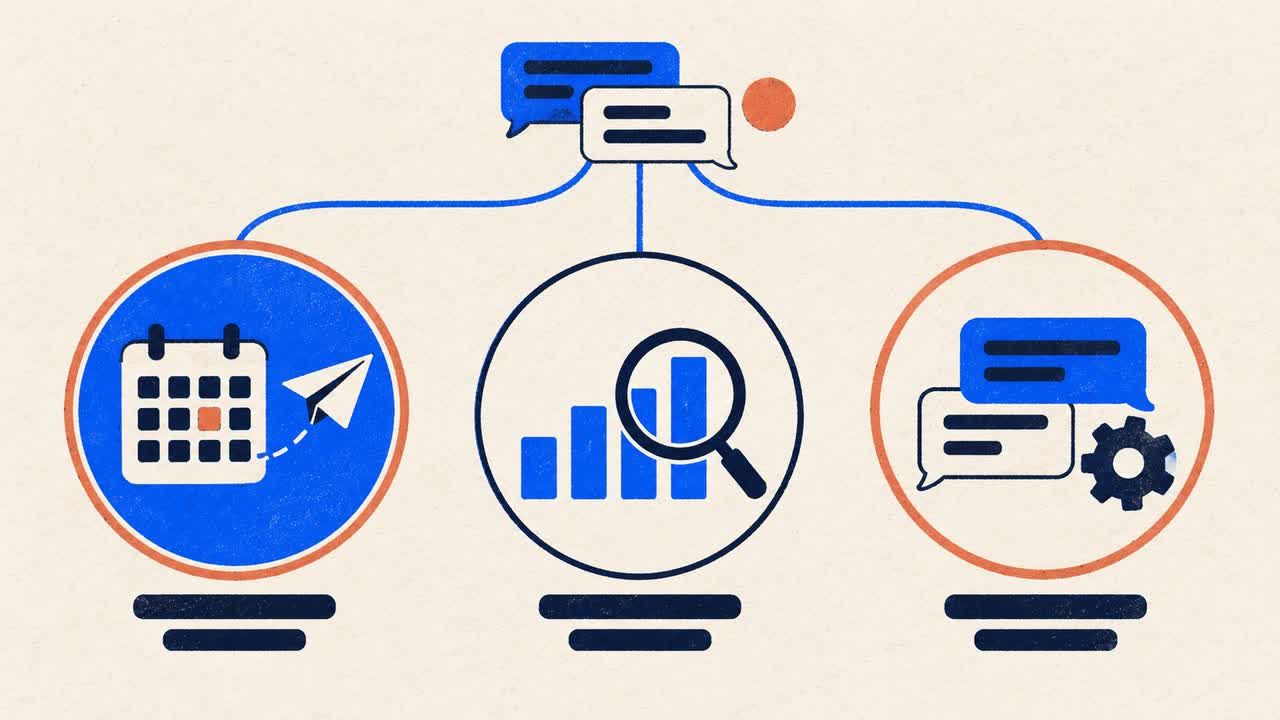
"Connect Claude to Instagram" can mean three different things. Pick the kind that matches the job:
| Kind of connector | What Claude can do with it | Good for |
|---|---|---|
| Publishing and scheduling | Create, schedule and publish posts; many also handle comments and post stats | Running an Instagram account from a chat |
| Analytics and data | Read Insights such as reach, engagement and followers | Reports, audits and content reviews |
| DM automation | Run automated replies to direct messages and comment triggers | Lead capture and customer service |
Publishing and scheduling connectors
These connect Claude to a social media scheduler that already has permission to post on your account. You describe the post, Claude prepares it, and the scheduler publishes it at the time you choose. PostFast is in this group.
Analytics and data connectors
These bring your Instagram numbers into Claude so it can analyze them, compare periods, or build a report. Some focus on reporting only, so check whether publishing is included before you rely on one.
DM automation tools
These run your Instagram direct messages, usually with automated flows triggered by comments or story replies. PostFast does not read your DM inbox or send arbitrary direct messages. It covers comments, plus one private reply per comment, which is explained below.
What you need before you start
- An Instagram Business or Creator account. If yours is a personal account, switch it to Business or Creator in Instagram's settings first. PostFast connects to Instagram directly, with no Facebook Page required.
- A Claude account. Anthropic lists connectors as available to all users on Claude, Cowork, Claude Desktop and the Claude mobile apps. On Team and Enterprise plans, an Owner has to enable a connector for the organization before members can connect it.
- A PostFast account with your Instagram connected. PostFast has a 7-day free trial with no credit card, and the Claude connector is included on every plan. You can see the full list of supported Instagram formats on the Instagram integration page.
How to connect Claude to Instagram with PostFast
You connect Instagram once inside PostFast, then connect PostFast to Claude. Once your PostFast account and Instagram connection are in place, adding the connector takes about two minutes.
Step 1: Connect your Instagram account to PostFast
Create your PostFast account and connect your Instagram Business or Creator account. When an Instagram account is first connected, PostFast imports the posts published on it in the last 60 days in the background. Once that import and the metrics collection finish, Claude can report on your recent posts too, not only on the ones you schedule from now on.
Step 2: Add PostFast from Claude's connector directory
Open PostFast in Claude's directory at claude.ai/directory/postfast, or in Claude go to Customize > Connectors, click the + button and find PostFast. Click Connect, then sign in on PostFast's own login screen and approve access.
You never paste a password or an API key into the chat. The sign-in uses OAuth, the same kind of "Sign in with" flow you know from other apps.
Step 3: Turn PostFast on in a conversation
In the chat box, click the + button (or type /), hover over Connectors, and switch PostFast on for that conversation. Claude can now use it whenever your request needs it.
Step 4: Ask for your first Instagram post
Start with a quick check, then a real post:
- "Which Instagram accounts are connected in PostFast?"
- "Draft an Instagram post for Friday at 10:00 using the image at [public image URL]. Write the caption and suggest five hashtags."
Claude shows you what will be posted, on which account and when, and publishes only after you say yes. Until then the post waits on hold in PostFast.
On a Team or Enterprise plan
An Owner or Primary Owner first opens Organization settings > Connectors, clicks Browse connectors, selects PostFast and chooses Add to your team. Enabling it does not connect anyone automatically: each person then connects PostFast and signs in with their own PostFast login.
Prefer to add it by URL?
You can add the same connector as a custom connector. Go to Customize > Connectors, click Add, hover over Custom and select Web. Give it a name, paste https://mcp.postfa.st/mcp as the server URL, keep the authentication settings Claude detects, add it, and sign in when asked. Anthropic allows custom connectors on Free, Pro, Max, Team and Enterprise plans, with one custom connector on the Free plan.
On your phone
Anthropic notes that installing connectors in the mobile apps is still in beta. The simpler route is to connect PostFast on the web or in Claude Desktop: it is then available in the Claude app on iOS or Android the next time you log in.
In Claude Code
If Claude Code is logged in with the same claude.ai account, connectors you added in Claude appear in Claude Code automatically. Run /mcp and PostFast is listed with your other claude.ai connectors. If it says it needs authentication, select it and sign in.
If you have not added PostFast in Claude, add it from the terminal once:
claude mcp add --scope user --transport http postfast https://mcp.postfa.st/mcp
Then run /mcp, choose postfast, select Authenticate, and approve the sign-in in your browser. Do not add it both ways: Claude Code hides the claude.ai copy as a duplicate of the server you added. The Claude Code integration guide also covers running the open-source npm server with an API key, which suits scripts and CI. That route publishes as you ask, without the approval hold.
In Cowork
Anthropic lists connectors as available in Cowork as well as in Claude, Claude Desktop and the mobile apps.
What Claude can do on Instagram once connected
Through PostFast, Claude can handle the day-to-day Instagram work:
| Task | What to ask Claude | Details |
|---|---|---|
| Feed posts and carousels | "Schedule this carousel for Thursday at 9:00." | Up to 10 images or videos per carousel and captions up to 2,200 characters; Instagram's Help Center allows up to 5 hashtags per post |
| Reels | "Post this video as a Reel tomorrow at 18:00." | Videos up to 250 MB, with a cover image or frame |
| Stories | "Schedule these two images as Stories for Monday morning." | Published automatically, no reminder on your phone |
| Trial Reels | "Post this as a trial Reel." | Uses Instagram's trial Reels option |
| First comment | "Add this as the first comment." | Posted about 10 seconds after the post goes live |
| Location | "Tag our café on this Reel." | Single posts, Reels and Stories, not carousels |
| Comments | "Answer today's easy comments and flag the rest." | Reply, hide or delete comments, and send one private reply per comment |
| Post stats | "How did my Reels do this month?" | Impressions, reach, likes, comments, shares and save rate, plus watch time and skip rate for Reels |
| Follower trend | "Show my follower trend for the last 90 days." | A daily follower count, recorded from the day you connect the account |
You can schedule up to a year ahead, and the same conversation can post to PostFast's other ten platforms, so one request can put a Reel on Instagram and the same video on TikTok and YouTube. Before posting, check the Instagram Reels sizes so nothing important gets cropped.
Every post waits for your yes
In Claude, PostFast creates new posts on hold. Claude shows you what will be posted, where and when, and the post only goes live after you confirm. Replies to comments, private replies and comment deletions work the same way: you see a preview first, and nothing reaches Instagram until you say yes.
Attaching images and video
Instagram posts need an image or video, and PostFast asks for one even on a draft. The reliable way to attach media is to give Claude a public link to the image or video file.
Answering comments without leaving the chat
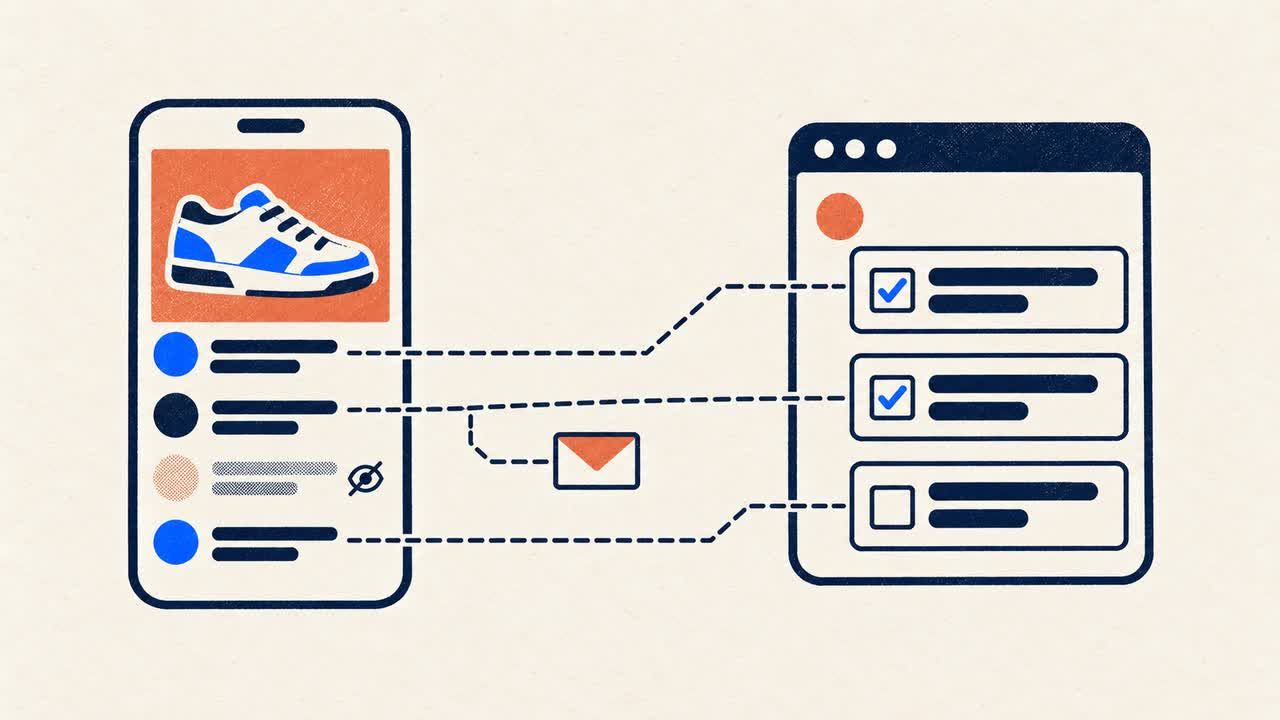
PostFast's Social Inbox collects comments on your Instagram posts, and Claude can work through them with you: read what came in, draft answers, reply publicly, hide spam, or close and assign conversations to a teammate. Comments flow in from the moment the account is connected; older comments are not imported. For a comment that needs a personal answer, Claude can send one private reply, which Instagram delivers as a direct message to the commenter. Private replies are limited to one per comment, within 7 days of the comment, and the reply can land in the person's message requests.
Prompts to try
Copy these into a chat with PostFast switched on, and replace the details with your own:
- "Which Instagram accounts are connected, and is any of them disconnected?"
- "Write three caption options for the Reel at [public video URL], then schedule the best one for Thursday at 18:00."
- "Schedule the four images at these links as one carousel for Sunday at 10:00, with this first comment: [your text]."
- "What is scheduled on Instagram next week? List it by day."
- "How did my posts perform over the last 30 days? Sort them by reach and tell me what the top three have in common."
- "Show my Instagram follower trend for the last 90 days."
- "Go through today's Instagram comments, draft replies to the questions, and show them to me before anything is sent."
- "Hide the spam comments on my latest post."
While writing this guide we ran the reporting and comment-reading requests against our own Instagram account through the same connector.
What it cannot do
Knowing the limits saves you a confused afternoon:
- No direct messages. PostFast covers comments, not your DM inbox. The one exception is the private reply to a comment described above.
- No ads data. PostFast reports on organic posts. Ad campaigns and ad spend need a connector built for ad accounts.
- Only your own connected accounts. Claude can post to and report on the professional accounts you connect, not browse or analyze other people's profiles.
- No personal Instagram accounts. Switch to a Business or Creator account first.
- Files on your computer. In a regular Claude chat, Claude cannot reliably read files from your computer, so share a public link to the file instead.
- Analytics depth depends on the plan. Full analytics come with the Creator plan and above; the Starter plan includes limited analytics.
Is it safe to connect Claude to Instagram?
The connection is built so that Claude never holds your Instagram password:
- You sign in on PostFast's own screen using OAuth. No password or API key goes into the chat.
- Permissions stay with you. PostFast checks your workspace permissions on every request, so Claude can only do what your PostFast user can do.
- You can disconnect at any time, from Customize > Connectors in Claude or from PostFast.
- Admins can restrict actions. On Team and Enterprise plans, Owners can set each connector tool to Always allow, Needs approval or Blocked for the whole organization.
One thing to know: PostFast is listed in Claude's directory as a community connector. Anthropic labels community connectors as having passed automated reviews without being verified by Anthropic, and advises connecting only developers you trust.
Does this work in ChatGPT?
Yes. PostFast also has a ChatGPT connector in ChatGPT's plugin directory. In ChatGPT you can draft a post, choose the accounts it goes to, attach an image or video, schedule it, route it for approval, and check how published posts performed. The one-click directory install does not include the comment tools yet; adding the connector manually in ChatGPT's Developer mode gives you those today, and PostFast's ChatGPT guide walks through both routes.
Frequently Asked Questions
Can Claude post directly to Instagram?
Not on its own. To publish through Instagram's API, Claude needs a connector that can post, such as PostFast. Once it is connected, Claude can draft, schedule and publish feed posts, carousels, Reels and Stories, and every post waits for your confirmation before it goes live.
Can I connect Instagram to Claude for free?
Anthropic makes connectors available to all Claude users, including the Free plan, which allows one custom connector. On the PostFast side there is a 7-day free trial with no credit card, then plans start at €12 per month, or €10 per month on yearly billing.
Can Claude read my Instagram DMs?
Not through PostFast. PostFast covers the comments on your posts, not your direct messages. The only message Claude can send is one private reply to a comment, which Instagram delivers as a DM to that person.
Can Claude post Reels, Stories and carousels?
Yes. Through PostFast, Claude can publish feed posts, carousels of up to 10 images or videos, Reels, Stories and trial Reels, and add a first comment. Instagram needs an image or video on every post, so give Claude a public link to the file.
Does it work with a personal Instagram account?
No. PostFast connects through Instagram's API, which supports Business and Creator accounts only. You can switch a personal account to a Business or Creator account in Instagram's settings, then connect it.
Can I use it from the Claude mobile app?
Yes. Connect PostFast on the web or in Claude Desktop first, and it is available in the Claude app on iOS and Android the next time you log in. Installing connectors directly in the mobile apps is still in beta.
Let Claude handle the posting, keep the final say
Connecting Claude to Instagram turns "write me a caption" into "write it, schedule it, and tell me how it did". Set up the Claude connector once, keep your Instagram account in PostFast, and approve each post with a yes. On days when a browser is easier, the same account works for scheduling Instagram posts from a desktop.
Related
Instagram scheduling with PostFast
Feed posts, Reels, Stories, carousels
Schedule Instagram Carousels and Reels Without Busywork
Schedule Instagram carousels, Reels, Stories, and feed posts with PostFast. Batch once, set covers, and cross-post to Facebook and TikTok without extra work.
The PostFast MCP server for Claude and ChatGPT
Claude, ChatGPT, Cursor
Captions for Instagram: How to Write Them with AI (+ 60 Templates)
Learn how to write captions for Instagram that get engagement. 10 caption formulas, AI prompts, 60 ready-to-use templates, and scheduling tips.
How to See Who Views Your Instagram Profile Explained
Learn how to see who views your Instagram profile, what Instagram's tools can show you, and why third-party apps are a risk to your account's safety.
How to Schedule Instagram Stories on Desktop in 2026
Yes, you can schedule Instagram Stories from your laptop without the mobile app. Step-by-step guide with auto-publish and cross-posting to TikTok and Reels.

SaaS Marketing Automation: The Social and Email Stack We Run at PostFast
SaaS marketing automation from our own stack: what we automate on social and in lifecycle email, the event behind each sequence, and the tools by job.