Your Guide to Hiring a Content Manager Assistant
Unlock growth by hiring a content manager assistant. This guide covers essential roles, skills, tools, and the exact steps to find and onboard the perfect fit.
On this page (7)
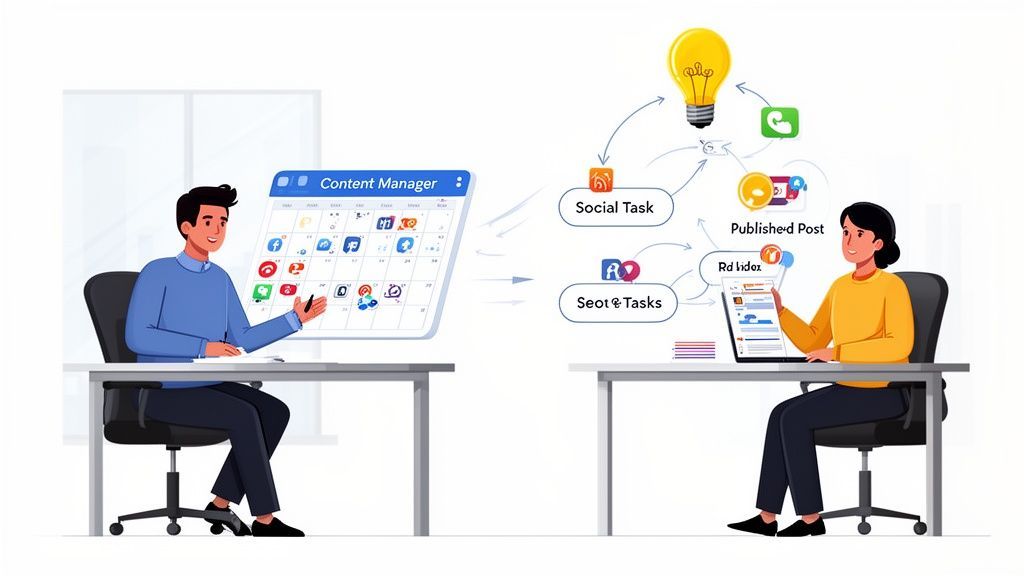
A content manager assistant is the person who makes a content strategy actually happen. While the content manager dreams up the big ideas, the assistant gets them over the finish line, scheduling, proofing, and publishing everything.
Think of them as the air traffic controller for your content. They make sure every single piece lands safely, exactly when and where it's supposed to.
What Is a Content Manager Assistant?
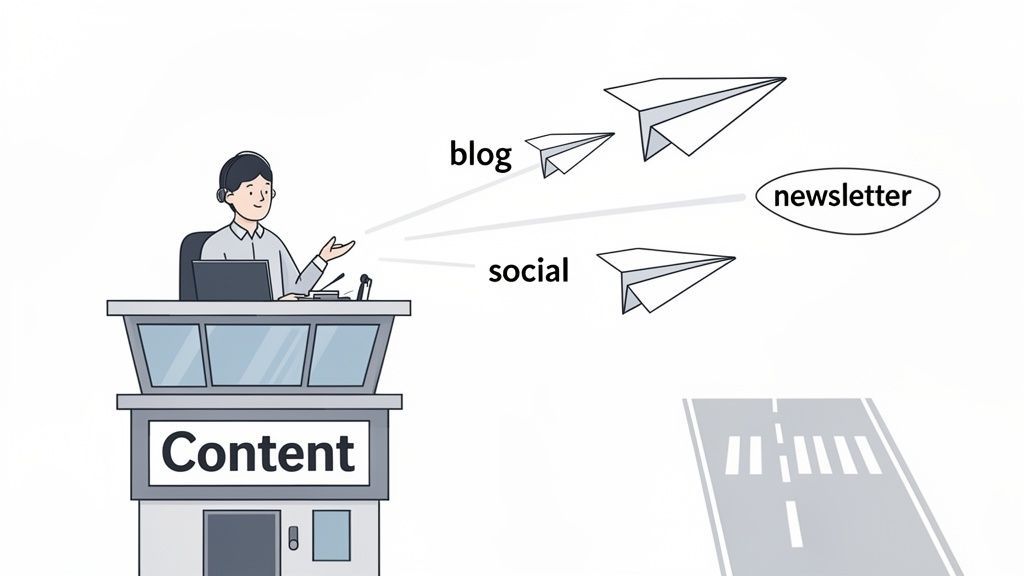
This role is much more than just an extra pair of hands. A great content manager assistant is the tactical expert who turns a messy, unpredictable content workflow into a smooth, well-oiled machine. They are the ones in the trenches, making sure every blog post, social media update, and newsletter goes out without a hitch.
This is not just about ticking boxes; it is about bringing order and consistency to your entire publishing schedule. When an assistant handles the operational side of things, the content manager is freed up to focus on what really moves the needle: strategy, growth, and creating brilliant content. The assistant keeps the whole pipeline flowing.
Why Every Content Team Needs This Role Now
The pressure to deliver a constant stream of high-quality content has never been higher. Just look at the numbers. In Bulgaria, there were 4.50 million active social media users by early 2024, which is a staggering 67.1% of the population. Platforms like Facebook are completely dominant, holding 93.99% of the market share.
For content teams, that means you have to be on all the time. This is where a content manager assistant becomes your secret weapon. They are built to manage the sheer volume of posts required to stay visible and relevant in such a crowded space. Their work allows a brand to connect with its audience day in and day out.
A content manager assistant is the glue holding the entire content strategy together. They are the critical link between a brilliant idea and a flawlessly executed campaign, ensuring nothing falls through the cracks.
Below is a quick look at their core duties and the direct value each one brings to the business.
Core Responsibilities and Their Strategic Impact
| Responsibility | What It Involves | Why It Matters |
|---|---|---|
| Content Scheduling | Managing the content calendar, setting publication dates, and ensuring timely delivery across all channels. | Creates a consistent brand presence, builds audience trust, and maximises engagement by posting at optimal times. |
| Proofreading & Editing | Reviewing all content for grammar, spelling, style, and tone before it goes live. | Protects brand reputation by ensuring all published material is professional, polished, and error-free. |
| Publishing & Distribution | Uploading content to the CMS, social media platforms, and email marketing tools. | Guarantees that the right content reaches the right audience on the right platform, widening its reach and impact. |
| Performance Tracking | Pulling basic analytics on content engagement, reach, and traffic to report back to the manager. | Provides the raw data needed to understand what's working and what is not, informing future content strategy. |
| Asset Organisation | Keeping digital assets like images, videos, and documents organised and easily accessible for the team. | Saves the entire team time and eliminates frustrating bottlenecks, making the content creation process much smoother. |
A great assistant does not just manage these tasks; they look for ways to make the whole system better.
From Assistant to Strategist
The assistant role is a fantastic launchpad for a career in content marketing. By mastering the day-to-day operations, you get an unfiltered, hands-on view of what really works. This practical experience is the perfect foundation for growing into a content strategist or manager role down the line.
To really excel, an assistant needs to understand how their work fits into the bigger picture. Learning about What Does a Content Strategist Do can provide valuable context on potential career paths. After all, a skilled assistant does not just complete tasks, they learn how to improve the entire process. If you are looking to sharpen those skills, our guide on effective social media optimisation is a great place to start.
The Skills and Tools That Make an Assistant Great
A top-notch content manager assistant is more than just an extra pair of hands. They are a blend of practical skills and tech-savvy execution that turns a messy content plan into a smooth-running machine. The role really hinges on a unique balance between creative understanding and obsessive organisation.
First off, they need to speak the language of content, which means having a solid grasp of Search Engine Optimisation (SEO). They do not need to be an SEO guru, but they absolutely must understand how things like keywords, meta descriptions, and internal links help a post get seen. This basic knowledge ensures every piece of content they touch is set up to succeed from the get-go.
Just as critical are sharp communication and organisational skills. This person is the hub, coordinating with writers, designers, and managers, so being clear and concise is non-negotiable. They are the one keeping track of deadlines, assets, and feedback, preventing small mix-ups from turning into big, costly delays.
The Modern Assistant's Toolkit
To juggle all this, a modern assistant leans on a handful of digital tools. These are not just nice-to-haves; they are the command centre for getting the content strategy done.
-
Content Scheduling & Analytics: This is where the real work happens. A platform like PostFast is essential for scheduling posts across different channels, seeing what is actually performing, and keeping the team in the loop. Features like smart scheduling and team workspaces let them execute with precision. You can see how these PostFast features pull everything into one organised workflow.
-
Project Management: To keep all the moving parts from colliding, tools like Trello or Asana are a must. They give everyone a clear, visual map of where each piece of content is in the pipeline, from the first draft to the final thumbs-up.
-
Basic Design: They do not need to be a graphic designer, but an assistant often has to whip up simple visuals for social media. Being handy with a tool like Canva is a massive advantage. It lets them resize images, add text, and create clean, on-brand graphics without a fuss.
Think of this toolkit as a force multiplier. The right software turns a good assistant into an indispensable part of the team, one who can manage complex schedules and workflows with total confidence.
To set your assistant up for success, it helps to understand the wider range of essential tools for virtual assistants. This gives you a complete picture of the tech that helps a high-performing remote team member thrive. With the right skills and the right tech stack, your assistant can start making a real impact from day one, turning your plans into actual results.
How to Build an Effective Content Workflow
A solid content workflow is the difference between constant chaos and hitting your goals consistently. It is the roadmap that guides every piece of content from a spark of an idea to a published post. This is where a content manager assistant truly makes their mark. By mapping out each step, you kill the guesswork and give everyone on the team a clear path to follow.
The process does not need to be over-engineered. It usually kicks off with the content manager putting together a brief—the goals, keywords, and audience for a new piece. From there, it gets handed off to a writer who puts together the first draft. Once that draft is done, the real operational magic begins, and the assistant steps into the spotlight.
From Draft to Distribution
This is the critical handoff. The writer finishes the draft, and the content manager assistant takes the baton to manage the rest of the journey. Their job is to shepherd the content through all the final checks, scheduling, and promotion, making sure nothing falls through the cracks.
This stage typically breaks down into a few key tasks:
- Final Proofreading: A last sweep to catch any lingering typos or grammar mistakes.
- Formatting: Making sure the content is properly set up for the CMS with the right headings, links, and images.
- Scheduling: Loading the finished piece into the publishing platform and setting it to go live at the perfect time.
- Social Promotion: Prepping and scheduling all the social media posts to push the new content across your channels.
This structured process locks in quality and consistency. It turns what could be a frantic last-minute scramble into a predictable, manageable system.
Making Collaboration Easier with the Right Tools
Endless email chains and messy spreadsheets are where good workflows go to die. Modern teams lean on collaborative tools to keep everything organised and transparent. A central platform becomes the single source of truth, letting everyone see the status of a piece of content with a quick glance.
This graphic shows a simple but powerful tool stack a content manager assistant might use to keep things moving smoothly.
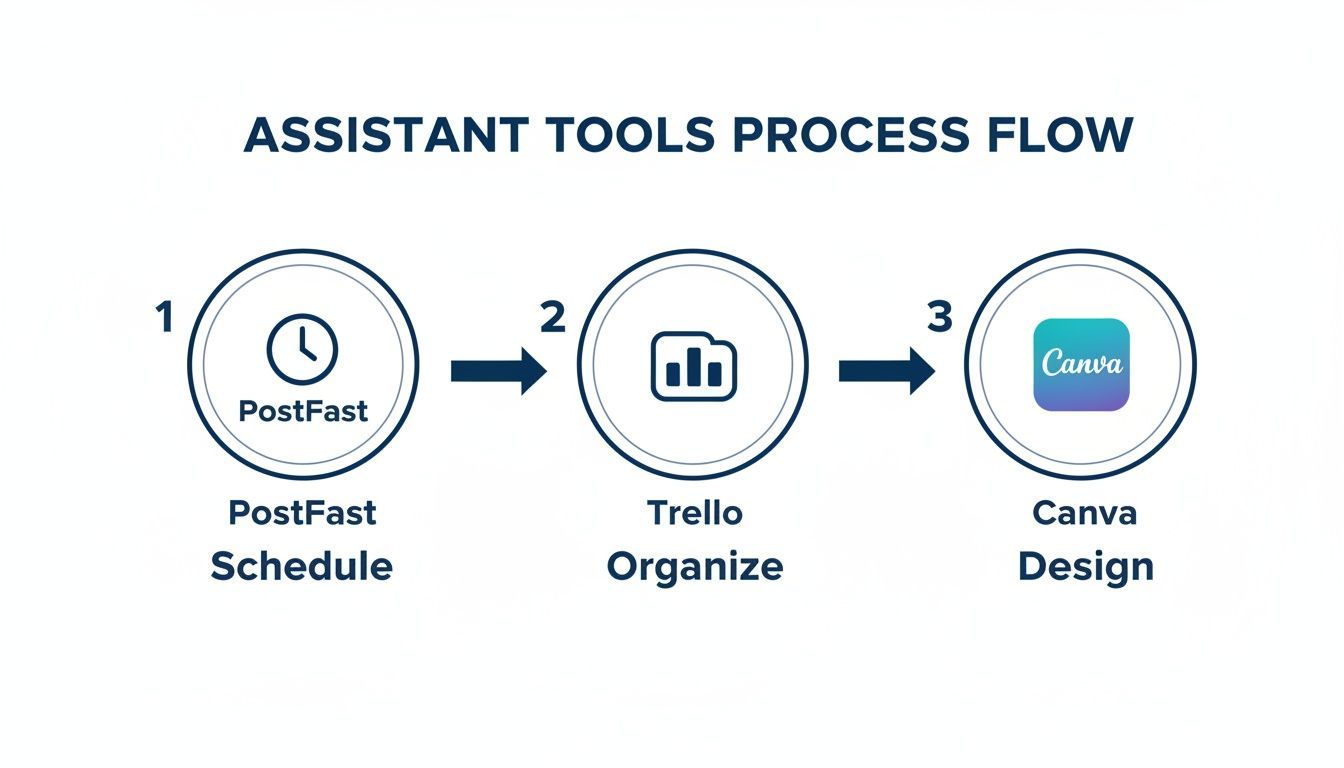
You can see how specialised tools handle each phase of the workflow, from initial scheduling in PostFast and organisation in Trello to final design touches in Canva.
Tools with features like shared content calendars and in-post comments are a game-changer. For example, using a platform like PostFast lets a manager leave feedback directly on a scheduled social post, cutting out all the back-and-forth emails. An assistant can then see the comments, make the changes, and mark the task as done, all in one place. You can see exactly how to schedule a social media post to multiple platforms in our detailed guide.
By setting up clear handoffs and using collaborative tools, you empower your content manager assistant to stop bottlenecks and keep the entire content engine humming. This focus on process is what really drives sustainable growth.
Writing a Job Description That Attracts Top Talent
A generic job description is a magnet for generic candidates. If you want to find a truly great content manager assistant, you need to craft a post that does more than just list tasks, it needs to tell a story. Think of it less as a job advert and more as the start of a conversation.
Kick things off with a compelling company overview. Ditch the corporate jargon and talk about your mission and culture like a real person would. What makes your team a great place to work? This is your chance to pull in people who are not just looking for a paycheque, but who are genuinely excited about what you are building.
Defining the Role and Responsibilities
When you get to the responsibilities, frame them in a way that sounds engaging. Instead of a dry, bulleted list of chores, show how the assistant's work directly pushes the team forward. This helps candidates see the impact they can have from day one.
- Content Coordination: "You will be the central hub for our content calendar, making sure every blog post, social update, and newsletter gets scheduled and published flawlessly."
- Quality Assurance: "You will be our final set of eyes, proofreading everything to guarantee it hits our high standards for quality, tone, and style."
- Performance Insight: "You will help us figure out what is working by pulling key metrics and turning data into clear, actionable insights for the team."
See the difference? This kind of language transforms a simple task list into a vision for the role. It shows that you see the content manager assistant as a crucial part of the content engine, not just a helper.
Specifying Skills and Qualifications
Be clear about what you need, but also be realistic. Make a clear distinction between the absolute must-haves and the nice-to-haves. You do not want to scare off a promising candidate who might not tick every single box.
Your job description is your first filter. By clearly stating the tool proficiencies you expect, like experience with scheduling platforms, you pre-qualify applicants and ensure you're interviewing people who can hit the ground running.
For example, name-dropping the specific tools you use is a simple but powerful way to find the right fit. If your team lives and breathes a certain platform, say it. Mentioning experience with a tool like PostFast signals that you have established workflows and value efficiency. This small detail can save a ton of time by attracting people who already have the practical skills you need. A thoughtful, specific job description is how you find a content manager assistant who is a true asset.
Interview Questions That Reveal True Potential
Finding the right person for your team goes way beyond just matching skills on a resume. To land a truly great content manager assistant, you need to ask questions that show you how they think, organise their work, and handle pressure. The goal is not just to hear what they have done, but how they have done it.
Getting past simple yes-or-no questions is the key. Instead of asking, "Are you organised?" try a situational question that forces them to give you a real example. This approach gives you a much clearer picture of what they can actually do and whether they will click with your team's rhythm.
Assessing Technical Skills and Tool Familiarity
Start by digging into their hands-on experience with the tools of the trade. A solid candidate will not just list software; they will talk confidently about what worked, what did not, and why.
Here are a couple of questions to kick things off:
-
"Which content scheduling tools have you used, and what did you like or dislike about them?" A good answer here gets specific. You want to hear someone talk about why they preferred one tool over another, maybe mentioning a feature that made their life easier, like the built-in approval flow in a platform like PostFast. A vague answer that just names a few platforms is a red flag.
-
"Walk me through your process for proofreading a blog post before it goes live." This one is all about attention to detail. A strong candidate will lay out a clear, multi-step checklist: grammar, spelling, tone of voice, formatting, checking for broken links. They should sound methodical, not like they just give it a quick once-over.
The best candidates do not just use tools; they understand how to bend them to their will to solve problems and work smarter. Their answers should show you they get the 'why' behind their actions, not just the 'what'.
Uncovering Problem Solving and Proactivity
Technical skills are one thing, but you also need an assistant who can think on their feet and take charge when needed. These questions are designed to see what happens when the plan goes sideways.
-
"Describe a time you had to manage a tight content deadline. How did you handle it?" Listen for answers that show they can prioritise and communicate. A great response will involve breaking the task down, flagging potential issues with the team early, and focusing on getting the most important parts done first. Be wary of anyone who blames others or avoids taking ownership.
-
"Imagine you notice a published social media post has a factual error. What are your immediate next steps?" This question tests their judgement and how they react under pressure. The ideal answer is all about immediate, calm action: take the post down, let the content manager know, and get a corrected version ready for approval. It shows they understand that the brand's reputation is on the line and they can act decisively to protect it.
Onboarding Your New Assistant for Long Term Success

A great hire is only as good as their onboarding. Those first few weeks really set the tone for their entire journey with you, so winging it is not an option. A structured plan is your best friend here. Think of it as a roadmap that turns a promising candidate into a confident, productive member of your content team.
The goal is to ramp up their responsibility without just throwing them in the deep end. A solid 30-60-90 day schedule builds their confidence and gets them plugged into your workflows smoothly. This approach cuts down on confusion and gets them making a real impact, faster.
The First 30 Days: Foundational Learning
Month one is all about absorption. Get them completely dialled in on the people, processes, and platforms that make your content strategy tick. The objective is not massive output; it is deep understanding.
Your checklist for this period should look something like this:
- Tool Setup and Training: Get them set up on every platform they will need. This means creating their accounts and, crucially, walking them through your team's specific ways of working. For a tool like PostFast, make sure they have the right permissions in your workspace to schedule and review posts.
- Brand Immersion: Hand over the keys to the kingdom. We are talking brand guidelines, voice and tone documents, and a curated list of your best-performing content. This helps them grasp the "why" behind your content.
- Team Introductions: Set up quick, informal chats with key players like writers and designers. This helps them map out who does what and see exactly where they fit in.
A strong start is everything. By the end of the first month, your new assistant should feel comfortable navigating your core tools and understand the basic rhythm of your content production cycle.
Days 31-90: Taking Ownership
Okay, the foundation is set. The next two months are about shifting gears from learning to doing. Now is the time to start handing over the reins on specific tasks and empowering them to manage parts of the workflow.
Gradually introduce more complex responsibilities. Maybe they take full ownership of the content calendar, or perhaps they are now in charge of pulling the weekly performance reports. This is their chance to apply what they have learned and start contributing on a more strategic level. Following this path ensures your new content manager assistant becomes an indispensable part of your team for the long haul.
Frequently Asked Questions
Hiring for a new role always brings up a few practical questions. Getting the details sorted out now ensures the content manager assistant position is the right move for your team and sets everyone up for a good partnership from day one.
Here are a few of the most common things we see business owners and managers ask.
What Is the Typical Salary for a Content Manager Assistant
Salaries can swing quite a bit depending on location, how much experience the candidate has, and the size of your company.
As a general rule, an entry-level remote position might start around £30,000, while a more seasoned assistant in a major city could earn upwards of £45,000. It is always smart to check what is competitive in your local market to attract the right people.
Should an Assistant Have Strong Writing Skills
Yes, absolutely. They might not be your main blog writer, but the content manager assistant is often the last line of defence before something goes live.
Sharp writing and editing skills are crucial for proofreading articles, whipping up engaging social media captions, and just making sure every piece of content hits the mark for your brand’s voice and quality.
Your assistant’s attention to detail is what protects your brand's reputation. They are the ones who make sure everything you publish is polished, professional, and free from embarrassing typos that can chip away at your audience's trust.
Can This Role Be Fully Remote
Definitely. The content manager assistant role is a perfect fit for remote work. Almost everything they do, from scheduling posts with tools like PostFast to coordinating with writers, can be handled online.
The key to making it work is setting up clear communication channels and having a solid, well-documented workflow that everyone understands and can follow from anywhere.
When Is the Right Time to Hire an Assistant
You will know it is time when your content manager is spending more than 25% of their week bogged down in admin and operational tasks instead of focusing on big-picture strategy and creating great content.
If you are constantly missing publishing deadlines or the whole content process just feels chaotic and disorganised, bringing on an assistant will provide immediate relief and much-needed structure.
Ready to give your content workflow the structure it needs? PostFast provides the collaborative tools and smart scheduling that empower your entire team to work more efficiently. Start your free 7-day trial of PostFast today and see how much time you can save.
Related articles

Best Time to Post on Social Media in 2026: 61,008 Posts Scored Against Their Own Normal
61,008 posts with clean metrics, each scored against its account's normal: Instagram 3 PM local, Facebook 3 to 5 PM, YouTube 1 PM or evenings, TikTok flat.
PostFast MCP Server for Claude, ChatGPT and Cursor: Launch Notes and Changelog (2026)
The launch note for PostFast's MCP server: npm release March 2026, ChatGPT and Claude connectors June 2026, inbox tools August 2026. Setup, tools and changelog.

Can You Schedule Posts on Bluesky? How to Schedule Bluesky Posts in 2026
Yes, with a scheduling tool: Bluesky's own app has no scheduler. What Bluesky offers, the 300-grapheme and media limits, and how to schedule with PostFast.

Can You Schedule Posts on LinkedIn? How to Schedule LinkedIn Posts for Profiles and Pages in 2026
Yes. LinkedIn schedules posts 10 minutes to 3 months ahead (1 hour on Pages). Desktop, mobile, and Page steps, plus where PostFast goes further.

How to Schedule Pinterest Pins in 2026: Pinterest's Scheduler vs PostFast, Step by Step
Two ways to schedule Pinterest Pins: Pinterest's own scheduler (30 days ahead, 10 Pins queued) and PostFast for image, video, and multi-image Pins from desktop.

Best Social Media Schedulers in 2026: 11 Tools Compared on Price, Platforms, and Automation
Eleven social media schedulers compared on September 2026 pricing, platforms, auto-publishing, and API or MCP automation, using each vendor's own pricing page.