A Practical Guide to FB Story Download Methods
Discover the safest fb story download methods for any device. Our guide breaks down how to save Facebook Stories for archiving, repurposing, and more.
On this page (6)
Trying to figure out a quick way for an fb story download? While Facebook doesn’t give you a simple “save” button for other people’s content, it’s easy to save your own Stories from your archive. For public Stories, a few reliable third-party tools and browser tricks can get the job done.
Why You Might Want to Save a Facebook Story
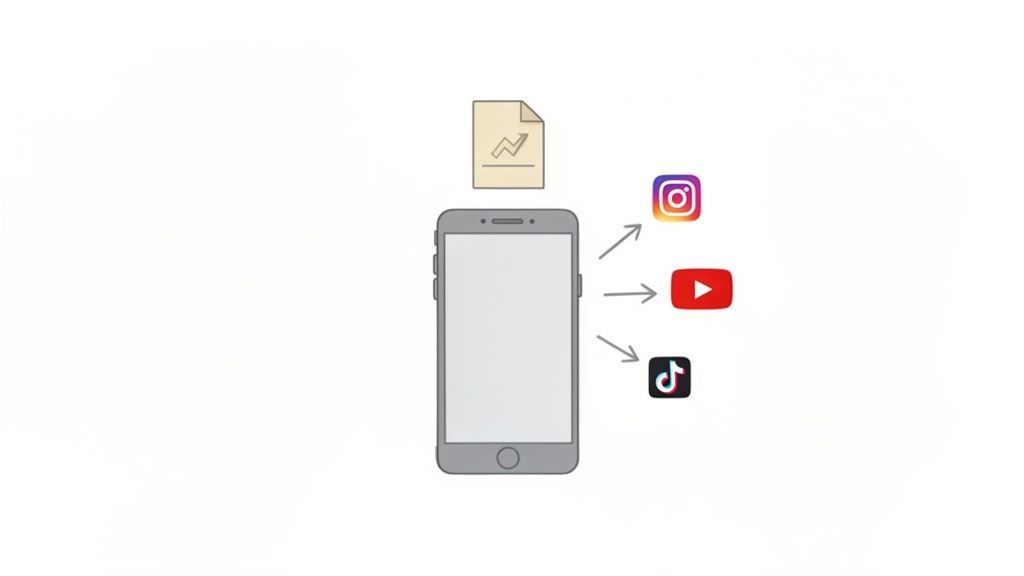
Before we jump into the how, let's talk about the why. For marketers and creators, saving a Facebook Story is often a strategic move that goes way beyond just keeping a memory. It’s really about building a smarter, more efficient content workflow.
Archive High-Performing Content
One of the most practical reasons is simply to keep a record of your best work. If a particular Story blew up and got amazing engagement, saving it lets you go back and analyze what made it so successful. You can review what really connected with your audience, the visuals, the message, the call to action, and use those insights in your next campaign.
It’s also a fantastic way to capture compelling user-generated content (UGC). Let's say you run a campaign where customers share Stories featuring your product. Downloading these gives you an instant library of authentic testimonials that you can reference or ask permission to use later on.
Fuel Your Content Repurposing Engine
This is where the real magic happens. A brilliant Facebook Story doesn't have to vanish after 24 hours. When you download a copy, you can slice and dice it into a bunch of different formats for other platforms.
- Short-Form Video: A quick edit can turn your Story into an engaging Instagram Reel, a snappy TikTok video, or a YouTube Short.
- Static Posts: A high-quality image or a key frame from a video can become a brand-new feed post for Facebook or even LinkedIn.
- Website Content: Embed the video directly into a blog post or on a landing page to add some dynamic visual flair.
By saving your best stories, you're not just archiving, you're building a content library that works for you. Instead of constantly having to create from scratch, you can adapt proven assets for new audiences and platforms. It’s a huge time-saver.
Make Social Media Scheduling Easier
Having a local copy of your top-performing Stories makes planning your content calendar so much easier. You can upload these assets directly into a scheduling tool like PostFast to map out your content weeks or even months ahead.
This workflow ensures you maintain a consistent posting schedule, keeping your profiles active with high-quality content even when you're busy with other tasks.
Understanding the Rules of Downloading Content
Before you even think about an fb story download, it's crucial to get the lay of the land. This is less about the technical steps and more about doing things ethically and responsibly. At the end of the day, the content you see on Facebook belongs to the person who made it, and their privacy settings are there for a good reason.
Respecting a creator’s intent is just good digital citizenship. If someone sets their Story to be seen only by friends, that’s a clear signal they don’t want it broadcast to the world. Trying to get around those settings is a breach of trust and violates Facebook’s terms of service.
The Golden Rule: Ask for Permission
The most important rule is also the simplest: get explicit permission before saving someone else’s Story, especially if you plan to use it for anything other than just watching it yourself. A quick, polite DM is usually all it takes.
For brands and marketers, this isn't just a suggestion, it's non-negotiable. Using someone’s photo or video for your own commercial gain without their consent can land you in serious legal trouble over copyright infringement. It's a risk that’s just not worth taking.
Your Content vs. Theirs
There’s a huge difference between saving your own stuff and grabbing someone else's. Downloading your own Story is a smart move. It helps you build a personal archive or get content ready to be repurposed on other platforms. Facebook actually encourages this and gives you the tools to do it.
When it comes to someone else’s content, though, things get murky. The goal is to stay on the right side of platform rules and basic online etiquette so you don't put your account at risk. You can get a better handle on managing your own posts by checking out our guide on Facebook Stories.
While we don't have hard numbers on Story downloads, we know user engagement is massive. In Bulgaria, for instance, Facebook is still a dominant platform across all age groups, which means a huge audience is creating and watching this temporary content every day. You can see more on Facebook user demographics in Bulgaria on Statista.
Always act with integrity. Think of it this way: you wouldn't walk into someone’s house and take a photo off their wall without asking. Don't do it with their digital content, either. This approach protects you, shows respect for the creator, and helps make the online community a better place.
Stick to these principles, and you'll find that saving and repurposing content can be both effective and ethical.
How to Download Facebook Stories on a Computer
If you manage social media from your desktop, you know the workflow is just smoother when all your assets are in one place. Getting an fb story download onto your computer can feel a bit clunky since there's no official "download" button, but you have a couple of solid options.
The method you choose really just depends on how comfortable you are poking around in a browser's code versus using a third-party tool.
Using Browser Developer Tools
For anyone who's a little more tech-savvy, the most direct and private way to grab a Story is by using your browser's built-in developer tools. You just right-click on the Story, hit "Inspect," and hunt through the page's code to find the direct video or image URL.
This approach is great because it's completely private. You don't need to install anything or give an external website access to your account.
The downside? If you're not used to looking at HTML, it can feel like trying to find a needle in a haystack. One wrong click and you're lost.
Using Third-Party Websites and Extensions
If digging through code sounds like a total headache, you're not alone. The much simpler route is to use a dedicated website or browser extension built for exactly this. These tools do the heavy lifting for you, you just give them the link.
The key here is to stick with a reputable service. A quick search will pull up dozens of sketchy sites loaded with pop-up ads or potential security risks. Always look for tools with consistently positive reviews. The process is usually dead simple: copy the Story's link, paste it into the tool, and it spits out a download link for the MP4 or JPG file.
Before you download anything, this flowchart is a good gut check.
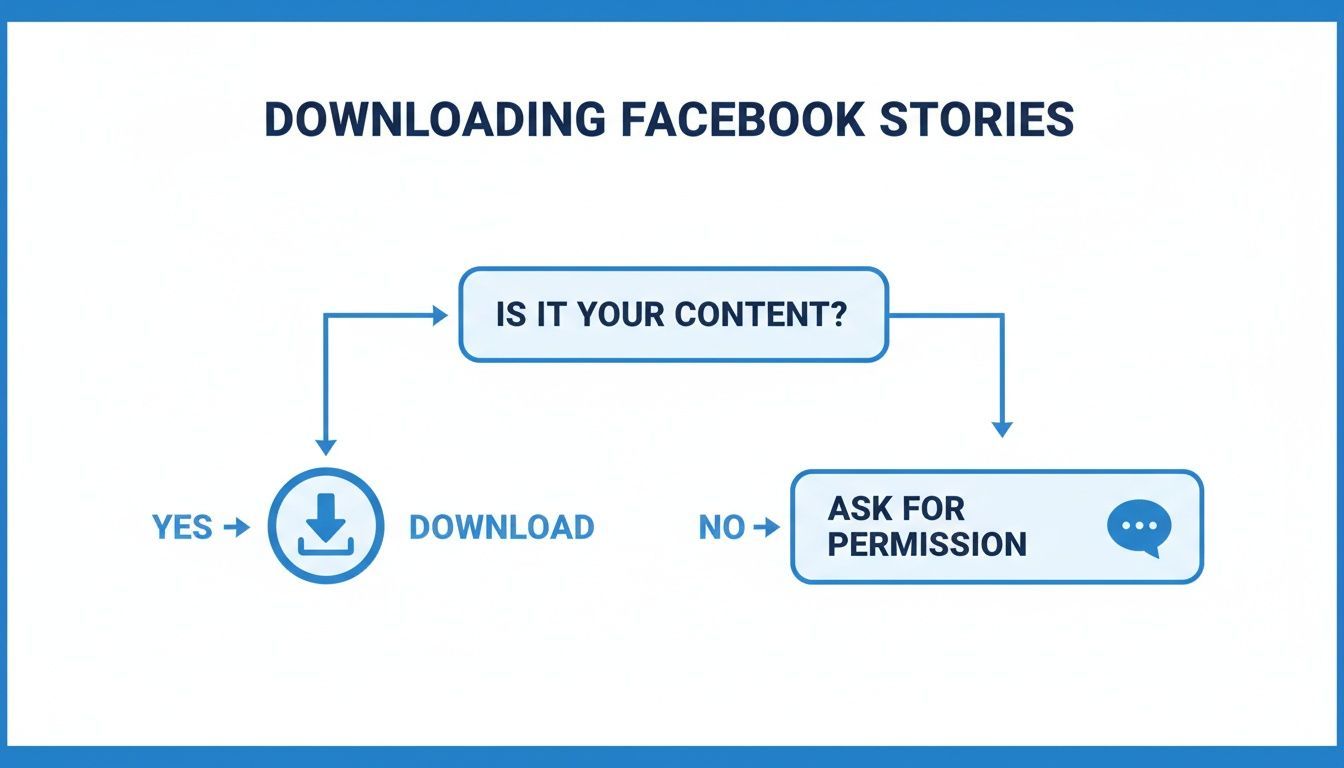
It really just boils down to a simple but critical rule: know where the content came from before you save it.
While there isn't much public data on Story download habits, understanding regional social media trends can give you some context. For instance, knowing how users in a market like Bulgaria engage with content can help shape your strategy, even without exact download stats. You can get a better feel for online behaviour by checking out regional digital reports. Datareportal offers some great insights on these trends.
Comparing Desktop FB Story Download Methods
To make it even clearer, here's a quick comparison of the two main methods for downloading Stories on your computer. Each has its place depending on your needs.
| Method | Ease of Use | Software Required | Key Advantage |
|---|---|---|---|
| Browser Developer Tools | More Difficult | None (Built-in) | 100% Private & Secure |
| Third-Party Website | Very Easy | None | Fast & Convenient |
| Browser Extension | Easy | One-time install | Accessible with one click |
Ultimately, the best method is the one that fits your workflow without compromising your security.
Remember, the whole point of a third-party tool is convenience. But that convenience should never come at the cost of your online security. Be careful about the permissions you grant browser extensions and which websites you trust.
Once you have the file saved, you can easily slot it into your content calendar. A tool like PostFast lets you upload these saved assets directly, turning a temporary 24-hour Story into a lasting piece of your content strategy that you can schedule and repurpose across other platforms.
Saving Facebook Stories on Mobile Devices
Since most of us are glued to our phones, knowing how to do an fb story download right from your mobile is a must. The steps are quite different for Android and iOS, mostly because of how each operating system handles app permissions and file access.
If you're an Android user, you're in luck. The ecosystem is more open, so you'll find plenty of third-party apps built for this. For iPhone users, Apple’s walled garden makes things a bit trickier, but don't worry, there are still some clever ways to get it done.
Navigating Downloads on Android Devices
On an Android phone, your quickest route is a dedicated app from the Google Play Store. A quick search for "Story Saver" or "Video Downloader" will bring up a ton of options that can link to your Facebook account and pull stories for you.
A word of caution, though: always vet these apps carefully. Check the reviews, see how many people have downloaded them, and look for recent positive feedback. Be wary of any app that asks for permissions that don't make sense for what it does. Once you find a trustworthy app, it's usually as simple as logging in, finding the story you want, and hitting a download button.
While we don't have exact numbers on story downloads, we know Facebook is a massive part of daily life for millions. Take Bulgaria, for example, where Facebook's reach is over 44% of the population. That gives you a sense of the sheer volume of content being shared every single day. You can find more details on digital trends in Bulgaria over at DataReportal.
Smart Workarounds for iPhone Users
For those on iOS, the path is a little less direct. Thanks to Apple's strict security policies, you won't find many apps in the App Store that can download Facebook Stories. Instead, you'll need to use a couple of smart workarounds.
The most dependable and secure method for iPhone users is the built-in screen recording feature. It’s private, requires no extra apps, and gives you complete control over what you capture.
Here’s how to make it work:
- Set up Screen Recording: First, pop into your iPhone’s Control Centre settings. If the Screen Recording button isn't there, add it.
- Get the Story Ready: Open the Facebook app and go to the story you want to save. Let it load completely so it's ready to play smoothly.
- Start Recording: Swipe down to open the Control Centre and tap the record icon. A three-second countdown will start, and then it will begin recording your screen.
- Play and Trim: Let the story play all the way through. When it's finished, stop the recording. The video will be saved directly to your Photos app, where you can easily trim the start and end to get a perfect clip.
This little trick gives you a high-quality video file, ready for whatever you have planned next. And if you just need to save an image from a story, a quick screenshot does the job perfectly. If you're looking for more tips on saving content, you might find our guide on how to download Instagram images useful.
Turning Downloaded Stories into Fresh Content
Alright, you’ve downloaded that killer Facebook Story. So, now what? Don’t let it sit in a folder collecting digital dust. This is your chance to get strategic and turn that one piece of content into a stream of fresh posts.
The whole game is about adapting that video for different platforms. Each social network has its own vibe and audience expectations, so a straight copy-and-paste just won't cut it. To do this right, you need to tweak your downloaded Story so it feels like it belongs everywhere you post it.
Adapting Stories for Other Platforms
That downloaded video is the perfect starting point for all the major short-form video platforms. A few quick edits are all it takes to give it a totally new life.
Here are a few ideas to get the ball rolling:
- Create a Dynamic Instagram Reel: Stitch a few of your best Story clips together, find a trending audio track, and add some quick text overlays to highlight the key moments. Reels are all about fast-paced, eye-catching content.
- Produce a Quick TikTok Video: Grab the best part of your Story, trim it down to a punchy 7–15 seconds, and slap on a popular sound or effect. The TikTok algorithm eats up short, snappy videos.
- Make an Animated GIF for X (Twitter): Find a short, looping action in your clip and turn it into a GIF. They're perfect for replies or as standalone posts that inject a little personality into your feed.
Think of your downloaded story not as a finished product, but as a collection of creative ingredients. Your goal is to remix those ingredients to cook up something perfectly suited for a different audience's taste.
Once you’ve got your Story saved, you can get really creative with how you chop it up. For example, a good podcast repurposing guide often has smart ideas about turning audio into video clips, and the same principles apply here.
Scheduling Your Repurposed Content
This is where a good planning tool becomes a lifesaver. Once your new clips are edited and ready, the last thing you want is to spend the next hour manually uploading them one by one to each platform. That’s a huge time-drain and a fast track to content burnout.
Instead, pull everything into a single dashboard. With a scheduler like PostFast, you can upload all your repurposed videos at once. From there, it’s easy to map out your content calendar for the week, or even the month, customising captions and hashtags for each network as you go.
This approach saves a ton of time and keeps your brand consistently active across all your social channels. You’ll keep your audience engaged without all the extra stress. And if you’re looking for more ways to save and repurpose media, check out our guide on how to download videos from YouTube.
Your Top Questions About Downloading FB Stories
Even when you know the methods, a few questions always pop up. Let's tackle the common ones so you can save content the right way.
Is It Legal to Download Someone Else's Facebook Story?
This really comes down to what you plan to do with it. Saving a story for your own personal viewing, like a cool tutorial you want to remember, is generally fine. It’s a bit of a grey area, but not usually an issue.
The line gets crossed the moment you republish that content, especially if it’s for commercial gain. That’s when you wander into potential copyright infringement and start breaking Facebook’s terms of service.
The best and safest approach? Always ask for permission first if you plan to share or repurpose someone else's work. A quick DM can save you a world of trouble.
Will the User Know if I Download Their Facebook Story?
Nope. Facebook doesn't send a notification when someone downloads or screen-records a story. The creator can see who viewed their story, but they won’t get an alert that you saved a copy.
Still, just because you can do something without getting caught doesn't mean you should. Always respect the creator’s privacy and the effort they put into their content.
Can I Download a Private Facebook Story?
In short, no. Legitimate tools and browser extensions are designed to work only on public content or stories shared directly with you by friends. Private accounts and restricted friend lists are protected for a reason.
Be extremely wary of any tool or website that claims it can bypass these privacy settings. They are almost always scams designed to steal your account details or infect your device with malware. It’s a risk that’s just not worth taking.
What Is the Best Quality for a Downloaded Story?
The quality you get is only as good as the quality of the original upload. Facebook compresses all media, so you can't download a story at a higher resolution than what's on their servers.
For the best possible result, use a reliable third-party tool that grabs the source file. This is way better than screen recording, which almost always results in lower resolution, choppy video, and other visual artifacts. By fetching the original file, you’re getting the cleanest version available.
Ready to turn those downloaded stories into a powerful content strategy? With PostFast, you can schedule your repurposed content across all your social media channels from a single, intuitive dashboard. Save time, stay consistent, and watch your engagement grow. Start your free trial today and see how easy it can be. Find out more at https://postfa.st.
Related articles
Best Time to Post on Social Media in 2026: 61,008 Posts Scored Against Their Own Normal
61,008 posts with clean metrics, each scored against its account's normal: Instagram 3 PM local, Facebook 3 to 5 PM, YouTube 1 PM or evenings, TikTok flat.

PostFast MCP Server for Claude, ChatGPT and Cursor: Launch Notes and Changelog (2026)
The launch note for PostFast's MCP server: npm release March 2026, ChatGPT and Claude connectors June 2026, inbox tools August 2026. Setup, tools and changelog.
Can You Schedule Posts on Bluesky? How to Schedule Bluesky Posts in 2026
Yes, with a scheduling tool: Bluesky's own app has no scheduler. What Bluesky offers, the 300-grapheme and media limits, and how to schedule with PostFast.
Can You Schedule Posts on LinkedIn? How to Schedule LinkedIn Posts for Profiles and Pages in 2026
Yes. LinkedIn schedules posts 10 minutes to 3 months ahead (1 hour on Pages). Desktop, mobile, and Page steps, plus where PostFast goes further.
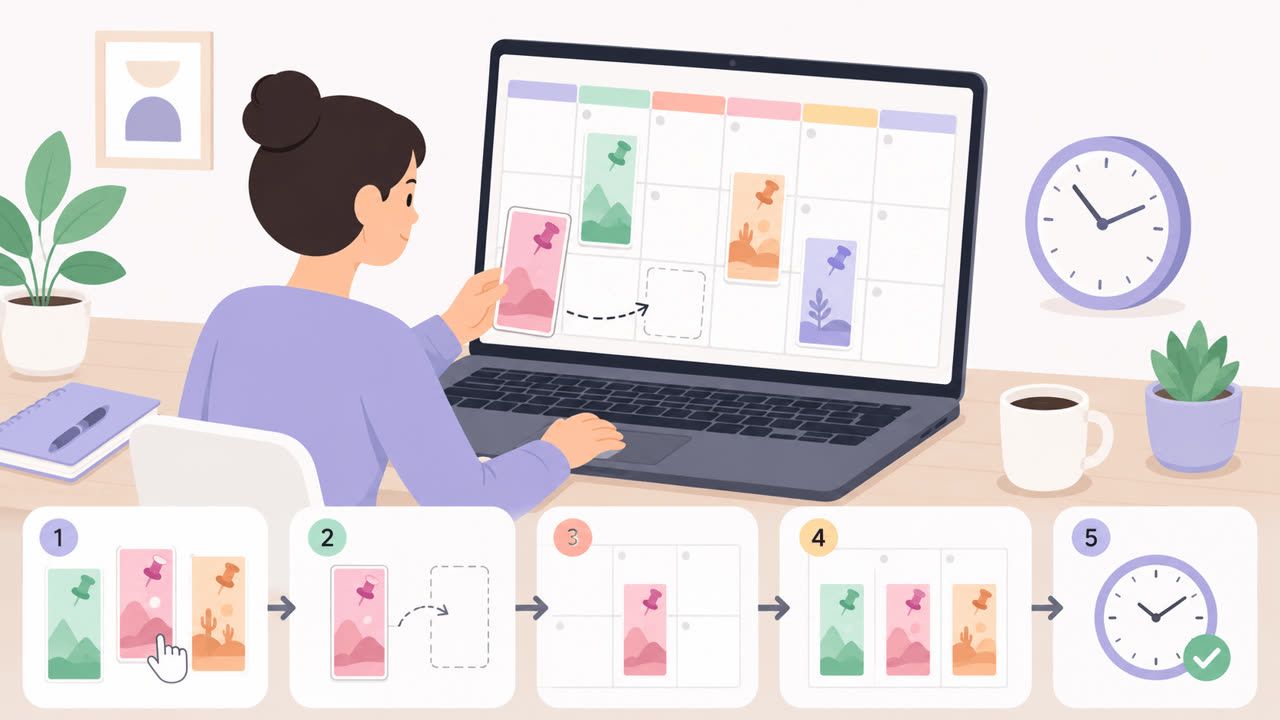
How to Schedule Pinterest Pins in 2026: Pinterest's Scheduler vs PostFast, Step by Step
Two ways to schedule Pinterest Pins: Pinterest's own scheduler (30 days ahead, 10 Pins queued) and PostFast for image, video, and multi-image Pins from desktop.
Best Social Media Schedulers in 2026: 11 Tools Compared on Price, Platforms, and Automation
Eleven social media schedulers compared on September 2026 pricing, platforms, auto-publishing, and API or MCP automation, using each vendor's own pricing page.