The Ultimate LinkedIn Post Size Guide for Perfect Posts
Master the correct LinkedIn post size for every format. Our guide covers images, videos, carousels, and ads to maximize your reach and engagement.
On this page (7)
Getting the right dimensions for your LinkedIn posts is the first step to making a solid impression. People scroll through their feeds fast. A poorly cropped or blurry image can instantly make you look like you don't sweat the details.
When you nail the specs, your content looks sharp, professional, and exactly how you intended. This guide is your quick reference to get it right every time, whether you're posting a single image, a video, or a multi-page document.
Your Quick Reference Guide to LinkedIn Post Sizes
For a quick look, the ideal image size for a standard LinkedIn post is 1200 x 627 pixels for a landscape image or 1080 x 1080 pixels if you're going for a square format. Sticking to these dimensions is the easiest way to avoid awkward crops that can sabotage your message.
Below is a visual breakdown of the key numbers you'll need for the most common types of content you'll be sharing.
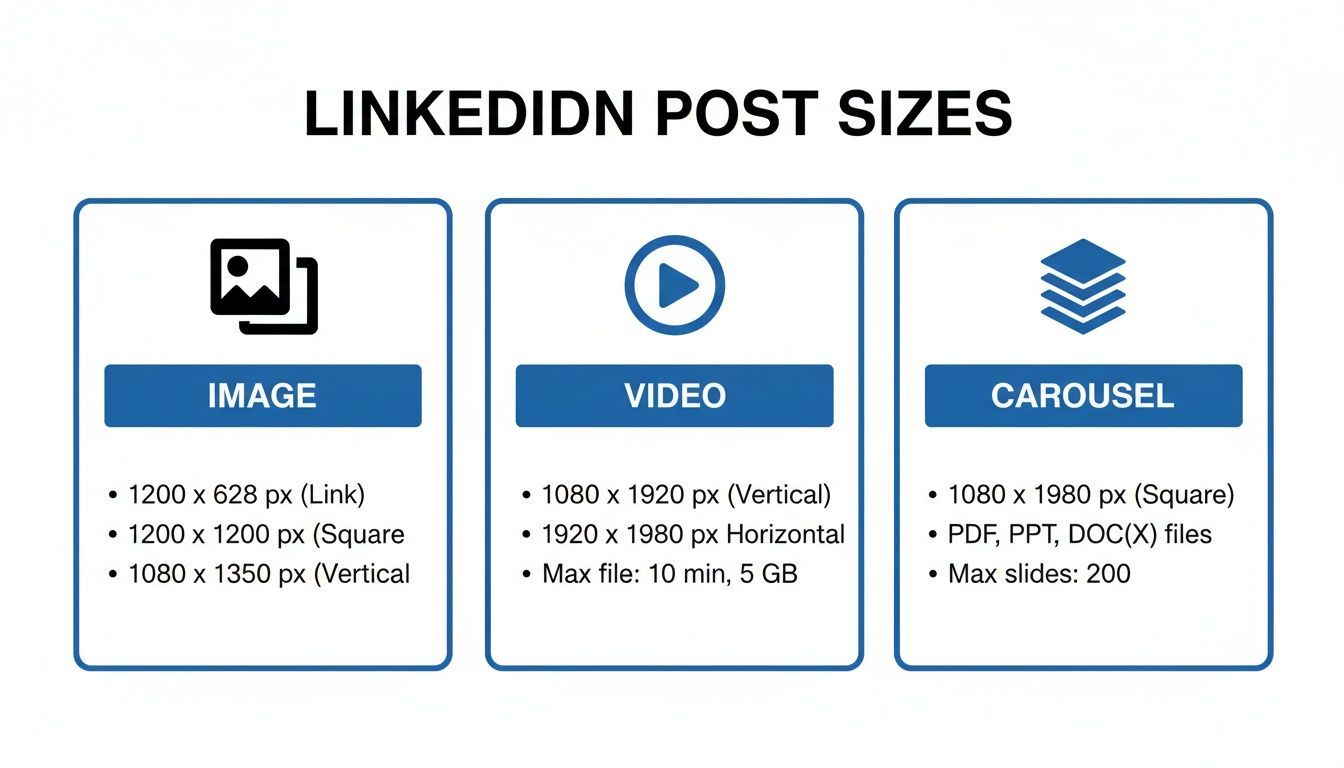
As you can see, while there are specific recommended sizes, LinkedIn does give you some flexibility with aspect ratios. The key is to know the rules before you start designing.
If you're looking for a really comprehensive breakdown of every possible spec from company page headers to all the different ad formats it’s worth bookmarking a detailed guide. For that, check out this ultimate LinkedIn post specs cheat sheet. It's an excellent, up-to-date resource for any serious creator.
And to make your workflow even smoother, you can use tools that handle these technical details for you. For instance, a scheduler like PostFast lets you create your content once, and its smart publishing features can help adapt it for different platforms, making sure it always looks polished. Starting with the right specs gives your content the best chance to grab attention and get people talking.
LinkedIn Post Dimensions Quick Reference
Here’s a simple table to keep handy. It covers the most common post types and their critical dimensions at a glance.
| Post Type | Recommended Dimensions (Pixels) | Aspect Ratio | Maximum File Size |
|---|---|---|---|
| Shared Image (Desktop) | 1200 x 627 | 1.91:1 | 5 MB |
| Shared Image (Square) | 1080 x 1080 | 1:1 | 5 MB |
| Shared Link Image | 1200 x 627 | 1.91:1 | 5 MB |
| Native Video | 1920 x 1080 (or 1080 x 1920 for vertical) | 16:9 or 9:16 | 5 GB |
| Carousel/Document Post | 1080 x 1080 (Square) or 1080 x 1350 (Portrait) | 1:1 or 4:5 | 100 MB |
Bookmark this page or save the table. Having these numbers ready before you open up your design tool will save you a ton of time and prevent any last-minute formatting headaches.
Why Nailing Your LinkedIn Post Size Matters
Getting your LinkedIn post dimensions right is about more than just looking tidy. It directly impacts how your posts perform and how people in your network see your professional brand. Think of it like a tailored suit the right fit makes all the difference.
When you upload an incorrectly sized image or video, LinkedIn’s feed automatically crops it to fit. This is how you end up with awkwardly cut-off headlines or half a logo showing. Cropping to the right preset yourself with a free LinkedIn image cropper avoids that, and the image never leaves your browser. It doesn't just weaken your message; it can make you look like you're not paying attention to the details, which is the last thing you want on a professional network.
Maximising Reach and Engagement
A clean, correctly formatted post gives your audience a better viewing experience, whether they’re on a desktop or scrolling on their phone. With nearly 60% of LinkedIn traffic now coming from mobile, making sure your content looks good on any device is essential.
This smooth user experience sends a positive signal to the LinkedIn algorithm. While LinkedIn doesn't explicitly say it rewards correctly sized posts, content that looks good naturally earns more engagement likes, comments, and shares. And more engagement means greater organic reach, putting your content in front of more potential clients, partners, and employers.
Getting your post dimensions right is a simple, proactive step that ensures your content is presented professionally, preventing cropped visuals and maximising its potential to capture attention in a busy feed.
Ultimately, taking a few moments to get the dimensions right is an investment in your own work. It makes sure the effort you put into creating great content actually pays off. Using a tool like PostFast can handle this for you, automatically optimising your visuals so you save time and know every post looks sharp from the moment you hit publish.
Mastering LinkedIn Image Post Dimensions
Images on LinkedIn are your hook. They grab attention way faster than a block of text ever could. But if you get the size wrong, that hook gets bent. You end up with awkward crops, blurry graphics, and a message that just doesn’t land right.
The safest, most common size for a shared image post is 1200 x 627 pixels. This is a 1.91:1 aspect ratio that familiar wide rectangle. LinkedIn loves this format because it displays cleanly across both desktop and mobile feeds without chopping off the good stuff.
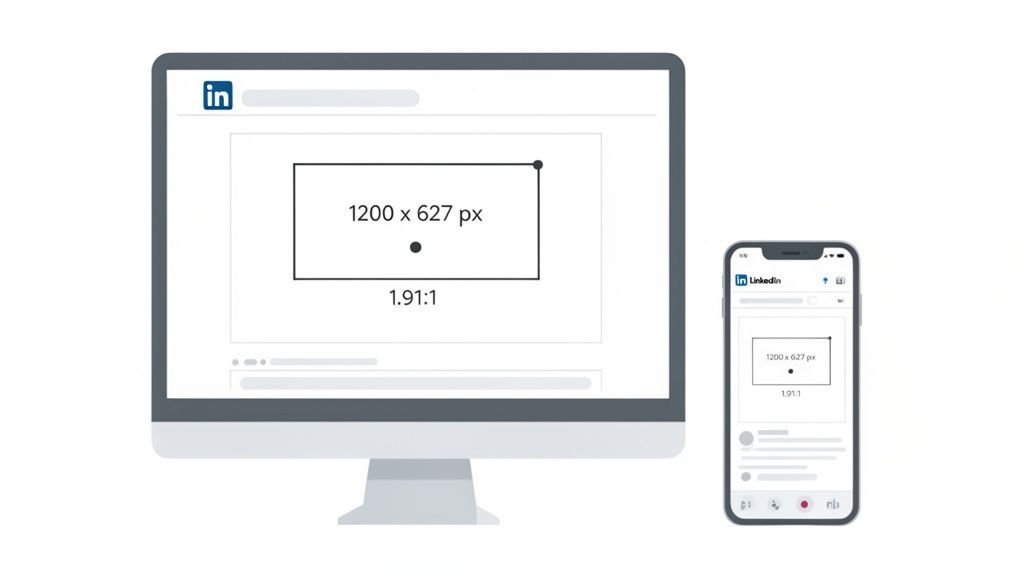
This isn’t just a random suggestion; it's what works. In fact, Bulgarian marketers see a 28% higher engagement rate on posts using the optimal 1200 × 627 size. With 72% of Bulgarian users browsing on their phones, getting the mobile view right is non-negotiable. You can dig deeper into these regional social trends and see the full analysis.
Square and Portrait Image Options
While the wide rectangle is standard, it's not your only option. Sometimes a different shape is exactly what you need to cut through the noise. A square image, for instance, is great for maintaining a consistent look if you’re sharing content across multiple platforms.
- Square Images: Go with 1080 x 1080 pixels (a 1:1 aspect ratio). This format takes up a solid chunk of screen real estate in the feed, making it hard to ignore.
- Portrait Images: For a taller visual, use 1080 x 1350 pixels (a 4:5 aspect ratio). This is a fantastic choice for mobile-first content because it fills more of the vertical screen.
No matter which dimensions you pick, always keep your key elements like text or logos centred. Think of it as a "safe zone." This ensures your main point is always visible, even if LinkedIn crops the edges for different previews in notifications or link shares.
Technical File Requirements
Getting the pixels right is only half the battle. You also need to watch the technical specs of the file itself. Sticking to these limits keeps your images loading quickly and prevents annoying upload errors.
Here are the key technical details to keep in mind for any single image post:
- File Types: Stick to PNG or JPG. As a rule of thumb, use PNG for graphics with sharp lines and text, and JPG for photographs.
- Maximum File Size: Keep your file under 5 MB. Anything larger will either be rejected or compressed so heavily that your quality takes a nosedive.
- Resolution: Always aim for at least 1200 pixels wide. Uploading a smaller image and letting LinkedIn stretch it is a recipe for a blurry, unprofessional mess.
These might seem like minor details, but they add up to create a polished, professional presence. The LinkedIn image spec sheet also covers multi-image posts of up to 20 images, the 3:1 wide format, and profile, cover and article sizes. To make it all a bit easier, using a scheduler like PostFast lets you manage and optimise your visuals ahead of time. You can prep your content knowing every image meets the right specs, freeing you up to focus on crafting the perfect message.
Creating Engaging LinkedIn Carousel Posts
Carousel posts, also known as document posts, are one of the best formats for telling a story or sharing detailed information on LinkedIn. Instead of just a single visual, they let you walk your audience through a multi-page narrative. This makes them perfect for tutorials, case studies, or breaking down a complex idea into simple, digestible slides.
Essentially, you're just uploading a document that people can swipe through right in their feed. That interactive element is a massive part of their appeal.
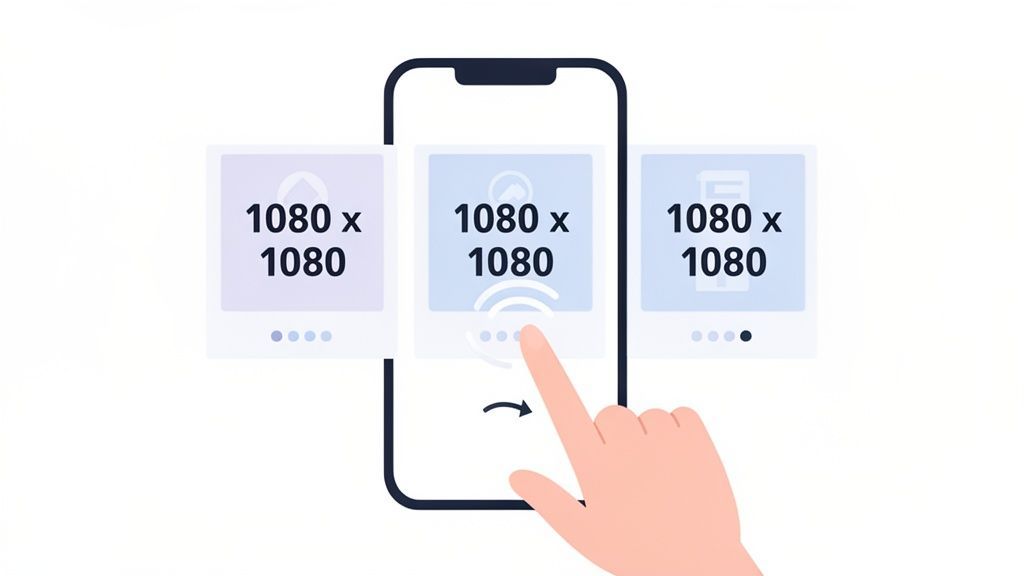
This format isn't just engaging; it's incredibly effective. Recent analysis, for example, shows that multi-image carousel posts drive 42% more interactions in the BG region than single-image posts. Local agencies in Plovdiv and Varna have even seen a 30% higher dwell time on carousels, which proves they keep people hooked for longer. You can dig deeper into these kinds of performance metrics and see how image sizes impact social media engagement.
Ideal Dimensions for Carousel Slides
Getting the dimensions of your carousel slides right is key to creating a seamless experience. Even though you can upload different document formats, it helps to think of each page as an individual slide when you're designing.
- Square (1:1 Aspect Ratio): The go-to dimension is 1080 x 1080 pixels. This is easily the most versatile and popular choice because it looks great on both desktop and mobile feeds.
- Portrait (4:5 Aspect Ratio): For a taller, more mobile-first format, use 1080 x 1350 pixels. This size grabs more vertical screen real estate on phones, making it much harder to just scroll past.
Whatever you choose, be consistent. Make sure every single slide in your document has the same dimensions to avoid any jarring transitions or weird cropping as people swipe through.
Technical Specifications for Documents
Beyond the pixel dimensions of the slides themselves, you also have to follow LinkedIn’s technical specs for the document file. This makes sure your carousel uploads without any errors and performs smoothly for everyone.
Here are the key specs to remember:
| Specification | Requirement | Key Details |
|---|---|---|
| Supported File Types | PDF, DOC, DOCX, PPT, PPTX | PDF is almost always the best option for keeping your formatting and design elements exactly how you want them. |
| Maximum File Size | 100 MB | Keep your file size down by compressing any images before you add them to your document. |
| Maximum Page Count | 300 pages | You can go up to 300, but honestly, the most engaging carousels are usually between 5 and 15 slides. |
| Title Character Limit | 255 characters | The document’s title is visible, so make it descriptive and interesting. |
Think of a good carousel like a mini-presentation. Your first slide needs a powerful hook, and the last slide absolutely must have a clear call to action that tells your audience what to do next.
Putting these posts together can feel a bit complex at first, but it gets much easier once you have a template. And if you need a more technical look at how they work, check out our guide on automating LinkedIn carousel posts for deeper insights. Getting this prep work done ensures your content not only looks sharp but actually helps you hit your professional goals.
Optimizing LinkedIn Video Post Specifications
Video is one of the best ways to stop the scroll in a busy feed, and LinkedIn is no different. A solid video can deliver a powerful message with real impact, but only if you get the formatting right from the start.
Getting your LinkedIn video post size correct means your audience gets a smooth, professional playback experience. Nobody wants their video to look stretched, pixelated, or poorly cropped it instantly damages your credibility.
Key Video Dimensions and Aspect Ratios
LinkedIn gives you a surprising amount of flexibility for video, supporting different orientations to match your content style. Whether you're sharing a polished interview or a quick vertical clip from your phone, there's a recommended size to make it look sharp.
Here are the most common video dimensions you should be aiming for:
- Landscape (16:9): The old standard, 1920 x 1080 pixels, is still perfect for most professionally shot content like interviews, webinars, and presentations.
- Square (1:1): A 1080 x 1080 pixels video is a fantastic, versatile choice. It performs well on both desktop and mobile, taking up a lot of screen real estate so it’s hard to miss.
- Portrait (4:5 or 9:16): For mobile-first content, vertical is the way to go. You can use 1080 x 1350 pixels (4:5) for a taller look or go full vertical with 1080 x 1920 pixels (9:16). These formats fill the entire mobile screen, creating a much more immersive feel.
While LinkedIn technically supports a wide range of aspect ratios from 1:2.4 to 2.4:1, sticking to these standard formats is your best bet for consistent, high-quality results. If you need the full rundown, check out our complete guide on LinkedIn video sizes and specifications.
Technical File Requirements for Videos
Beyond just the dimensions, the technical specs of your video file are crucial. Getting these details right prevents annoying upload failures and ensures your video plays smoothly for everyone, regardless of their connection speed.
Keep these critical limits in mind before you hit publish:
| Specification | Requirement | Best Practice Tip |
|---|---|---|
| File Format | MP4 | This is the gold standard. Stick with MP4 for the best compatibility and quality on the platform. |
| File Size | 5 GB maximum | While you can upload a file this large, compressing it to a smaller size will help it load faster for your audience. |
| Video Length | 3 seconds minimum, 10 minutes maximum | For organic posts, the sweet spot is usually 1-3 minutes. That's long enough to be valuable but short enough to keep people engaged. |
| Frame Rate | 60 FPS maximum | Most videos look perfectly smooth at 30 FPS, and it helps keep your file size down. |
| Resolution | 256x144 (min) to 4096x2304 (max) | Always aim for at least 720p (1280 x 720) resolution to make sure your video looks crisp and professional. |
A quick heads-up: around 85% of social media videos are watched with the sound off. Always burn in subtitles or upload a caption file so your message lands, even when it’s playing silently.
Using a tool like PostFast can really simplify your workflow by letting you schedule your video content ahead of time. You can prep your posts, add your captions, and make sure everything is good to go without that last-minute scramble.
A Guide to LinkedIn Ad Creative Sizes
When you're putting money behind your content, getting the technical details right is non-negotiable. LinkedIn ads are a fantastic way to reach a professional audience, but a poorly formatted creative can burn through your budget and kill your campaign's credibility before it even gets going.
Understanding the correct LinkedIn post size for ads means your visuals get approved quickly and show up perfectly in the feed. No awkward crops, no blurry images just a much better return on your investment.
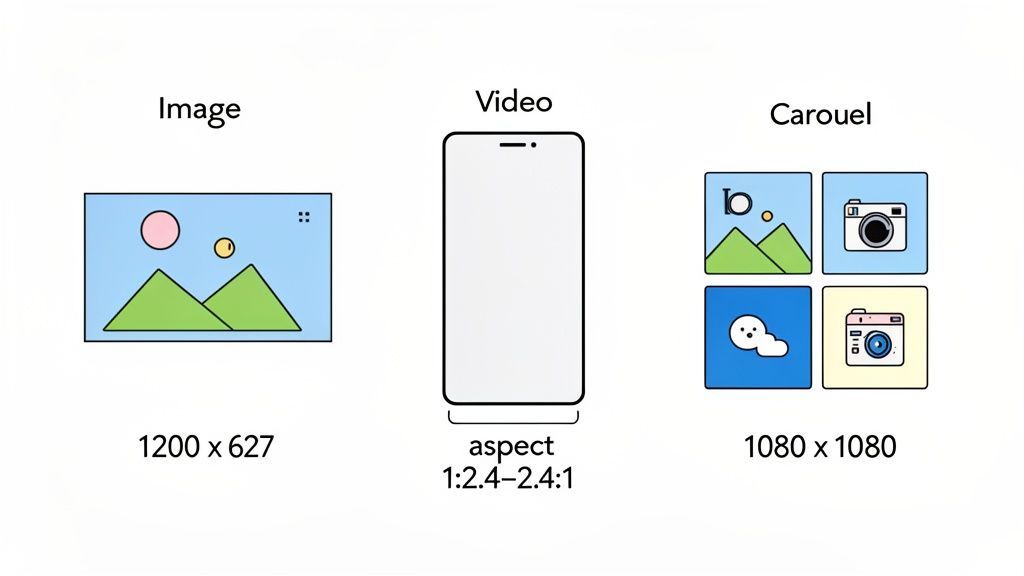
From single image ads to multi-card carousels, every format has its own set of rules designed to make the biggest impact.
Single Image Ad Specifications
The single image ad is a classic for a reason. It’s clean, direct, and gets the job done for driving traffic or generating leads. To make it work, your image has to be sharp and sized correctly.
- Recommended Dimensions: The go-to size is 1200 x 627 pixels, which is a 1.91:1 aspect ratio. This looks great on both desktop and mobile.
- File Type: Stick with JPG or PNG.
- Maximum File Size: Keep it under 5 MB to avoid any upload headaches.
Video Ad and Carousel Ad Requirements
Video ads grab attention right away, while carousels are brilliant for telling a story or showing off a few different products. Both have their own technical specs you'll want to follow. For instance, video ads can run for up to 30 minutes, but let's be real the ones that work best are usually under 15 seconds.
Carousel ads let you use up to ten individual cards, each with its own image and link. It's a really interactive format that's perfect for explaining a process or highlighting different product features.
To make it easy, here’s a quick-reference table with the key specs for these popular formats. Sticking to these guidelines is your first step toward a successful paid campaign.
LinkedIn Ad Format Specifications
Here’s a detailed breakdown of the creative requirements for some of the most common LinkedIn ad formats.
| Ad Format | Recommended Dimensions | File Type | Max File Size | Key Notes |
|---|---|---|---|---|
| Video Ad | 1920 x 1080px (16:9) or 1080 x 1080px (1:1) | MP4 | 200 MB | Keep videos short for better engagement; add subtitles for silent viewing. |
| Carousel Ad | 1080 x 1080px (1:1) per card | JPG or PNG | 10 MB per card | You can use between 2 and 10 cards. Each card can have a unique headline. |
Running paid campaigns means you're juggling a lot of different creative assets. A scheduler like PostFast can help you organise your ad content alongside your organic posts, making your content calendar feel more cohesive and a lot less chaotic.
How to Simplify Your Content Workflow
Keeping track of all the different LinkedIn post sizes can feel like a full-time job. It gets even more complicated when you’re also trying to manage content for Instagram, X, and a handful of other platforms. Manually resizing every single visual isn’t just tedious it's a massive drain on your time and creative energy.
This is exactly where a good social media scheduling tool comes in. Platforms like PostFast are built to handle these technical details for you, simplifying your entire workflow from the moment you create a piece of content to the second it gets published. You get to focus on the message, not the maths.
Automate Your Sizing and Scheduling
When you’re looking at scheduling tools, one of the most powerful features is automatic resizing. This is what makes sure a single piece of content you create is perfectly optimised for every single network you post it to. Imagine designing one great graphic and having it automatically cropped to the ideal LinkedIn post size, the perfect Instagram square, and the right dimensions for a Facebook update.
This approach gives you two huge benefits:
- Massive Time Savings: You completely cut out the need to manually create multiple versions of the same visual. That frees you up for more important work.
- Guaranteed Consistency: Your brand maintains a polished, professional look across all your channels because every post is formatted correctly, every time.
By taking the guesswork out of all the technical specs, a solid scheduling tool lets you build a much more efficient and reliable content calendar. It’s peace of mind, ensuring your posts look professional every single time you publish.
This setup lets you create and schedule weeks of content efficiently, knowing each post will look its best without any last-minute fixes. If you want a deeper look into the mechanics, you can explore guides on automating your LinkedIn posting to see how it all works behind the scenes. This level of organisation transforms your workflow from a frantic daily task into a streamlined, strategic operation.
LinkedIn Post Sizes: Your Questions Answered
Trying to keep all the different LinkedIn specs straight can get a bit confusing. Here are some quick answers to the most common questions we see from creators and marketers.
What’s the Best Universal Image Size for All Social Platforms?
If you need one image size that plays nice everywhere, go with a 1080 x 1080 pixel square. This 1:1 aspect ratio is your most reliable friend for cross-platform posting.
It looks great on LinkedIn, Instagram, and Facebook without weird cropping issues cutting off your message. While custom-sized images for each platform will always give you the absolute best result, a square image is a solid, time-saving compromise that still takes up a good amount of screen space, especially on mobile.
Why Do My LinkedIn Images Look Blurry?
Blurry images on LinkedIn are super frustrating, but it’s usually down to one of two things. First, you might be uploading an image that’s too small. If your image width is under 1200 pixels, LinkedIn has to stretch it to fit the feed, which instantly makes it look pixelated and soft.
The other culprit is heavy-handed compression. LinkedIn compresses all images to help the platform load faster. If your file is too big (anything over 5 MB is risky), the compression algorithm will work overtime, often with very noticeable, blurry results. Stick to high-resolution files under that limit to keep things sharp.
How Should I Format Content for Mobile vs Desktop?
It's a mobile-first world, with nearly 60% of LinkedIn traffic coming from phones. That means taller images, like a 4:5 aspect ratio (1080 x 1350 pixels), are brilliant for grabbing attention because they fill more of the vertical screen.
That said, a square 1:1 image (1080 x 1080 pixels) is often the safest bet for a consistently good look on both mobile and desktop. The real trick is to keep your most important visuals and text smack-bang in the centre. Think of it as a "safe zone" that ensures nothing critical gets cut off, no matter where someone is scrolling.
Juggling different image sizes for every platform is a chore. With PostFast, you can create your content once, and our smart publishing tools will help you schedule tailored posts that look perfect everywhere. Start your free trial today and see how easy it is to maintain a professional look across all your social channels.
When the image is sized, see how to schedule LinkedIn posts for the steps to queue it ahead of time on a profile or a company Page.
Related
LinkedIn scheduling with PostFast
Profiles, Pages, documents, carousels

Can You Schedule Posts on LinkedIn? How to Schedule LinkedIn Posts for Profiles and Pages in 2026
Yes. LinkedIn schedules posts 10 minutes to 3 months ahead (1 hour on Pages). Desktop, mobile, and Page steps, plus where PostFast goes further.
Your Complete Guide to the LinkedIn Cover Size
Get the official LinkedIn cover size for profiles, pages, and events. Our guide includes safe zones, design tips, and best practices to create a perfect banner.
Boost Your Reach with the Right LinkedIn Post Size: A Quick Guide
Learn the linkedin posts size for every format, including images, videos, carousels, and profiles, to polish your content and boost engagement. Read now.
The Ultimate Guide to LinkedIn Banner Size and Best Practices
Master the perfect LinkedIn banner size with our complete guide. Learn dimensions, safe zones, and tips to make your profile stand out professionally.
Can ChatGPT Post to Instagram and Facebook? Yes, Here Is How
Yes, with a connected app. Use PostFast to schedule Instagram and Facebook posts, Reels and Stories from ChatGPT, with approval before publishing.