LinkedIn Video Specifications
Complete guide to LinkedIn native video dimensions, duration limits, and technical specifications. Upload professional videos with the perfect format for maximum engagement. Updated for 2026.
Quick Specs
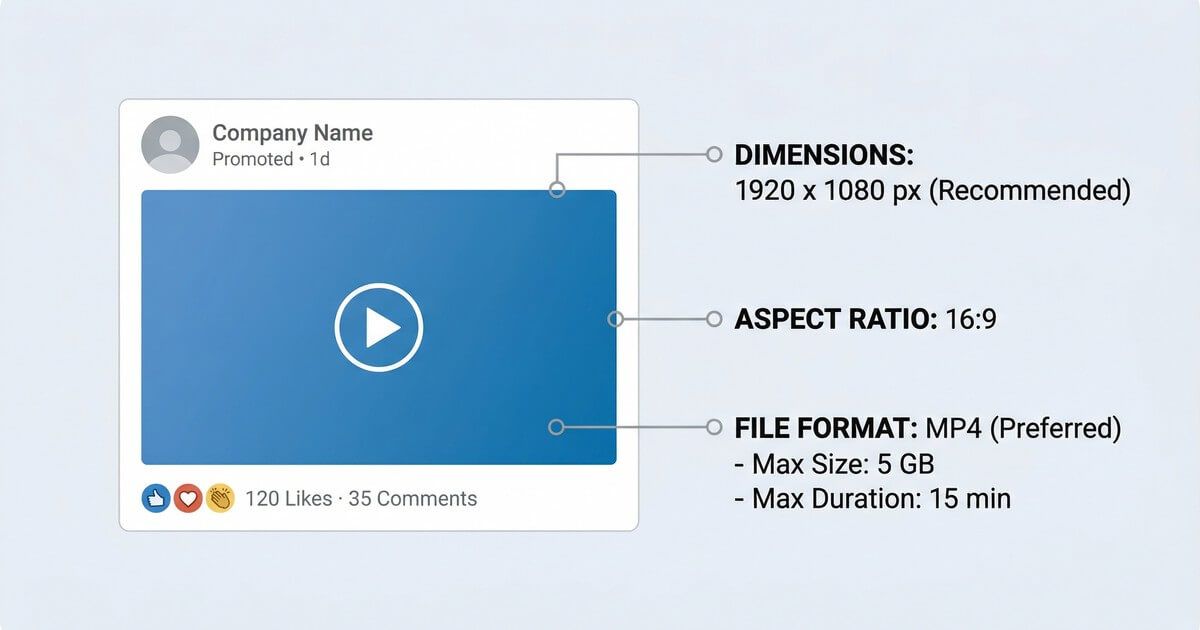
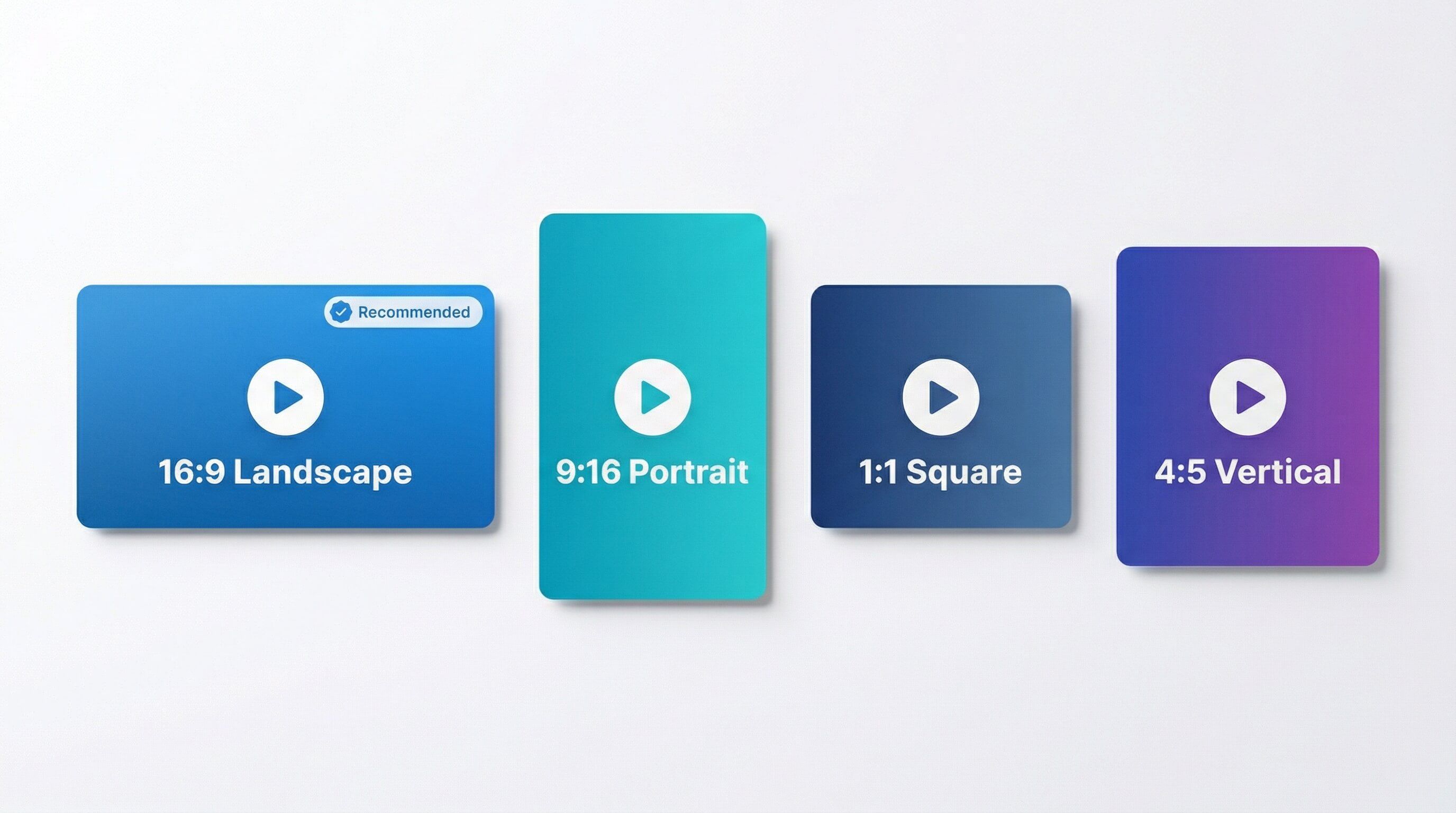
Dimensions & Resolution
Best for desktop viewing and professional content
Optimal for mobile feed experience
Works well across all devices
Full vertical format
Video Duration
Minimum: 3 seconds
Maximum: 900 seconds
Up to 15 minutes (minimum 3 seconds on desktop, 2 seconds in the mobile app). Videos under 60s get more engagement
Important Notes
LinkedIn native videos drive 5x more engagement than external links. Videos should be professional and value-focused. The platform supports multiple aspect ratios with 16:9 for desktop and 4:5 for mobile being optimal. Videos under 60 seconds in 4:5 format often get the most comments.
Optimization Tips
- ✓Keep videos under 60 seconds for best engagement
- ✓Use 4:5 ratio for mobile-first content
- ✓Add captions - 80% watch without sound
- ✓Native uploads get 5x more reach than YouTube links
- ✓Start with a hook in first 3 seconds
- ✓MP4 format with H.264 codec recommended
- ✓Professional, value-focused content performs best
Sources & Verification
Last verified: 2026-09-25
Up to 15 minutes and 5GB per video, 3 seconds minimum (2 in the mobile app), 10-60fps, 192Kbps-30Mbps. LinkedIn Page videos: aspect ratio 1:2.4 to 2.4:1. Video ads: 3 seconds to 30 minutes, 500MB.
Native Vs External
Video Ads
Company Pages
Resolution
Schedule LinkedIn videos for maximum reach
Frequently Asked Questions
What's the maximum video length on LinkedIn?
Native videos can be up to 15 minutes long. However, videos under 60 seconds typically see the highest engagement rates.
Should I upload videos directly or share YouTube links?
Always upload directly to LinkedIn (native video). Native videos autoplay in the feed and get 5x more engagement than external video links.
What's the best aspect ratio for LinkedIn videos?
4:5 vertical ratio is optimal for mobile feeds where most viewing happens. 16:9 landscape works best for desktop viewers and professional presentations.
What's the file size limit for LinkedIn videos?
Native video posts, including videos posted as a LinkedIn Page, support up to 5GB. Video ads are limited to 500MB.
Recent Updates
Re-checked against the LinkedIn Help Center: videos can run up to 15 minutes on every device, videos posted as a LinkedIn Page take up to 5GB at 1:2.4 to 2.4:1, and video ads go up to 500MB.
Migrated to evergreen URL structure. Verified all specifications current.
LinkedIn maintains 10-minute limit for mobile, 15 minutes for desktop uploads
Related Specifications
LinkedIn Posts
Complete guide to LinkedIn image dimensions and specifications for posts. Create professional posts with the perfect image size and format for maximum engagement. Updated for 2026.
LinkedIn Profile
Complete guide to LinkedIn profile picture dimensions. Upload a professional profile photo with optimal size and quality for maximum visibility. Updated for 2026.
LinkedIn Cover
Complete guide to LinkedIn cover photo and banner image dimensions. Create the perfect background image for your profile or company page. Updated for 2026.