X (Twitter) Video Specifications
Complete guide to X (Twitter) video dimensions, duration limits, and technical specifications. Upload videos with the perfect format for maximum engagement. Updated for 2026.
Quick Specs
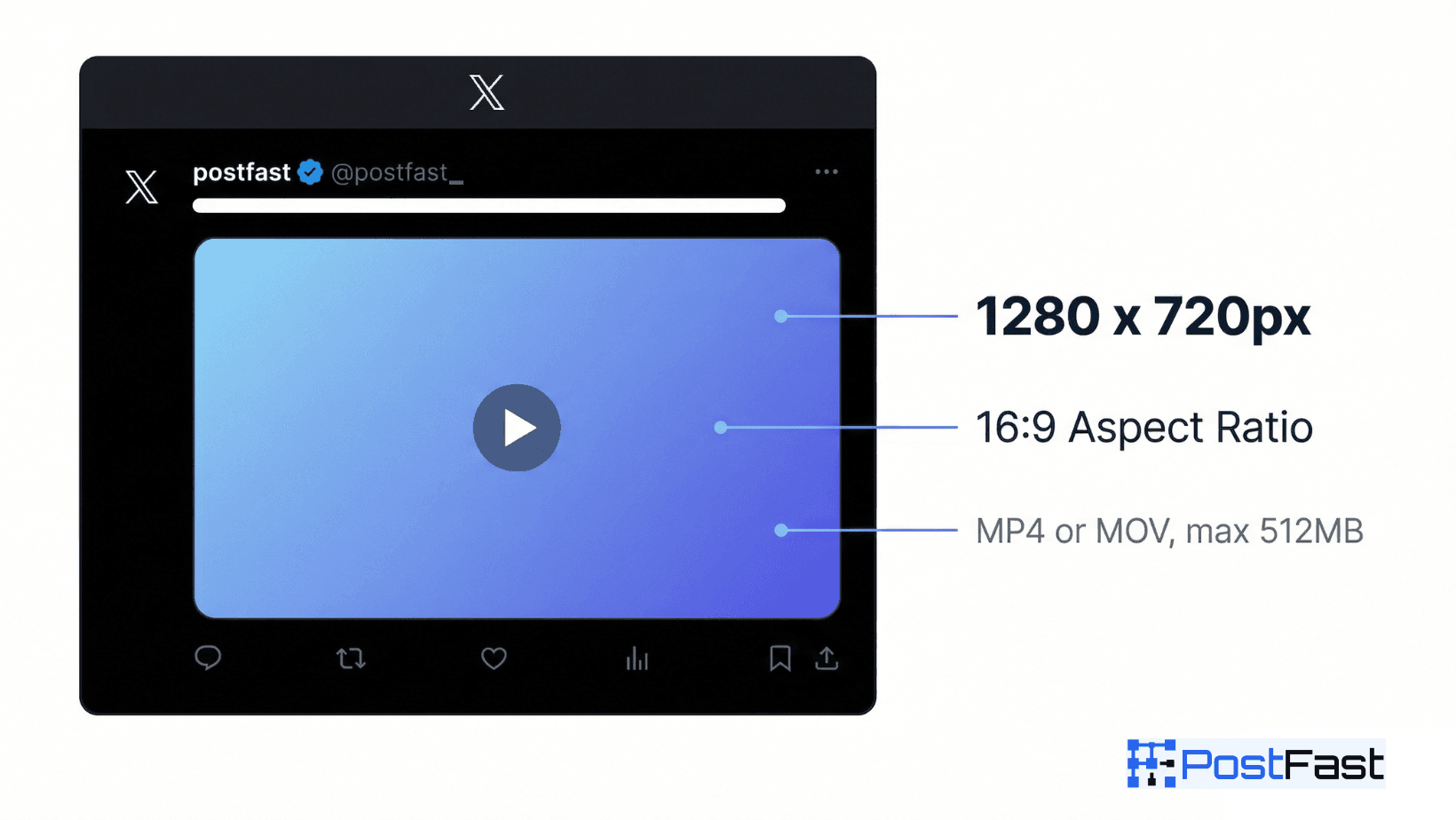
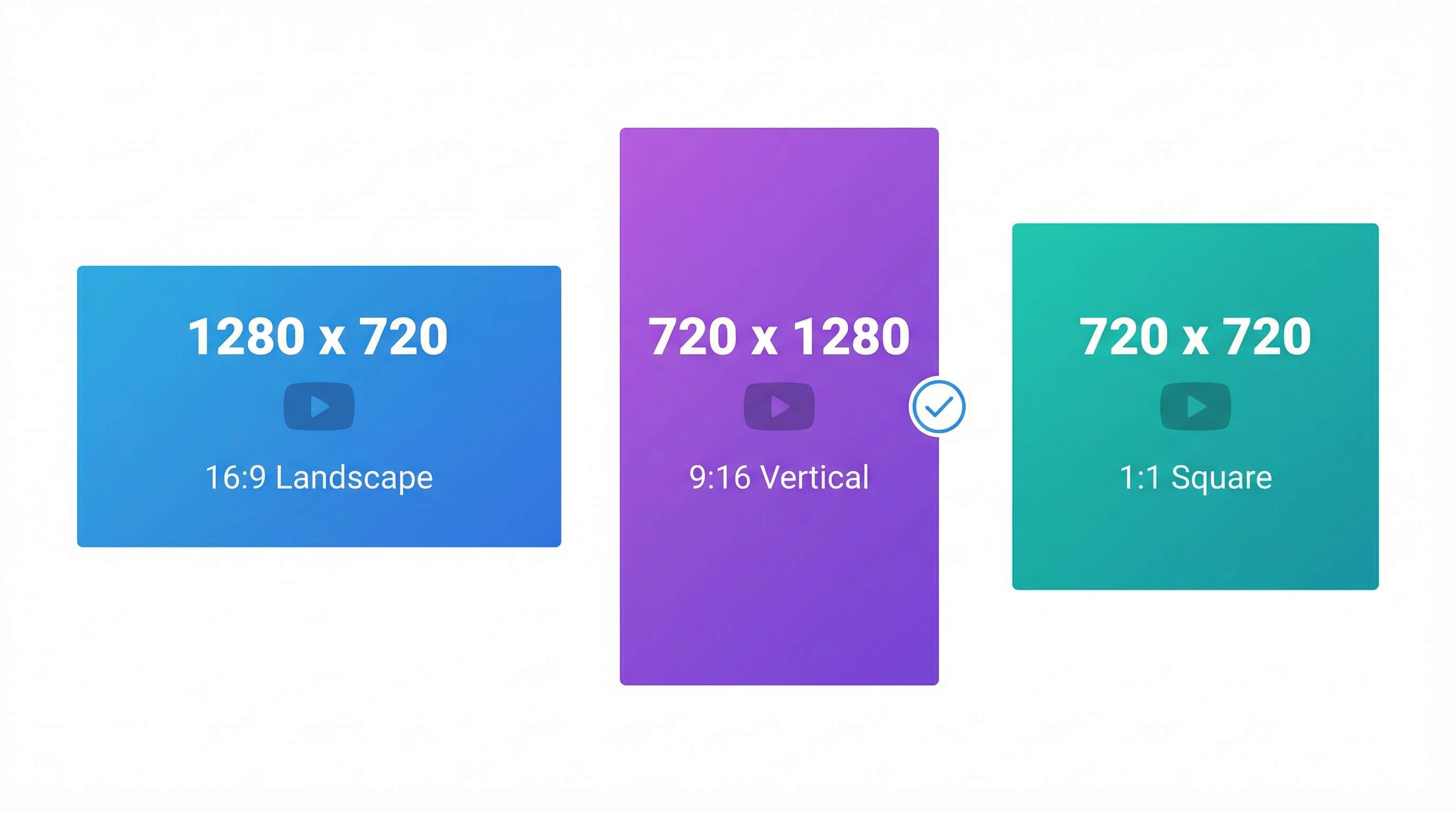
Dimensions & Resolution
Best quality for landscape videos
Optimal for mobile viewing
Works well for square video content
Video Duration
Minimum: 1 seconds
Maximum: 140 seconds
Non-premium: 2min 20sec. Premium: Up to 4 hours on web/iOS, 10 min on Android
Important Notes
X (Twitter) video capabilities vary significantly by subscription tier. Premium subscribers can upload videos up to 4 hours (240 minutes) at 1080p on web/iOS with a 16GB file limit. Videos between 2-4 hours must be 720p. Android is limited to 10 minutes even for Premium users. Non-premium users remain limited to 140 seconds and 512MB. **PostFast Pro Tip:** When scheduling videos through PostFast, you don't need to worry about manual compression or format conversion. PostFast automatically optimizes your videos for X's requirements, ensuring the best quality within the platform's limits.
Optimization Tips
- ✓Keep non-premium videos under 140 seconds (2:20)
- ✓Use H.264 video codec with AAC audio
- ✓Export at 1280×720 (HD) for optimal quality
- ✓Frame rate: 30fps recommended, 60fps supported
- ✓Shorter videos (15-30 seconds) get better engagement
- ✓Add captions for accessibility and silent viewing
- ✓Premium: Upload up to 4 hours at 1080p (web/iOS)
- ✓Schedule videos during peak engagement hours (7-9 AM, 5-7 PM)
- ✓Use PostFast to auto-retweet high-performing videos at different times
- ✓Cross-post videos to Instagram Reels & TikTok for maximum reach
Sources & Verification
Last verified: 2026-07-16
Standard: 140s/512MB. Premium: up to 4h at 1080p on web/iOS (X states 720p for 2-4h videos), 16GB max. Android limited to 10 min. help.x.com now attributes longer uploads to Premium subscribers generally, not only Premium Plus. Web-upload caps: 1920×1200 (or 1200×1900 portrait), 40fps, 25Mbps.
Platform Tiers & Limits
✨ Premium/Pro
Standard
Encoding
Supported Resolutions
Stop worrying about video specs. PostFast handles compression, format conversion, and scheduling automatically.
Frequently Asked Questions
What's the maximum video length on X (Twitter)?
Non-premium users can upload videos up to 140 seconds (2 minutes 20 seconds). Premium subscribers can upload up to 4 hours at 1080p on web and iOS, though Android is currently limited to 10 minutes. PostFast automatically handles video length requirements when scheduling.
What video formats does X support?
X only supports MP4 and MOV formats. Videos should be encoded with H.264 video codec and AAC audio for best compatibility and quality. When you schedule through PostFast, your videos are automatically optimized to meet these requirements.
What's the file size limit for videos?
Non-premium users are limited to 512MB. Premium subscribers can upload videos up to 16GB on web and iOS platforms, enabling 4-hour videos at high quality.
What's the recommended video resolution?
1280×720 pixels (HD) at 16:9 aspect ratio is recommended. Web uploads accept up to 1920×1200 for landscape and 1200×1900 for portrait videos. For maximum reach, consider cross-posting vertical videos (9:16) to Instagram Reels and TikTok using PostFast.
Can I schedule X videos to post at specific times?
Yes! With PostFast, you can schedule X videos days or weeks in advance. Pick your optimal posting time, and PostFast will automatically publish your video. You can also auto-retweet high-performing videos to maximize reach across time zones.
Recent Updates
Re-verified against X help and developer docs: standard 140 seconds/512MB and Premium 4 hours/16GB (web/iOS) limits unchanged. X now lists longer uploads for all Premium subscribers, so Premium Plus wording was retired.
Migrated to evergreen URL structure. Verified all specifications current.
Premium Plus: 4 hours at 1080p (web/iOS), 16GB max. Videos 2-4 hours require 720p. Android limited to 10 minutes
Related Specifications
X (Twitter) Posts
Complete guide to X (Twitter) image dimensions and specifications for posts. Create engaging tweets with the perfect image size and format for maximum impact. Updated for 2026.
X (Twitter) Header
Complete guide to X (Twitter) header image (banner) dimensions. Create the perfect header with optimal size for desktop and mobile display. Updated for 2026.
X (Twitter) Profile
Complete guide to X (Twitter) profile picture dimensions. Upload the perfect profile photo with optimal size and quality. Updated for 2026.