Facebook Profile Picture Specifications
Complete guide to Facebook profile picture dimensions. Upload the perfect profile photo with optimal size and quality for both desktop and mobile display. Updated for 2026.
Quick Specs
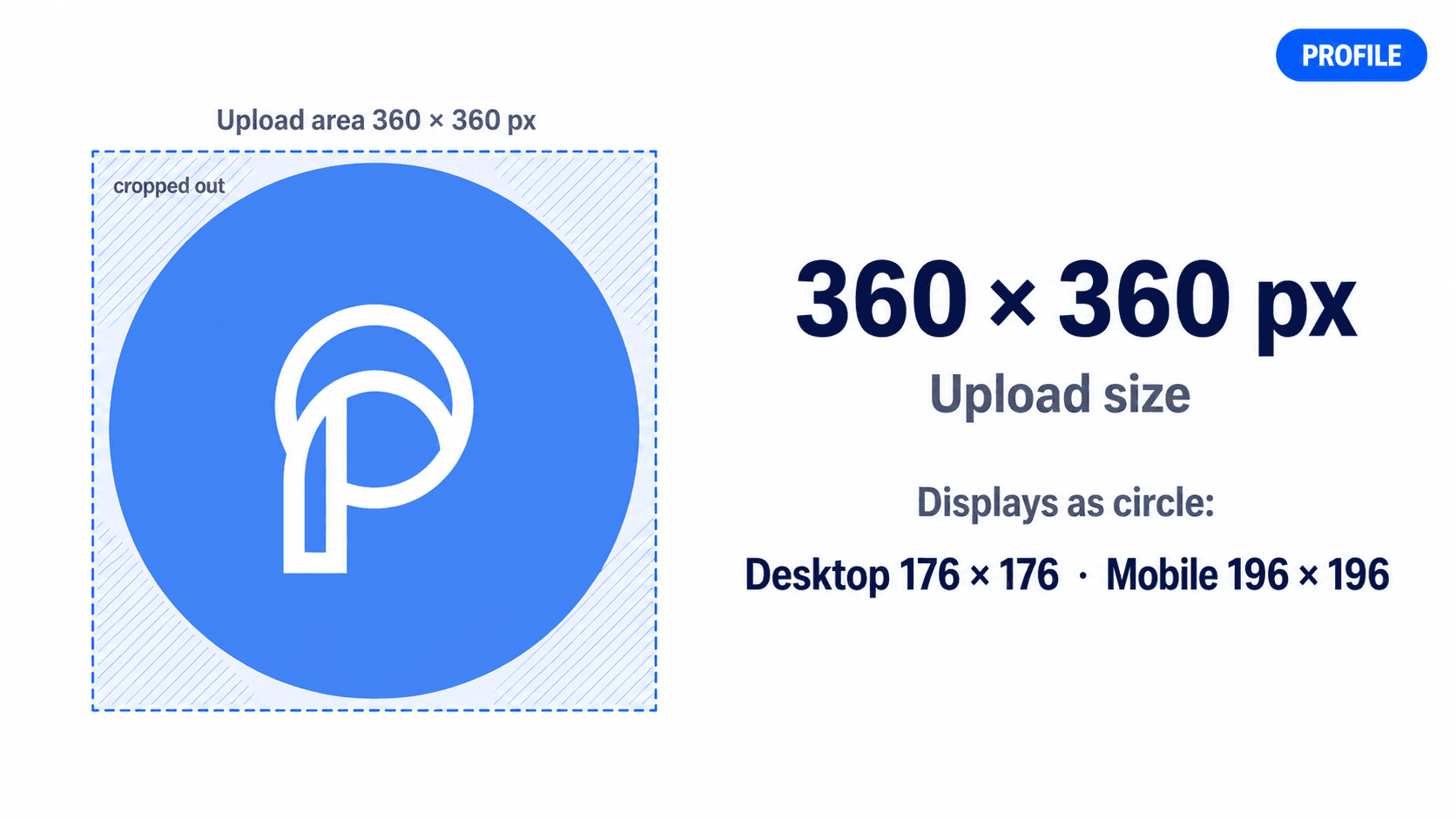
Dimensions & Resolution
Minimum required dimensions for upload
Meta recommends 320×320; 360×360 adds headroom for high-DPI screens
Higher quality for retina displays
Important Notes
Facebook profile pictures are cropped to a circle when displayed, so design accordingly. Meta recommends 320×320 pixels for best quality; 360×360 adds a little headroom for high-DPI screens. The profile picture displays at 176×176px on desktop and 196×196px on mobile. Profile pictures appear on your profile, in feeds, comments, and throughout Facebook, making them one of the most visible elements of your presence.
Optimization Tips
- ✓Upload square images at 360×360px (Meta recommends 320×320px for best quality)
- ✓Design with circular crop in mind - keep important elements centered
- ✓Profile pictures display at 176×176px (desktop) and 196×196px (mobile)
- ✓Use faces or logos centered in the frame to avoid circular crop issues
- ✓Keep file size under 100 KB for faster loading
- ✓JPG for photos, PNG for logos or graphics with transparency needs
- ✓Profile picture appears in front of cover photo on desktop
- ✓Consider how it looks as a small thumbnail in comments and feeds
Sources & Verification
Last verified: 2026-09-25
Facebook Help Centre lists 176×176px on computers, 196×196px on smartphones, a circular crop and 320×320px for best quality. Meta Business Help Centre lists 170×170px on computers and 128×128px on mobile, and says the Page profile picture stays square when people visit the Page. 360×360 is retained here as a higher-quality recommendation.
Display Sizes
Circular Crop
All profile pictures are displayed as circles. Center important elements to avoid cropping issues.
Positioning
Profile picture positioning varies between desktop and mobile
Upload Guidelines
Higher resolution uploads ensure quality across all display sizes
Visibility Areas
Schedule Facebook posts with auto-optimization
Frequently Asked Questions
What is the best size for a Facebook profile picture?
Meta recommends 320×320 pixels for best quality, and 360×360 pixels adds a little extra sharpness on high-DPI screens. Facebook will display your profile picture at 176×176px on desktop and 196×196px on mobile devices, but uploading at higher resolution ensures it looks sharp everywhere.
Why is my Facebook profile picture cropped into a circle?
All Facebook profile pictures are displayed as circles. When designing your profile photo, keep important elements like faces or logos centered to ensure they remain visible after the circular crop is applied.
What's the minimum size for Facebook profile pictures?
The minimum upload size is 180×180 pixels, but this is not recommended. For best quality, Meta recommends 320×320 pixels; 360×360 or even 720×720 pixels works well for high-resolution displays.
Can I use a rectangular image for my Facebook profile picture?
While you can upload rectangular images, Facebook will crop them to a square before applying the circular mask. For best results, always upload square images (1:1 aspect ratio) with important content centered.
How does my profile picture appear across Facebook?
Your profile picture appears in multiple places: large on your profile page, medium-sized in posts and comments, and as small thumbnails in notifications and search results. This is why uploading high-resolution images (360×360px or larger) is important.
Recent Updates
360×360 is no longer called a minimum: Meta recommends 320×320 for best quality. On mobile the profile picture sits on the left and overlaps the cover by about 40px.
Re-verified against Facebook Help Centre. Page profile picture display sizes (176×176px desktop, 196×196px mobile) and circular crop confirmed unchanged. Note: Meta documents 320×320 as the suggested upload size; we still recommend 360×360 as a safer overshoot for retina/HiDPI displays.
Migrated to evergreen URL structure. Verified all specifications current.
Profile pictures display at 176×176px on desktop and 196×196px on mobile. Circular crop applied to all profile photos.
Related Specifications
Facebook Cover
Complete guide to Facebook cover photo dimensions for personal profiles and business pages. Create the perfect cover photo with optimal size for desktop and mobile. Updated for 2026.
Facebook Feed
Complete guide to Facebook feed post dimensions and image specifications. Create engaging posts with the perfect size and format for maximum reach. Updated for 2026.