TikTok Video Specifications
Complete guide to TikTok video dimensions, aspect ratios, and technical specifications. Create viral TikToks with the perfect video size and format. Updated for 2026.
Quick Specs
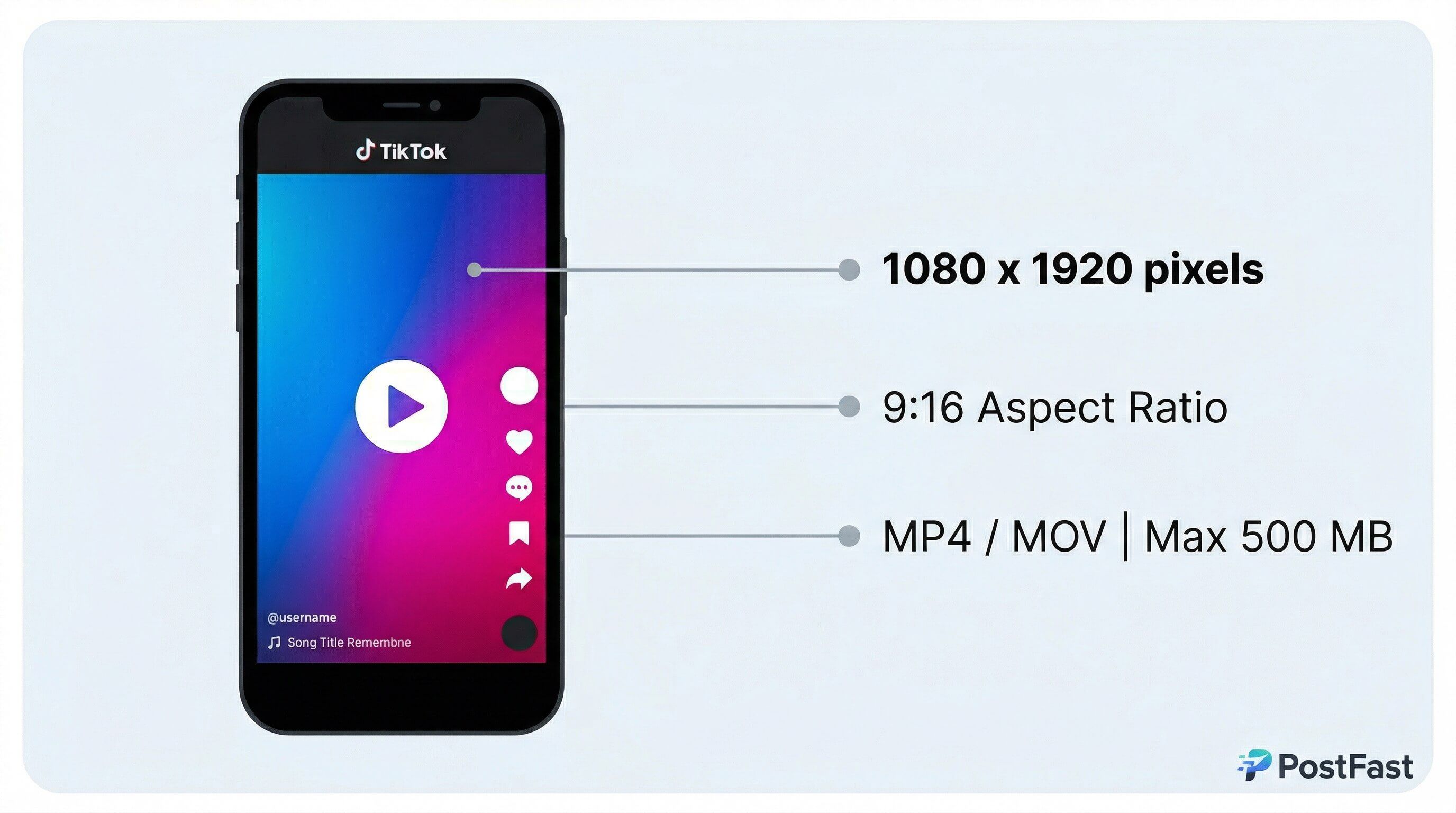
Dimensions & Resolution
Native TikTok vertical format
Supported but not optimal for TikTok
Supported with letterboxing
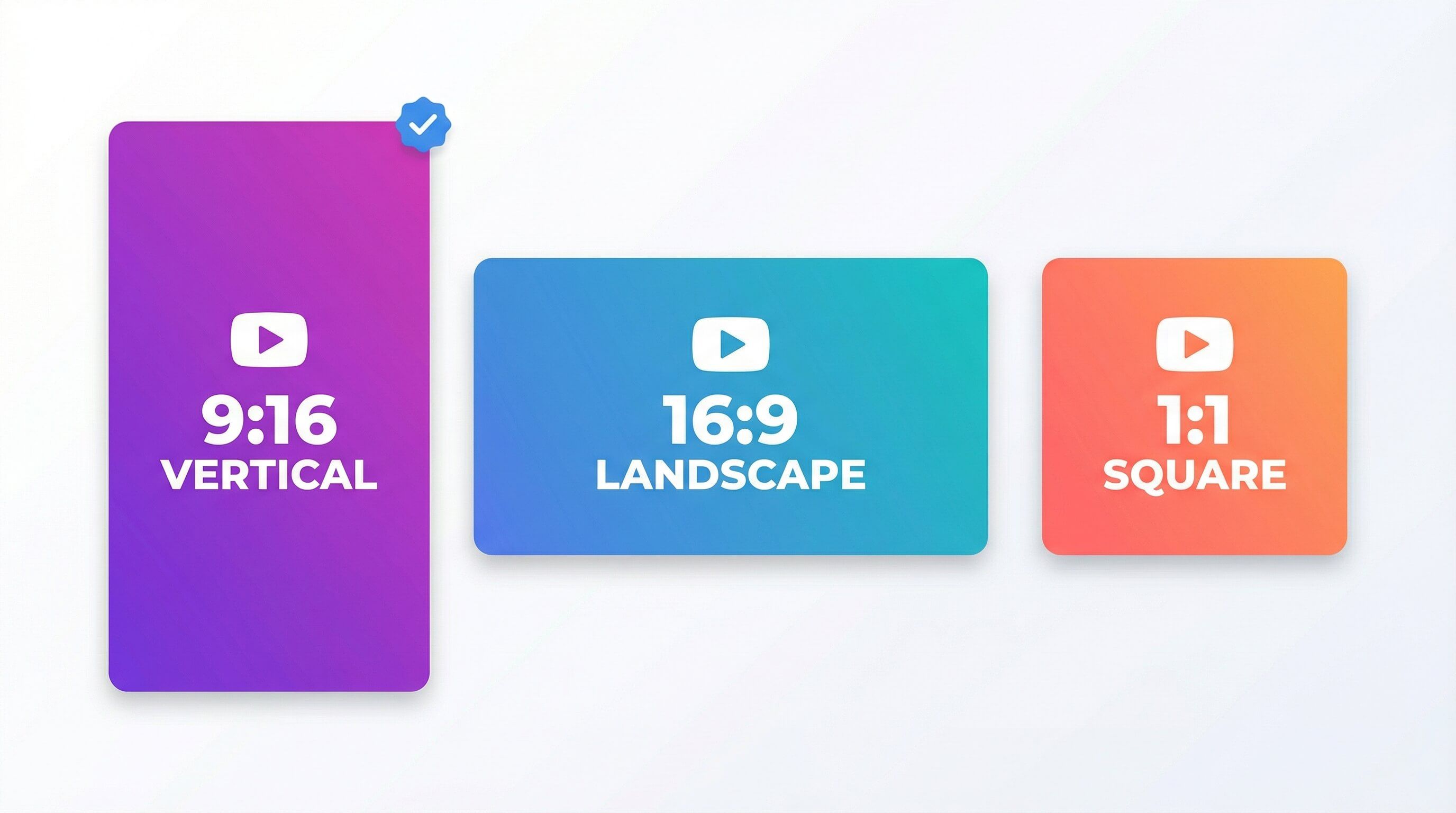
TikTok Aspect Ratio
TikTok's native aspect ratio is 9:16, the full-screen vertical frame at 1080x1920 pixels. It is the ratio TikTok recommends and the one that fills the screen in the For You feed. TikTok also accepts 1:1 (square) and 16:9 (landscape) uploads, but any ratio other than 9:16 plays with black bars or gets cropped in feed, which usually means lower watch time and weaker reach. If you export in another ratio, keep your subject and captions inside the 9:16 safe zone so nothing important is cut.
Video Duration
Minimum: 3 seconds
Maximum: 3600 seconds
Record in-app up to 10 minutes; upload up to 60 minutes. TikTok's Content Posting API, which scheduling tools use, accepts up to 10 minutes. Optimal: 15-30 seconds
Important Notes
TikTok supports recording up to 10 minutes in-app or uploading up to 60 minutes of finished video. TikTok recommends 21-34 seconds for In-Feed ads. Export at 1080p as TikTok will compress 4K uploads anyway. For best results, compress videos before upload to ensure compatibility.
Optimization Tips
- ✓Videos 15-30 seconds perform best for engagement
- ✓Use H.264 codec for video and AAC for audio
- ✓Export at 1080p - 4K videos are downscaled anyway
- ✓Aim for 30fps for most content, 60fps for action
- ✓Keep bitrate between 6-8 Mbps for 30fps videos
- ✓Add captions - 73% of users watch without sound
- ✓Hook viewers in the first 3 seconds
Sources & Verification
Last verified: 2026-09-25
Verified against the TikTok Help Center, the official Content Posting API docs and TikTok's In-Feed ad specs. In-app recording up to 10 minutes, uploads up to 60 minutes. The Content Posting API accepts videos up to 10 minutes and 4 GB. Safe zones come from TikTok's In-Feed safe-zone template. The in-app file size figures (about 72 MB on Android, 288 MB on iOS) and the 4 GB web uploader limit are not stated on an official TikTok page.
Safe Zones
⚠️ From TikTok's official In-Feed ad safe-zone template (720x1280): keep the top 160px, the bottom 440px, 80px on each side, and the right-hand button column clear
Technical Specifications
Captions
Caption Recommendations
Sounds
Effects
Queue TikToks without juggling the in-app editor
Frequently Asked Questions
What is the TikTok aspect ratio?
The TikTok aspect ratio is 9:16, a vertical 1080x1920 pixel frame that fills the screen in the For You feed. TikTok also supports 1:1 and 16:9, but those display with black bars and tend to underperform, so 9:16 is the recommended choice.
Does TikTok support 16:9 and 1:1 aspect ratios?
Yes. TikTok accepts 16:9 (landscape) and 1:1 (square) aspect ratios alongside the native 9:16. They will play, but TikTok adds black bars to fit the vertical feed, and full-screen 9:16 videos generally get more watch time and reach.
What's the maximum TikTok video length?
Record up to 10 minutes when using TikTok's camera, or upload up to 60 minutes when uploading a finished video. Videos between 15-30 seconds see the highest engagement.
Can I upload 4K videos to TikTok?
While TikTok accepts 4K uploads, all videos are compressed to 1080p. It's more efficient to export at 1080p to control quality yourself.
What's the recommended file size for TikTok videos?
There is no minimum, and the maximum depends on how you upload. The TikTok mobile app caps uploads at about 72 MB on Android and 288 MB on iOS, while the web uploader at tiktok.com accepts files up to 4 GB for longer or higher-quality videos. Whatever the limit, compress before upload to keep quality high.
What video format is best for TikTok?
MP4 format with H.264 video codec and AAC audio codec provides the best balance of quality and compatibility for TikTok.
Can I upload 60-minute videos to TikTok?
Yes, you can upload videos up to 60 minutes when uploading finished videos (not recording in-app). This feature availability may vary by region.
Recent Updates
Re-checked against TikTok's Help Center, developer docs and ads specs: the maximum length now reflects 60-minute uploads, the safe zones follow TikTok's In-Feed safe-zone template, and the 21-34 second figure is attributed to TikTok's In-Feed ads guidance.
Added TikTok aspect ratio guidance (9:16 native, 1:1 and 16:9 supported) and clarified file size limits by length and upload method.
Migrated to evergreen URL structure. Verified all specifications current.
Web uploads support up to 60 minutes. In-app recording remains 10 minutes max
Standard video length increased to 10 minutes for all users
Related Specifications
TikTok Carousel
Complete guide to TikTok Photo Carousel (Photo Mode) dimensions and specifications. Create engaging multi-image posts with optimal size and format for maximum engagement. Updated for 2026.
TikTok Profile
Complete guide to TikTok profile picture dimensions. Upload the perfect profile photo with optimal size and quality for your TikTok account. Updated for 2026.
Instagram Reels
Complete guide to Instagram Reels dimensions, aspect ratios, and technical specifications. Optimize your Reels for maximum engagement with the right video size and format. Updated for 2026.
YouTube Shorts
Complete guide to YouTube Shorts dimensions, aspect ratios, and specifications. Create engaging Shorts with the perfect vertical video format. Updated for 2026.