Meta Muse AI for Social Media Managers (2026): What the Agent Does, What It Costs, and How to Connect a Scheduler
Meta Muse is Meta's personal AI agent. What it can do for social media managers today, what it costs, and how a scheduler connects through connectors.

On this page (10)
Meta launched Muse, its personal AI agent, on September 8, 2026. Ten days later it was the number one app in the US App Store, with about 730,000 downloads according to Sensor Tower. If you run social media accounts for a living, the question is not whether Muse is impressive. It is what Muse can do for your accounts today, what it costs, and how a scheduling tool fits in.
This guide answers those questions from Meta's own documentation. Every capability, price and rule below comes from Meta's Help Centre, its launch announcement, its developer platform page and its security research post, all read on September 21, 2026, plus a few dated press reports for the numbers Meta does not publish. Muse is only live in the US and Canada, so we have not run it hands-on yet. Where a claim is unverified, the guide says so, and we will update the page as Meta ships.
What Meta Muse is, and what it is not
A personal agent with its own computer
Meta describes Muse as a personal AI agent that "doesn't just answer questions, it actually does the work." The important difference from a chatbot is where it runs. Each user gets a Muse Secure VM, which Meta calls "a dedicated secure computer with its own browser." Muse lives on that machine, keeps working after you close the app, and comes back "when something changes or when it needs approval, like before it sends an email or makes a purchase."
You talk to it like you message a person. According to Meta's product page, that works "using the Muse app on mobile, Mac, or directly in WhatsApp." The Mac app arrived on September 18 and can work with files, apps and browser tabs on your computer. The model underneath is Muse Spark, which Meta calls its most capable model to date.
Three things make Muse different from the assistants most marketers already use:
- It has a browser you can watch. Meta's Help Centre says "you have access to a web browser inside your chat with Muse, which both you and Muse can control." You can open the browser view, take control of it, or stop the task.
- It runs tasks in the background. Meta's own example: ask it to monitor daily weather reports and alert you about rain, and "it will do that on its own without you needing to check in."
- It asks before important actions. Sending a message, making a purchase or sharing information with a connected app triggers an approval request. You can allow once, always allow, or deny.
It is not Meta AI inside Instagram
Muse is a separate product from the Meta AI assistant that lives inside Instagram, Facebook, Messenger and WhatsApp. Meta's own Muse product page lists "Meta AI Assistant" as a different product under "Explore Meta AI products." Meta AI answers questions inside the apps you already use. Muse is an agent with its own computer that connects to those apps, and to others, through connectors. The name collision with the older muse.ai video hosting service, now called Skiv, adds to the confusion. Since September 2026, muse.ai is Meta's domain for the agent.
Where you can use it
The launch post says Muse "is rolling out in the US on iOS, Android, and muse.ai, and coming soon to AI glasses." Canada followed on September 18, 2026, Japan on October 23 and Singapore on October 27, each launch with its own local connector partners: Meta's Singapore post names Shopee, Grab, Singapore Airlines, Agoda, ShopBack, Klook, Trip.com and Lazada, and its Japan post names Mercari, Money Forward ME and Ticket Pia. Meta's subscription page adds two conditions that matter for agencies: "Muse and Muse subscriptions are in limited testing and aren't available in all locations yet," and "you must be 18 or the age of majority in your country." Outside the launch countries the app shows a waitlist. We joined it from Bulgaria on September 21, 2026, which is why this guide is documentation-based for now.
What Meta Muse costs
A free tier with a usage limit
Meta's wording is exact: "Muse is available for free with a usage limit. If you reach your free usage limit and want more usage, you can upgrade to a paid subscription or wait until your free usage limit has been refreshed." The launch post frames it as "free for most of what people need." Meta's Help Centre does not publish the size of the free allowance. Press reports from launch week put it at 100 million tokens per week, so treat that figure as reported, not official.
Power and Max plans
The two paid plans are documented on Meta's subscription help page, with allowances measured per week:
| Plan | Price | Weekly allowance |
|---|---|---|
| Free | USD 0 | Usage limit, size not published by Meta |
| Power | USD 20 per month | 500M Muse tokens per week |
| Max | USD 100 per month | 3B Muse tokens per week |
Subscriptions renew monthly on the purchase date, can be bought in the mobile app or at muse.ai, and require a Meta account. Meta notes that "subscription benefits and availability may vary by region and account."
Invite codes and free tokens
On September 16, 2026, Meta's chief AI officer Alexandr Wang announced invite codes: friends who sign up with your code earn "1 BILLION TOKENS EACH" for both sides, "for up to 20 friends." That is the fastest way to a large allowance while Muse is in limited testing.
What a token buys
Meta does not publish per-task token costs, so nobody outside Meta can say what a week of caption drafting or a recurring competitor check consumes. Once we have a live account we will measure a social media workload and add the numbers here.
What Muse does with Facebook, Instagram and Threads today
Your Meta accounts connect automatically
This is the part most relevant to anyone managing Meta properties. The Help Centre states that three of Meta's own connectors, Facebook, Instagram and Threads, "are connected automatically if you have your accounts in the same Accounts Centre." It adds: "You don't need to do anything to set these up." You manage which accounts Muse can reach from Accounts Centre.
Meta's product page describes the purpose as "Connect your email, calendar, Instagram and more apps you use daily," and the launch post gives one concrete example: Muse "can turn a recipe reel the person saved on Instagram into a grocery list." In other words, reading saved content and account context is documented.
On September 27, 2026, Alexandr Wang showed a new Instagram profile banner: under Instagram's Banners setting, next to the Threads and WhatsApp badges, you can add your Muse, and the demo shows a visitor tapping it and messaging the owner's Muse directly. Muse's own account confirmed on September 28 that it is "rolling out now". Meta has not published a help page for it yet, so treat the details as early, not documentation.
What Meta does not say
No Meta page we read describes Muse publishing or scheduling posts to Instagram, Facebook or Threads. Meta's "reminders and scheduled tasks" article covers reminders and recurring tasks "such as daily check-ins or weekly summaries," and states that "reminders are delivered as messages in your conversation with Muse." That is a task scheduler for Muse itself, not a post scheduler for your accounts.
On September 29, 2026 Meta's Muse for Small Business announcement went one step further than the help centre: Muse "can connect your Instagram professional account analytics, Facebook Pages, and Meta ad accounts in a few clicks," and "nothing publishes, sends, or spends without your approval." That is an official statement of analytics access and an approval gate; it still does not say Muse posts to Instagram, so the caution below stands.
Early hands-on reviews disagree with each other on whether Muse can post to Threads or build an Instagram calendar from your insights. Until Meta documents it or we test it, treat any "Muse schedules your Instagram posts" claim as unverified. If you need reliable, cross-platform publishing at a set time, that is exactly what a scheduling tool with an approval step is for, and it is why the connector question below matters.
Connectors, explained for non-developers
Connectors are how Muse reaches anything beyond Meta's apps. Meta's definition: "When you set up a Connector, Muse gets new abilities, such as the ability to see your calendar or write an email." There are two kinds.
Directory connectors, reviewed by Meta
These appear in the app under Settings, then Connectors. You can also just ask, for example "Connect my Gmail." Each one shows what it can access, and you tap Continue to authorize it. The launch list, as posted by Alexandr Wang on September 8, 2026: "Gmail, Google calendar, Outlook, Plaid, Opentable, Google Docs, Spotify, Function Health, Withings, Tailscale, Peloton, and more."
On September 18, 2026, Mark Zuckerberg opened the directory to outside developers. His framing: "You bring the API" and "Muse brings the agent, the browser, and the context of what the person actually wants." Meta's platform page describes a three-step process: describe your product, submit for review of "functional, security, and legal requirements" with end-to-end testing by Meta, then appear in the directory, where "editors will review connectors for featured placement." Payments run through Link by Stripe. Meta's connector guidelines and its Connector Terms are published at platform.muse.ai/docs and muse.ai/platform/terms (the developer portal itself moved to platform.muse.ai on October 31); review times and fees are not. As of November 2, 2026, no social media scheduling tool is listed. The full list of connectors we can verify, with a source for every row, is on our Meta Muse connectors list, updated weekly.
Custom connectors, built by Muse for you
This is the route that exists today for any tool not yet in the directory. Meta's Help Centre: "If you want to connect to a service not yet available in the Connector list, you can ask Muse to create a Custom Connector. Muse will guide you through the process, which can involve retrieving API information from the service. Muse stores these in its Secure Credentials Store."
In practice, "API information" means the service's API documentation and an API key, which you paste into Muse's credential prompt rather than into the chat. Meta's product page puts the idea more simply: "If a task needs a tool that doesn't exist, Muse builds it for you." The caveat is in the same help article: "Meta doesn't review custom connectors or how they use your information, so grant access with caution and review the provider's privacy policies."
Read actions, write actions and approvals
Meta separates what a connector may do into read actions, which "let Muse view your information (e.g. checking your calendar or reading an email)," and write actions, which "let Muse make changes and manage information on your behalf (e.g. sending a message or making a purchase)." Many connectors can be set to retrieve only.
Under Settings, then Permissions, the connector default is either "Ask for some actions," where Muse asks before every write action and important read actions, or "Always ask." When Muse does ask, the options are Allow once, Allow for this task, Allow for this site, Always allow and Deny. Everything it did, and every permission you granted, is listed in the Activity log. For a social media manager, this is the control that decides whether a publishing action needs a tap every time or runs unattended.
Meta's Connector guidelines, published at muse.ai/platform/docs by October 5, 2026, add a third class for directory connectors, the sensitive write ("make a purchase, send an email, etc."): "Currently reads and writes from platform connectors default to Ask on first use," users "can choose Always allow for tools that are not sensitive," and "Sensitive writes cannot be set to Always allow." For a scheduler that means a publish action is at least a write, and Meta tells developers to "Never hide a send, share, publish, or payment action in a tool described as a read or routine edit."
How the security works underneath
Meta's research post on Muse safety explains why credentials never sit in the chat. A separate host-side agent called Sentinel "is the sole permission authority for approval to perform actions with connectors to third-party services and for all egress over the network." Muse proposes actions; only Sentinel can grant them. Code inside the agent sees only a surrogate token, minted separately, and the real credential is inserted at the network edge. The practical consequence: an API key you give a custom connector is stored, not shown to the model.
Five workflows a social media manager can run today
Each of these maps to a capability Meta documents. None of them requires a scheduler connection.
1. Research and competitive briefs in the shared browser
Muse's browser can visit pages, fill forms and, in Meta's words, keep "an eye on things, such as looking for price drops." Its built-in skills include "compiling research" and "drafting documents." Ask for a weekly brief on three competitors' recent campaigns and you get a document in your Library, with the browsing session visible if you open the browser view.
2. Captions, calendars and visuals as artefacts
Muse creates and edits artefacts: documents, XLSX and CSV spreadsheets, PNG and JPEG images, and single-page web tools. A posting calendar as a spreadsheet, a batch of caption variants as a document, or a quick visual from "Describe the image that you want" are all documented outputs. Our own numbers on posting windows are a useful input here: the 61,008-post timing study gives Muse a starting grid instead of a guess.
3. Recurring check-ins and weekly summaries
Meta's example prompts include "Every Monday at 09:00, remind me to submit my timesheet." The same recurring-task mechanism, described as "daily check-ins or weekly summaries," can deliver a Monday reminder to review the week's queue or a Friday summary of what shipped. The output arrives as a message in the Muse chat, not as a report emailed to a client, unless you connect email and approve the send.
4. Monitoring, in the background
Because Muse "keeps working in the background whether you're actively using the app or not," a standing task such as "tell me when a competitor's pricing page changes" or "alert me when this hashtag page shows a new top post" is within the documented pattern. Expect approval prompts the first time it visits an unfamiliar site if your web-access default is "Ask for some actions."
5. Client email and calendar, with approvals
With Gmail or Outlook and a calendar connected, Muse can draft the client update, propose the review slot and hold both until you approve. Meta's default is that it "will not take many important actions, such as sending an email, without your approval," which is the right default for agency work. Since September 23, 2026, each Muse also has its own email address: forward a brief or add the agent to a client thread and it works from there, per Meta's Connect recap and Alexandr Wang's announcement.
What is missing from that list is the one thing a social media team does most: publishing to eleven platforms at scheduled times. That is a connector job.
How to connect PostFast to Meta Muse today
The route that exists today: a custom connector
Until schedulers appear in the directory, the documented path is the custom connector. In Meta's words, you ask Muse to create a Custom Connector and it guides you, retrieving "API information from the service." What Muse needs from a scheduling tool is an API documentation URL and an API key. Because Meta does not review custom connectors, check three things first: which scopes the key carries, whether the tool lets you create drafts as well as scheduled posts, and how you revoke access. Disconnecting a connector in Settings stops the data exchange, and regenerating the key on the tool's side ends it for good.
The PostFast recipe, from Meta's documented process
PostFast's REST API is included on every plan, including the 7-day trial, and it is documented publicly, so it has everything a Muse custom connector asks for. Applying Meta's process step by step:
- Generate the key in PostFast. Open API in the sidebar, which takes you to your workspace's API tab, and click Generate API Key. Copy it immediately, because it is shown only once. Each workspace has one active key, only workspace admins can generate it, and regenerating invalidates the old key straight away. For agency work, generate the key inside the client's workspace, so the connector can only reach that client's accounts.
- Ask Muse to build the connector. A prompt that gives it everything Meta says it needs: "Create a custom connector for PostFast. The API documentation is at https://postfa.st/docs. The base URL is https://api.postfa.st and every request needs my API key in the pf-api-key header."
- Paste the key where Muse asks for it, not in the chat. Meta stores credentials in the Secure Credentials Store, and the model never sees them. If Muse asks you to type the key into the conversation instead, stop and start again.
- Start with a read action. "List my connected social accounts" only retrieves data. Then try a draft, which creates nothing public: "Create a draft post for LinkedIn with this text." Only then schedule something real.
- Leave approvals on. With the connector default at "Ask for some actions," every scheduled post is a write action that Muse holds for your tap. If you prefer the human gate inside the scheduler, PostFast's pending-approval status keeps a post unpublished until an invited workspace member signs off, whichever assistant created it.
One caveat, stated plainly: this is Meta's documented custom-connector process applied to PostFast's public API. We have not yet run it end to end on a live Muse account, because Muse is not available in our country. As soon as we have, this section will become a tested walkthrough with screenshots, the exact prompts that worked, and anything that did not.
Prompts to try once it is connected
- "Schedule this text to LinkedIn and Threads for Tuesday at 9 am in New York."
- "Draft three Instagram captions for the product launch and save them as drafts, no publishing."
- "Show me everything scheduled for next week and flag any day with nothing planned."
- "Move Thursday's TikTok post to Friday at 6 pm."
- "Show the unanswered comments on yesterday's post and draft replies for me to approve."
The last one uses the Social Inbox, which the API exposes for TikTok, Instagram, Facebook and Threads, so Muse can read comments and propose replies while the send itself waits for your approval.
Why the hosted MCP server matters
PostFast also runs a hosted MCP server with OAuth, which is how it already works inside ChatGPT and Claude: you sign in on PostFast's own screen and no key is ever pasted anywhere. Meta's app has no MCP setting, but its connector guidelines accept "API or MCP documentation" for directory submissions, and PostFast's submission, filed on September 19, 2026, has been in review in Meta's developer portal since October 3, the second of four stages, with the intake completed on October 6 and redone on October 31, when Meta moved the portal to platform.muse.ai and added a built-in sign-in test, which PostFast's connector passed the same day; business verification now runs through Persona and is awaiting Meta's decision. One developer also reported on October 4 that a custom connector can target a remote MCP server with OAuth 2.1 when the server hosts a client document for Muse; PostFast's server now hosts one at mcp.postfa.st/.well-known/muse-client-v2.json, listing the connect callback Muse has used since October 31, so that route exists in principle. We have not tested it, because Muse is not available in our country, so the key-based recipe above stays the documented one. Two limits reported by users in October: custom OAuth connectors lose access after about an hour because Muse's authorize flow requests no refresh token, and the Add custom connector button has gone from Settings in recent app versions, so you ask Muse in chat to build one, which is the route Meta's help page documents. A directory listing is what turns the recipe above into a one-tap "Connect PostFast" under Settings, with OAuth instead of a pasted key and Meta's review behind it. The public API documentation covers accounts, media uploads, drafts, scheduled posts, analytics and the inbox across Instagram, Facebook, Threads, TikTok, LinkedIn, YouTube, X, Pinterest, Bluesky, Telegram and Google Business Profile, so the same connector serves every platform a team publishes to.
What to check before connecting any tool
- Scopes. Give the connector a key that can create drafts and scheduled posts, not one that can delete accounts.
- Approval defaults. Leave "Ask for some actions" on until you have watched a week of Muse's activity log.
- Retrieve-only first. Many connectors can be set so Muse "is only able to retrieve data, but not take actions." Start there for analytics, then widen.
- Training toggle. Meta's "Help improve our AI models" setting is on by default and can be turned off under Data controls. For client accounts, decide this before connecting anything.
Muse vs ChatGPT vs Claude for scheduling posts
| Meta Muse | ChatGPT | Claude | |
|---|---|---|---|
| Availability (Sept 2026) | US and Canada, 18+, limited testing | Global | Global |
| How a scheduler connects | Directory connector reviewed by Meta, or a custom connector Muse builds from API docs | Connectors over MCP with OAuth | Connectors over MCP with OAuth |
| Who approves an action | Sentinel plus per-action prompts: allow once, for this task, for this site, always, deny | Per-tool confirmations in the chat | Per-tool confirmations in the chat |
| PostFast status | Directory submission in review; custom-connector route documented by Meta | In the ChatGPT plugin directory | In Claude's connector directory |
The honest summary for September 2026: if your team is outside the US and Canada, or needs a scheduler connection today, ChatGPT and Claude already do the job. Muse's advantage is the always-on agent with its own browser, and its Meta accounts are pre-connected. If your work is mostly Instagram, Facebook and Threads, that head start is real. For everything else, it depends on connectors that are two weeks old.
Trust and privacy: what marketers should know
Muse has had a rough first fortnight in the press on trust. The Wall Street Journal ran "Meta's AI Agent Has a Trust Problem" on September 18, Inc. published a columnist's account of Muse reading his private messages on September 19, and Wired's September 20 review is titled "Meta's Muse Is Better at Surveilling Than Helping Me." The controls Meta documents are worth knowing before you connect a client account:
- Ads. "Muse doesn't share your conversations or the data in your virtual machine with Meta ad systems," even if your Accounts Centre includes other Meta products.
- Training. The "Help improve our AI models" setting is on when you first use Muse. Turning it off under Data controls also applies to previous interactions.
- Credentials. Logins go into a Secure Credentials Store, and Muse "can use the Secure Credentials Store to complete an authorised action without the AI model seeing your password."
- Isolation. "Every Muse user's VM is isolated so that no one else's agent can access it." A Muse Confidential VM, encrypted with a key only the user holds, is promised for later this year.
- Deletion. You can delete messages, side chats and files, ask Muse to forget a topic, or reset Muse entirely, which "permanently deletes all information, chat history, files and active tasks."
- Businesses. Meta is testing Muse making phone calls to businesses with public numbers. A business can opt out through a Meta form.
Meta is also candid about the limits. Its getting-started page says: "Your Muse may be inaccurate or take unexpected actions. Monitor its actions carefully and intervene as needed." For a team that publishes on behalf of clients, that sentence is the operating rule.
Sources
All Meta quotations are from the pages below as they read on September 21, 2026. Help Centre quotations use Meta's UK English edition, hence "authorise" and "artefacts."
- Meta Newsroom, "Introducing Muse: The World's First Personal AI Agent Built for Everyone," September 8, 2026: https://about.fb.com/news/2026/09/introducing-muse-personal-ai-agent/
- Meta Help Centre, "How Muse works with Connectors": https://www.meta.com/help/artificial-intelligence/1687253048996149/
- Meta Help Centre, "How Muse works with your guidance and approval": https://www.meta.com/help/artificial-intelligence/1385290430137537/
- Meta Help Centre, "How to manage reminders and scheduled tasks with Muse": https://www.meta.com/help/artificial-intelligence/1484325780075655/
- Meta Help Centre, "How your Muse agent browses the web": https://www.meta.com/help/artificial-intelligence/2124746764949121/
- Meta Help Centre, "How Muse handles your privacy, safety and security": https://www.meta.com/help/artificial-intelligence/1047255454427887/
- Meta Help Centre, "About Muse subscriptions": https://www.meta.com/help/subscriptions/1021145227643680/
- Meta, Muse product page: https://ai.meta.com/muse/
- Meta, Muse Connector Platform: https://muse.ai/platform
- Meta AI Research, "How We Built Safety Into Muse," September 2026: https://research.meta.ai/blog/security-and-safety-for-ai-agents-our-approach-with-muse
- Mark Zuckerberg on X, September 18, 2026 (developer connectors); Alexandr Wang on X, September 8, 2026 (launch connectors) and September 16, 2026 (invite codes)
- Meta Newsroom, "Everything We Announced at Meta Connect 2026," September 23, 2026: https://www.meta.com/blog/meta-connect-2026-everything-we-announced/; Alexandr Wang on X, September 24, 2026 (Muse Mail)
- TechCrunch, "Meta's AI agent Muse is now the No. 2 app in the US," September 10, 2026; TechCrunch, "Meta's Muse hits Mac," September 18, 2026
- Business Insider via Yahoo News, "Meta's AI agent, Muse, is chasing ChatGPT's App Store rise," September 20, 2026 (Sensor Tower download figure)
- iPhone in Canada, "Meta's Muse AI Agent Is Now Available in Canada," September 18, 2026
- Federico Viticci on X, September 25, 2026 (Italy report): https://x.com/viticci/status/2103453061247291795
- Alexandr Wang on X, September 27, 2026 (Instagram profile banner demo): https://x.com/alexandr_wang/status/2104282526684787044; Muse on X, September 28, 2026 (rolling out): https://x.com/Muse/status/2104633288270962909
- Meta Newsroom, "The Future Is for Everyone: Muse for Small Business," September 29, 2026: https://about.fb.com/news/2026/09/introducing-muse-small-business/
- Meta, Connector guidelines, read October 5, 2026: https://muse.ai/platform/docs; Muse Connector Terms, effective September 18, 2026: https://muse.ai/platform/terms; r/MuseAgent, "custom connectors," October 4, 2026: https://www.reddit.com/r/MuseAgent/comments/1wxqdvj/custom_connectors/; r/MuseAgent, October 11, 2026 (custom OAuth connectors losing access, the missing Add custom connector button): https://www.reddit.com/r/MuseAgent/comments/1x3kh4y/muses_zoho_custom_oauth_connector_dies_after_1/ and https://www.reddit.com/r/MuseAgent/comments/1x3fzau/add_custom_connector_gone/
- Meta Newsroom, "Muse Is Now Available in Singapore," October 27, 2026: https://about.fb.com/news/2026/10/muse-is-now-available-in-singapore-the-worlds-first-personal-ai-agent-built-for-everyone/; Meta Newsroom Japan, Muse launches in Japan, October 23, 2026: https://about.fb.com/ja/news/2026/10/muse-personal-ai-agent-launches-in-japan/; Agoda press release, October 28, 2026: https://www.agoda.com/press/agoda-becomes-first-travel-platform-regionally-to-seamlessly-connect-with-metas-muse/; Klook Newsroom, October 2026: https://www.klook.com/newsroom/klook-meta-muse-agentic-travel-booking/
Frequently asked questions
Is Meta Muse free?
Yes, with a limit. Meta says "Muse is available for free with a usage limit," and that when you reach it you can upgrade or wait for the limit to refresh. The size of the free allowance is not published on Meta's help pages; launch-week press reports put it at 100 million tokens per week.
How much does Meta Muse cost?
The Power plan is USD 20 per month for 500 million Muse tokens per week, and the Max plan is USD 100 per month for 3 billion tokens per week, per Meta's subscription help page. Plans renew monthly and are in limited testing, so availability varies by region.
Is Muse the same as Meta AI?
No. Meta AI is the assistant inside Instagram, Facebook, Messenger and WhatsApp. Muse is a separate personal agent with its own secure virtual machine and browser, available in its own app, on Mac, on the web at muse.ai and inside WhatsApp. Meta's product page lists them as different products.
Can Muse schedule Instagram posts?
Not according to Meta's documentation as of September 21, 2026. Facebook, Instagram and Threads connect to Muse automatically, and Meta documents reading saved content and account context. No Meta page describes publishing or scheduling posts, and Muse's own "scheduled tasks" are reminders delivered in the chat. A scheduling tool connected as a connector is the documented way to publish at a set time.
Is Muse available in the UK or the EU?
No. Muse launched in the US on September 8, 2026, reached Canada on September 18, Japan on October 23 and Singapore on October 27; the UK and the EU are not on the list. Meta states that Muse and its subscriptions "are in limited testing and aren't available in all locations yet." Elsewhere the app shows a waitlist. We will update this guide when Meta announces European availability.
One report, with a caveat. Federico Viticci wrote on X on September 25, 2026 that Muse works for him in Italy without a VPN after downloading the app from the US App Store: "Connectors work, including WhatsApp. Subscriptions show up with App Store purchases." Treat that as a workaround, not availability. Meta still lists only the US, Canada, Japan and Singapore, reaching a product through another region's app store can run against the store's and Meta's terms, support and payments may not hold up, and we have not tested it.
How do I connect PostFast to Meta Muse?
Today, through a custom connector: generate an API key in PostFast (API in the sidebar, Generate API Key), ask Muse to create a custom connector for PostFast using the documentation at postfa.st/docs, and paste the key into Muse's secure credential prompt. PostFast's directory connector was submitted to Meta on September 19, 2026 and is in review, with Meta's built-in sign-in test passed on October 31; once listed, it becomes a one-tap connection with OAuth.
Is Meta Muse safe to use for client accounts?
Meta documents real controls: approval prompts before write actions, a retrieve-only mode for many connectors, an activity log, a credential store the model cannot read, and a training opt-out. It also warns that Muse "can make mistakes or take unexpected actions." For client accounts, keep the connector default at "Ask for some actions," start with read access, and review the activity log before widening permissions.
Related

Meta Muse Connectors: The Full List, With Sources (Updated Weekly)
Every Meta Muse connector we can verify: launch connectors, Meta's own apps, additions, announced ones and community-built custom connectors, with sources.
The PostFast MCP server for Claude and ChatGPT
Claude, ChatGPT, Cursor
Which Social Media Scheduler Has an API and an MCP Server for Claude and ChatGPT? PostFast, on Every Plan
PostFast: REST API and official MCP server on every plan, trial included. OAuth connector for ChatGPT and Claude, npx server for Claude Code and Cursor.
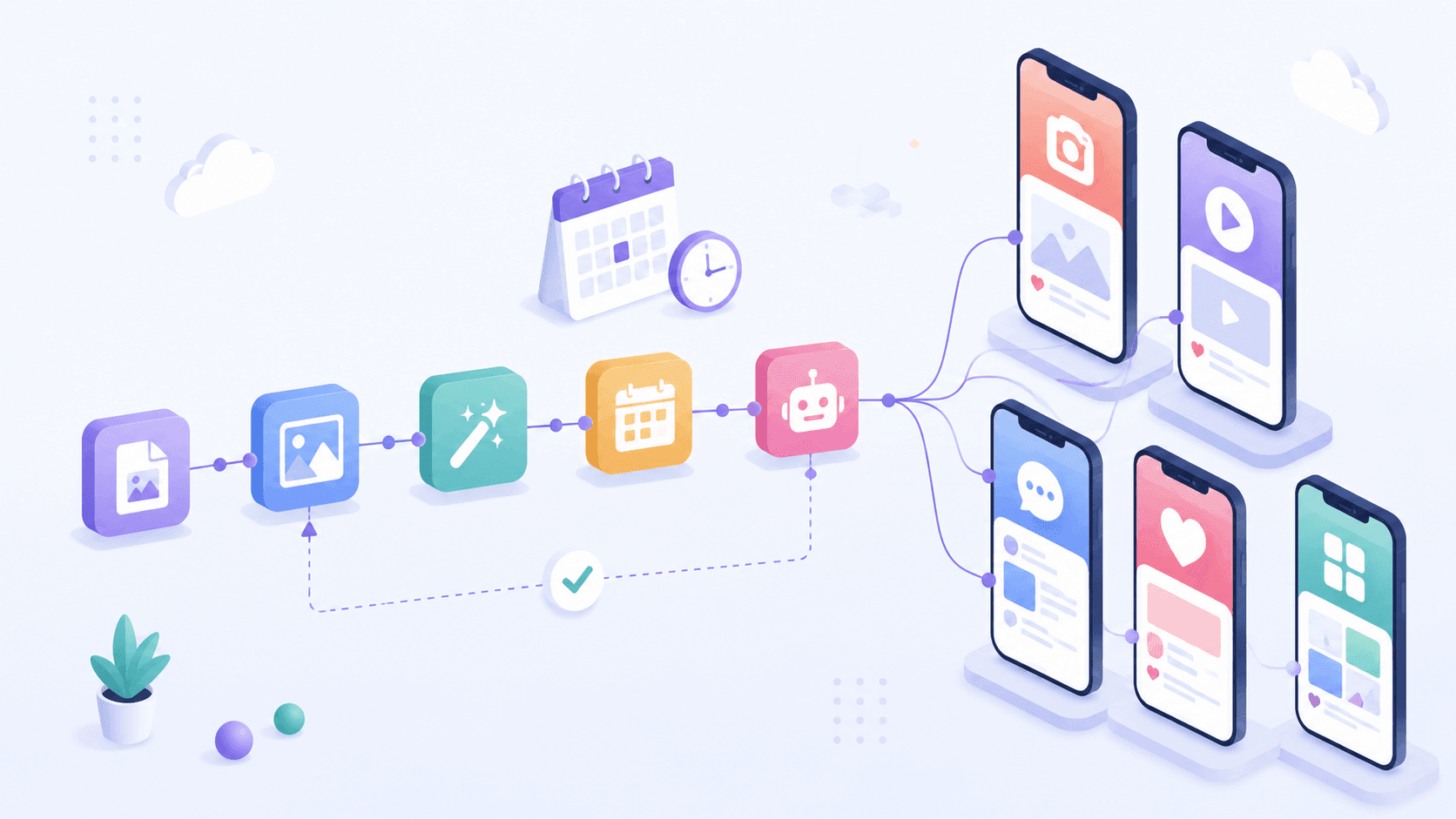
How to Automate Social Media Posting with n8n (Free Templates + Verified Node)
Automate social media posting with n8n: install the verified PostFast node, start from free templates, upload media, schedule carousels, and add approval.

How to Connect Claude to Instagram: Post, Schedule, Reply
Connect Claude to Instagram so it can schedule posts, Reels and Stories, answer comments and report post stats. Setup steps, prompts that work, and limits.
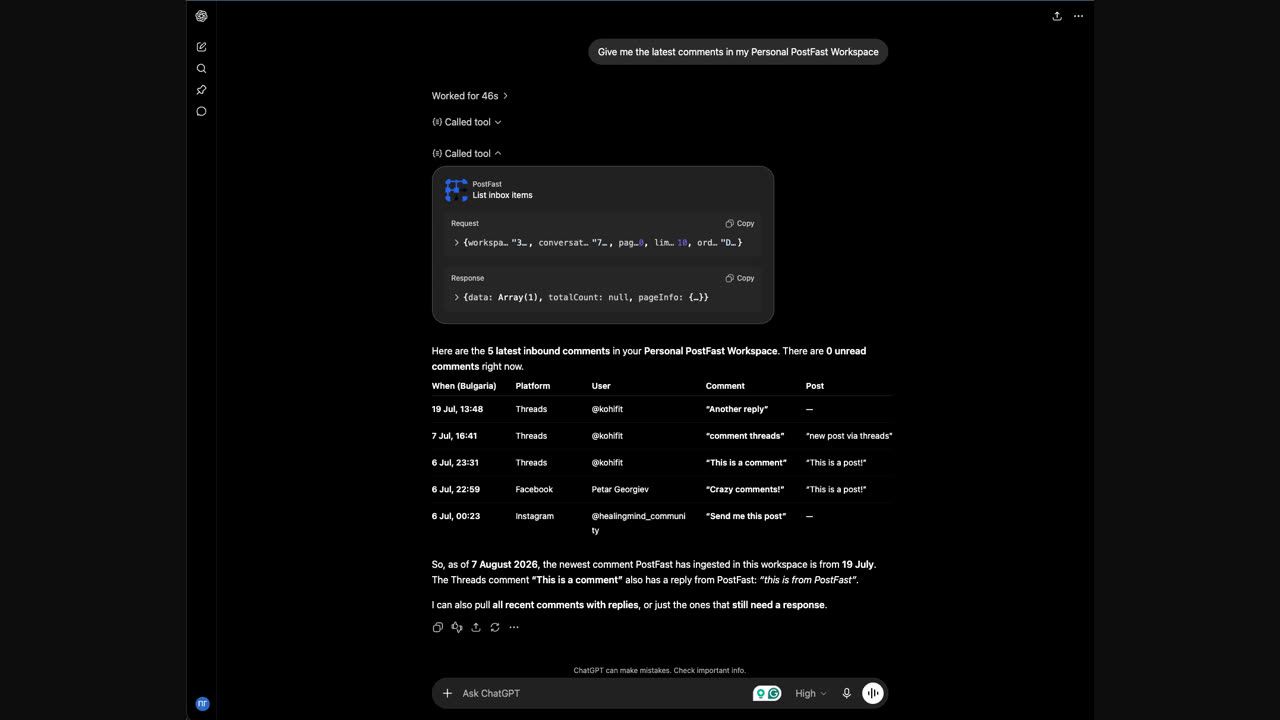
The AI-Operable Social Inbox: Let Claude or ChatGPT Answer Your Comments
PostFast's Social Inbox works from Claude, ChatGPT, Cursor or any MCP client: read comments, draft replies, hide spam and triage, on every plan.
Can ChatGPT Post to Instagram and Facebook? Yes, Here Is How
Yes, with a connected app. Use PostFast to schedule Instagram and Facebook posts, Reels and Stories from ChatGPT, with approval before publishing.