How to Connect Claude to YouTube: Upload and Schedule Videos and Shorts
Connect Claude to YouTube with a connector: upload and schedule videos and Shorts with a title, thumbnail, playlist, captions and a first comment from a chat.

On this page (12)
Claude can write a YouTube title, a description and a first comment in seconds, but on its own it cannot put a video on your channel. To upload and schedule, it needs a connector that can publish to YouTube.
This guide shows how to connect Claude to YouTube with PostFast, what Claude can set on an upload, what it cannot do, and prompts that work. The Claude menus and plan rules come from Anthropic's help center, the YouTube rules from YouTube's own help pages and API reference, and the PostFast details from PostFast's documentation, all checked in November 2026.
Can Claude upload videos to YouTube? The short answer
Yes, with a connector. Claude has no built-in way to publish to YouTube, and we have not found an upload connector for Claude published by YouTube or Google. A scheduling tool that publishes through YouTube's API can be added to Claude as a connector, and PostFast is one of them.
Once PostFast is connected, Claude can:
- upload a video or a Short and schedule it for a date and time, or save it as a draft in PostFast
- set the title, description, privacy, playlist, category and tags
- attach a custom thumbnail and a caption file, and set the video's language
- mark a video as made for kids, or as containing realistic altered or synthetic content
- add a first comment that goes up about 10 seconds after the video is live
- read back views, likes, comments and watch time once the video is out
Every upload waits for your yes. Claude shows you the channel, the time and the settings first, and nothing is published until you confirm.
"Connect YouTube to Claude" means three different things
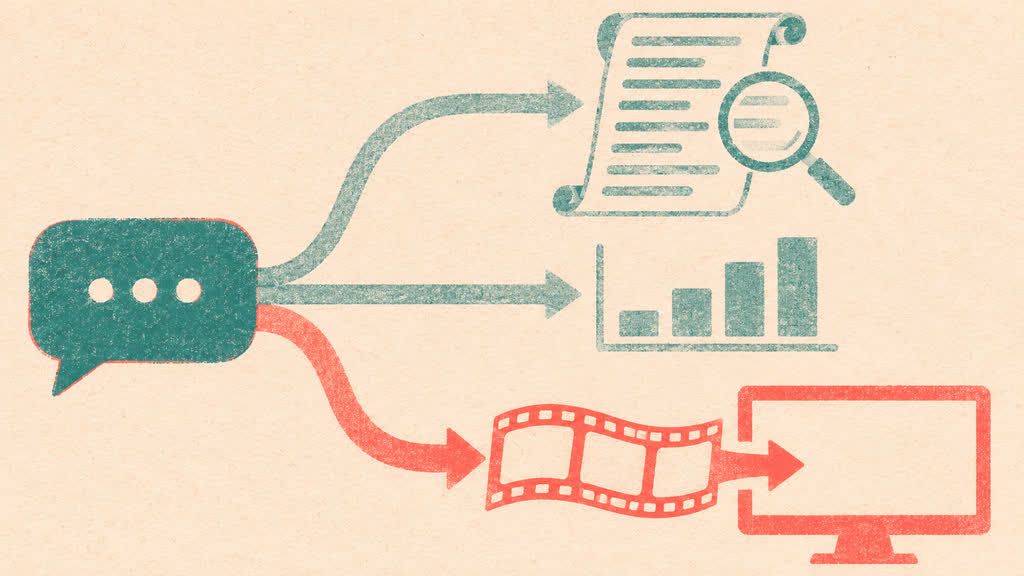
Search for it and you will find three kinds of tools under the same words:
- Watching and summarizing videos. Transcript tools and open-source MCP servers fetch a video's transcript so Claude can summarize or quote it. They read; they do not upload.
- Channel and ads data. Analytics connectors pull your YouTube Analytics or ads numbers into Claude for reporting. Several data companies sell exactly that.
- Uploading and scheduling. A connector that publishes videos to your channel. That is what this guide covers.
They work side by side: a transcript tool for research, PostFast for publishing what you made.
Is there a YouTube connector, a YouTube MCP or a YouTube skill for Claude?
There are open-source YouTube MCP servers, most of them built to read transcripts or channel data, and there are scheduling tools that have built YouTube uploading into a connector. PostFast is one of the second kind, and it is listed in Claude's connector directory.
The words overlap more than they differ. A connector is how Claude's interface labels an MCP server. The Model Context Protocol is the standard every Claude connector is built on, so a "YouTube MCP for Claude" and a "YouTube connector for Claude" are the same thing seen from two sides. A skill is a set of instructions that teaches Claude to use those tools well. PostFast's plugin bundles five of them, including one for scheduling posts, and the connector itself tells Claude each network's limits, such as the 100-character YouTube title. The Claude for social media guide explains the skills and what they drive on every network.
What you need before you start
- A YouTube channel. Connecting it opens Google's own sign-in, where Google shows the permissions PostFast asks for, and you approve them there. Custom thumbnails need a verified channel: that is YouTube's rule, not PostFast's.
- A Claude account. Anthropic lists web connectors as available to all users on Claude, Cowork, Claude Desktop and the Claude mobile apps. On Team and Enterprise plans, an Owner has to enable a connector for the organization before members can connect it.
- A PostFast account with YouTube connected. PostFast has a 7-day free trial with no credit card, and the Claude connector works on every plan. The YouTube integration page covers what PostFast publishes to YouTube.
- A finished video of up to 250 MB. PostFast publishes the file you give it; it does not edit or create video. Claude fetches it from a direct link to the file (a share or preview page will not work) or, where your Claude app passes attached files to connectors, from a file you attach in the chat. For a video on your own computer, see the Claude Code section below.
How to connect Claude to YouTube with PostFast
You connect YouTube once inside PostFast, then connect PostFast to Claude. With your PostFast account and channel in place, adding the connector takes about two minutes.
Step 1: Connect your YouTube channel to PostFast
Create your PostFast account, add YouTube as a channel and sign in with the Google account that runs the channel. Approve the permissions on Google's screen and you are back in PostFast with the channel listed. If you run several channels, connect each one; Claude can then ask "which channel?" when you upload.
Step 2: Add PostFast from Claude's connector directory
Open PostFast in Claude's directory at claude.ai/directory/postfast, or click Plugins in Claude's sidebar, filter the list to connectors and find PostFast. Until Anthropic's November 2026 update reaches your account (Enterprise plans get it on November 30), the same page is called Customize, with a Connectors tab. Click Connect, then sign in on PostFast's own login screen and approve access.
You never paste a password or an API key into the chat. The sign-in uses OAuth, the same "Sign in with" flow you know from other apps, and PostFast never sees your Google password: Google handled that login in step 1.
Step 3: Turn PostFast on in a conversation
In the chat box, click the + button in the lower left (or type /), open Connectors and switch PostFast on for that conversation. Claude can now use it whenever your request needs it.
Step 4: Ask for your first YouTube upload
Give Claude a direct link to the video and ask:
"Upload this to my YouTube channel as a regular video, not a Short, on Thursday at 5pm. Title: How we cut our onboarding from 12 steps to 4. Write the description from my notes below, put it in the Case studies playlist and make it public."
Claude uploads the file to PostFast, looks up your channel and the playlist, writes the description and schedules the video on hold. It then shows you the channel, the time, the title, the description and the settings. Say yes and the upload is approved; on Thursday at 5pm PostFast publishes it to YouTube.

On a Team or Enterprise plan
An Owner or Primary Owner first opens the Connectors page in Organization settings (grouped under Plugins after the November update), clicks Browse connectors, selects PostFast and chooses Add to your team. Enabling it does not connect anyone automatically: each person then connects PostFast and signs in with their own PostFast login. Members who cannot add connectors themselves can select Request on the connector's directory page, which is on by default on Team plans.
Prefer to add it by URL?
You can add the same connector as a custom connector. On your own plan, open Plugins (or Customize > Connectors before the update), click Add and pick the custom connector option. Give it a name, paste https://mcp.postfa.st/mcp as the server URL, add it, and sign in when asked. Anthropic allows custom connectors on Free, Pro, Max, Ultra, Team and Enterprise plans, with one custom connector on the Free plan, and on Team and Enterprise plans an Owner adds them for the organization. Anthropic's own note applies here: a custom connector reaches a service Anthropic has not verified, so connect only servers from organizations you trust.
In Cowork and on your phone
Anthropic lists connectors as available in Cowork as well as in Claude, Claude Desktop and the mobile apps, so a connector you add once is there when Cowork plans your upload week. Installing connectors directly in the mobile apps is still in beta; connect PostFast on the web or in Claude Desktop and use it from the Claude app on iOS or Android.
In Claude Code
If Claude Code is logged in with the same claude.ai account, connectors you added in Claude appear in Claude Code automatically. Run /mcp and PostFast is listed with your other claude.ai connectors. If it says it needs authentication, select it and sign in.
If you have not added PostFast in Claude, add it from the terminal once:
claude mcp add --scope user --transport http postfast https://mcp.postfa.st/mcp
Then run /mcp, choose postfast, select Authenticate and approve the sign-in in your browser.
For a video that sits on your computer, PostFast's open-source MCP package for Claude Code uploads a local file by its path. It runs with a PostFast API key and publishes as you ask, without the approval hold, so it suits scripts and local files rather than a yes before every post.
What Claude can set on a YouTube upload
Everything in the table is set in the same request that creates the post. Claude asks when something is missing, such as which playlist, and fills in what you leave to it, such as the description.
| Setting | What Claude can do | Good to know |
|---|---|---|
| Title | Write it or use yours | Up to 100 characters, no < or >. Without a title, PostFast uses the first line of the text, cut to 100 characters, and the rest becomes the description |
| Description | Write it from your notes | Up to 5,000 bytes, which is 5,000 characters of plain English text and fewer with emoji or accented letters; no < or > |
| Short or regular video | Choose either | A YouTube post in PostFast is a Short unless you turn that off |
| Privacy | Public, unlisted or private | Public is the default |
| Playlist | Add the video to one of your playlists | If adding it to the playlist fails, the video still publishes |
| Category and tags | Set them | One of YouTube's standard categories |
| Custom thumbnail | Attach an image you provide | JPEG or PNG in 16:9; needs a verified channel, and the video still publishes if the thumbnail fails |
| Language and captions | Set the video's language and add one .srt or .vtt file | Timed captions in plain UTF-8, up to 10 MB; YouTube's automatic captions stay available |
| Made for kids | Mark the video | YouTube requires creators to say whether a video is made for children under 13 |
| Altered or synthetic content | Add YouTube's disclosure | For realistic content made or meaningfully changed with AI |
| First comment | Write it | Posted about 10 seconds after the video goes live, up to 10,000 characters |
| Time | Schedule it up to a year ahead, or save a PostFast draft | Claude repeats the time back before you approve |

Shorts or a regular video
PostFast treats a YouTube post as a Short unless you turn that off, so say "regular video" or "long-form" for anything else. YouTube's own rule for a Short is a square or vertical video of up to 3 minutes. If you are cutting clips for Shorts, the Shorts dimensions page has the sizes.
Titles, descriptions and chapters
YouTube caps a title at 100 characters and a description at 5,000 bytes, and it accepts neither < nor > in either. PostFast refuses a post that contains them before saving it, so if Claude writes an arrow such as "->" in a description, the post comes back with an error and has to be rewritten. Asking for "no arrows or angle brackets" up front saves that round trip.
Chapters come from the description, so Claude can add them if you give it the timestamps. YouTube's rules: the first timestamp starts at 00:00, there are at least three in ascending order, and each chapter runs at least 10 seconds. Claude does not watch the video, so the timestamps have to come from you, your editor or your notes.
Thumbnails, playlists and captions
Claude does not design thumbnails or time captions from the video itself; it works with the files you provide. Give it the thumbnail image and, for captions, a timed .srt or .vtt file (a plain transcript without timings is refused). Claude uploads both, sets the video's language, which a caption file needs, and picks the playlist by name from your channel's list. The YouTube thumbnail size guide covers dimensions before you export.
One caption file goes with each video, in the video's language. If adding the captions fails when the video publishes, the video goes out without them, and PostFast cannot change the language or caption file after the video publishes; from then on, captions are edited in YouTube Studio.
The same clip on TikTok, Instagram and Facebook
A vertical clip can go to YouTube Shorts, TikTok, Instagram Reels and Facebook Reels in one request, each with its own text: "Post this clip as a Short, a TikTok and an Instagram Reel on Saturday at 10am, with a different caption for each." Each network keeps its own settings, and every post still waits for your yes. The TikTok guide covers what changes on the TikTok side, such as sounds and drafts.
Prompts to try
- "Upload this Short for tomorrow at 9am: [link]. Write a title, a two-line description with three hashtags, and a first comment asking viewers which tip they would try first."
- "Here are my notes for this week's video and the chapter timestamps. Write a title under 70 characters and a description with chapters, and schedule it for Friday at 3pm, public, in my Tutorials playlist."
- "Schedule these three Shorts for Monday, Wednesday and Friday at 6pm: [links]. Same playlist, not made for kids."
- "Here is the thumbnail and the English caption file for tomorrow's video. Attach both and set the language to English."
- "What did my last five YouTube uploads get in views and average watch time? Which title did best?"
If you are not sure when to publish, PostFast's YouTube posting-time data is a starting point.
Every video waits for your yes
Uploads created through PostFast's connector in Claude are held for approval. Claude shows you what will go out, where and when, and approves the upload only after you say yes. If you change your mind before it publishes, ask Claude to delete the post.
What comes back after it publishes
Ask Claude how a video is doing and it reads PostFast's numbers for it: views, likes and comments, plus average and total watch time. PostFast refreshes them every 6 hours for the first 14 days after publishing, then daily until 60 days, so a question on day three gets numbers from the last few hours.
Claude can also read your channel's follower history: PostFast captures the subscriber count once a day, starting with the first daily capture after you connect the channel. YouTube's subscriber counts are approximate, and a channel that hides its count returns none. For traffic sources and audience retention, YouTube Studio remains the place to look.
What it cannot do
- Watch the video. Claude works from your notes and files. The connector uploads the video without playing or transcribing it.
- Make or edit the video. The file has to be finished before Claude can upload it.
- Upload more than 250 MB per video. Long, high-resolution videos often go over; export a smaller file or upload that one in YouTube Studio.
- Answer YouTube comments. PostFast's comment inbox covers TikTok, Instagram, Facebook Pages and Threads, not YouTube. A first comment at publishing time is supported.
- Change a video after it is published. Edits to a live video happen in YouTube Studio.
- Live streams, premieres, community posts, end screens and cards. Set those in YouTube Studio.
- Get around YouTube's rules. Custom thumbnails need a verified channel, realistic AI content needs the disclosure, and YouTube's own checks apply to every upload.
Is it safe to connect Claude to YouTube?
The connection is built so that Claude never holds your Google password:
- You sign in on PostFast's own screen using OAuth. No password or API key goes into the chat, and the Google login happens on Google.
- It publishes through YouTube's API, the route YouTube provides for apps, not by driving your browser.
- Permissions stay with you. PostFast checks your workspace permissions on every request, so Claude can only do what your PostFast user can do.
- You can disconnect at any time, from the Plugins page in Claude, from PostFast, or by removing PostFast's access in your Google Account's list of third-party connections. If you installed PostFast's plugin, removing the plugin does not disconnect the connector; disconnect it separately.
- Admins can limit actions. On Team and Enterprise plans, Owners can limit which actions a connector can take across the organization, for example allowing it to read while blocking changes.
In Claude's directory, PostFast's listing carries the Community label rather than Verified.
Does this work in ChatGPT?
Yes. PostFast also has a ChatGPT connector in ChatGPT's plugin directory, and it is the same connector, so everything above applies there too: Shorts by default, titles within 100 characters, thumbnails and captions from your files, and an upload that waits for your yes.
Frequently Asked Questions
Can Claude upload videos to YouTube?
Not on its own. With a connector that publishes through YouTube's API, such as PostFast, Claude can upload and schedule videos and Shorts with a title, description, thumbnail, playlist, captions and a first comment, and every upload is approved only after you confirm.
Is there a YouTube connector for Claude?
We have not found one from YouTube or Google for uploading. PostFast's connector is in Claude's directory and covers YouTube along with ten other networks, and open-source YouTube MCP servers mostly read transcripts or channel data.
Is there a YouTube MCP for Claude?
Yes, several open-source ones, mostly for transcripts and channel data. A Claude connector is an MCP server, so PostFast's connector is also a YouTube MCP for Claude, one that uploads and schedules videos.
Can Claude watch YouTube videos?
Not through PostFast: the connector uploads your videos without playing or transcribing them. Tools that summarize YouTube videos for Claude work from the video's transcript, which is a separate kind of connector.
Can Claude schedule YouTube Shorts?
Yes. In PostFast a YouTube upload is a Short by default, and YouTube treats square or vertical videos of up to 3 minutes as Shorts. Claude can schedule the same clip to TikTok, Instagram Reels and Facebook Reels in the same request.
Can Claude reply to YouTube comments?
Not through PostFast. Its comment inbox covers TikTok, Instagram, Facebook Pages and Threads. On YouTube, Claude can add a first comment that goes up about 10 seconds after the video is live.
Can I connect YouTube to Claude for free?
Anthropic makes connectors available to all Claude users, including the Free plan, which allows one custom connector. On the PostFast side, the 7-day trial needs no credit card and the connector works on every plan.
Related
YouTube scheduling with PostFast
Shorts and full videos
Schedule YouTube Shorts From Desktop and Cross-Post Without Extra Work
Schedule YouTube Shorts from desktop with PostFast. Batch a week, cross-post to TikTok and Instagram Reels, and keep a steady flow without extra exports.
The PostFast MCP server for Claude and ChatGPT
Claude, ChatGPT, Cursor
How to Download Video from YouTube The Smart Way
Learn how to download video from YouTube using safe, official methods. Discover smart alternatives for repurposing content without the risks.
How to Use a YouTube Video Downloader 4K for Easy 4K Video Downloads
Discover youtube video downloader 4k tips to save 4K videos efficiently with desktop, online, or CLI tools.
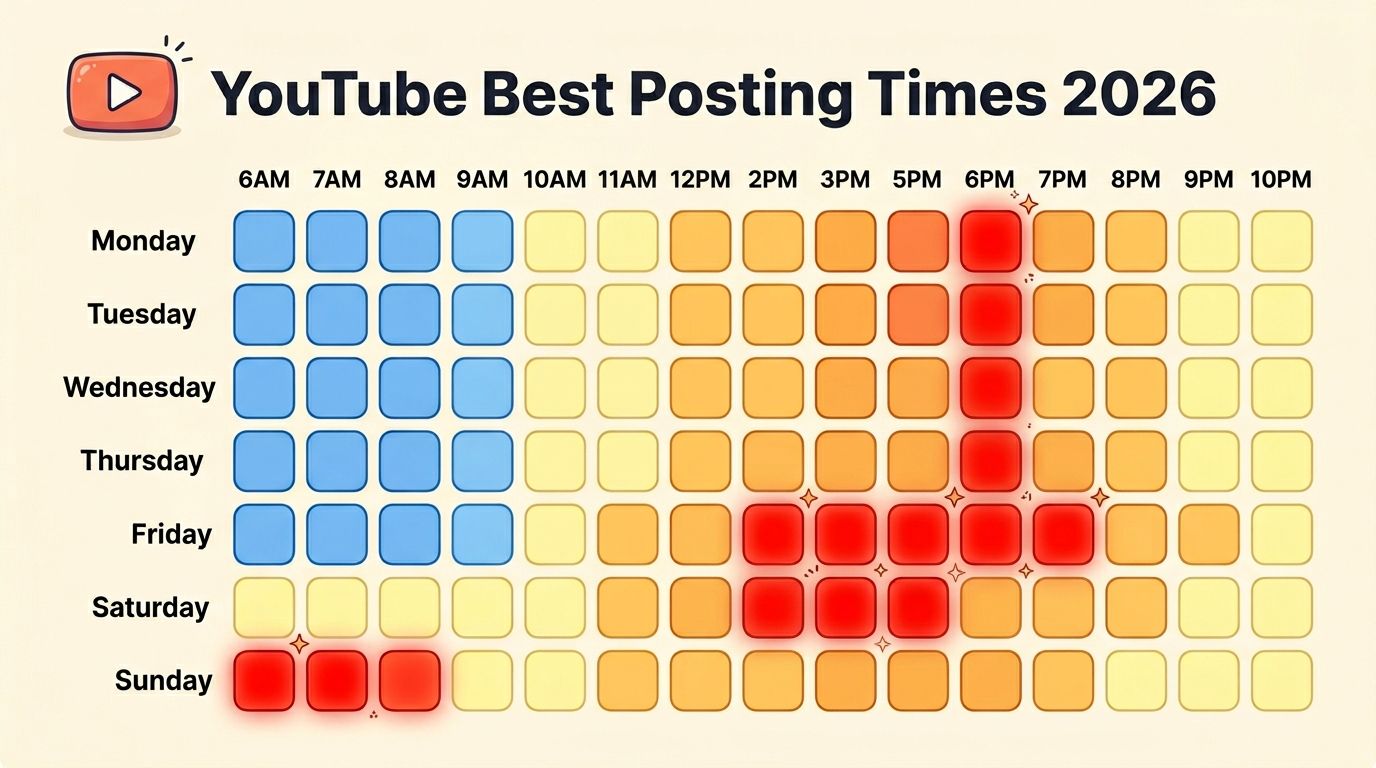
Best Time to Post on YouTube in 2026: Data From 6,175 Posts (Videos and Shorts)
Best time to post on YouTube in 2026: first-party data from 6,175 posts scored against each channel's normal. 5 PM UTC wins; weekends beat Wednesday by 25%.
Can ChatGPT Post to Instagram and Facebook? Yes, Here Is How
Yes, with a connected app. Use PostFast to schedule Instagram and Facebook posts, Reels and Stories from ChatGPT, with approval before publishing.